00193631-0602.pdf - 第88页
6 Converting the power supply Adjustment Instructions MTC 2 6.2 Procedure 12/2007 Edition 88 6.2 Procedure Fig. 6.2 - 1 Electronics board Key 1. Bridges on the voltage distributor terminal X01 2. Motor pr otection switc …
Adjustment Instructions MTC 2 6 Converting the power supply
12/2007 Edition 6.1 Tools and accessories
87
6 Converting the power supply
To operate the MTC 2 in the USA or in Japan, the power supply needs to be changed from 400 V,
50 Hz to 208/204 V, 50/60 Hz.
NOTE
To convert the power supply from 208/204 V to 400 V, the same procedure must be carried out in
the reverse order.
DANGER
The following activities require access to machine parts that are moved or carry dangerous
voltage. Only perform the activity that is described and do not touch any other live or moving parts.
Because of the intermediate circuit capacitors, there are still dangerous voltages in the device up
to 5 minutes after disconnection. You must therefore not work on the device or the intermediate
circuit terminals before an appropriate time has elapsed. The power and control terminals may
also still be live after the motor comes to a standstill.
There is a risk of death, severe injury and/or considerable damage to equipment if these
instructions are not followed.
6.1 Tools and accessories
– 1 set of screwdrivers
– 3 additional bridges
6 Converting the power supply Adjustment Instructions MTC 2
6.2 Procedure 12/2007 Edition
88
6.2 Procedure
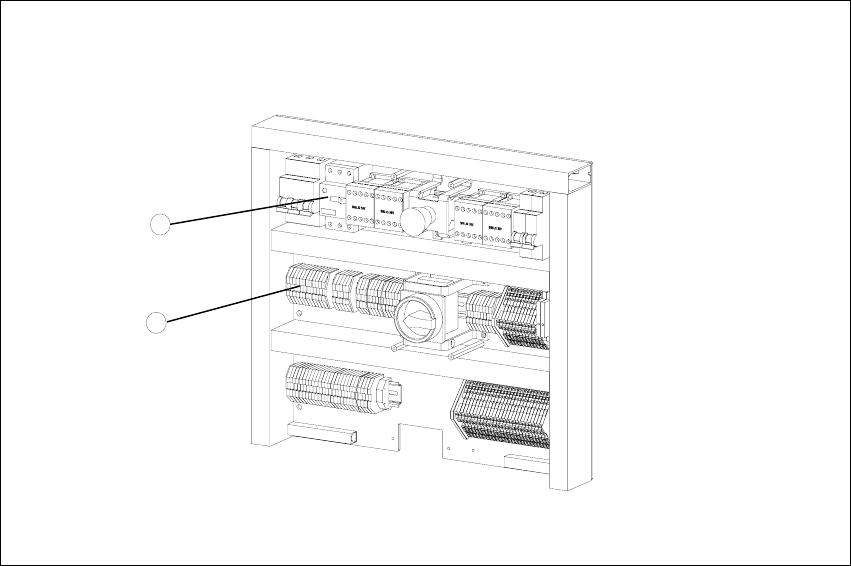
Fig. 6.2 - 1 Electronics board
Key
1. Bridges on the voltage distributor terminal X01
2. Motor protection switch
2
1
Adjustment Instructions MTC 2 6 Converting the power supply
12/2007 Edition 6.2 Procedure
89
6.2.1 Voltage distributor terminal X01
6
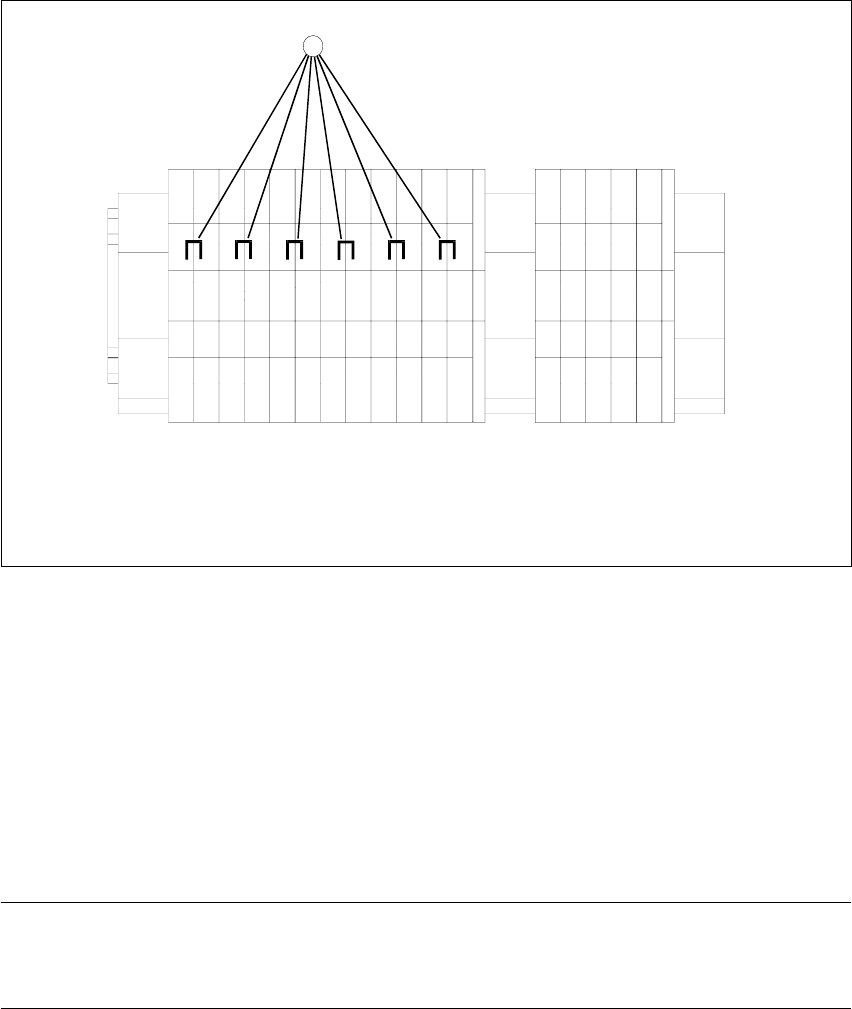
Fig. 6.2 - 2 Voltage distributor terminal X01
Key
1. Bridges on the voltage distributor terminal X01
Removing the three bridges between 2-3, 6-7 and 10-11.
Connect the six bridges between 1-2, 3-4, 5-6, 7-8, 9-10 and 11-12.
6.2.2 Motor protection switch
NOTE
Please note that the setting of 3.5A of the motor protection switch must not be changed from now
on.
-X01
1
2
3
45
6789
10
11
12
11