00193631-0602.pdf - 第70页
5 Feed axes Adjustment Instructions MTC 2 5.2 Zero offset, removal position and transfer position 12/2007 Edition 70 Confirm by clicking on " Accept ". Confirm your choice by clicking on " OK ". …
Adjustment Instructions MTC 2 5 Feed axes
12/2007 Edition 5.2 Zero offset, removal position and transfer position
69
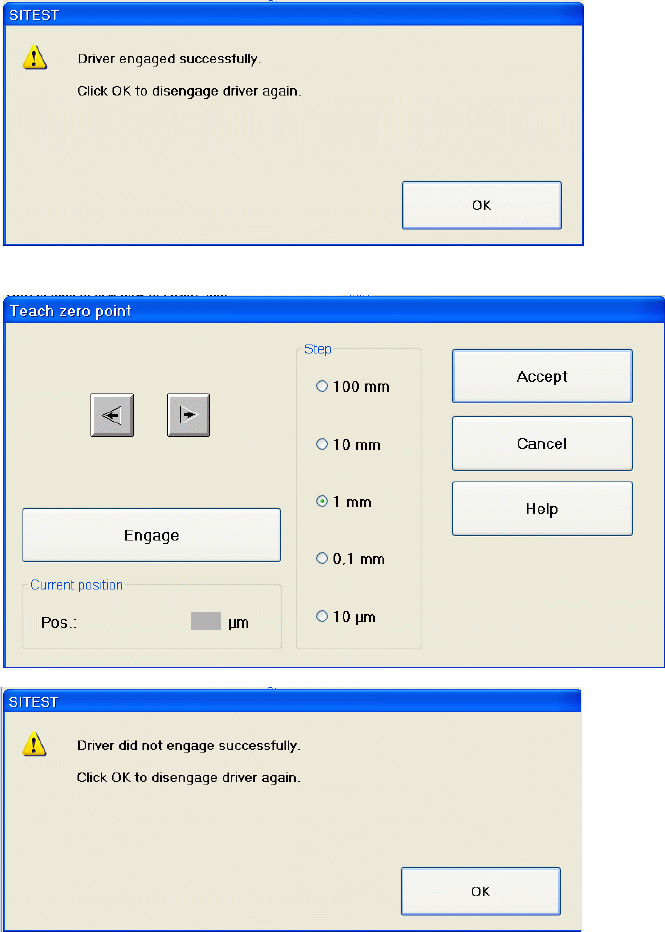
By moving the feed axis a little bit further and again clicking on "Engage" you will be able
to evaluate the precise position of the flanks of the notch.
The actual position is shown in the dialog, here displayed in the screenshot as a grey field.
Calculate the middle position of the notch (see also section 5.2.3)
Move the feeder axis to the calculated middle position by arrow buttons.
5 Feed axes Adjustment Instructions MTC 2
5.2 Zero offset, removal position and transfer position 12/2007 Edition
70
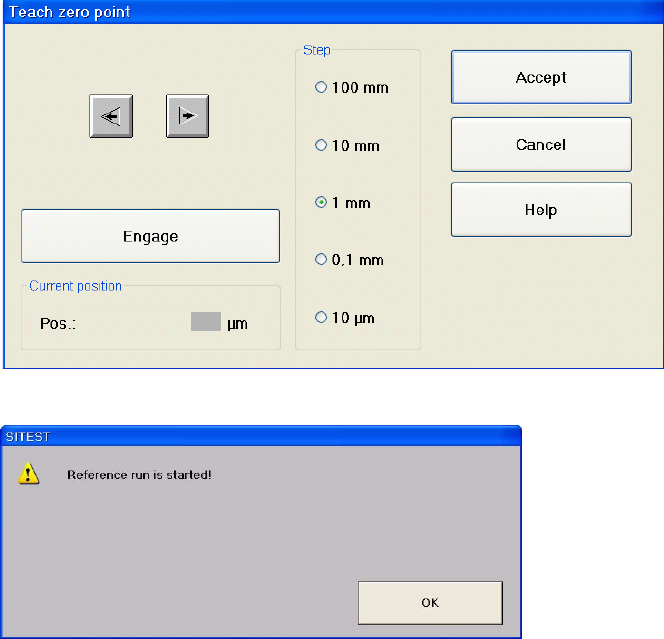
Confirm by clicking on "Accept".
Confirm your choice by clicking on "OK".
Repeat this calibration procedure for the other cassettes.
Adjustment Instructions MTC 2 5 Feed axes
12/2007 Edition 5.2 Zero offset, removal position and transfer position
71
5.2.7 Calibrating the transfer position
Carry out the relevant preparatory measures (see section 5.2.2 "Preparatory measures").
Transfer position of the Tower 1 XL WTC
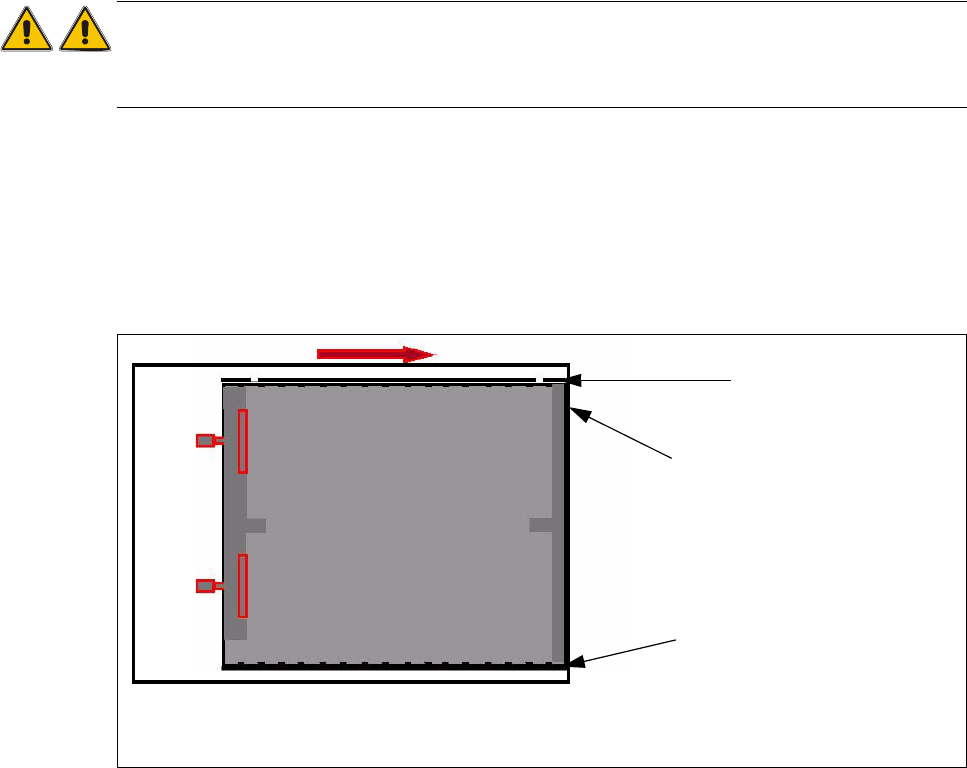
When you press the button to calibrate the Transfer position the tray moves approx. 5mm outside
of the feed axis.
Attention:
When you accept this calibration procedure with "ACCEPT" now, you get a wrong transfer position
and pick up position for the twin head.
Open the cover and move the tray back in the direction to the lifting axes
Then move the tray back in the direction to the machine and stop so that the plastic edge co-
mes into line with outer edge of the frame from the feed axis. You must do this in one step,
because that you eliminate the tolerance between the space and the driver and you don‘t need
a pick up offset for the tray.
Fig. 5.2 - 4 Transfer position XL tray
Plastic edge of the WTC
Edge of the frame from the MTC
Plastic edge of the WTC