00193631-0602.pdf - 第80页
5 Feed axes Adjustment Instructions MTC 2 5.5 Light barriers 12/2007 Edition 80 5.5.3 Checking and setting the handle sensors NOTE The handle sensors each comprise a reflecting light barrier wh ich can detect the handle …

Adjustment Instructions MTC 2 5 Feed axes
12/2007 Edition 5.5 Light barriers
79
5.5.1 Tools and accessories
– Adjustment gauge, order no. 03021679-01
– 1 set of hexagon socket wrenches
NOTE
The Adjustment gauge for the light barriers are used differently for tower 1 and tower 2.:
At tower 2 the gauge is put onto the feed axis:
at gauge level 11.5 mm the light barrier must be activated,
at gauge level 11.4 mm the light barrier must not be activated.
at tower 1 the gauge is turned by 90 degrees and put onto the tray:
at gauge level 9.85 mm the light barrier must be activated,
at gauge level 9.75 mm the light barrier must not be activated
5.5.2 Preparatory measures
Move the feed axis into the zero position (see section 5.2.3 "Checking and setting the zero
offset").
5 Feed axes Adjustment Instructions MTC 2
5.5 Light barriers 12/2007 Edition
80
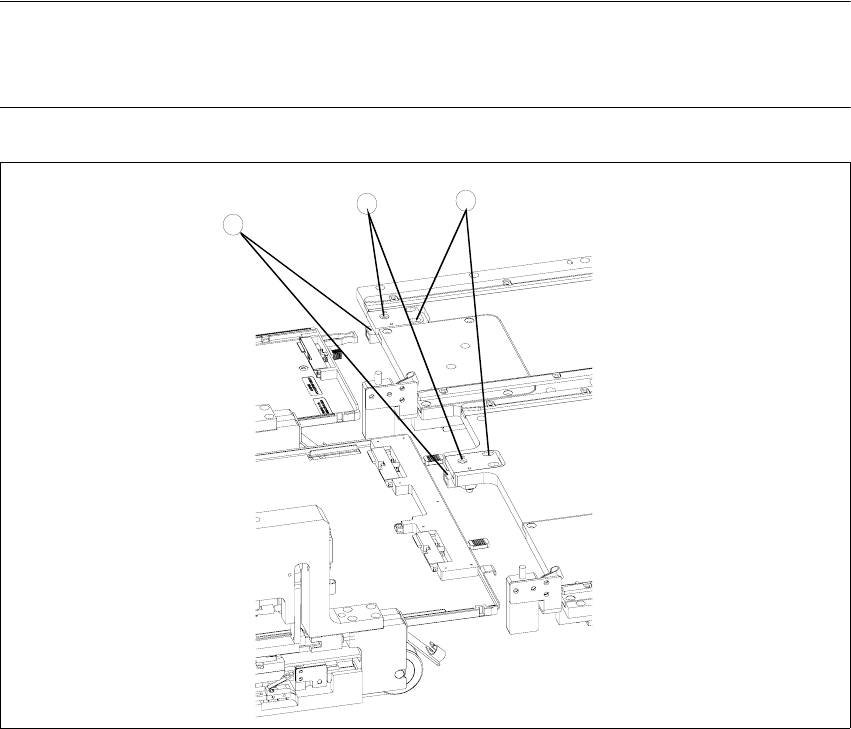
5.5.3 Checking and setting the handle sensors
NOTE
The handle sensors each comprise a reflecting light barrier which can detect the handle of the
WTC or the side of the handle of the WTC XL. An LED indicates the switching status of the sensor.
Fig. 5.5 - 2 Checking and setting the handle sensors
Key
1. Reflecting light barriers of the handle sensors
2. Mounting plates with clamping screws
3. LEDs
Unscrew the clamping screws of the mounting plate.
Move the mounting plate in the direction of the WTC until the reflecting light barrier responds
(the LED will change its status). Fix the plate in place there.
Ensure that the status of the LED remains the same when you move the locked WTC. If ne-
cessary, move the mounting plate a little further in the direction of the WTC.
Firmly tighten the clamping screws.
3
2
1
Adjustment Instructions MTC 2 5 Feed axes
12/2007 Edition 5.5 Light barriers
81
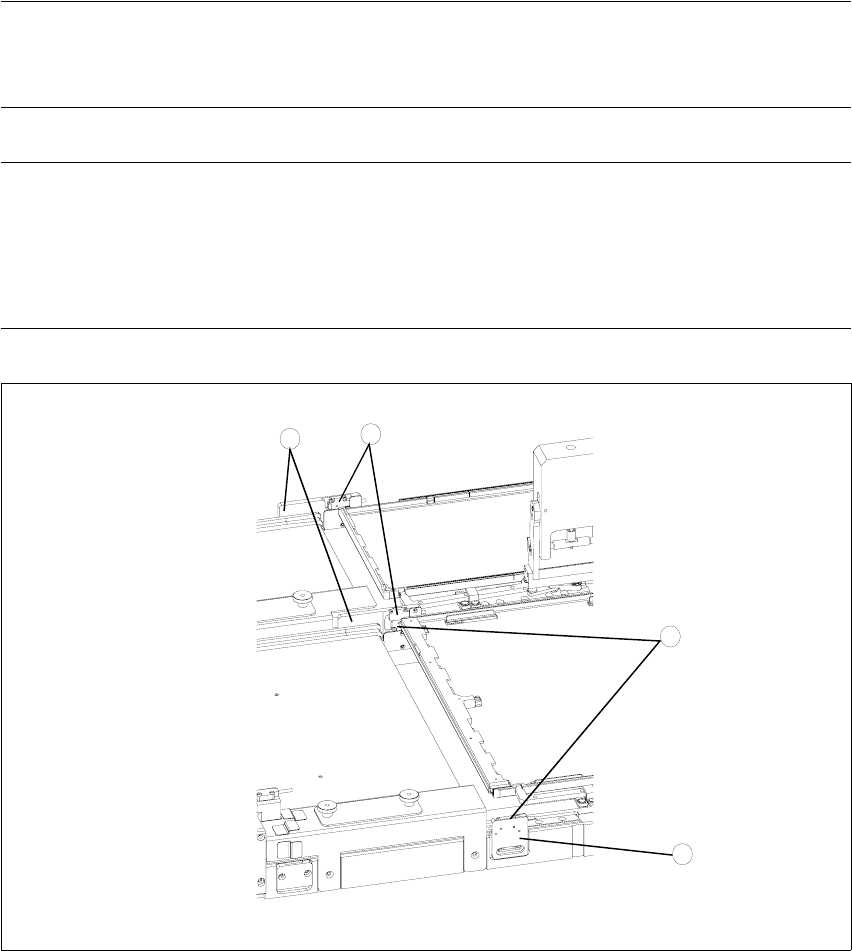
5.5.4 Checking and setting the WTC safety queries
NOTE
The WTC safety queries each comprise a light barrier which is interrupted by the front edge of the
WTC or the WTC XL. Two LEDs indicate the switching status of the sensor.
NOTE
Make the settings for the feed axis of tower 1 first and then the feed axis of tower 2.
The light barrier holder in the middle accepts the light barriers for both axes but cannot be set
separately. When making settings, both the holder for the sender and the holder for the receiver
of the light barrier pairs must be moved.
Fig. 5.5 - 3 Checking and setting the WTC safety query
Key
1. Light barrier for the WTC safety query for tower 1
2. Light barrier for the WTC safety query for tower 2
3. Light barrier holder with clamping screws
3
2
1
3