00193631-0602.pdf - 第48页
4 Lifting axes Adjustment Instructions MTC 2 4.3 End positions 12/2007 Edition 48 4.3.3 Moving to th e end positions Select the Axes button from the menu bar at the bo ttom. Select " To w e r 1 " and "…
Adjustment Instructions MTC 2 4 Lifting axes
12/2007 Edition 4.3 End positions
47
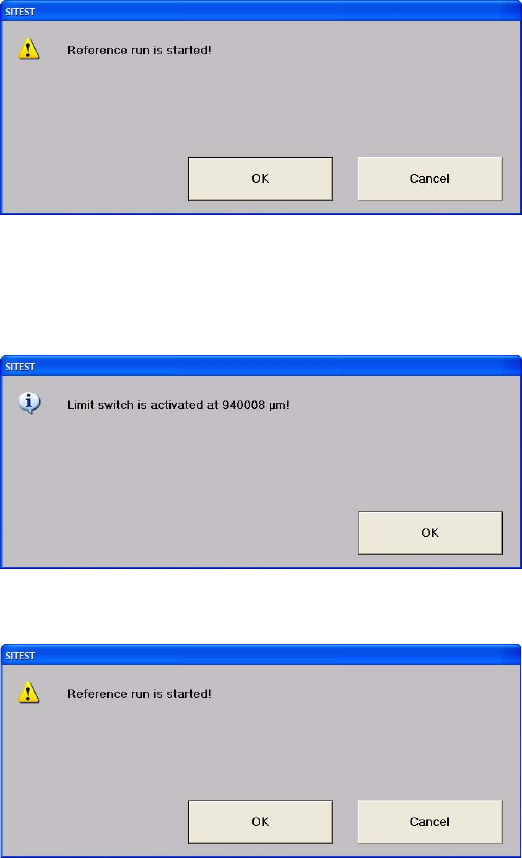
Confirm your choice by clicking on "OK".
Select "Limit switch +". The lifting axis moves until the bottom limit switch is reached.
Confirm your choice by clicking on "OK". The value displayed is saved.
Confirm your choice by clicking on "OK".
4 Lifting axes Adjustment Instructions MTC 2
4.3 End positions 12/2007 Edition
48
4.3.3 Moving to the end positions
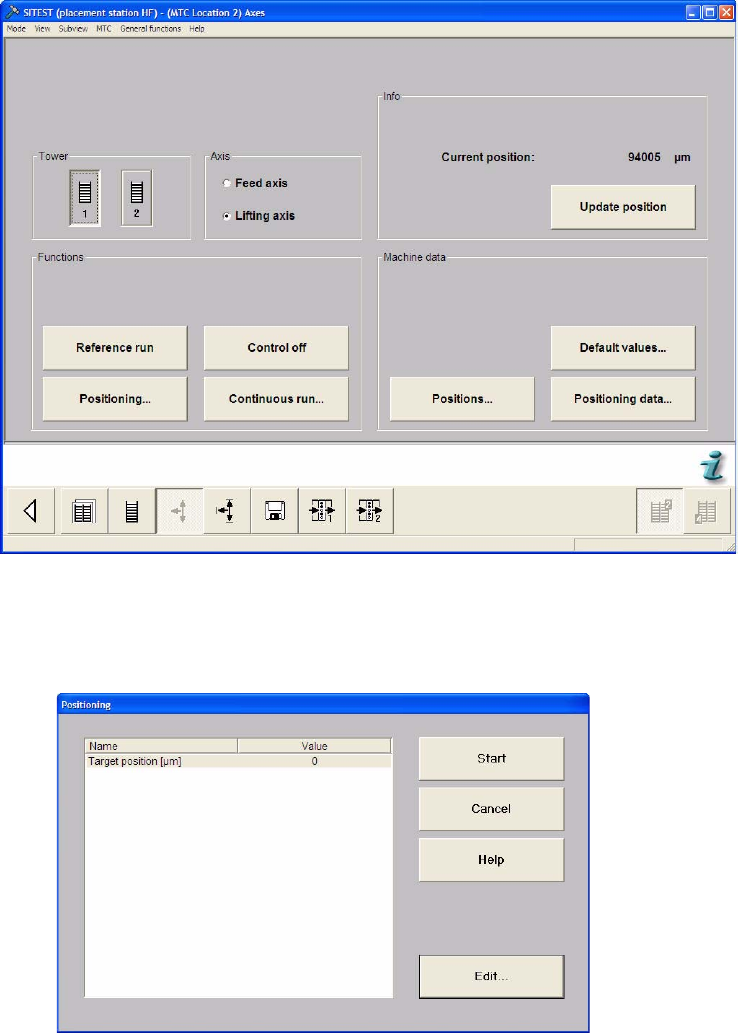
Select the Axes button from the menu bar at the bottom.
Select "Tower 1" and "Lifting axis".
Select "Positioning...".
Select "Edit".
Adjustment Instructions MTC 2 4 Lifting axes
12/2007 Edition 4.3 End positions
49
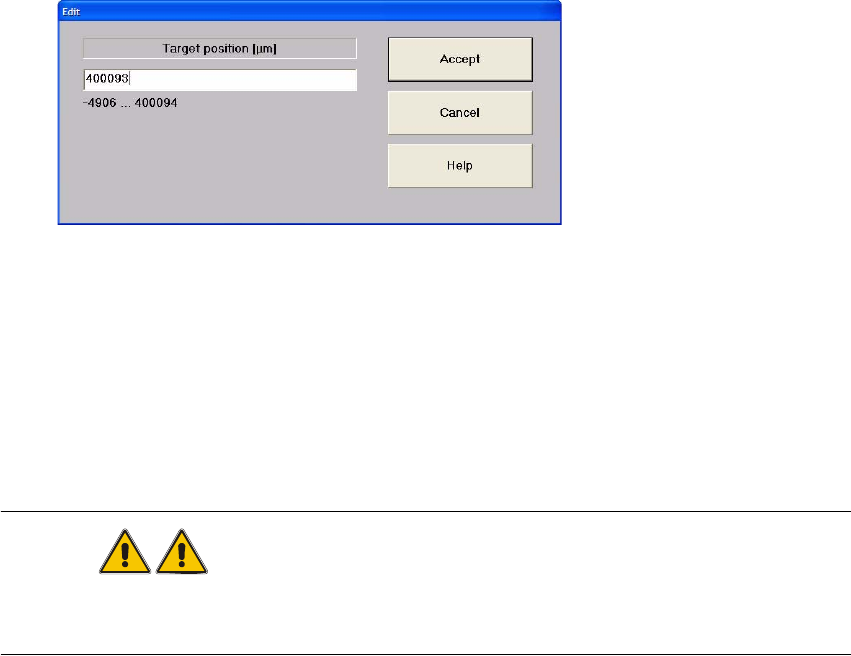
Enter one of the displayed values in the input field: here
"400093" for the lowest possible position (max. position) or
"–490" for the highest possible position (min. position).
Close the window with "Accept".
Press "Start".
The lifting axis moves to the relevant end position.
WARNING
In this position, the MTC 2 must not be lifted with the fork lift truck.
Move the MTC 2 into its transport position before transporting it.