00193631-0602.pdf - 第50页
4 Lifting axes Adjustment Instructions MTC 2 4.4 Guide rails and stopper bars 12/2007 Edition 50 4.4 Guide rails and stopper bars Fig. 4.4 - 1 Guide rails and stopper bars in the upp er frame Key 1. Guide rail (shown her…
Adjustment Instructions MTC 2 4 Lifting axes
12/2007 Edition 4.3 End positions
49
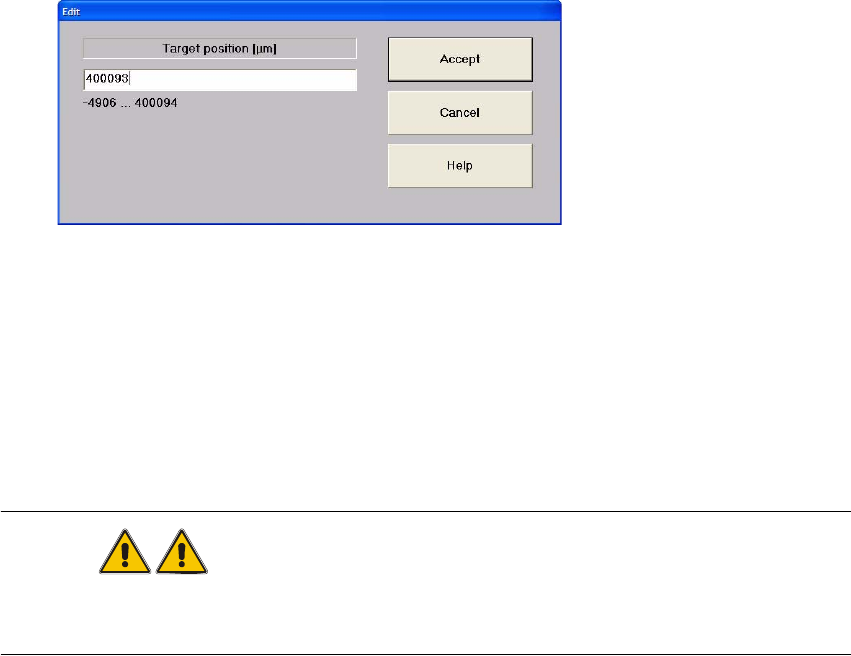
Enter one of the displayed values in the input field: here
"400093" for the lowest possible position (max. position) or
"–490" for the highest possible position (min. position).
Close the window with "Accept".
Press "Start".
The lifting axis moves to the relevant end position.
WARNING
In this position, the MTC 2 must not be lifted with the fork lift truck.
Move the MTC 2 into its transport position before transporting it.
4 Lifting axes Adjustment Instructions MTC 2
4.4 Guide rails and stopper bars 12/2007 Edition
50
4.4 Guide rails and stopper bars
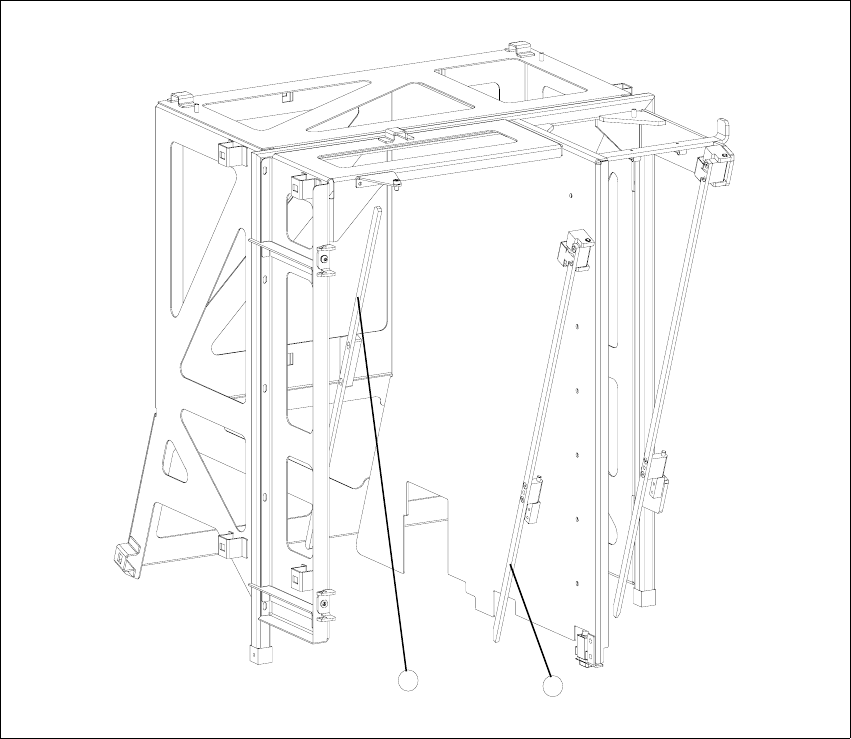
Fig. 4.4 - 1 Guide rails and stopper bars in the upper frame
Key
1. Guide rail (shown here for tower 1)
2. Stopper bar (shown here for tower 1)
4.4.1 Tools and accessories
– 1 set of hexagon socket wrenches
2
1

Adjustment Instructions MTC 2 4 Lifting axes
12/2007 Edition 4.4 Guide rails and stopper bars
51
4.4.2 Preparatory measures
Move the lifting axis into the refill position for cassette 1 and completely set up the MTC 2 with
empty cassettes (see User Manual).
Set up every cassette with an empty WTC in the bottom and in the top level.
4.4.3 Checking and setting the guide rails, top (see Fig. 4.4 - 1)
Manually open the WTC interlock for each WTC which has been set up and check that the
WTC can be pulled out approx. 0.5 to 1mm up to the closed guide rail. When closing the WTC
interlock, the WTC must automatically click into place.
Open the guide rail. When closing the guide rail, use a WTC which has been pulled out to
check either:
– that the WTC engages in the WTC interlock again on its own or
– that the guide rail cannot be closed.
Set the position of the guide rail (by moving it in its fixing holes), if the behavior described above
is not observed.
WARNING
The guide rail must under no circumstances touch the WTCs!
4.4.4 Checking and setting the stopper bars, top (see Fig. 4.4 - 1)
Manually open the side interlock (leaf springs) for each WTC and check that the WTC can be
pushed through approx. 0.5 to 1mm up to the stopper bar. When closing the interlock, the WTC
must click into place automatically.
Set the position of the stopper bar (by moving it in its fixing holes), if the behavior described
above is not observed. If necessary, remove the covers behind the doors.
Check on tower 1 that a WTC XL with 25 mm-high components can be transported without col-
liding with the stopper bar. If necessary, correct the position of the stopper bar.
WARNING
The stopper bar must under no circumstances touch the WTCs!