00193631-0602.pdf - 第43页
Adjustment Instr uctions MTC 2 4 Lifting axes 12/2007 Edition 4.2 Zero offset, refill position and transfer position 43 Select " Open WPTC lock ". Manually move the WTC complete ly out of the cassette onto …
4 Lifting axes Adjustment Instructions MTC 2
4.2 Zero offset, refill position and transfer position 12/2007 Edition
42
4.2.7 Calibrating the transfer positions
Carry out the relevant preparatory measures (see section 4.2.1 "Preparatory measures").
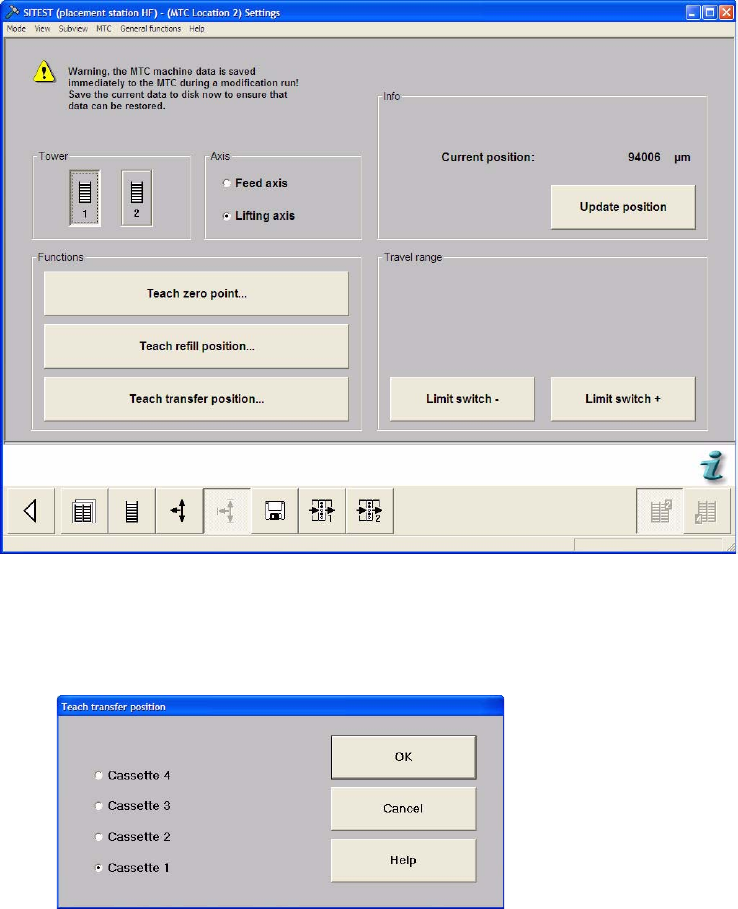
Select the Settings button from the menu bar at the bottom.
Select "Tower 1" and "Lifting axis".
Select "Teach transfer position...".
Select "Cassette 1"and press "OK".
Adjustment Instructions MTC 2 4 Lifting axes
12/2007 Edition 4.2 Zero offset, refill position and transfer position
43
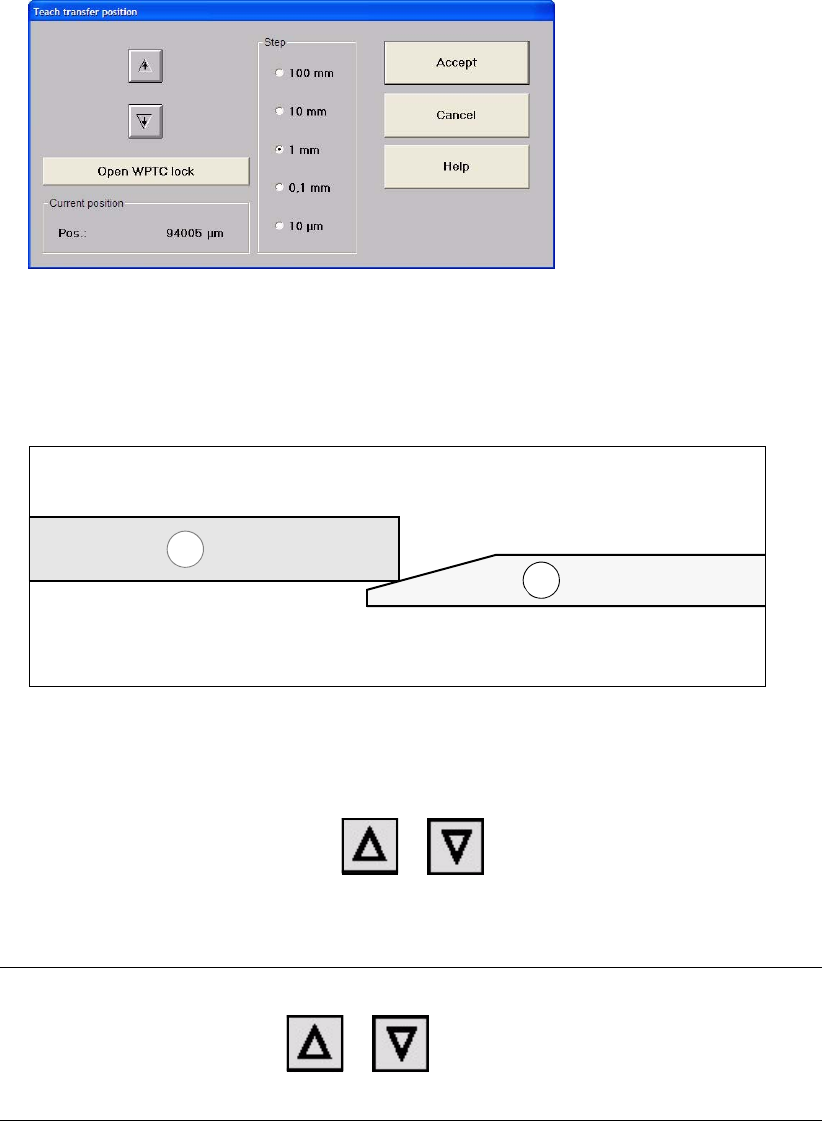
Select "Open WPTC lock".
Manually move the WTC completely out of the cassette onto the rail of the feed axis.
Now the WTC (1) must have contact at the lower third of the ramp of the feed axis (2) (see
figure below).
Select "Close WPTC lock".
Move the WPC back into the cassette so that the WTC interlock is locked.
Click on "Cancel".
Gradually move the lifting axis with or , until the bottom edge of the WTC is
at the level of the rails of the feed axis and you the transition between cassette and rail is
smooth.
NOTE
Every time you press the button or , the lifting axis moves up or down one step
of the selected step size.
Insert the WTC back into the cassette until it engages in the WTC interlock.
Close the window with "Accept".
Repeat this calibration procedure for the other cassettes.
1
2

4 Lifting axes Adjustment Instructions MTC 2
4.2 Zero offset, refill position and transfer position 12/2007 Edition
44
WARNING
Before moving the lifting axis, ensure that
- the cassettes and the WTCs are always fully inserted in the tower,
- the driver is disengaged and
- the WTC interlock is locked.