00193631-0602.pdf - 第47页
Adjustment Instr uctions MTC 2 4 Lifting axes 12/2007 Edition 4.3 End positions 47 Confirm yo ur choice by clicking on " OK ". Select " Limit switch + ". The lifting axis moves until the bottom li…
4 Lifting axes Adjustment Instructions MTC 2
4.3 End positions 12/2007 Edition
46
4.3.2 Checking and calibrating the end positions
Carry out the relevant preparatory measures (see section 4.3.1 "Preparatory measures").
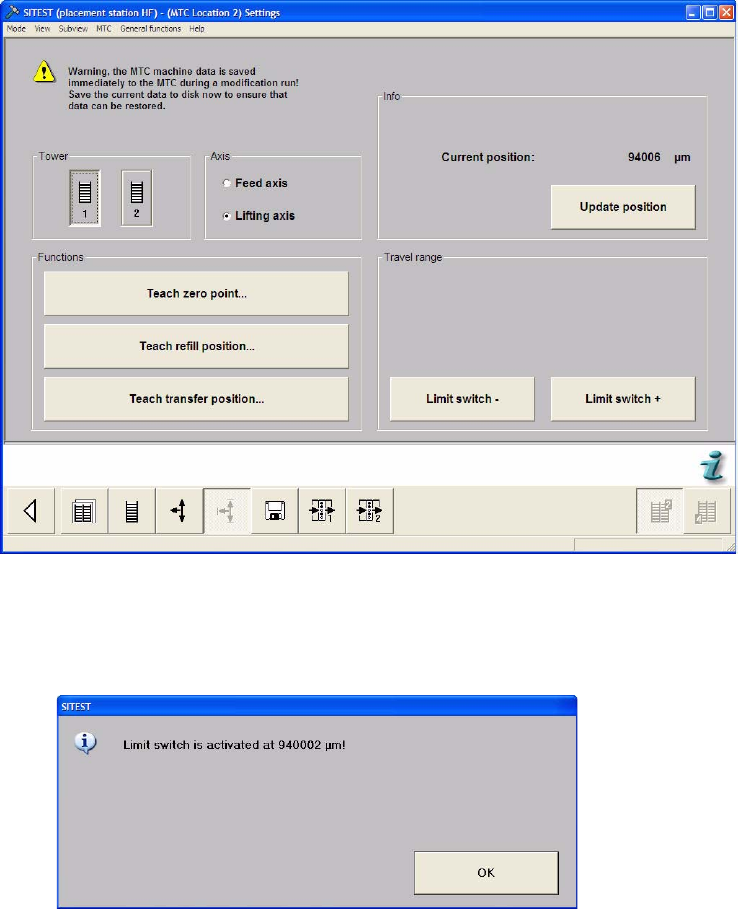
Select the Settings button from the menu bar at the bottom.
Select "Tower 1" and "Lifting axis".
Select "Limit switch –". The lifting axis moves until the top limit switch is reached.
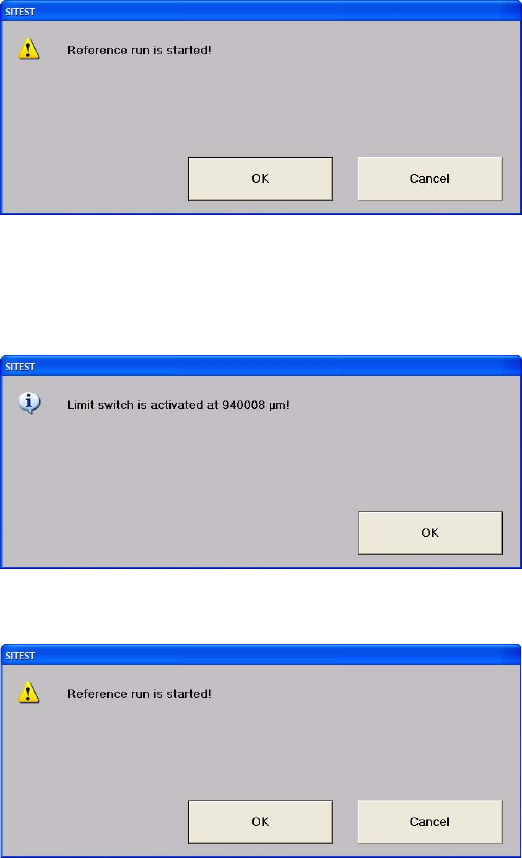
Confirm your choice by clicking on "OK". The value displayed is saved.
Adjustment Instructions MTC 2 4 Lifting axes
12/2007 Edition 4.3 End positions
47
Confirm your choice by clicking on "OK".
Select "Limit switch +". The lifting axis moves until the bottom limit switch is reached.
Confirm your choice by clicking on "OK". The value displayed is saved.
Confirm your choice by clicking on "OK".
4 Lifting axes Adjustment Instructions MTC 2
4.3 End positions 12/2007 Edition
48
4.3.3 Moving to the end positions
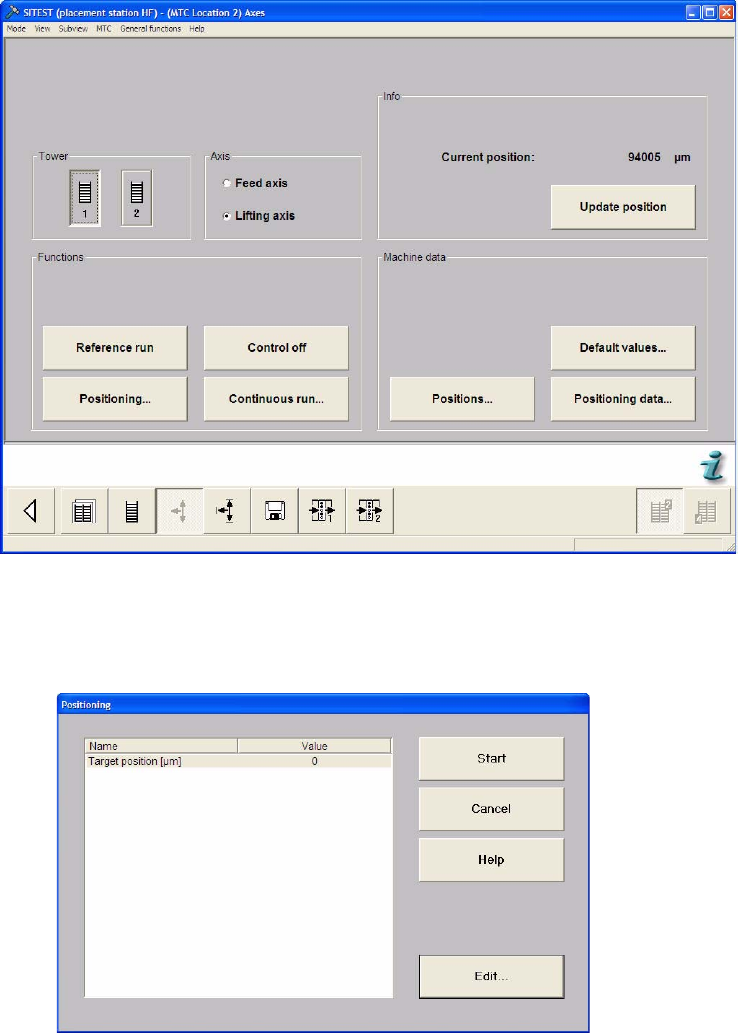
Select the Axes button from the menu bar at the bottom.
Select "Tower 1" and "Lifting axis".
Select "Positioning...".
Select "Edit".