00193631-0602.pdf - 第76页
5 Feed axes Adjustment Instructions MTC 2 5.4 Limit switch 12/2007 Edition 76 5.4 Limit switch 5.4.1 T ools and accessories – 1 set of hexagon socket wrenches – 1 set of screw drivers 5.4.2 Prep aratory measures NOTE Bef…
Adjustment Instructions MTC 2 5 Feed axes
12/2007 Edition 5.3 End positions
75
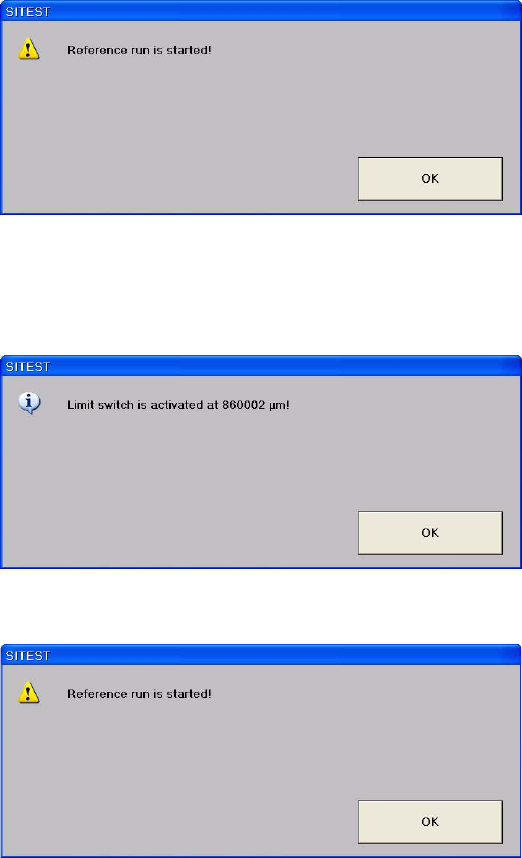
Confirm your choice by clicking on "OK".
Select "Limit switch +". The feed axis moves until the front limit switch is reached.
Confirm your choice by clicking on OK. The value displayed is saved.
Confirm your choice by clicking on OK.

5 Feed axes Adjustment Instructions MTC 2
5.4 Limit switch 12/2007 Edition
76
5.4 Limit switch
5.4.1 Tools and accessories
– 1 set of hexagon socket wrenches
– 1 set of screw drivers
5.4.2 Preparatory measures
NOTE
Before the limit switches are set, the zero offset and the transfer position must be checked.
Check the zero offset (see section 5.2.3 "Checking and setting the zero offset").
5.4.3 Setting the limit switches
Move the feed axis into the transfer position (see section 4.2.4 "Checking the transfer positi-
ons").
Set the maximum position of the limit switch above its limit switch holder until there is a di-
stance of approximately 1 mm between the driver in the transfer position and the contact roller
of the limit switch.
Move the feed axis into the zero position (see section 5.2.3 "Checking and setting the zero
offset").
Set the minimum position of the limit switch above its limit switch holder until there is a distance
of approximately 1 mm between the driver in the zero position and the contact roller of the limit
switch (approximately 10 mm on tower 2).
Check the end positions of the feed axis (see section 5.3.2 "Checking and calibrating the end
positions").
Adjustment Instructions MTC 2 5 Feed axes
12/2007 Edition 5.4 Limit switch
77
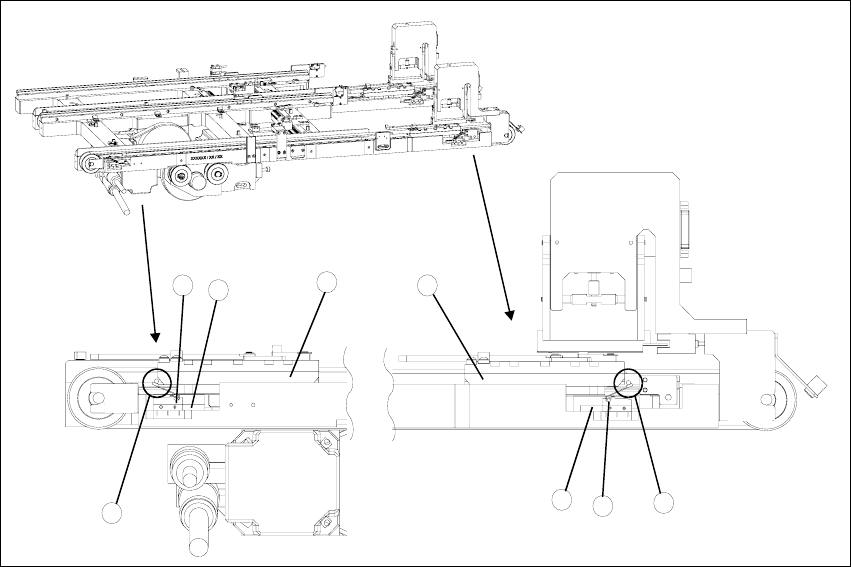
Fig. 5.4 - 1 Setting the maximum and minimum positions of the limit switches (shown here for tower 1)
Key
1. Driver at the transfer position
2. Driver at the zero position
3. Limit switch maximum position with contact roller
4. Limit switch minimum position with contact roller
5. Limit switch holder
6. Contact area driver/limit switch at maximum position
7. Contact area driver/limit switch at minimum position
2
1
5
3
5
4
6
7