00193631-0602.pdf - 第69页
Adjustment Instr uctions MTC 2 5 Feed axes 12/2007 Edition 5.2 Zero offset, removal position and tran sfer position 69 By moving the feed axis a little bit further and again clicking on " Engage " you will be…
5 Feed axes Adjustment Instructions MTC 2
5.2 Zero offset, removal position and transfer position 12/2007 Edition
68
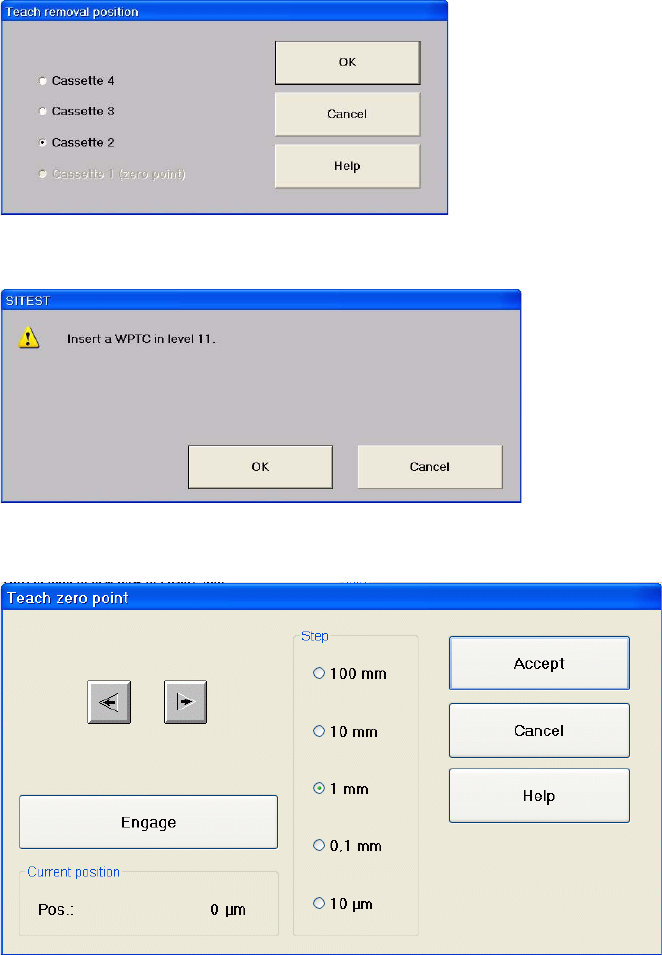
Select "Cassette 2".
Confirm your choice by clicking on "OK".
Now calculate the maximum and minimum positions to engage the driver as follows (see
also section 5.2.3):
Move the feed axis to the position of the notch by arrows.
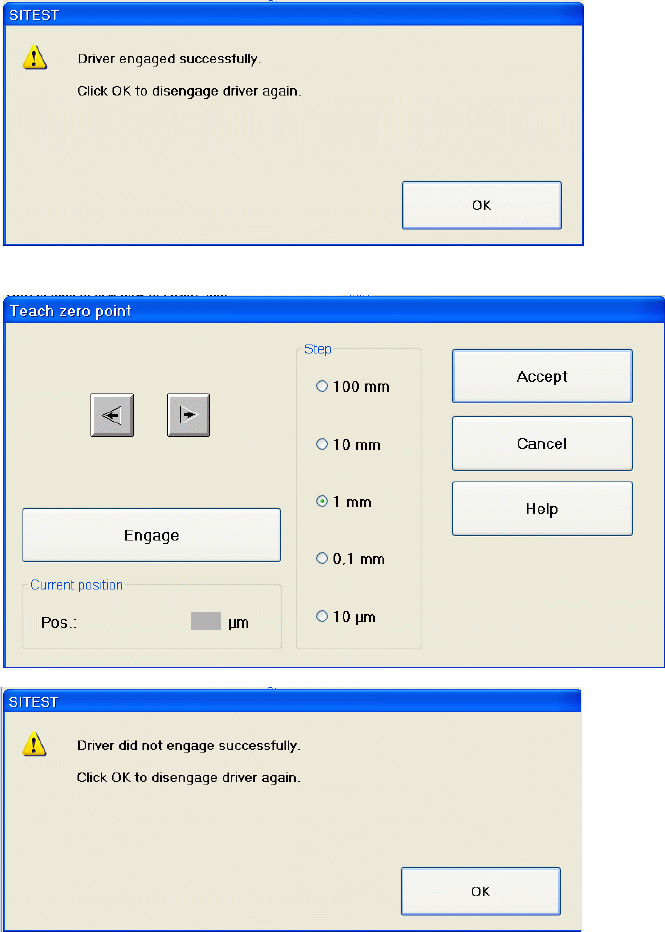
Select "Engage".
Either the notification "driver engaged successfully" or "driver could not engage".
the WTC without moving it.
Adjustment Instructions MTC 2 5 Feed axes
12/2007 Edition 5.2 Zero offset, removal position and transfer position
69
By moving the feed axis a little bit further and again clicking on "Engage" you will be able
to evaluate the precise position of the flanks of the notch.
The actual position is shown in the dialog, here displayed in the screenshot as a grey field.
Calculate the middle position of the notch (see also section 5.2.3)
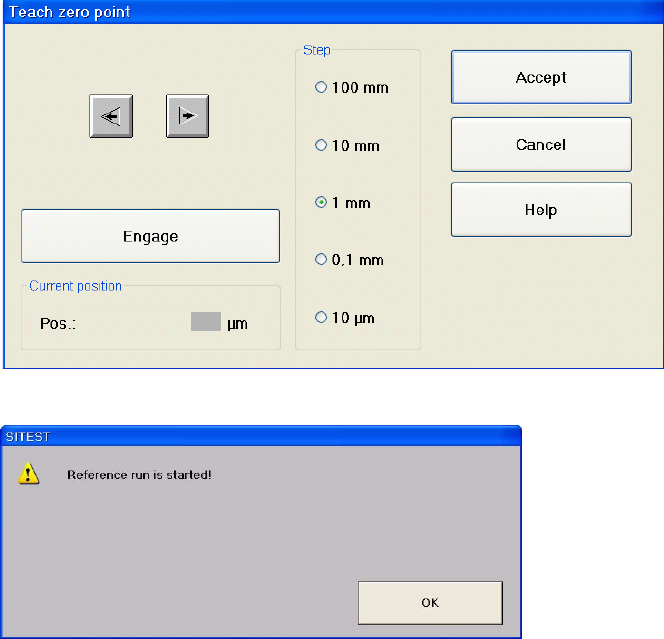
Move the feeder axis to the calculated middle position by arrow buttons.
5 Feed axes Adjustment Instructions MTC 2
5.2 Zero offset, removal position and transfer position 12/2007 Edition
70
Confirm by clicking on "Accept".
Confirm your choice by clicking on "OK".
Repeat this calibration procedure for the other cassettes.