00193631-0602.pdf - 第40页
4 Lifting axes Adjustment Instructions MTC 2 4.2 Zero offset, refill position and transfer position 12/2007 Edition 40 4.2.6 Calibrating the refill positions Check the zero offset ( see section 4.2.2 " Checking th…
Adjustment Instructions MTC 2 4 Lifting axes
12/2007 Edition 4.2 Zero offset, refill position and transfer position
39
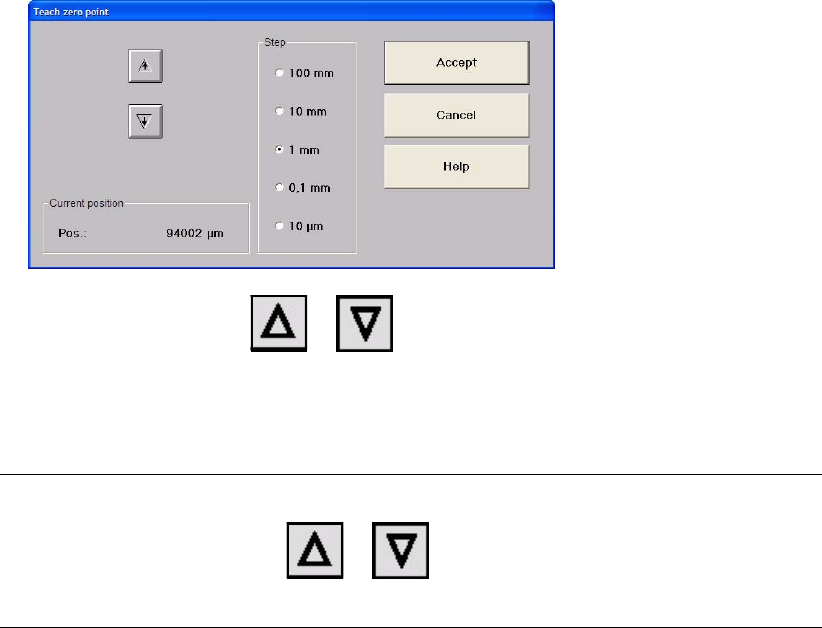
Move the lifting axis with or by the selected value, until the bottom edge of
cassette 1 is at the level of the tabletop and the cassette can be moved in and out without
any problems.
This position is also the refill position of cassette 1.
NOTE
Every time you press the button or , the lifting axis moves up or down one step
of the selected step size.
Close the window with "Accept".
Check the refill positions of the lifting axis (see section 4.2.3 "Checking the refill positions").
Check the transfer positions of the lifting axis (see section 4.2.4 "Checking the transfer positi-
ons").
Check the end positions of the lifting axis (see section 4.3.2 "Checking and calibrating the end
positions").
4 Lifting axes Adjustment Instructions MTC 2
4.2 Zero offset, refill position and transfer position 12/2007 Edition
40
4.2.6 Calibrating the refill positions
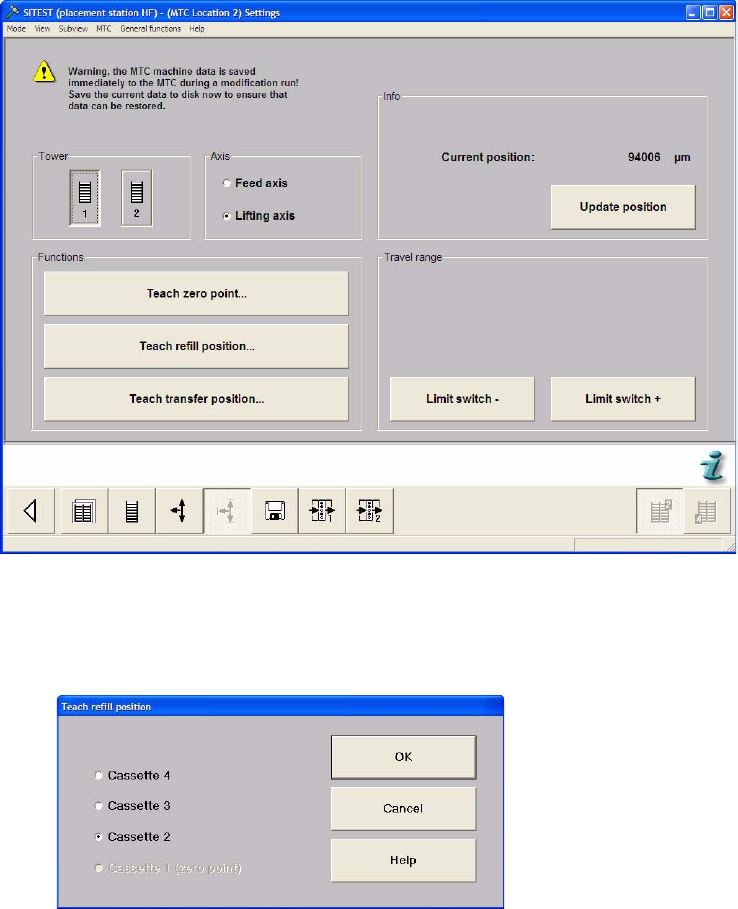
Check the zero offset (see section 4.2.2 "Checking the zero offset").
Select the Settings button from the menu bar at the bottom.
Select "Tower 1" and "Lifting axis".
Select "Teach refill position..."
Select "Cassette 2" and press "OK".
Adjustment Instructions MTC 2 4 Lifting axes
12/2007 Edition 4.2 Zero offset, refill position and transfer position
41
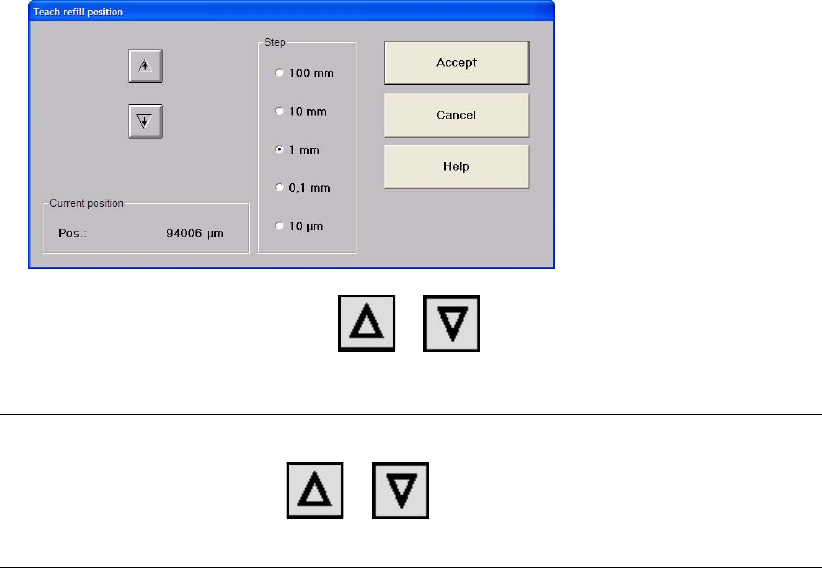
Gradually move the lifting axis with or , until the bottom edge of cassette 2 is
at the level of the tabletop and the cassette can be moved in and out without any problems.
NOTE
Every time you press the button or , the lifting axis moves up or down one step
of the selected step size.
Close the window with "Accept".
Repeat this calibration procedure for the other cassettes.