00193631-0602.pdf - 第98页
7 Entering the addresses of the masterdrive s Adjustment Instructions MTC 2 7.1 Masterdrives 12/2007 Edition 98 NOTE Please don‘t forget the jumper between pin 9 and 1. The switch is not nec essary for downloading the pa…
Adjustment Instructions MTC 2 7 Entering the addresses of the masterdrives
12/2007 Edition 7.1 Masterdrives
97
The following addresses are used for the feed and lifting axes:
7.1.5 Downloading parameter sets
Requirements:
– CD ROM Drive Monitor
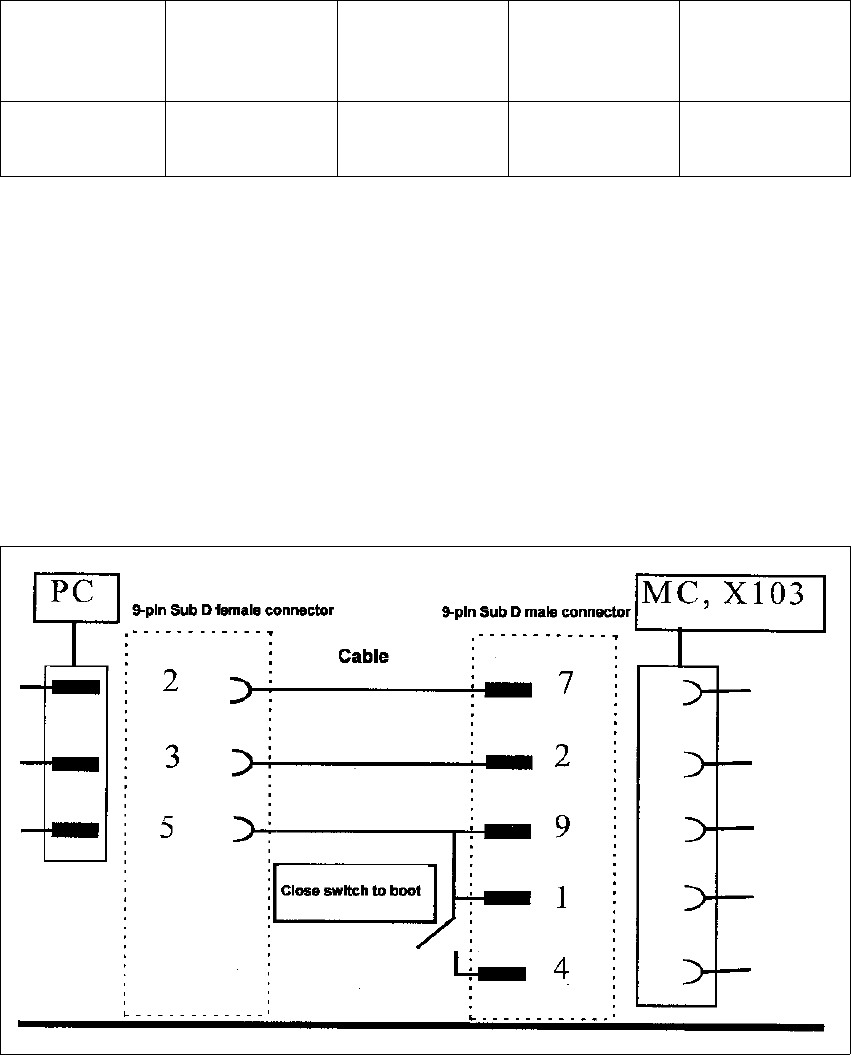
– Cables for laptop and master drives (03021720-01)
– Parameter set for lifting axis Tower 1 and Tower 2
– Parameter set for feed axis Tower 1 and Tower 2
Fig. 1.1 - 3 Cable configuration for the connection between the laptop and the master drive
Lifting axis
(Tower 1)
Feed axis
(Tower 1)
Lifting axis
(Tower 2)
Feed axis
(Tower 2)
Address 1234
7 Entering the addresses of the masterdrives Adjustment Instructions MTC 2
7.1 Masterdrives 12/2007 Edition
98
NOTE
Please don‘t forget the jumper between pin 9 and 1. The switch is not necessary for downloading
the parameter sets.
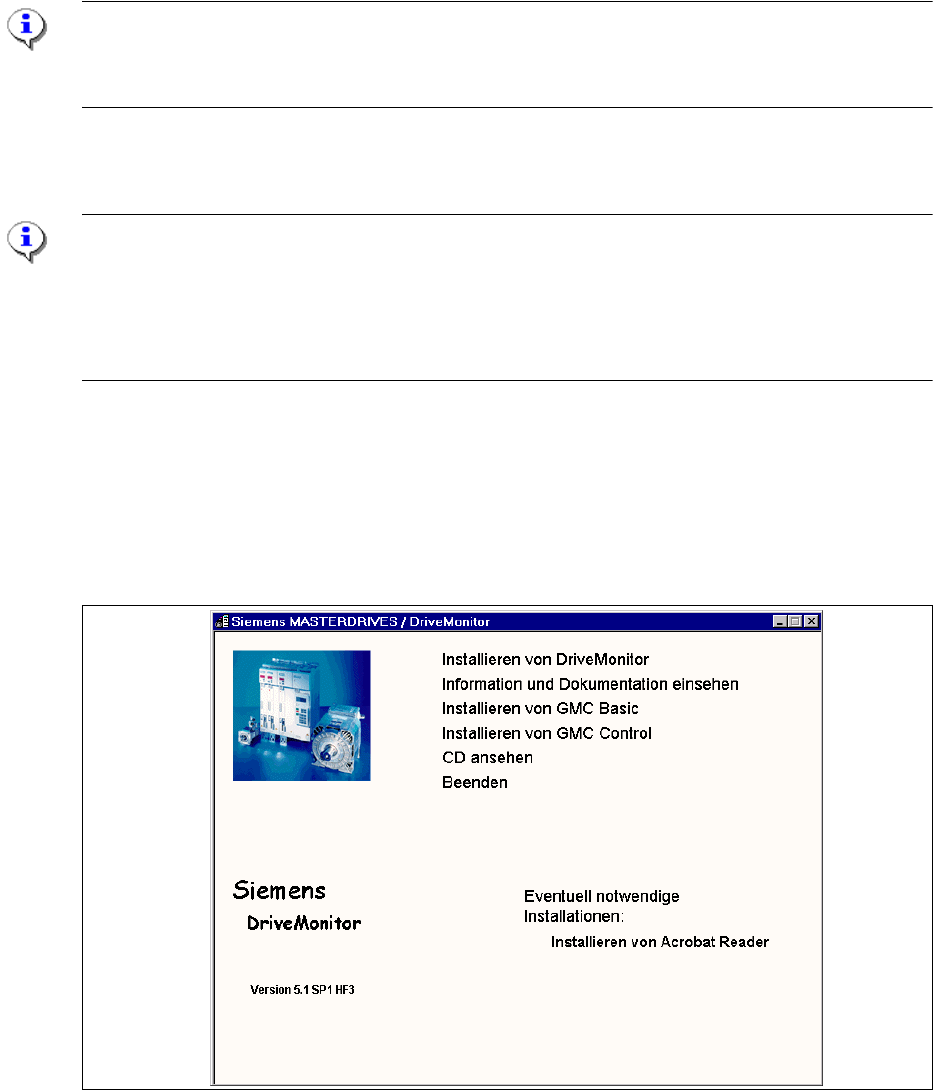
Installation Drive Monitor
Note:
You could use the software "Drive Monitor" for the MTC 1 too. The softwareversion on the MTC 1
is 1.5.
Installation can only be carried out with administrator rights.
Prior to installation, it may be necessary to create a directory with the name "Parameter sets".
The Installation window opens automatically when the CD ROM is inserted
or start the install.bat file under the folder Drive Monitor.
Choose Install Drive Monitor.
After installation has been completed successfully, a shortcut appears on the desktop.
Fig. 1.1 - 4 Installation Drive Monitor
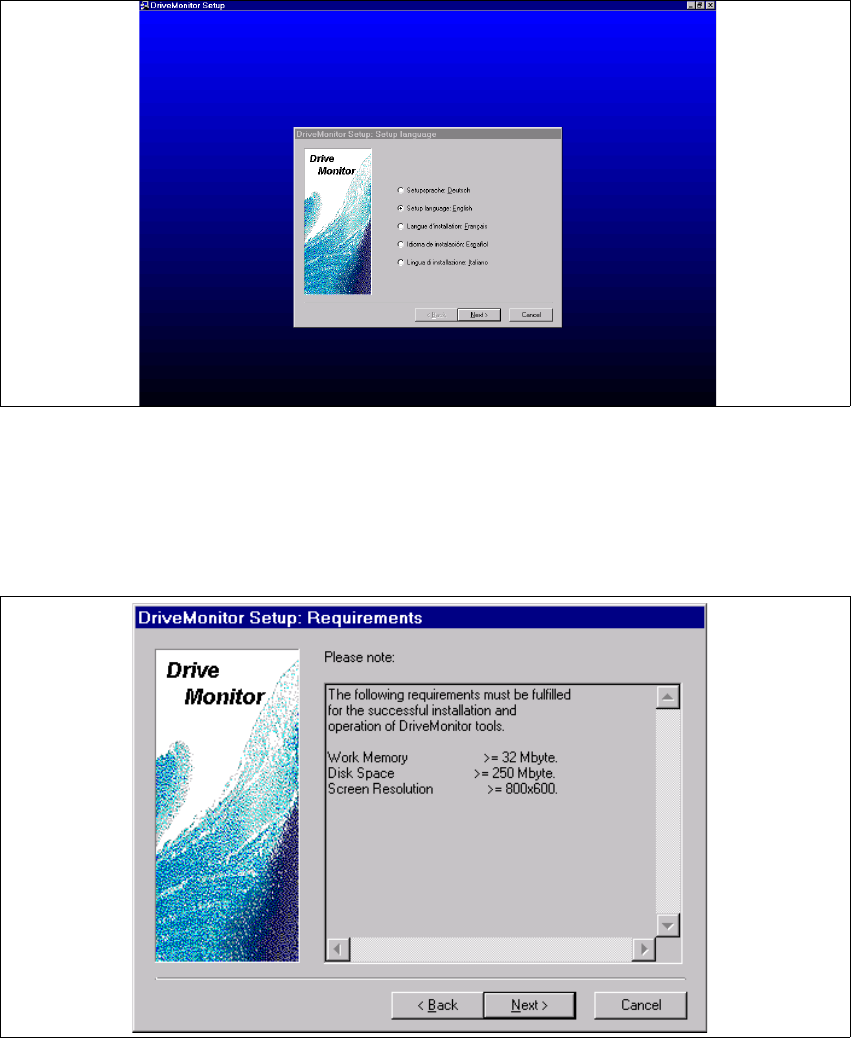
Select language (D, E, F, I, S)
Adjustment Instructions MTC 2 7 Entering the addresses of the masterdrives
12/2007 Edition 7.1 Masterdrives
99
r
Fig. 1.1 - 5 select language
Click the button "Next".
Click the button "Next"again.
agree the software licence "YES" .
Fig. 1.1 - 6 Computer requirements
Click the button "Next".