00193631-0602.pdf - 第85页
Adjustment Instruct ions MTC 2 5 Feed axes 12/2007 Edition 5.6 Disengaging mechanism 85 5.6 Disengaging mechanism 5.6.1 T ools and accessories – 1 set of hexagon sock et wrenches 5.6.2 Prep aratory measures Empty the M…
5 Feed axes Adjustment Instructions MTC 2
5.5 Light barriers 12/2007 Edition
84
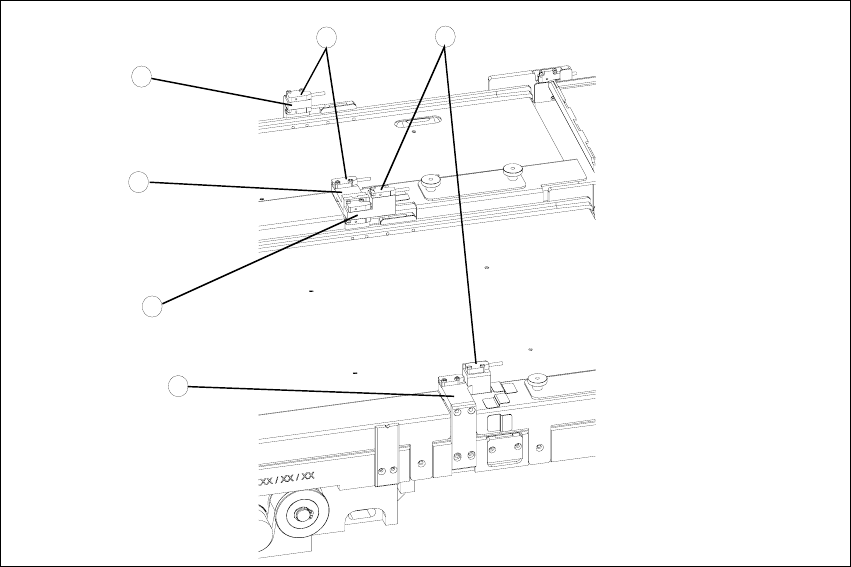
Fig. 5.5 - 4 Checking and setting the crash light barriers
Key
1. Crash light barriers for tower 1
2. Crash light barriers for tower 2
3. Light barrier holder for tower 1 with clamping screws
4. Middle light barrier holder with clamping screws, base section
5. Middle light barrier holder with clamping screws, movable section
6. Light barrier holder for tower 2 with clamping screws
4
2
1
3
5
6
Adjustment Instructions MTC 2 5 Feed axes
12/2007 Edition 5.6 Disengaging mechanism
85
5.6 Disengaging mechanism
5.6.1 Tools and accessories
– 1 set of hexagon socket wrenches
5.6.2 Preparatory measures
Empty the MTC 2 completely (see the User Manual).
Move the feed axis into the zero position (see section 5.2.3 "Checking and setting the zero
offset") and engage the driver in the WTC.
5 Feed axes Adjustment Instructions MTC 2
5.6 Disengaging mechanism 12/2007 Edition
86
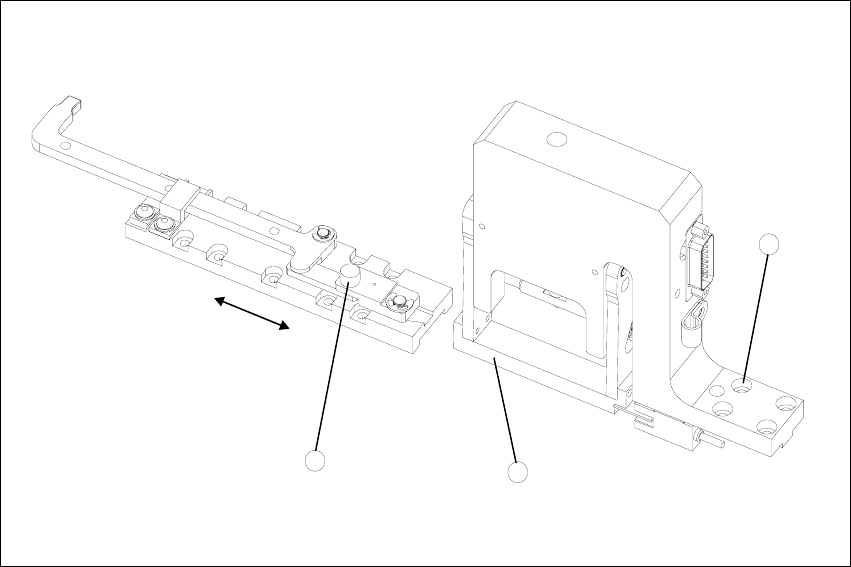
5.6.3 Setting the disengaging mechanism
Move the driver over the belt until it lies outside the disengaging mechanism.
Check that the driver in its dead center position engages centrally with the disengaging aper-
ture when it is moved back.
When the guide roller is pushed through the middle of the aperture, set the position of the aper-
ture with the 4 securing screws of the disengaging mechanism.
Fig. 5.6 - 1 Setting the disengaging mechanism
Key
1. Driver guide roller in dead center position
2. Disengaging mechanism aperture
3. Disengaging mechanism securing screws
2
3
1