00193631-0602.pdf - 第97页
Adjustment Instructions MTC 2 7 Entering the addresses of the masterdrives 12/2007 Edition 7.1 Masterdrives 97 The following addresses are used for the feed and lif ting axes: 7.1.5 Downloading p arameter sets Requiremen…

7 Entering the addresses of the masterdrives Adjustment Instructions MTC 2
7.1 Masterdrives 12/2007 Edition
96
7.1.3 Factory settings
Reset the Master drives to the define defaults
NOTE
When setting factory defaults, the axis concerned must not be subject to position control.
You must change 3 Parameters to define the defaults after this you can download the parameter
set for the axis.
1. Change Parameter P053 from 7 to 6 (This value is a Binary code 0111 → 0110).
2. Set Parameter P060 from 7 to 2.
3. Change Parameter P970 from 1 to 0. Parameter-Reset is started.
Check the serial interface and CAN Bus address after RESET:
1. Adjust the V24 (RS232) Interface.
Parameter P700 = 0
Parameter P701 → Index 1= 8 (8 = Baud rate 38400).
2. Check the address for Can -Bus Parameter P918.
3. Set Parameter P060 back to 7.
4. Download the Parameter set for the Axis with the Laptop.
7.1.4 Setting the CAN bus address at the master drive PMU
It is necessary to enter the addresses of the feed and lifting axes on the PMU’s (Parameterization
Units) for the Master drives on initial commissioning of the MTC and after the replacement of the
Master drives. This can be performed external to the MTC. The Master drives must be supplied
with 24 V DC. The control for the related axis must be shut down.
Note:
For setting the CAN Bus address you could use the software "Drive Monitor". When you adjust
the CAN Bus address manually please use the instruction in chapter 13.3.
Adjustment Instructions MTC 2 7 Entering the addresses of the masterdrives
12/2007 Edition 7.1 Masterdrives
97
The following addresses are used for the feed and lifting axes:
7.1.5 Downloading parameter sets
Requirements:
– CD ROM Drive Monitor
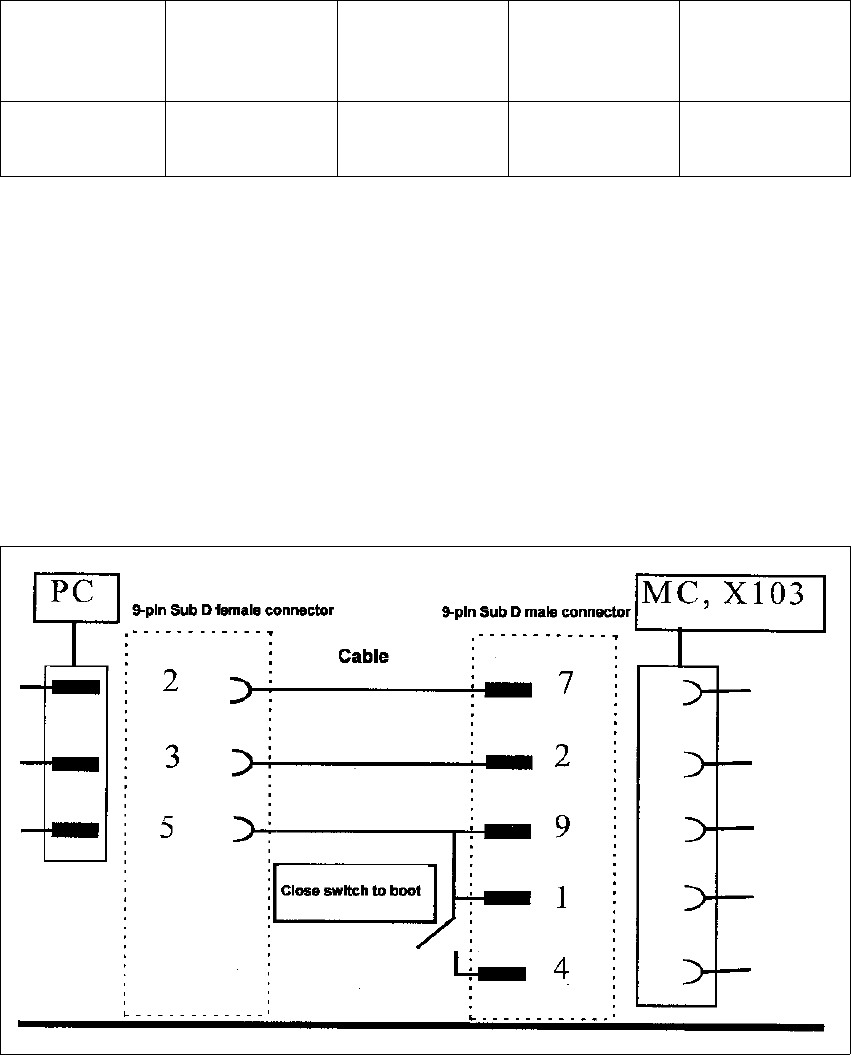
– Cables for laptop and master drives (03021720-01)
– Parameter set for lifting axis Tower 1 and Tower 2
– Parameter set for feed axis Tower 1 and Tower 2
Fig. 1.1 - 3 Cable configuration for the connection between the laptop and the master drive
Lifting axis
(Tower 1)
Feed axis
(Tower 1)
Lifting axis
(Tower 2)
Feed axis
(Tower 2)
Address 1234
7 Entering the addresses of the masterdrives Adjustment Instructions MTC 2
7.1 Masterdrives 12/2007 Edition
98
NOTE
Please don‘t forget the jumper between pin 9 and 1. The switch is not necessary for downloading
the parameter sets.
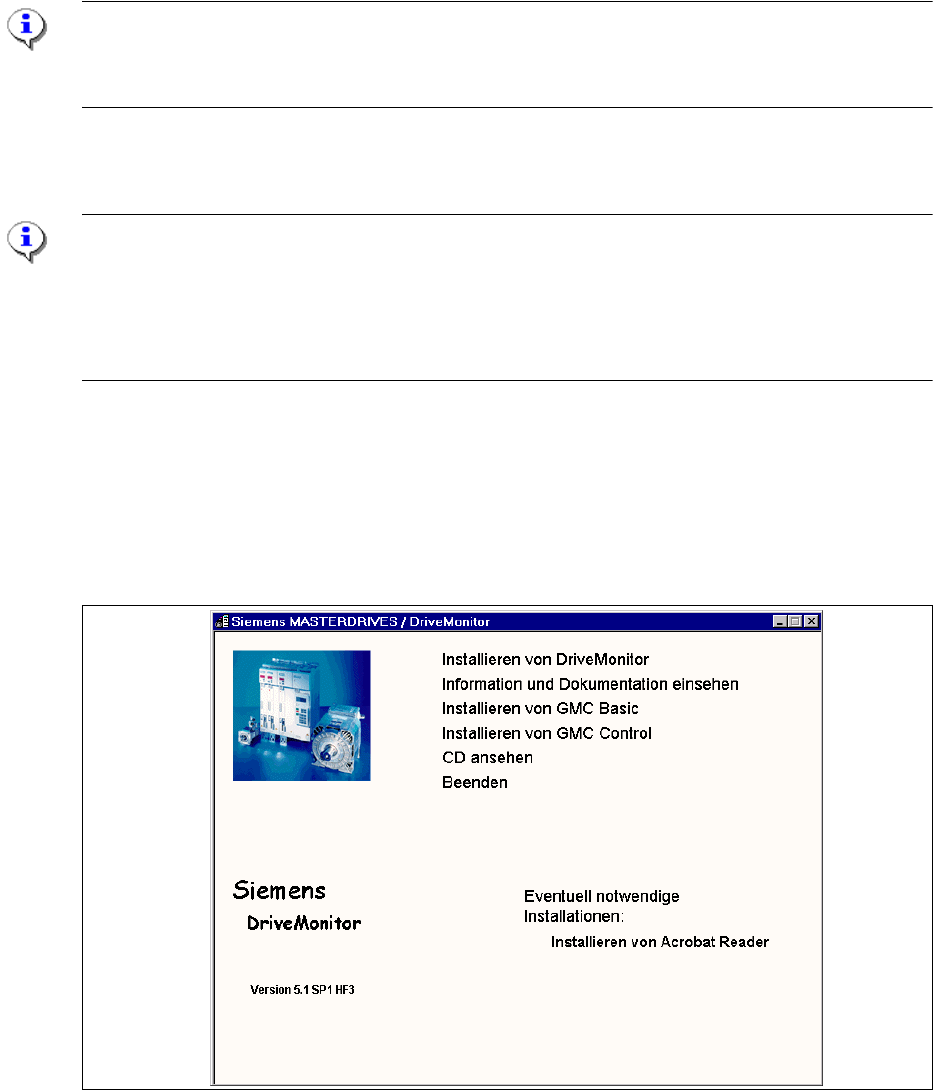
Installation Drive Monitor
Note:
You could use the software "Drive Monitor" for the MTC 1 too. The softwareversion on the MTC 1
is 1.5.
Installation can only be carried out with administrator rights.
Prior to installation, it may be necessary to create a directory with the name "Parameter sets".
The Installation window opens automatically when the CD ROM is inserted
or start the install.bat file under the folder Drive Monitor.
Choose Install Drive Monitor.
After installation has been completed successfully, a shortcut appears on the desktop.
Fig. 1.1 - 4 Installation Drive Monitor
Select language (D, E, F, I, S)