00193631-0602.pdf - 第64页
5 Feed axes Adjustment Instructions MTC 2 5.2 Zero offset, removal position and transfer position 12/2007 Edition 64 5.2.4 Checking the removal positions Check the zero offset ( see section 5.2.3 " Checking and se…
Adjustment Instructions MTC 2 5 Feed axes
12/2007 Edition 5.2 Zero offset, removal position and transfer position
63
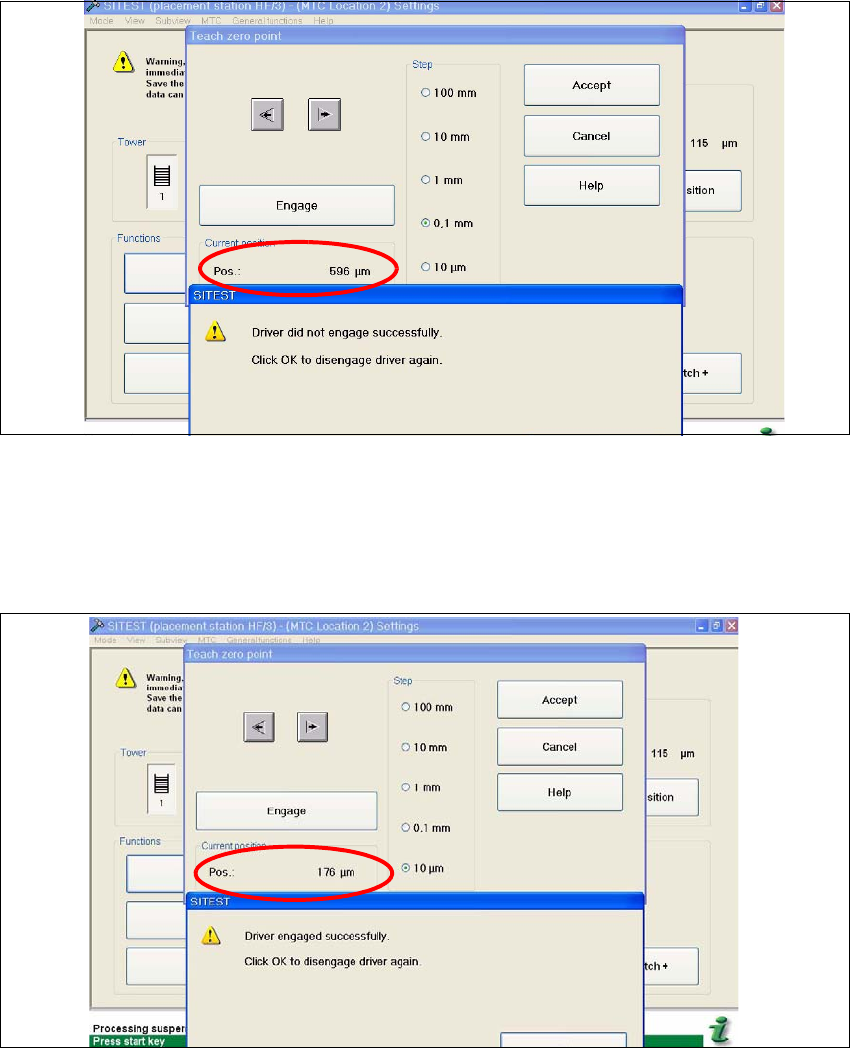
Fig. 5.2 - 2 Maximum position
Now calculate the middle position at which the driver will always engage.
e.g. |-257| + 596 = 853 divided 2 = 426µm
426 + the minimum pos. or maximum pos. - 426 = approx.169µm
Fig. 5.2 - 3 Correct position for the driver
Check the driver position. The driver now should be correctly in the middle position of the notch
of the WTC.
Press the button "ACCEPT"
Check the position of the driver for the other cassettes.
5 Feed axes Adjustment Instructions MTC 2
5.2 Zero offset, removal position and transfer position 12/2007 Edition
64
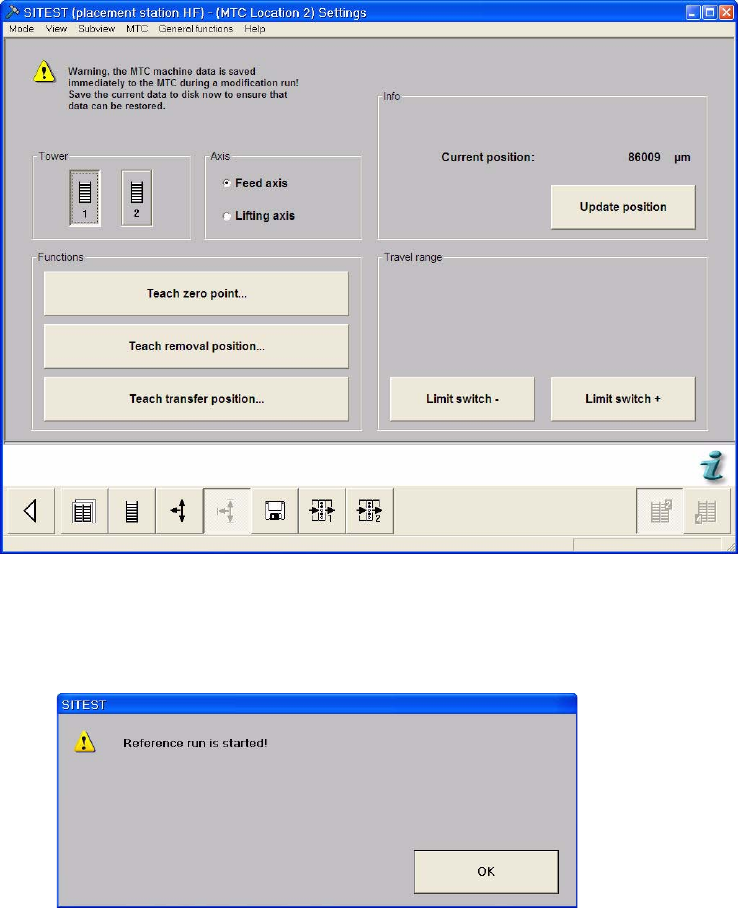
5.2.4 Checking the removal positions
Check the zero offset (see section 5.2.3 "Checking and setting the zero offset").
Select the Settings button from the menu bar at the bottom.
Select "Tower 1" and "Feed axis".
Select "Teach removal position...".
Adjustment Instructions MTC 2 5 Feed axes
12/2007 Edition 5.2 Zero offset, removal position and transfer position
65
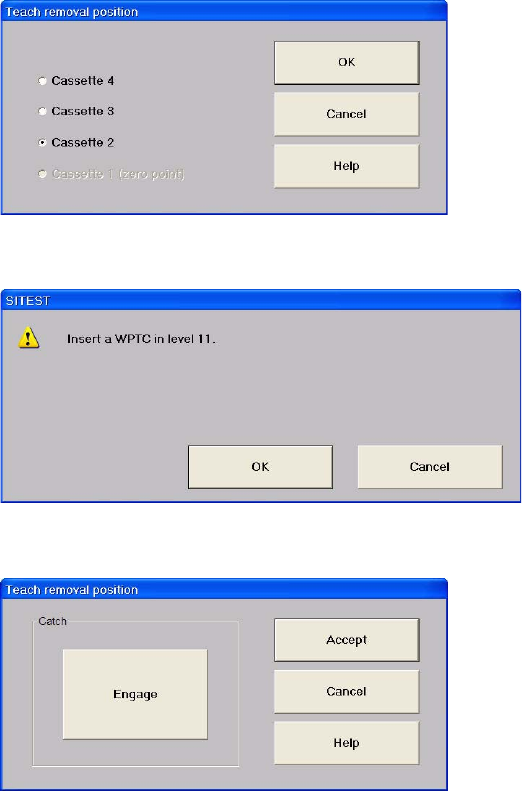
Select "Cassette 2".
Confirm your choice by clicking on "OK".
Select "Engage" and "Disengage" several times.
If this results in the WTC being moved, this removal position must be calibrated (see section
5.2.6 "Calibrating the removal positions").
Close the window with "Cancel".
Repeat this check for the other cassettes.