80S-20用户手册.pdf - 第184页
5 Single functions SIPLACE 80S-20 /F4 User Manual 5.2 Single functions, gantry Software version SR. 407.xx 01/2001 US E dition 184 Å In the text box, enter the numbe r of the r equired nozzle and confirm your entr y with…
SIPLACE 80S-20/F4 User Manual 5 Single functions
Software version SR.407.xx 01/2001 US Edition 5.2 Single functions, gantry
183
5.2.2.1 Functions
In the "IC-head functions" view, the functions described below are available to help you test the
Pick&Place head. 5
– Vacuum test
– Return nozzle
– Pick up nozzle
– IC-head functions
The functions are triggered by clicking the appropriate button. 5
Vacuum/offset test 5
This function carries out a vacuum test and an offset test for the nozzle currently on the IC head.5
Å Click on the Vacuum test button.
The vacuum and the height of the current nozzle are tested.
The result of the vacuum test is displayed.
Return 5
This function returns the nozzle currently on the IC head to the nozzle changer. The number of the
current nozzle is displayed. 5
Å Click on the Return button.
The nozzle is returned to the nozzle changer.
Pick up... 5
This function picks up a specific nozzle from the nozzle changer. 5
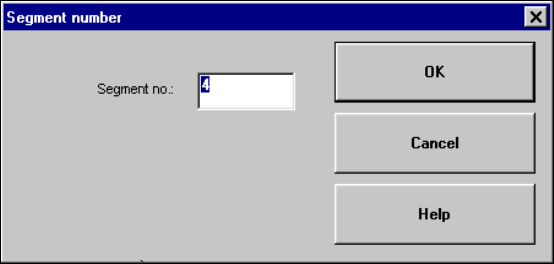
Å Click the Pick up... button.
The dialog box shown below is displayed.
5

5 Single functions SIPLACE 80S-20/F4 User Manual
5.2 Single functions, gantry Software version SR.407.xx 01/2001 US Edition
184
Å In the text box, enter the number of the required nozzle and confirm your entry with OK. The
corresponding nozzle is picked up from the nozzle changer.
NOTE
If a different nozzle is still on the IC head, this is first automatically returned to the nozzle changer.5
Head reference run 5
This function starts a reference run for the z and d axes, i.e. they both move to their reference
points. 5
Å Click on the Head reference run button.
The axes perform a reference run.
Turn D-axis 5
This function is used to test the d-axis. 5
Å Click on the Turn D-axis button.
The D-axis is turned once through 90
0
.
Unclamp 5
This function unclamps the z-axis. All other functions are locked while the z axis is unclamped. 5
Å Click the Unclamp button.
The z-axis is unclamped and a dialog box opens indicating this status.
Å Click on OK in the dialog box when the axis is to be clamped again.
Clamping is reactivated and the dialog box is closed. All functions are available again.
On/Off ("Vacuum" field) 5
This function allows the vacuum at the nozzle to be checked by switching it on and off. 5
Å Click on the On or Off button in the "Vacuum" field.
The vacuum is switched on or off.
On/Off ("Forced air" field) 5
This function allows the forced air at the nozzle to be checked by switching it on and off. 5
Å Click on the On or Off button in the "Forced air" field.
The forced air is switched on or off.
5
SIPLACE 80S-20/F4 User Manual 5 Single functions
Software version SR.407.xx 01/2001 US Edition 5.2 Single functions, gantry
185
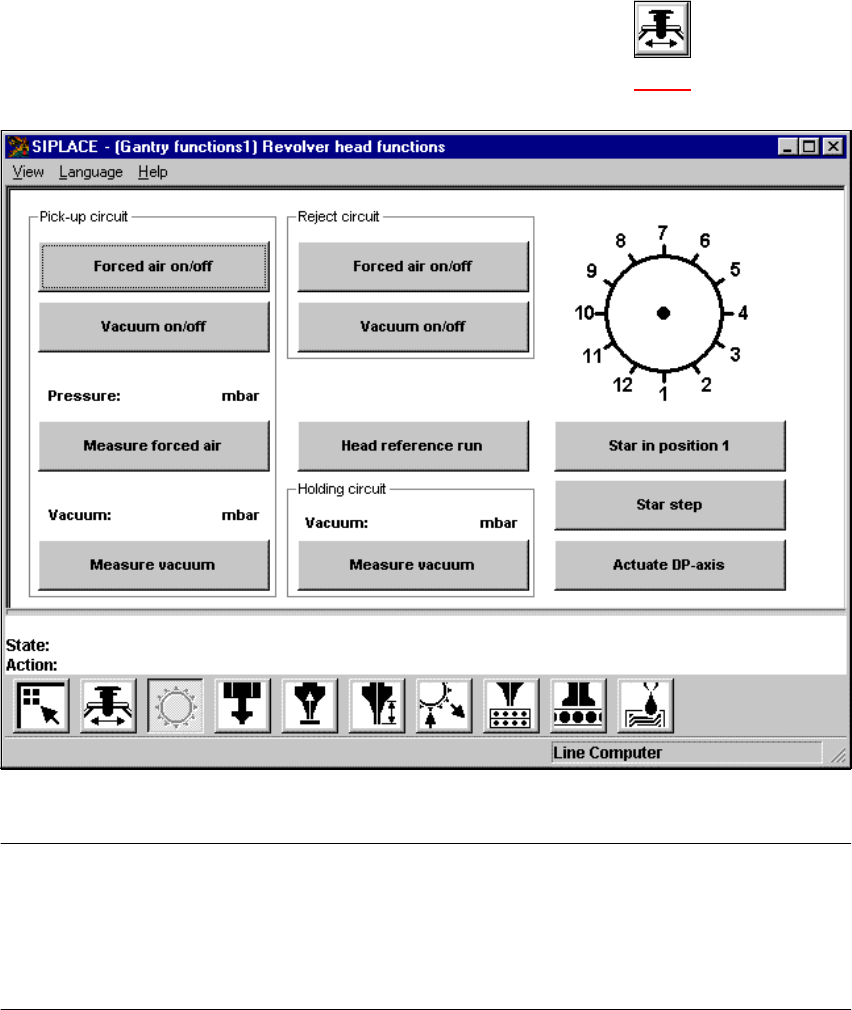
5.2.3 "Gantry functions" view
Å In the current view for the single functions for Gantry, click the symbol .
The user interface is switched to the "Gantry functions" view (see Fig. 5.2 - 3
).
5
Fig. 5.2 - 3 "Gantry functions" view
NOTE
All travel functions of the main axes (x and y) must be started using the start button.
A message appears in the status field on the view which asks you to "Please press the start but-
ton".
If the machine covers are not closed, the message "Close cover" will appear in the status field. 5
5