80S-20用户手册.pdf - 第333页
SIPLACE 80S -20/F4 User Manual 6 Vision functions Software version SR.407.xx 01/2001 US Edition 6.6 Test Component 333 Windows 6 – Separately for eac h lead Here you def ine the window in the prim ary direct ion (dark bl…
6 Vision functions SIPLACE 80S-20/F4 User Manual
6.6 Test Component Software version SR.407.xx 01/2001 US Edition
332
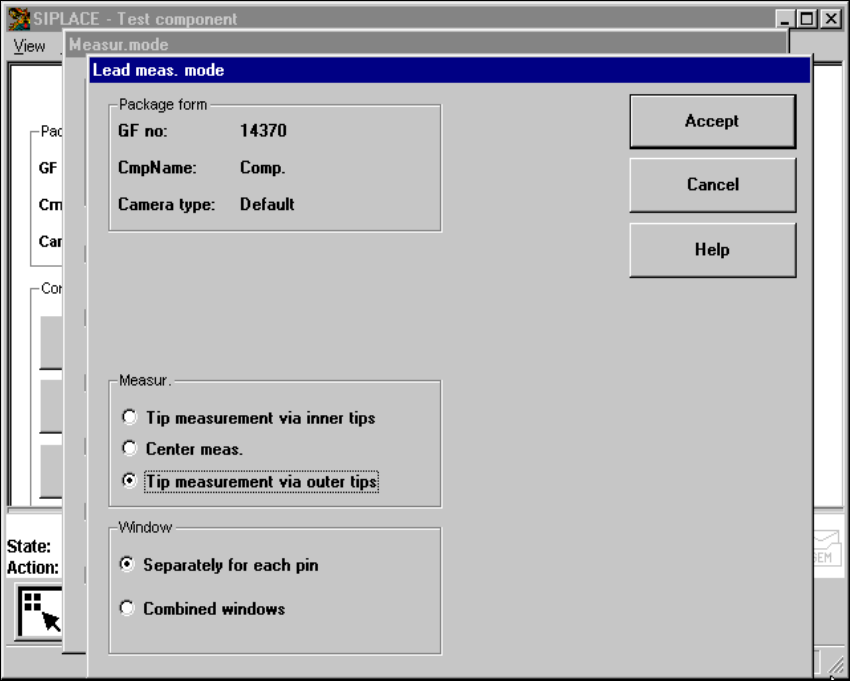
6.6.4.19 ‘Lead’ measuring mode
Click on the ‘Setting’ field in the ‘Lead’ measuring mode to call up the Lead measuring mode
menu. 6
6
Fig. 6.6 - 40 Measuring mode option, Lead measuring mode menu
This menu is used to 6
– specify the lead measuring method.
– to select the windows separately for each lead or a combined window for every lead to be mea-
sured.
Measurement 6
If the inner lead tips are mapped better than the outer tips, for example if a shiny lead is bent up-
wards slightly, you can select one of the following options: 6
– measuring the tips via the inner tips of the leads, for bases, for example
– center of the lead, center measurement, for PLCC, SOJ, for example
– measuring the tips via the outer tips of the leads, for QFP, SOT, SO, for example
SIPLACE 80S-20/F4 User Manual 6 Vision functions
Software version SR.407.xx 01/2001 US Edition 6.6 Test Component
333
Windows 6
– Separately for each lead
Here you define the window in the primary direction (dark blue) and secondary direction (light
blue) for measuring each standard lead for irregular components and special components.
– Combined window
Used to define a common window for all the leads. This applies to four-sided, symmetrical
components only.
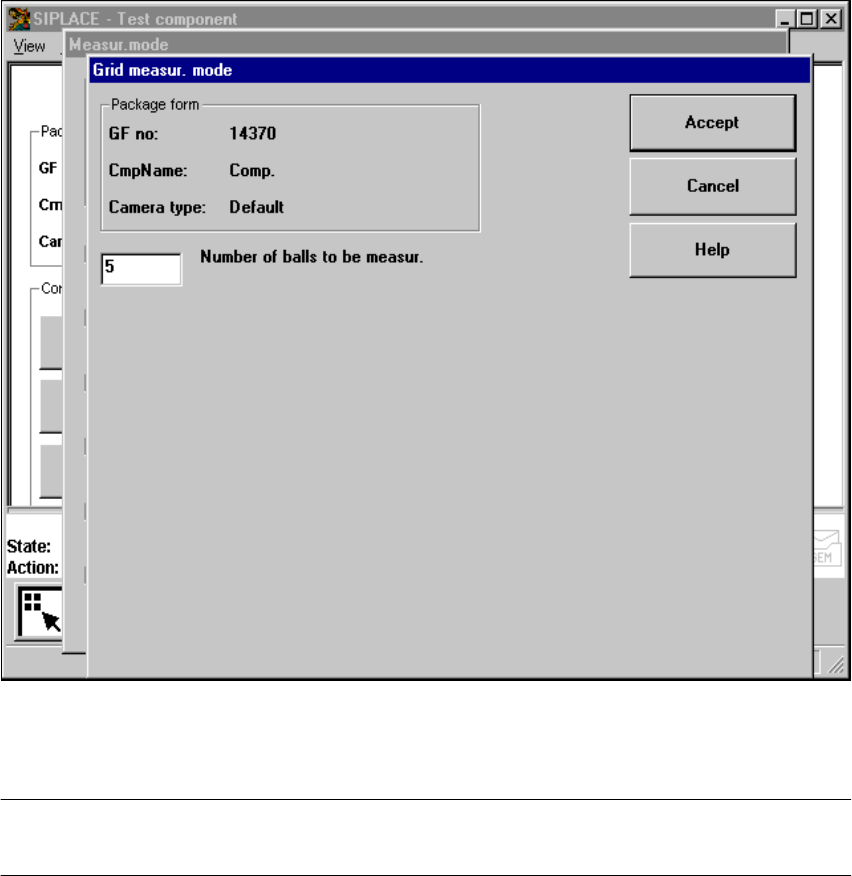
6.6.4.20 ‘Grid’ measuring mode
Click on the ‘Setting’ field in the ‘Grid’ measuring mode to call up the Grid measuring mode
menu. 6
Fig. 6.6 - 41 Measuring mode option, Grid measuring mode menu
In this menu, enter the number of balls to be measured at each corner: ’3’ for single measurement
and 5 for multiple measurement 6
PLEASE NOTE: Measurement mode Grid can be speeded up, if measurement mode Size is car-
ried out beforehand. 6
6 Vision functions SIPLACE 80S-20/F4 User Manual
6.6 Test Component Software version SR.407.xx 01/2001 US Edition
334
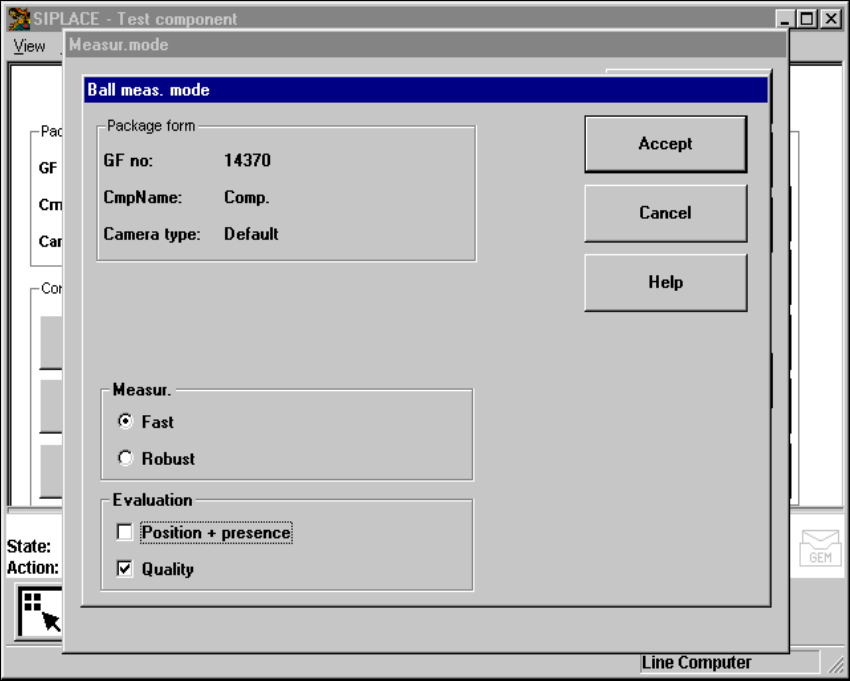
6.6.4.21 ’Ball’ measuring mode
Click on the ’Settings’ button in ’Ball’ measuring mode to call up the ’Ball measuring mode’ menu.6
6
Fig. 6.6 - 42 ’Measuring mode’ option, ’Ball meas. mode’ menu
This menu can be used to 6
– select the measuring methods listed under ’Measurement’ and
– evaluate the position and presence of balls and carry out a quality analysis.