80S-20用户手册.pdf - 第375页
SIPLACE 80S -20/F4 User Manual 7 What s hould you do ... Software version SR.407.xx 01/2001 US Edition 7.4 When you change shift 375 7.4 When you change shif t Å S plice the tapes earl y enough s o that the fee der modul…
7 What should you do ... SIPLACE 80S-20/F4 User Manual
7.3 Changing jobs Software version SR.407.xx 01/2001 US Edition
374
TIP
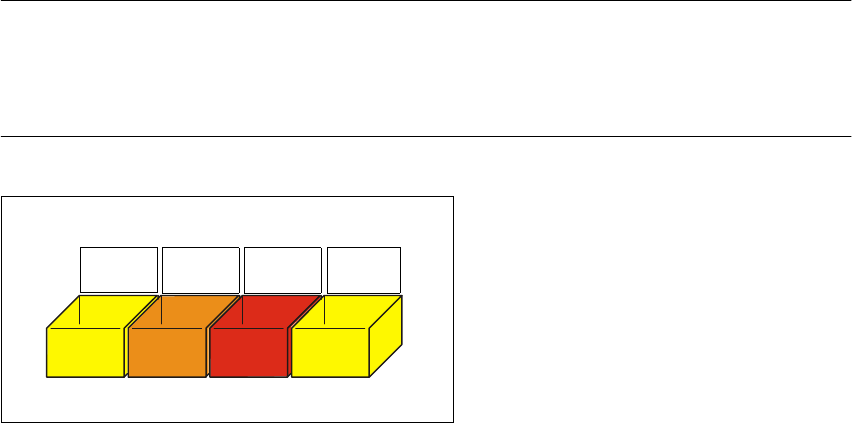
Have the nozzles ready in a separate nozzle box in which each compartment is labeled with the
type and color of the nozzle. This will help to prevent confusion. Do not save used plastic nozzles,
dispose of them immediately instead. 7
7
Fig. 7.3 - 1 Example of a nozzle box
7
701
yellow
704
orange
705
red
711
yellow

SIPLACE 80S-20/F4 User Manual 7 What should you do ...
Software version SR.407.xx 01/2001 US Edition 7.4 When you change shift
375
7.4 When you change shift
Å Splice the tapes early enough so that the feeder modules do not have to be refilled as soon as
the new shift starts. This will prevent lead to pick-up errors and prolonged down times.
Å Inform the next operator of any important information when changing shifts when, for example,
something has been changed in the placement program or if errors have occurred more fre-
quently in certain feeder modules. Also read through the list of the descriptions of the steps to
take in section 7.6
.
Å Carry out a set-up check.
Make sure that the feeder modules are equipped with the correct components and that they
are at the correct locations in the component table.
NOTE
Hand over the line in the same state that you would want to find it in when starting your shift.
This means that:
- The rejection containers are empty.
- The waste containers are empty.
- The conveyor areas have been cleaned with a vacuum cleaner.
- Defective feeder modules in the feeder area have been replaced. 7
7 What should you do ... SIPLACE 80S-20/F4 User Manual
7.5 When you, as an operator, carry out a walk-through inspection Software version SR.407.xx 01/2001 US Edition
376
7.5 When you, as an operator, carry out a walk-through
inspection
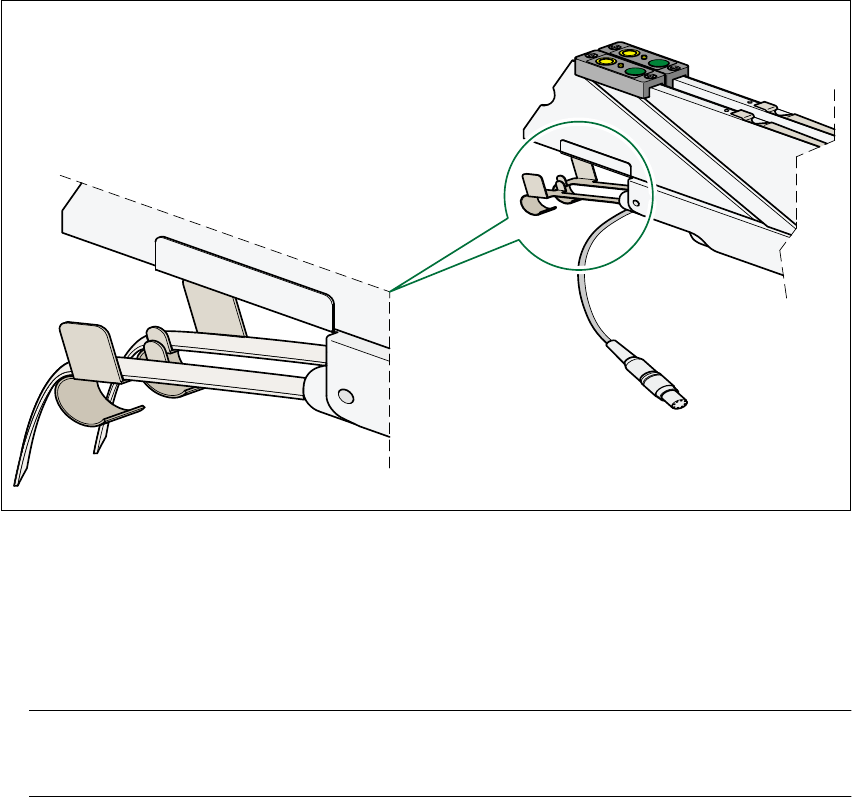
Å Make sure that the tape is correctly placed in the springs of the 8 mm S feeder module.
7
Fig. 7.5 - 1 Placing the tape in the springs of the 8 mm S feeder module
7
Å Check to ensure that the tape foil removal container for the 8 mm S feeder module is full.
If it is full, then pull out the foil and cut it off with scissors.
NOTE
Tearing the foil instead of cutting it can lead problems with the tape removal mechanism. 7
Å Check to ensure that the withdrawal space on the feeder module is the right size for the com-
ponent.
Å Check to see if tape guides are being used on the feeder modules that are intended for different
tape widths.
Å Check to see if the additional plastic guides are being used on the feeder modules that are in-
tended for tapes of different widths.