80S-20用户手册.pdf - 第518页
11 Station extensions /Hardware SIPLACE 80S-20 /F4 User Manual 11.9 Flux dispenser unit Software version S R.407.xx 01/2001 US Edition 518 – The rins e cycle is carrie d out via the rinsing station, in a rinsing tank pro…
SIPLACE 80S-20/F4 User Manual 11 Station extensions /Hardware
Software version SR.407.xx 01/2001 US Edition 11.9 Flux dispenser unit
517
11
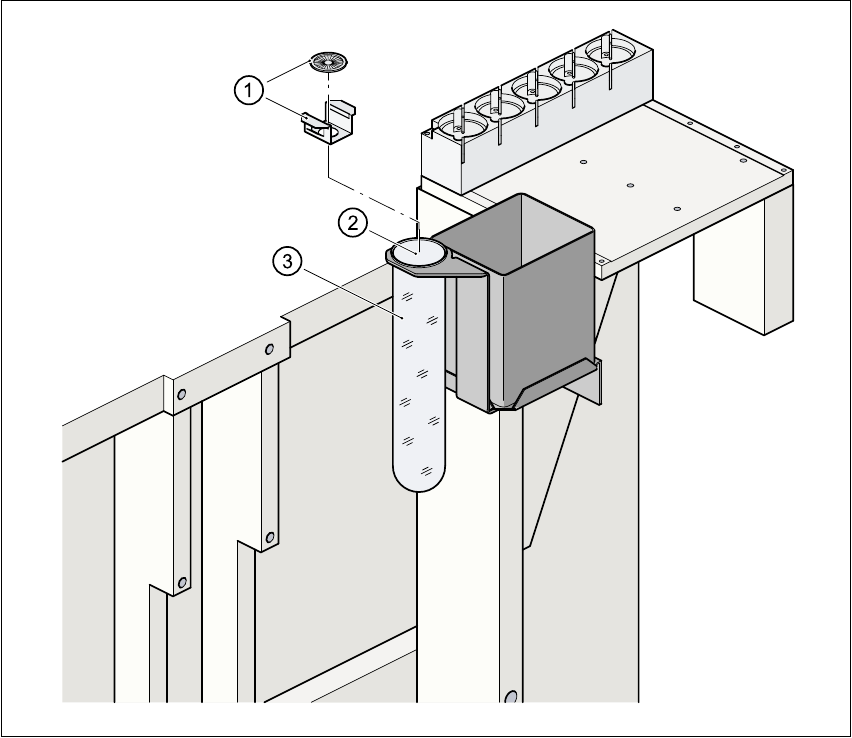
Fig. 11.9 - 10 Rinsing / brushing station with rinsing tank
(1) Brush with retainer
(2) Rinsing / brushing station
(3) Brushing / rinsing tank
11
11
Automatic rinsing after: 11
– To prevent the centering nozzle and dispensing needle from crystallizing after a long break
between flux applications, a time can be set after which the rinse cycle starts. This means
that the preset rinse cycle is carried out immediately before the next flip-chip is placed, ac-
cording on the selected placement sequence.
– A rinse cycle is carried out automatically when the machine is switched on, regardless of
the set rinsing time.

11 Station extensions /Hardware SIPLACE 80S-20/F4 User Manual
11.9 Flux dispenser unit Software version SR.407.xx 01/2001 US Edition
518
– The rinse cycle is carried out via the rinsing station, in a rinsing tank provided for this pur-
pose (see Fig. 11.9 - 10
).
– The time can be set to between 0 and 600 minutes.
Number of rinse cycles: 11
– If you have set a time for automatic rinsing, then you can also set the number of rinse cy-
cles.
– This can be set to between 1 and 10 rinse cycles.
11
Automatic brushing after 11
– A time can be set for activating the brushing cycle, in order to clean the centering nozzle
and dispensing needle. During this cycle, the fluxer head moves over the rinsing tank to
which a brush is attached.
– A brushing cycle is carried out automatically when the machine is switched on, regardless
of the set brushing time.
– The brushing cycle is carried out via the rinsing station, in the rinsing tank provided.
(see Fig. 11.9 - 10
).
– The time can be set to between 0 and 120 minutes.
11
Number of brushing cycles 11
– If you have set a time for automatic brushing, then you can also set the number of brushing
cycles.
– This can be set to between 1 and 10 brushing cycles.
11
Flux application during the test run: (this function is only to be used by trained person-
nel) 11
– Flux dots can be applied to a PCB but not component placed in order to check the dots, and
find the optimum setting.
– Select the Processing off option from the Software options menu.
– Check the Apply flux during test run check box [X].
Flux dots will now be applied, but no components will be placed.
– The machine can also be run continuously without fluxing and without placing.
– Select the Processing off option from the Software options menu.
– Uncheck the Apply flux during test run check box [ ].
SIPLACE 80S-20/F4 User Manual 11 Station extensions /Hardware
Software version SR.407.xx 01/2001 US Edition 11.9 Flux dispenser unit
519
11.9.7.4 Single functions
There are a number of Single Functions that allow you to operate the fluxing head independently
of the placement program. 11
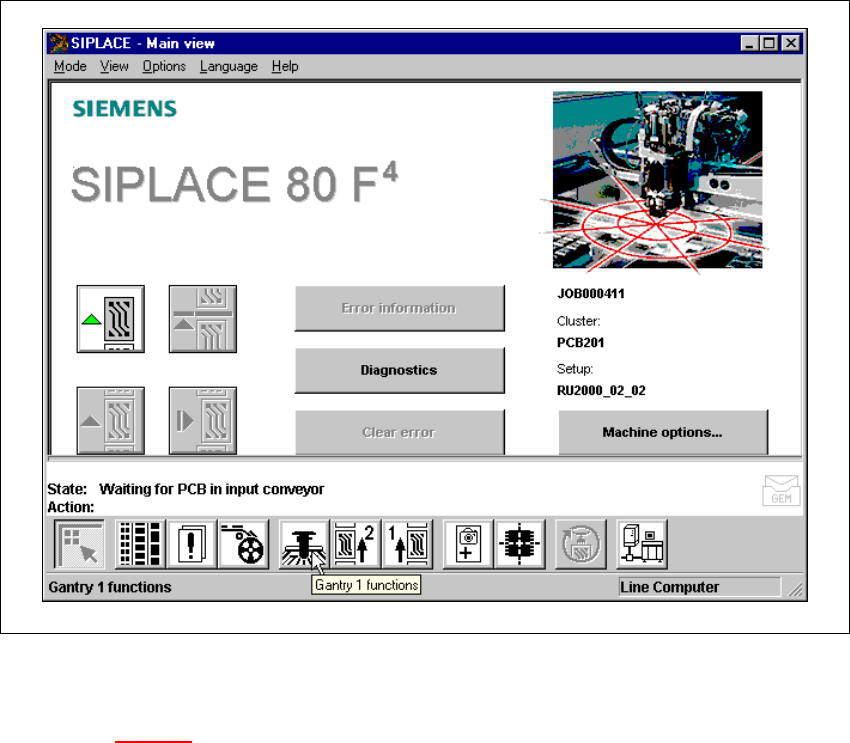
Å Click on the Gantry functions icon from the main view.
11
Fig. 11.9 - 11 Single Functions - gantry
Å Click on the Gantry functions button from the “Gantry functions” view.
(See Fig. 11.9 - 12
).