Oxford-100-Manual.pdf - 第114页
PiasmaiabSystem100 Oxford Instruments Plasma Technology System Manual 5.8.8 Service mode The Service Mode page is displayed by selecting the System button, then the Service option. Fig 5.19: Service mode page CAUTION The…
System
Manual
Oxford
Instruments
Plasma
Technology
PlasmalabSystem
100
5.8.7
Mass
flow
calibration
page
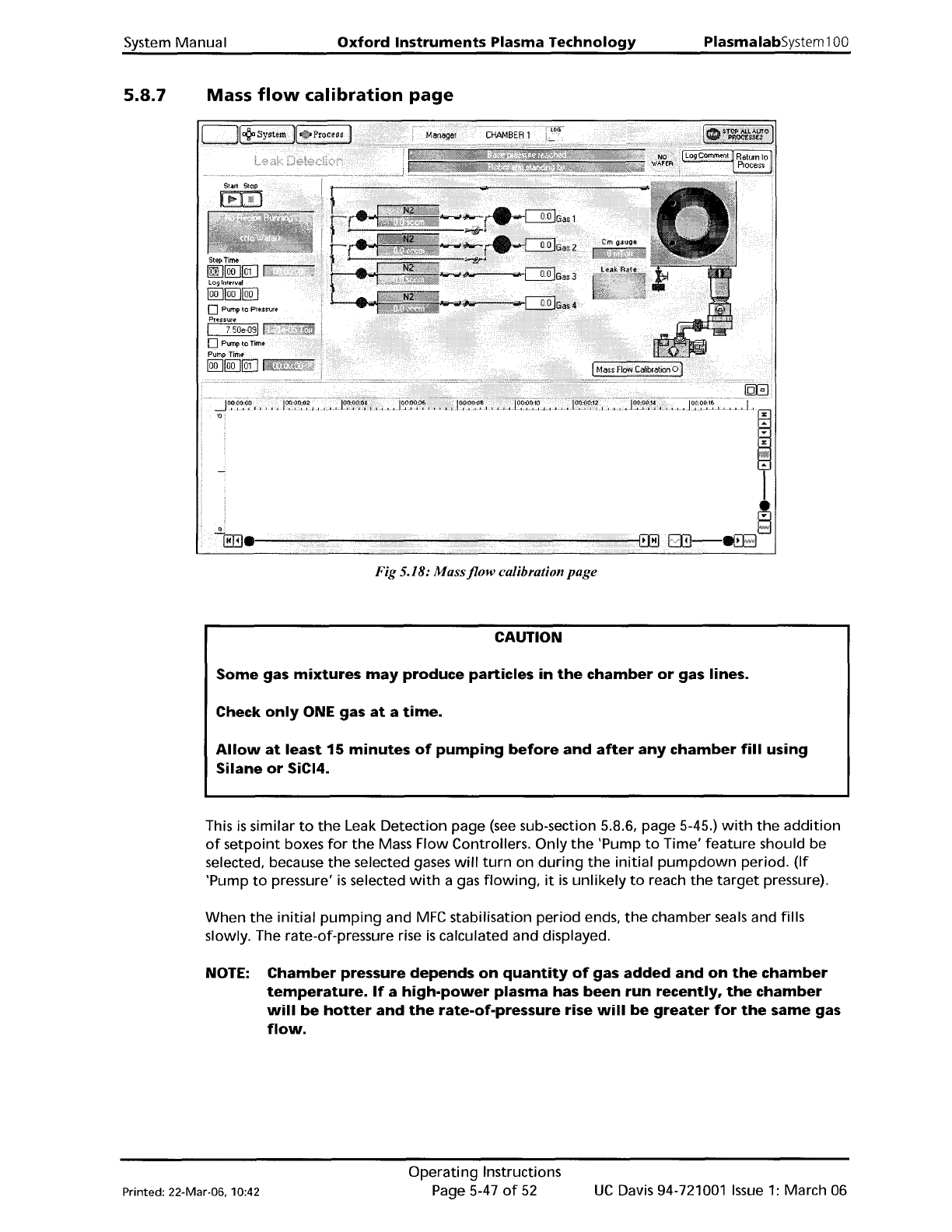
Fig 5.18:
Massjlow
calibration page
CAUTION
Some
gas
mixtures
may
produce
particles
in
the
chamber
or
gas lines.
Check
only
ONE gas
at
a
time.
Allow
at
least
15
minutes
of
pumping
before
and
after
any
chamber
fill
using
Silane
or
SiCI4.
This
is
similar
to
the
Leak Detection page
(see
sub-section 5.8.6, page 5-45.)
with
the
addition
of
setpoint
boxes
for
the
Mass Flow Controllers.
Only
the
'Pump
to
Time'
feature
should be
selected, because
the
selected gases
will
turn
on
during
the
initial
pumpdown
period.
(If
'Pump
to
pressure'
is
selected
with
a gas
flowing,
it
is
unlikely
to
reach
the
target
pressure).
When
the
initial
pumping
and
MFC
stabilisation
period
ends,
the
chamber seals and fills
slowly. The rate-of-pressure rise
is
calculated and displayed.
NOTE:
Chamber
pressure
depends
on
quantity
of
gas
added
and
on
the
chamber
temperature.
If
a
high-power
plasma
has
been
run
recently,
the
chamber
will
be
hotter
and
the
rate-of-pressure
rise
will
be
greater
for
the
same
gas
flow.
Printed: 22-Mar-06. 10:42
Operating
Instructions
Page 5-47
of
52
UC
Davis 94-721001
Issue
1:
March 06
PiasmaiabSystem100
Oxford
Instruments
Plasma Technology
System Manual
5.8.8
Service
mode
The Service
Mode
page
is
displayed
by
selecting
the
System
button,
then
the
Service
option.
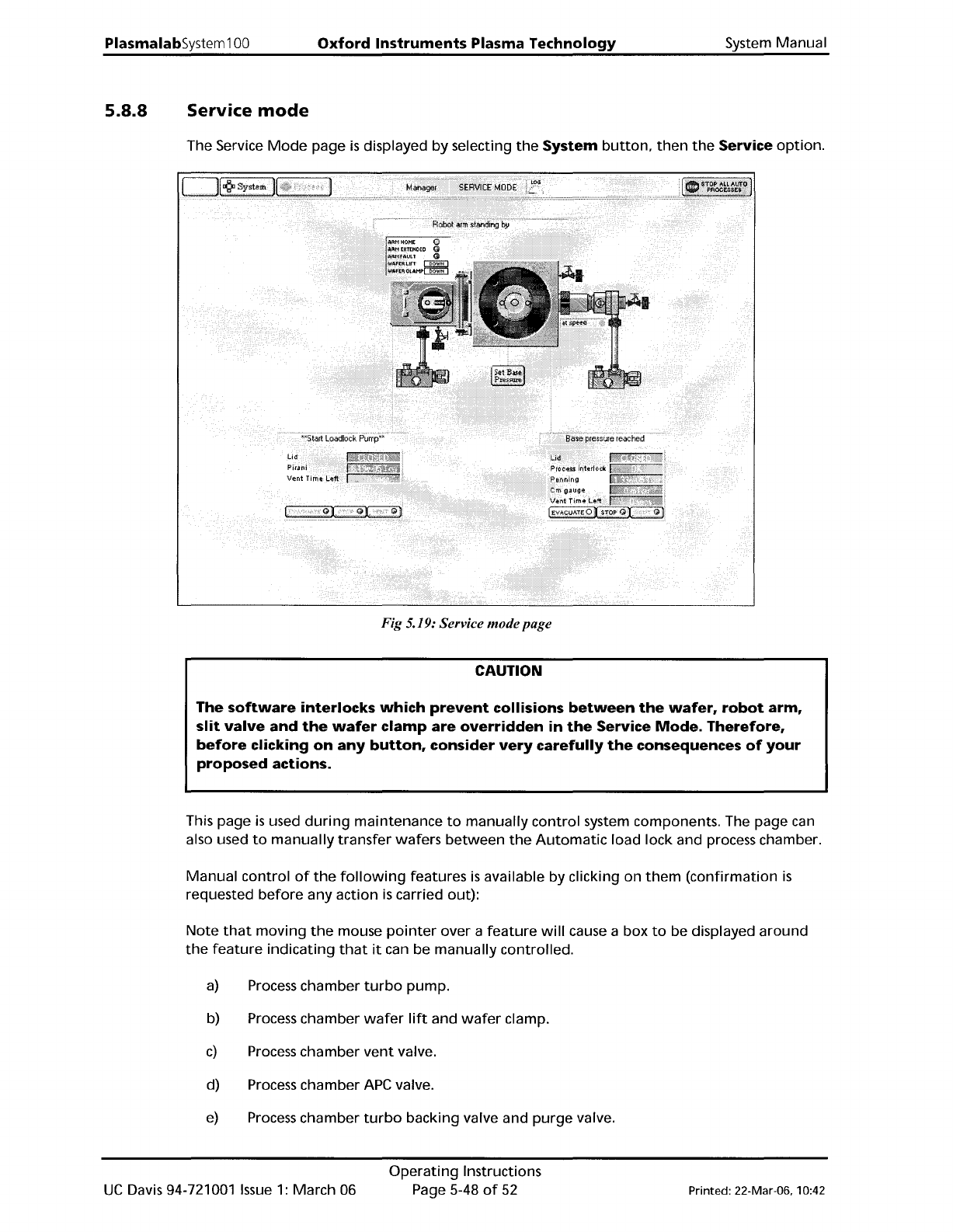
Fig 5.19: Service modepage
CAUTION
The
software
interlocks
which
prevent
collisions
between
the
wafer,
robot
arm,
slit
valve
and
the
wafer
clamp
are
overridden
in
the
Service
Mode.
Therefore,
before
clicking
on
any
button,
consider
very
carefully
the
consequences
of
your
proposed
actions.
This page
is
used
during
maintenance
to
manually
control
system components. The page can
also used
to
manually
transfer
wafers
between
the
Automatic
load lock and process chamber.
Manual
control
of
the
following
features
is
available by clicking on
them
(confirmation
is
requested
before
any
action
is
carried out):
Note
that
moving
the
mouse
pointer
over a
feature
will
cause a box
to
be displayed
around
the
feature
indicating
that
it
can be
manually
controlled.
a)
Process
chamber
turbo
pump.
b) Process chamber
wafer
lift
and
wafer
clamp.
c)
Process
chamber
vent
valve.
d) Process chamber APe valve.
e)
Process
chamber
turbo
backing valve and
purge
valve.
UC
Davis 94-721001
Issue
1:
March 06
Operating
Instructions
Page 5-48
of
52
Printed: 22-Mar-06, 10:42
System
Manual
Oxford Instruments Plasma Technology
PlasmalabSystem1
00
5.8.8.1
f) Process chamber
rotary
vane/dry pump.
g)
Automatic
load lock
transfer
arm (click red
dot
to
insert/withdraw
arm).
h)
Automatic
load lock isolating valve.
i)
Automatic
load lock
vent
valve.
j)
Automatic
load lock
drylrotary
vane pump.
k) Slit valve.
Transferring
wafers
in service
mode
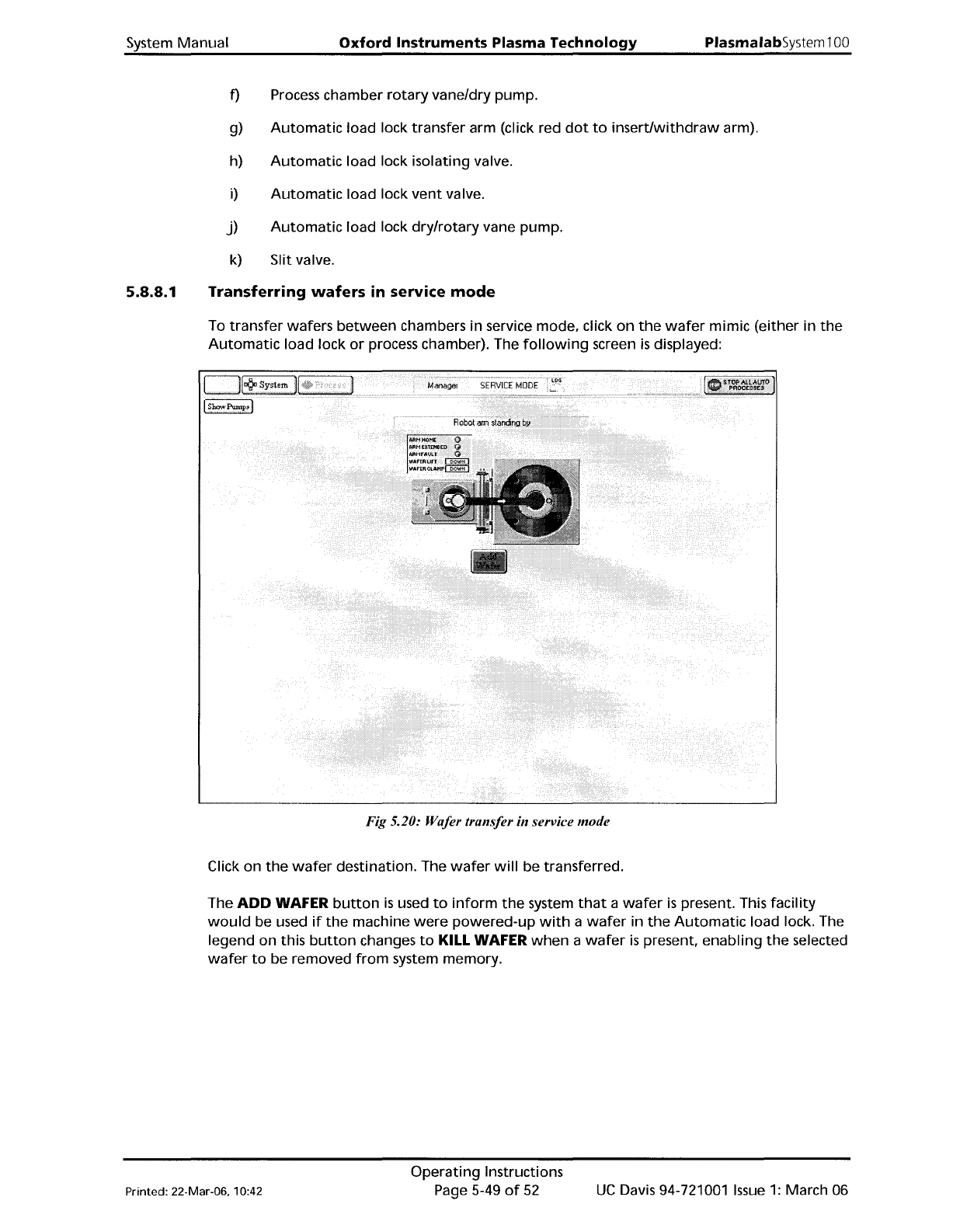
To
transfer
wafers
between
chambers
in
service mode, click
on
the
wafer
mimic
(either
in
the
Automatic
load lock
or
process chamber). The
following
screen
is
displayed:
Fig 5.20: Wafer transfer in service mode
Click on
the
wafer
destination. The
wafer
will
be transferred.
The
ADD
WAFER
button
is
used
to
inform
the
system
that
a
wafer
is
present. This
facility
would
be used
if
the
machine
were
powered-up
with
a
wafer
in
the
Automatic
load lock. The
legend on this
button
changes
to
KILL WAFER
when
a
wafer
is
present,
enabling
the
selected
wafer
to
be removed
from
system memory.
Printed: 22-Mar-06. 10:42
Operating
Instructions
Page 5-49
of
52
UC
Davis 94-721001
Issue
1:
March 06