YG300_Ope_E.pdf - 第108页
3-22 3 Starting and ending pr oduction 4 . 8 B a d m a r k T h e [ B a d m a r k ] t a b s c r e e n s h o w s t h e r e c o g n i t i o n r e s u l t s o f b a d m a r k s s u c h a s " B o a r d , B l o c k "…
3-21
3
Starting and ending production
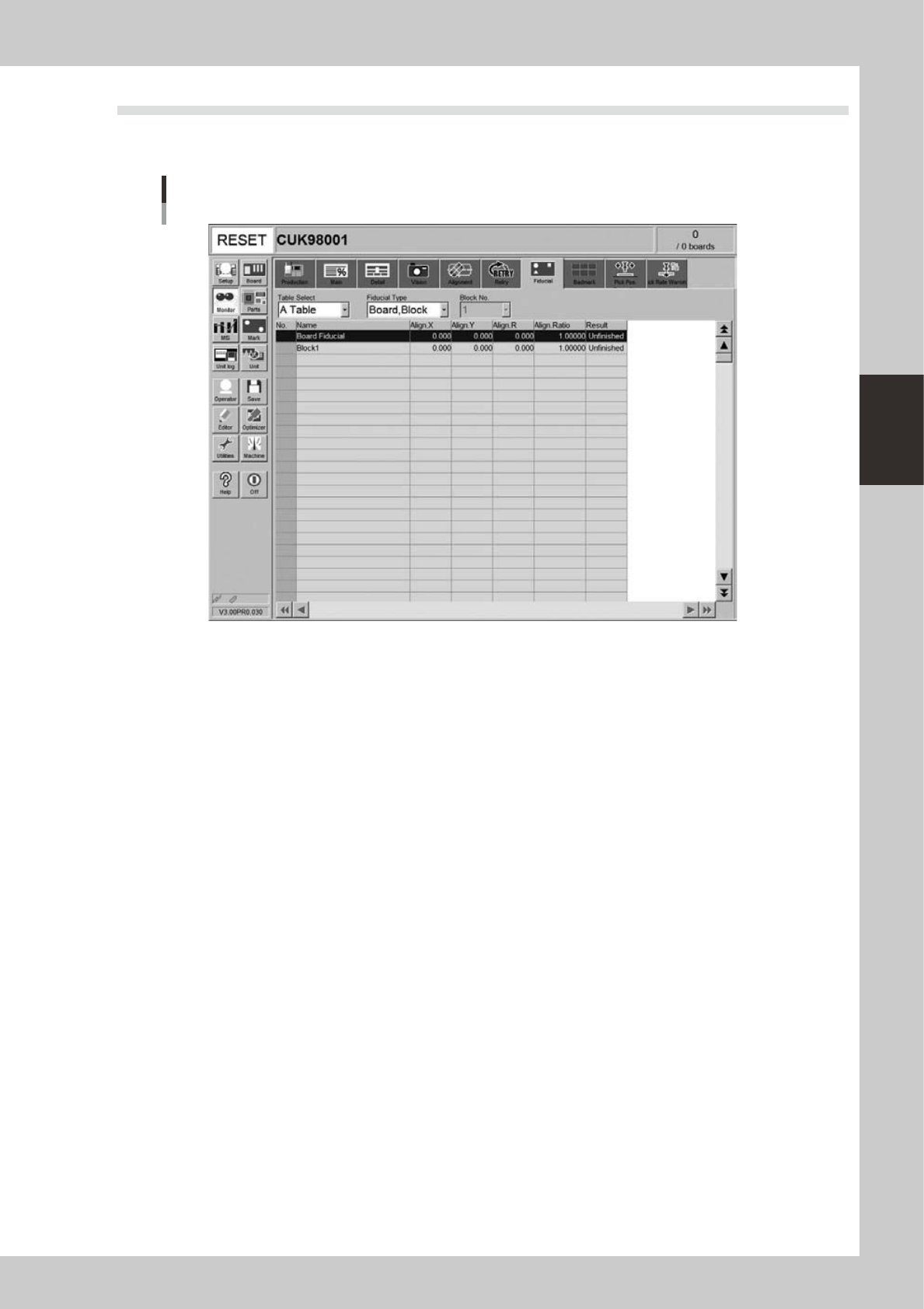
4.7 Fiducial
The [Fiducial] tab screen shows the recognition results of fiducial marks such as "Board, Block", "2 Point Local"
and "Point" fiducial marks.
Monitor
Fiducial
24315-M3-00
• Align X, Y, R
Shows the difference between the recognition results and the board data input values, by plus or minus values.
• Align Ratio
Shows the rate of expansion of the board, calculated by using the X, Y and R offset values.
• Result
Shows the recognition results as a "Pass" or "Unfinished ". The "Unfinished" message changes to "Pass" after the mark has
been recognized successfully.
3-22
3
Starting and ending production
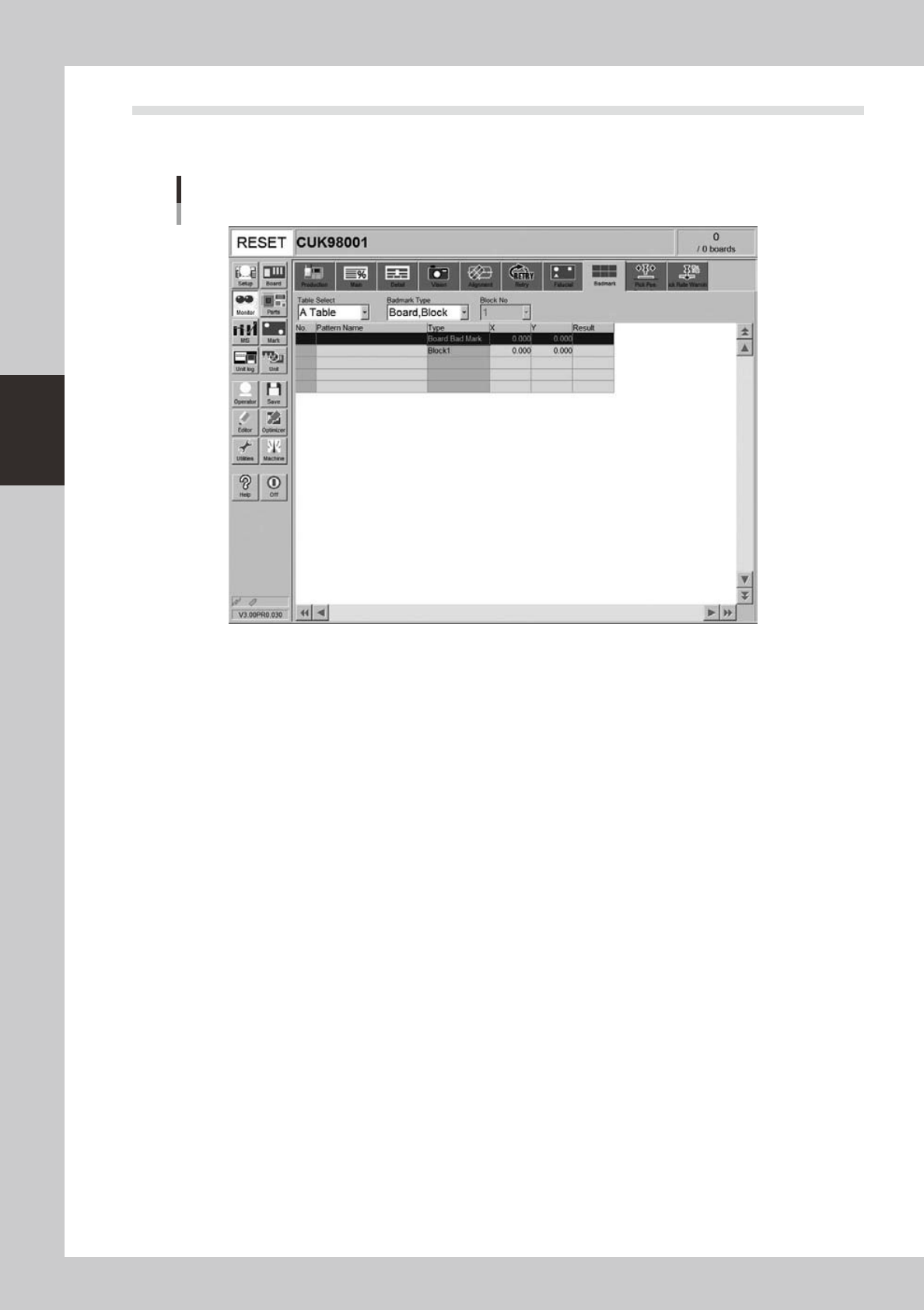
4.8 Badmark
The [Badmark] tab screen shows the recognition results of badmarks such as "Board, Block" and "Local"
badmarks.
Monitor
Badmark
24316-M3-00
• X, Y
Shows the board data input values (by taking block offset amount into account).
• Result
Makes an "OK" or "NG" decision based on the badmark recognition result.
OK : Work is performed when no badmark is recognized.
NG : Work is not performed when a badmark is recognized.
3-23
3
Starting and ending production
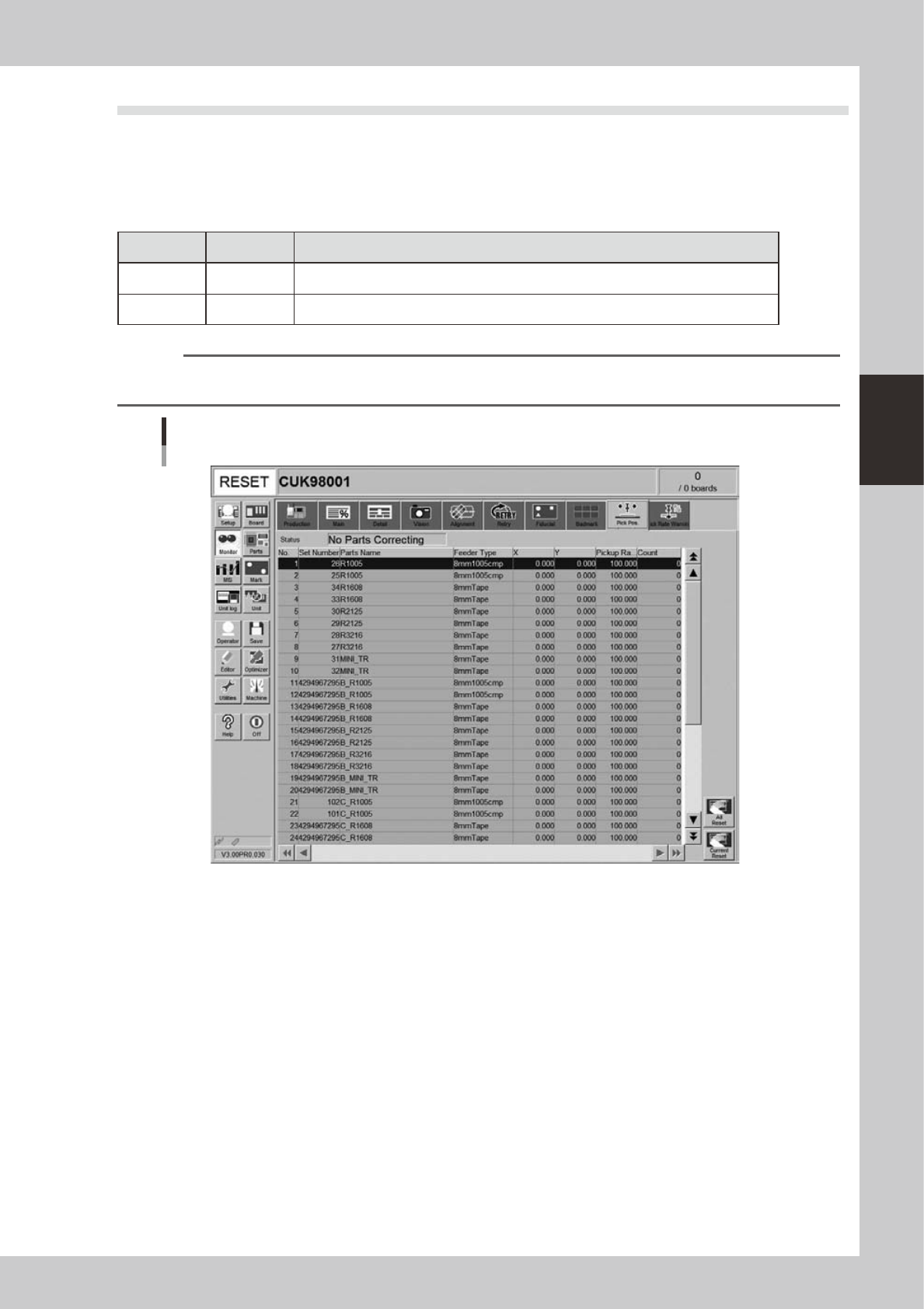
4.9 Pick Pos. (Pickup position offset)
This screen appears when the pickup position offset function is used. This screen shows how the pickup
position of the target component was corrected or offset. When the amount of offset in either the X or Y
direction crosses into a warning zone or error zone, the color of that row changes in real-time. The monitor
display color is shown below.
n
Display color
Color of row Status Description
Yellow Warning Exceeds warning level figure for each nozzle data in pickup position offset specifications.
Red Error Exceeds error level figure for each nozzle data in pickup position offset specifications.
n
NOTE
Numerical values for warning level and error levels set in the pickup position offset specifications are values
determined by the supervisor (administrator).
Monitor: Pick Pos. (Pickup position offset)
24311-M0-00
• No.
Displays the component No. (Parts screen data No.).
• Set No.
Displays the feeder set No.
• Parts Name
Displays the component name.
• Feeder Type
Displays the type of feeder.
• X (mm), Y (mm)
Displays the amount of pickup position offset after recognition. The figure shown is the amount of error from the nozzle
center position towards the X-direction and Y-direction.
• Pick Rate (%)
Displays the component pickup rate of the nozzle for which the pickup position offset function is on (enabled).