YG300_Ope_E.pdf - 第9页
iv About this manual 3 . P a g e l a y o u t T h e d e s c r i p t i o n b e l o w s h o w s a t y p i c a l p a g e l a y o u t u s e d i n t h i s m a n u a l . 2-32 2 Ba s ic oper a t i on 4. 2 Fi n i s h i ng bo a r …

iii
About this manual
2. Contents of each chapter
This manual is comprised of the following chapters.
About this manual
Safety instructions
This section provides safety instructions essential when using the machine.
Chapter 1 Part names and functions
Explains major part names and functions of the machine that you should know before attempting operation.
Chapter 2 Basic operation
• Explains how to use buttons and on-screen menus for machine operation.
• Explains the basic operation for board production including the conveyor unit setups.
• Explains the procedure from how to start up the machine to how to turn it off.
• Shows typical errors and troubleshooting.
Chapter 3 Starting and ending production
Describes the procedure from production start to end, as well as the production monitor display that appears during
operation.
Appendix
Contains machine specifications.
Index
The index at the end of this manual helps you quickly find where necessary items are explained.
iv
About this manual
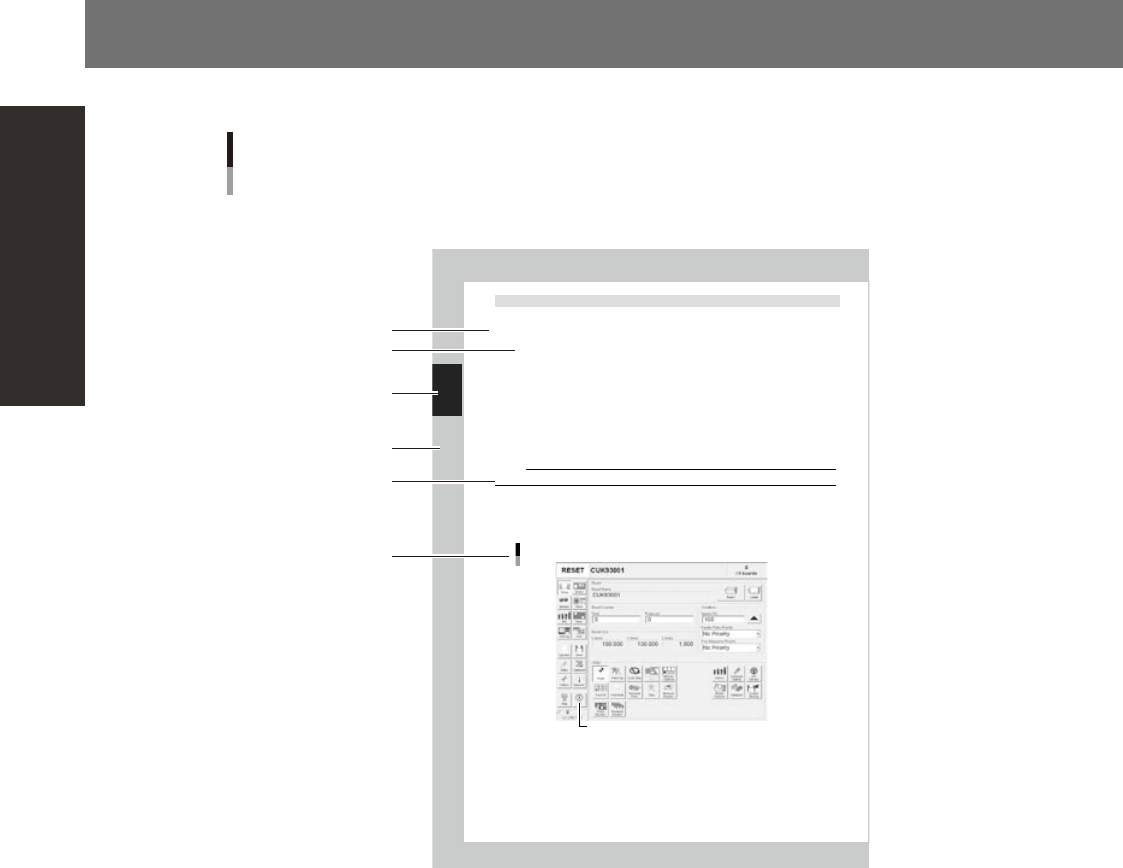
3. Page layout
The description below shows a typical page layout used in this manual.
2-32
2
Ba
s
ic oper
a
t
i
on
4.2 Finishing board production
To finish board production, follow these steps.
Stop machine operation.
The re are four methods for stopping the machin e.
1. Eme rgency stop button:
Press this button to trigger emergency stop. Do not use this button in normal operation .
2. [ST OP] bu tton (operation panel):
Pressing the [STOP] button stops the machine imme d ia te ly . To resume operation, pre ss t he [ STAR T]
but ton on the operation panel.
3. [C y cl e St op] button:
Pressing this button stops the machine operatio n j us t after component mounting on the curren t
boa rd has been completed.
4. [C o nv ey -out stop] button:
Use t hi s button when you want to finish production just after components have been mounted on
the b oard currently on the conveyor. All boards on the conve yor are carried out after component
mou nting, but new boards are not carried in from t he u pstream side.
CAUTION
Do not press the emergency stop button during operation except in case of emergency.
Reset the operation.
Press the [RESET] button on th e operation panel. The machine stops operati on immediately and returns
to th e board productio n standby status.
Press the [Off ] button on the screen.
[Off] button
[Off] button
2422 6-F 9-0 0
Typical page layout
Step
Chapter number
Chapter title
Substep or
description of step
Figure, picture
or table caption
Note, Caution
or Warning
23002-F9-00
n
Step
This describes the procedure for each operation.
n
Substep or description of step
This provides detailed information on the steps in the procedure.
n
Figure or table caption
This is the title of the figure or table and appears at the upper left.
n
Note, Caution or Warning
These are explained in detail in "Safety instructions".

w
Be sure to read these safety instructions before using YAMAHA surface mounters or related products.
Safety instructions
SF-E-0211-100
Safety instructions
Contents
1. Safety i
1.1 To ensure safety i
1.1.1 Defining safety i
1.1.2 Causes of injuries and accidents i
1.2 Using safety gear i
1.3 Awareness when operating machines i
i
1.3.1 Defining the operator and service personnel ii
1.3.2 Restricting machine operation with passwords ii
1.4 Cautions during machine operation ii
1.5 Cautions during power outages i
i
2. Safety message iii
2.1 Safety message and categories in this manual iii
2.2 Typical warning text found in manual i
v
2.2.1 Safety instruction iv
2.2.2 Operation and handling precautions v
2.2.3 Facilities and environmental condition vi
3. Warning labels and attachment positions vii
3.1 Warning labels vii
3.1.1 Handling of safety covers vii
3.1.2 Pinch or crush injury ix
3.1.3 Handling of each part xi
3.2 Caution labels xii
3.2.1 Influence on human body xii
3.2.2 Machine breakdown or damage xiv
3.3 Label positions xvii