YG300_Ope_E.pdf - 第78页
2-25 2 Basic operation 3 . 4 A d j u s t i n g t h e c o n v e y o r u n i t s e t u p W h e n t h e b o a r d t y p e t o b e p r o d u c e d i s c h a n g e d , t h e c o n v e y o r u n i t s e t u p m u s t b e a d j…
2-24
2
Basic operation
4
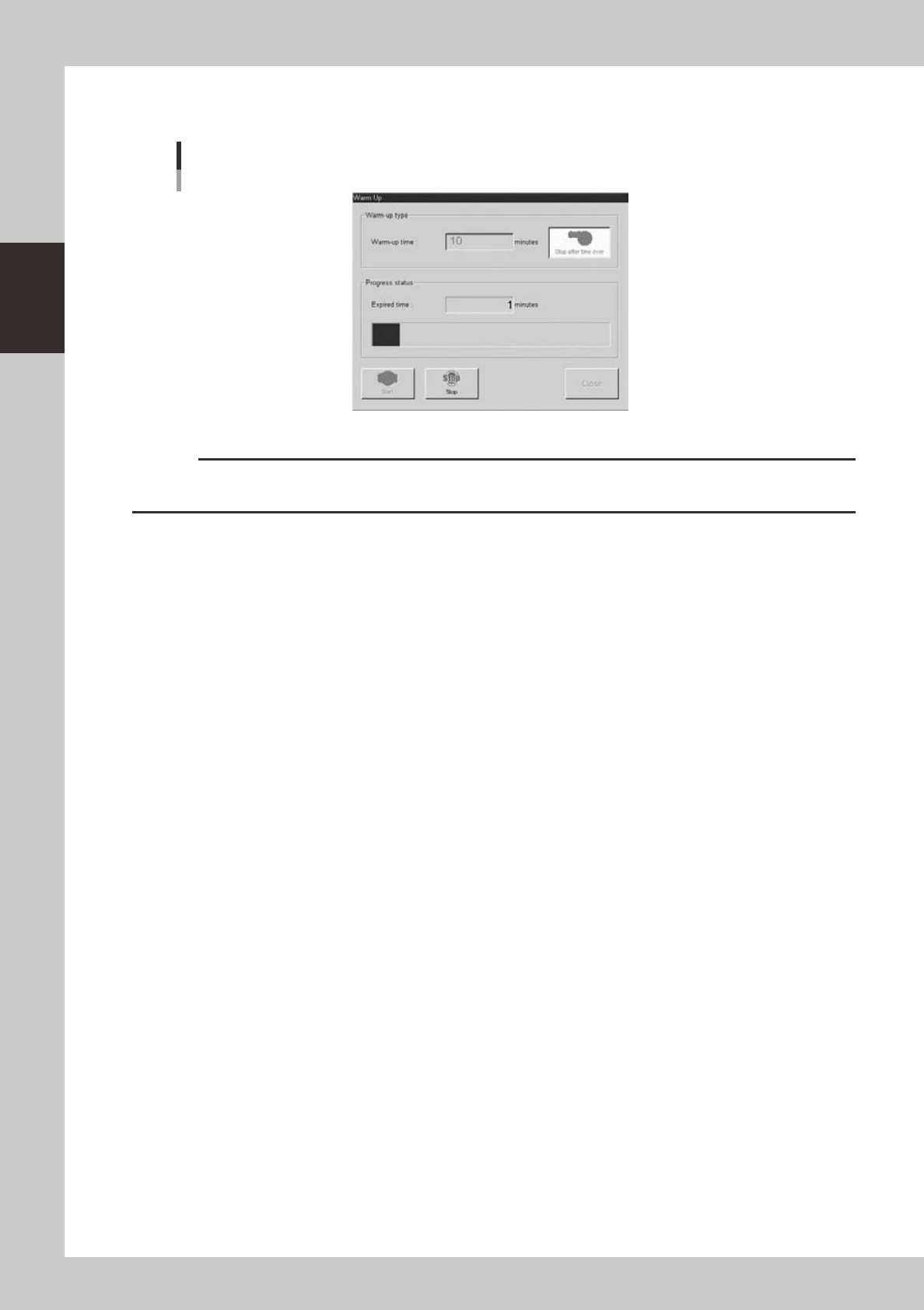
Press the [Start] button to start warm-up.
The warm-up progress time and status will appear under the "Progress status".
Warm-up screen
24215-M3-00
c
CAUTION
If an abnormality occurs during warm-up, press the [Stop] button to stop operation immediately, check the cause of
the problem and eliminate it.
5
Finish the warm-up.
Warm-up will automatically stop when the warm-up time you set is reached. Press the [Close] button,
and return to the previous screen.
2-25
2
Basic operation
3.4 Adjusting the conveyor unit setup
When the board type to be produced is changed, the conveyor unit setup must be adjusted, and the feeders
prepared to match that board type. This section describes how to change the conveyor unit setup.
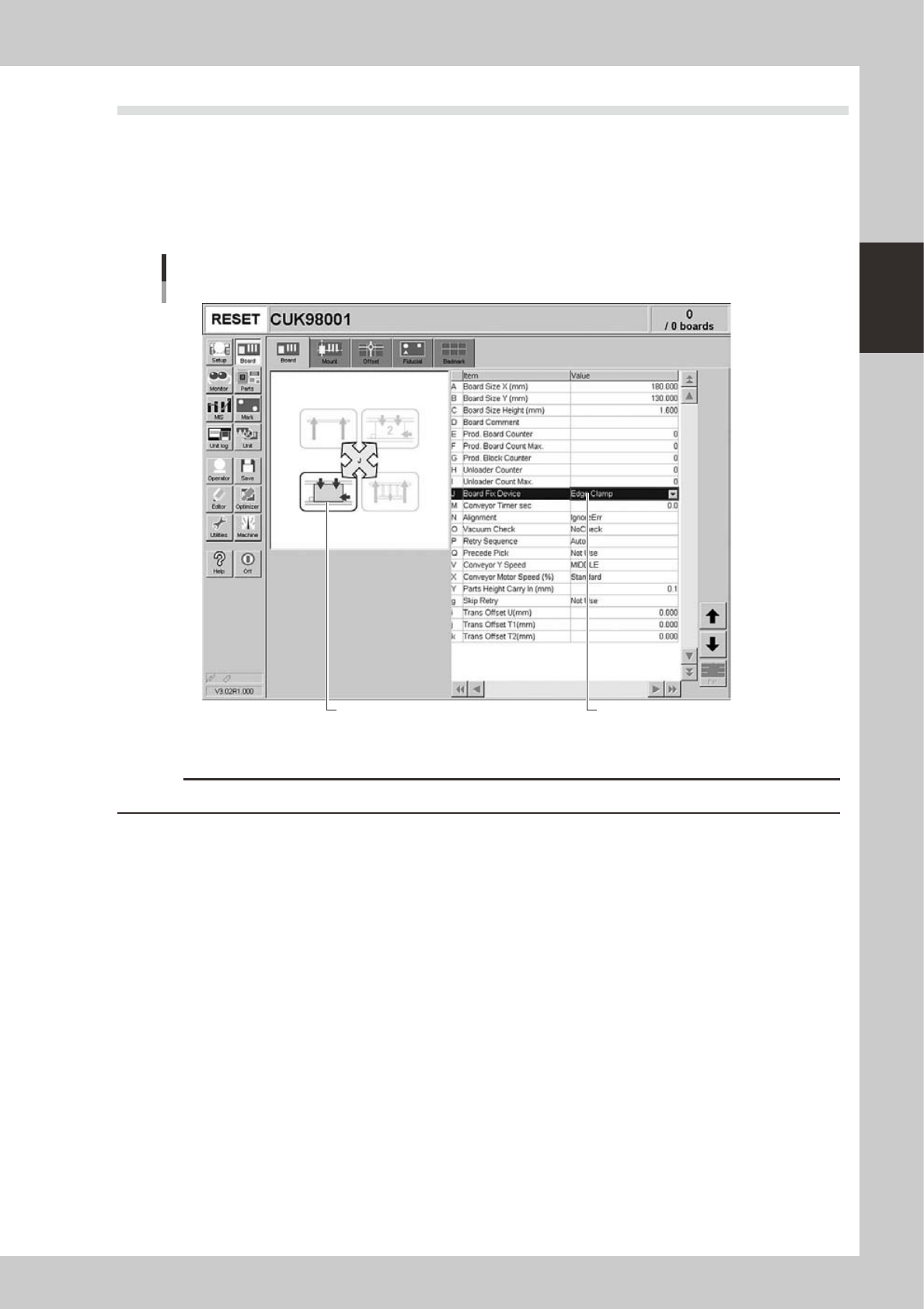
Board clamping method
Select "Edge Clamp" for the board clamping method. This method clamps a board by pushing up its edges against the
board hold plates. Push-up pins are also used to support the board at points other than its edges.
Board clamping method
[Board] tab screen showing board clamping method
Illustration shows how board
is clamped on the conveyor.
24216-M3-00
c
CAUTION
Conveyor's board sensors may fail to detect a production board if it has a slit or cutout.
2-26
2
Basic operation
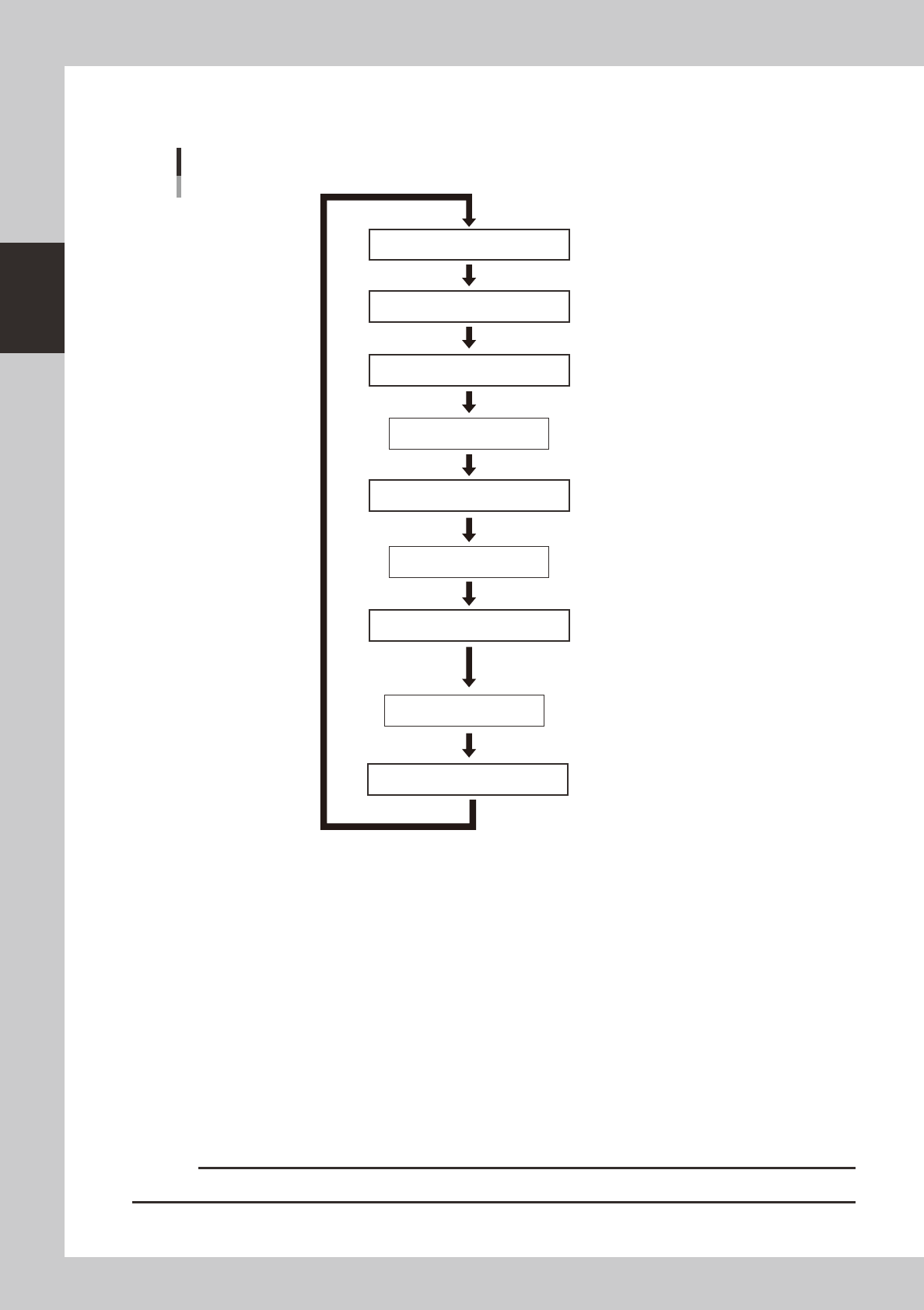
3.4.1 Conveyor unit setup flow
Set up the convey units as shown in the flowchart below.
Adjust conveyor width
Set board on conveyor
Press [Width] button.
Press [Setup Move] button.
Board is clamped
Raise push-up buttons.
Lower push-up pins.
Check that board is clamped securely
To next placement stage
Unlock board flap.
Press emergency stop button
Move conveyor to placement stage
Conveyor setup flow
Unlock board flap.
Lock board flap.
Lock board flap.
Remove board
Set push-up pins
23204-M3-00
1
Adjust the conveyor width.
After selecting the board data, open the [Unit]-[Conveyor] tab and press the [Width] button. Check the
conveyor width shown in the "Conveyor Width" dialog box that appears, and press the [OK] button. The
conveyor width changes to the specified width.
2
Move the conveyor to the component placement stage.
Open the Setup screen, press the [Setup Move] button, and select "Placement stage" in the dialog box
that appears.
e
3
Press the emergency stop button and open the safety cover.
4
Set a board on the conveyor.
1. Release the lever to unlock the board flap and move the position of the board flap toward you.
2. Set a board on the conveyor from above, move the board flap to the original position, and lock it
with the lever.
c
CAUTION
Be sure to lock the board flap. If not locked, the sensor works to prohibit operation.