YG300_Ope_E.pdf - 第76页
2-23 2 Basic operation 3 . 3 Wa r m i n g u p t h e m a c h i n e A f t e r s t a r t i n g u p t h e m a c h i n e , w e r e c o m m e n d w a r m i n g i t u p f o r a b o u t 1 0 m i n u t e s i n m o s t c a s e s . …
2-22
2
Basic operation
3
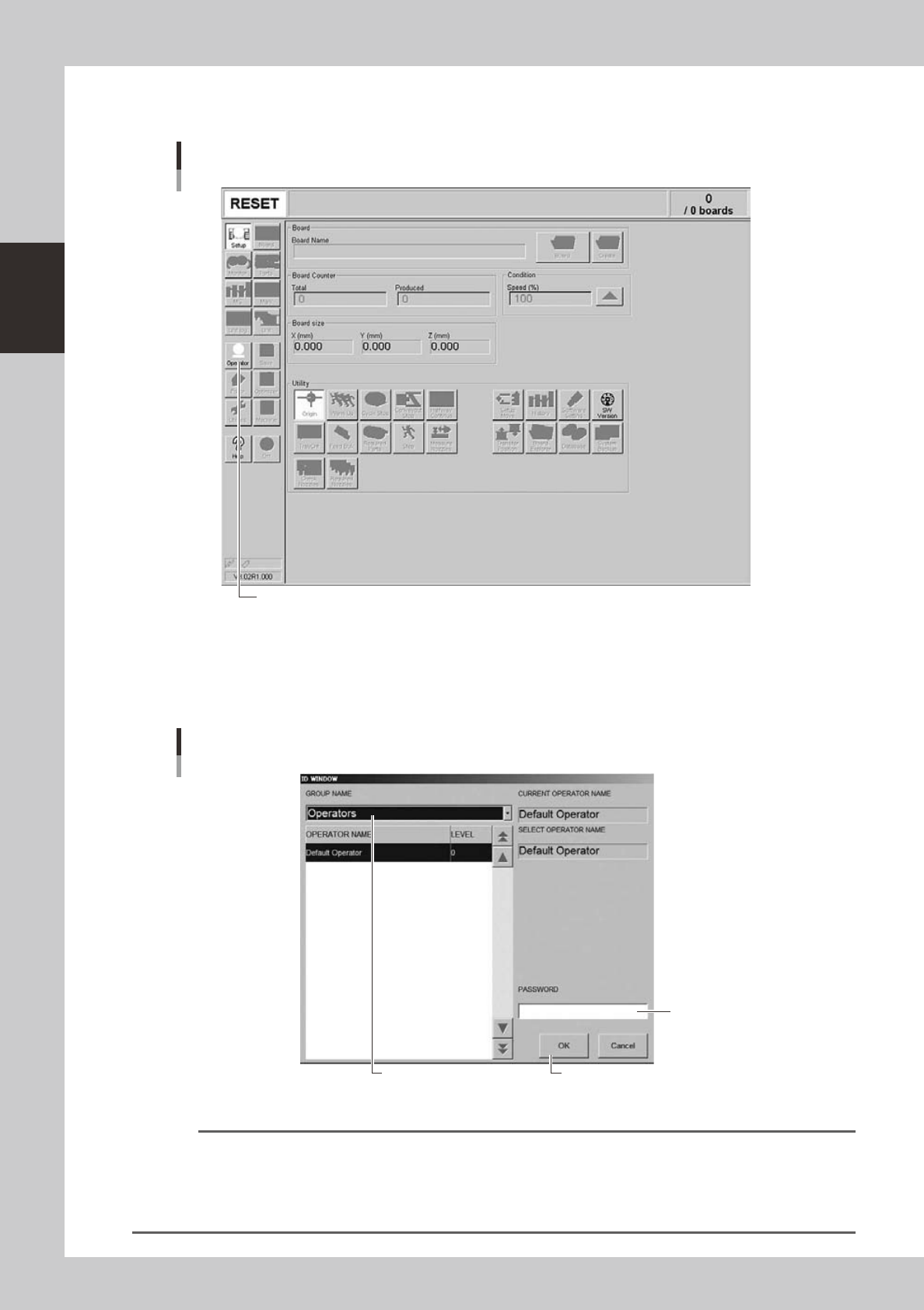
Press the [Operator] button.
The ID WINDOW dialog box appears for specifying the operator.
Press the [Operator] button to open the ID WINDOW.
[Operator] button
24212-M3-00
4
Specify the operator and enter the password.
As needed the operator "Administrator" or "Operator" can be selected from the GROUP NAME list. Then
enter the password and press the [OK] button. (If no password is set, just press the [OK] button.) When
the password is matched, the initial screen (Setup screen before selecting a board) appears.
Select the operator.
Enter the password.
Press [OK] after entering the password.
Specifying the operator
24213-M3-00
Reference
Active menu buttons differ depending on the operation level setup. For example, when the machine is turned on with
the factory setup, the program starts up at an operation level called "Default Operator". This "Default Operator" level is
set to "Level 0" at the time of shipment to allow only basic operation items. This operation level can be changed as
needed. Operators and operation items can also be added and specified by setting the password and operation
level.
2-23
2
Basic operation
3.3 Warming up the machine
After starting up the machine, we recommend warming it up for about 10 minutes in most cases. If less than
two hours has elapsed after the machine was last used, no warm-up is necessary.
1
Make pre-operation checks and then start up the machine.
For pre-operation checks and starting up the machine, see "3.1 Pre-operation check" in this chapter.
2
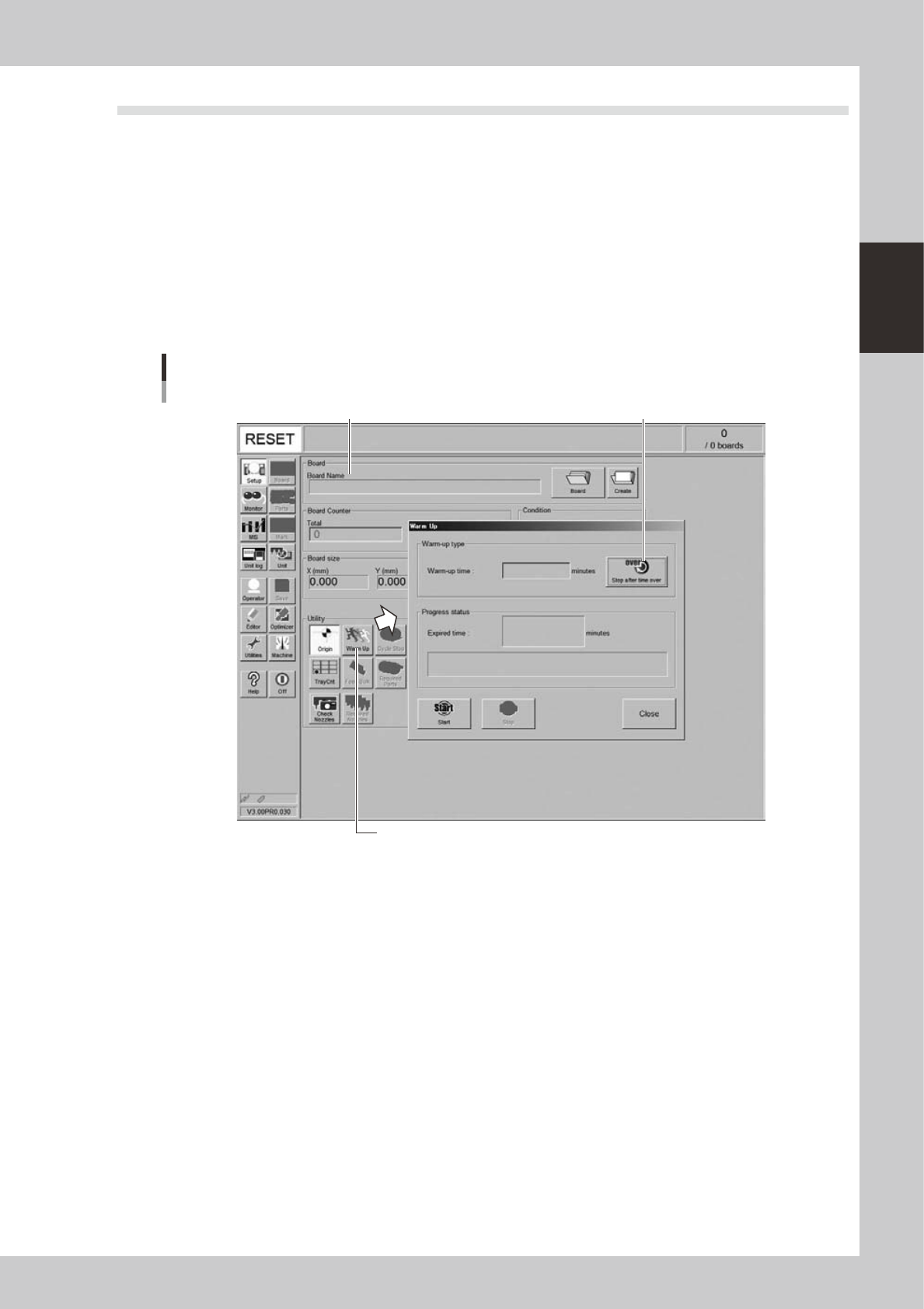
Press the [Warm Up] button on the Setup screen.
The Warm-up screen then appears.
3
Enter a warm-up time.
Press the [Stop after time over] button and enter the warm-up time. Warm-up will automatically stop
when the warm-up time you set has elapsed. Normally, about a 10-minute warm-up is sufficient.
Press [Warm Up] button to open [Warm Up] screen.
Setup screen
Warm-up time setting screen
Press this button to set warmup time.
24214-M3-00
2-24
2
Basic operation
4
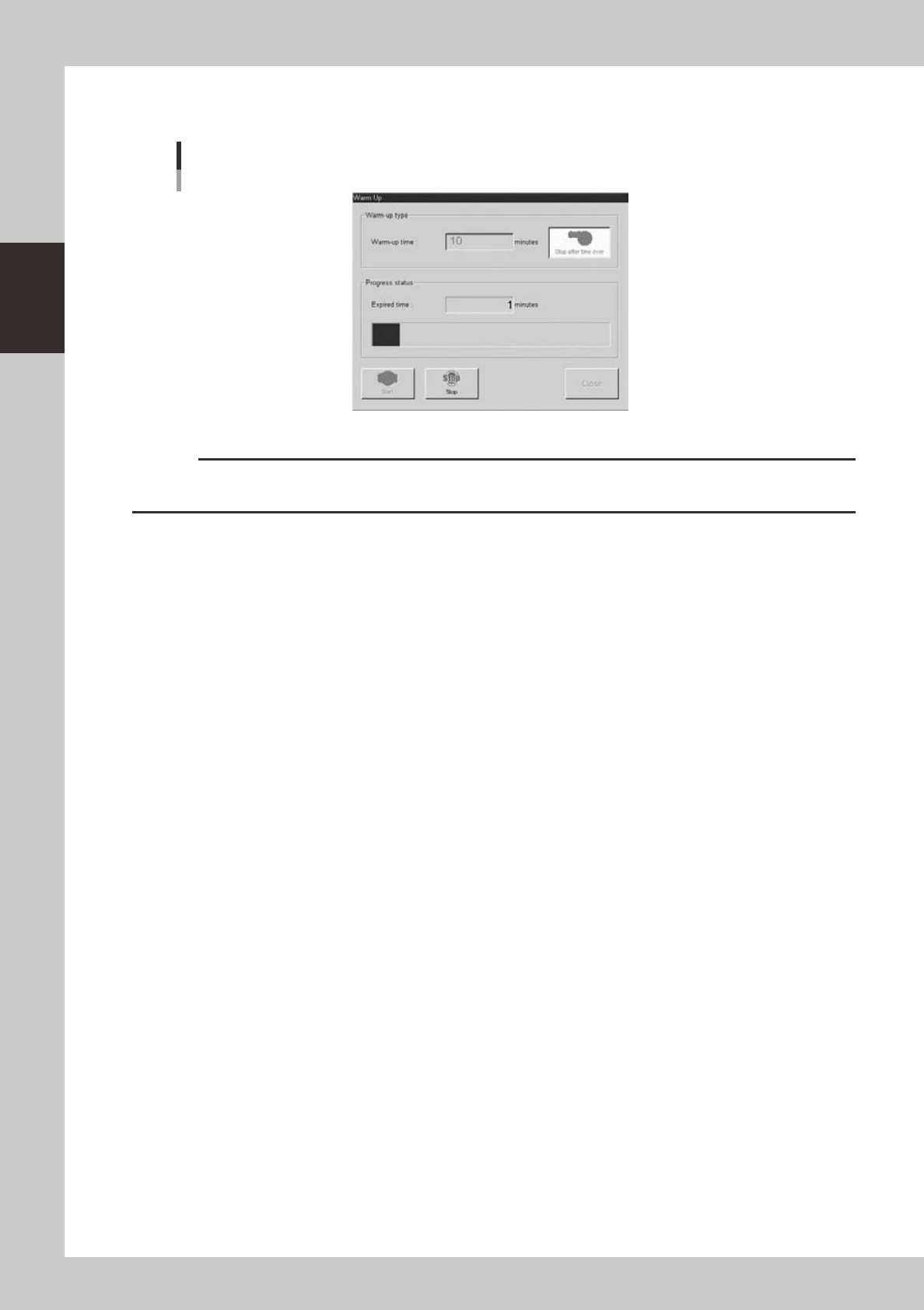
Press the [Start] button to start warm-up.
The warm-up progress time and status will appear under the "Progress status".
Warm-up screen
24215-M3-00
c
CAUTION
If an abnormality occurs during warm-up, press the [Stop] button to stop operation immediately, check the cause of
the problem and eliminate it.
5
Finish the warm-up.
Warm-up will automatically stop when the warm-up time you set is reached. Press the [Close] button,
and return to the previous screen.