YG300_Ope_E.pdf - 第70页
2-17 2 Basic operation n M a n u a l f e e d e r o p e r a t i o n [Unit] – [Feeder] screen 1 2 3 4 24 2 0 9 - M 3 -0 0 B u t t o n n a m e F u n c t i o n 1 Le f t / r i g h t a r r o w s Sc r o l l s t h r o u g h t h …
2-16
2
Basic operation
n
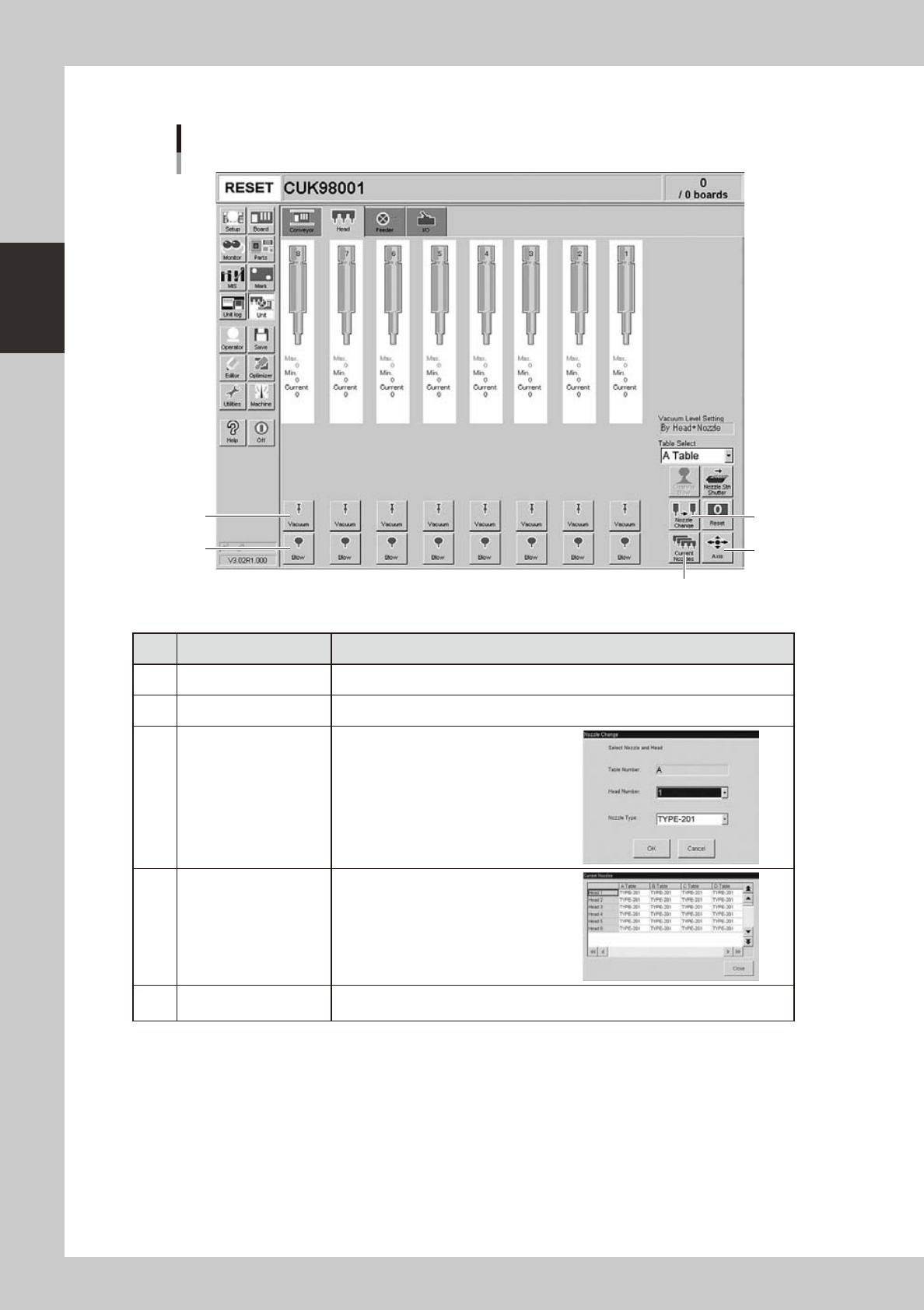
Manual head operation
[Unit] – [Head] screen
1
2
3
4
5
24208-M3-00
Button name Function
1 Vacuum Turns the vacuum of each head on or off.
2 Blow Turns the air blow in each head on or off.
3 Nozzle Change
Opens the "Nozzle Change" dialog box.
Specify the head and nozzle type to
perform nozzle change.
4 Current Nozzles
Shows a list of nozzle types currently
attached to each head.
5 Axis
Opens the "Move Axis" screen. This is the same as the [Axis] button on the [Unit]-
[Conveyor] screen.
2-17
2
Basic operation
n
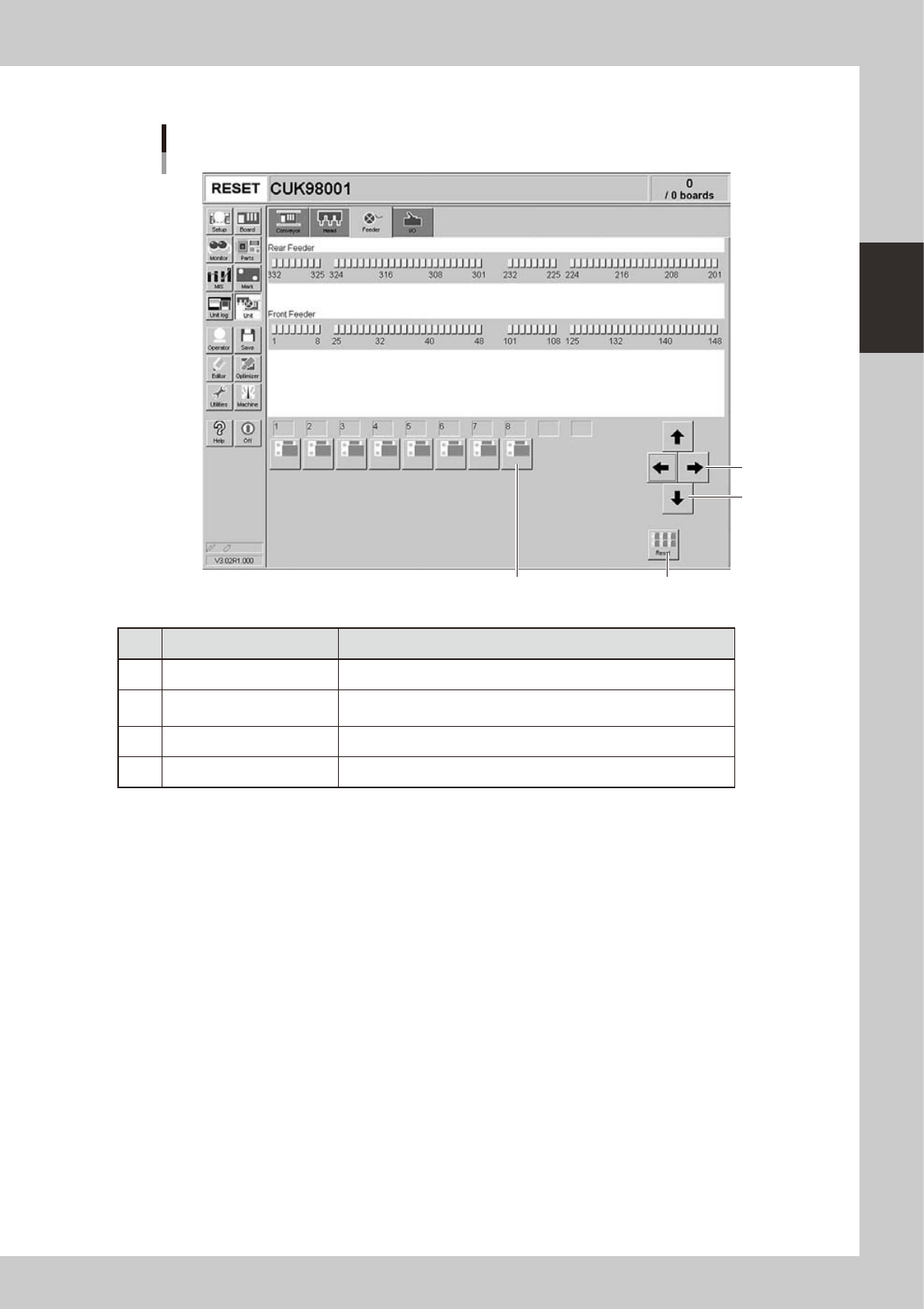
Manual feeder operation
[Unit] – [Feeder] screen
1
2
3 4
24209-M3-00
Button name Function
1 Left/right arrows Scrolls through the drive valve number display.
2 Up/down arrows
Switches the drive valve number display between the front and rear
sides.
3 Drive valve Turns the feeder shutter drive valve on or off.
4 Reset Turns off all drive valves at a time.
2-18
2
Basic operation
n
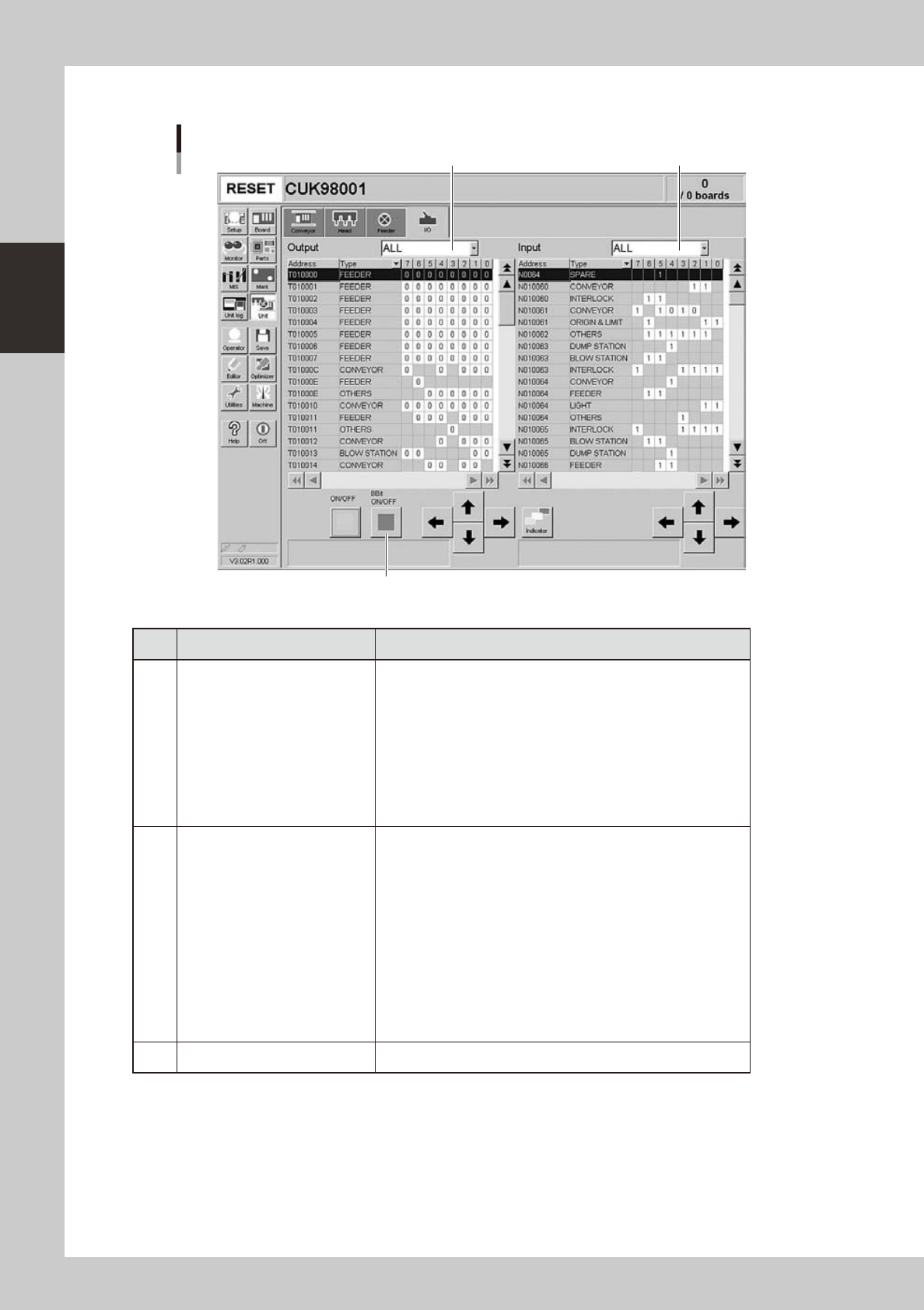
Manual I/O operation
[Unit] – [I/O] screen
1 2
3
24210-M3-00
Button name Function
1 Select output display group
Select the output group for display in the "Output" status list. The
following groups can be selected:
• ALL
• FDR (feeder)
• NSTA (nozzle station)
• LIGHT
• CONV (conveyor)
• HEAD
• BSTA (blow station)
• OTHERS
2 Select input display group
Select the input group for display in the "Input" status list. The
following groups can be selected:
• ALL
• INTLCK (interlock)
• SRV (servo origin limit)
• DSTA (dump station)
• FDR (feeder)
• NSTA (nozzle station)
• CONV (conveyor)
• LIGHT
• HEAD
• BSTA (blow station)
• OTHERS
3 ON/OFF Turns the selected valve on or off.