YG300_Ope_E.pdf - 第50页
1-22 1 Part names and functions 5 A c o n f i r m a t i o n d i a l o g b o x a p p e a r s a s k i n g y o u t o m a k e a f i n a l c h e c k . C h e c k t h e c o n t e n t s o f t h e d i a l o g b o x a n d p r e s …
1-21
1
Part names and functions
3
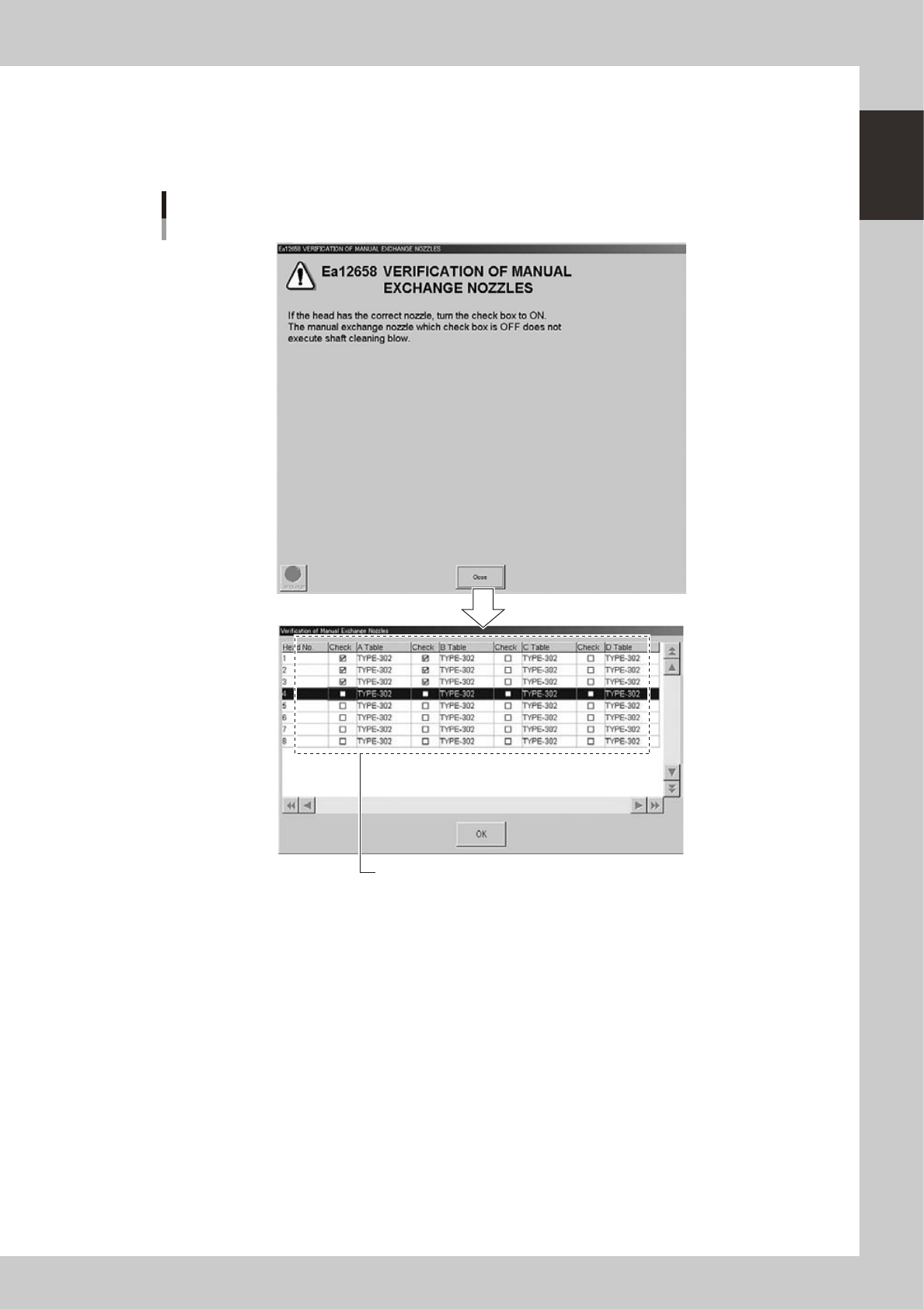
Another dialog box appears for checking manual change nozzles.
4
Specify the nozzles you want to clean by nozzle shaft blow.
Pressing the [Close] button in the dialog box displays a screen for checking manual change nozzles as
shown below.
Dialog for checking manual change nozzles
Select the check boxes for the nozzles you want to clean by nozzle shaft blow.
24101-M3-00
1-22
1
Part names and functions
5
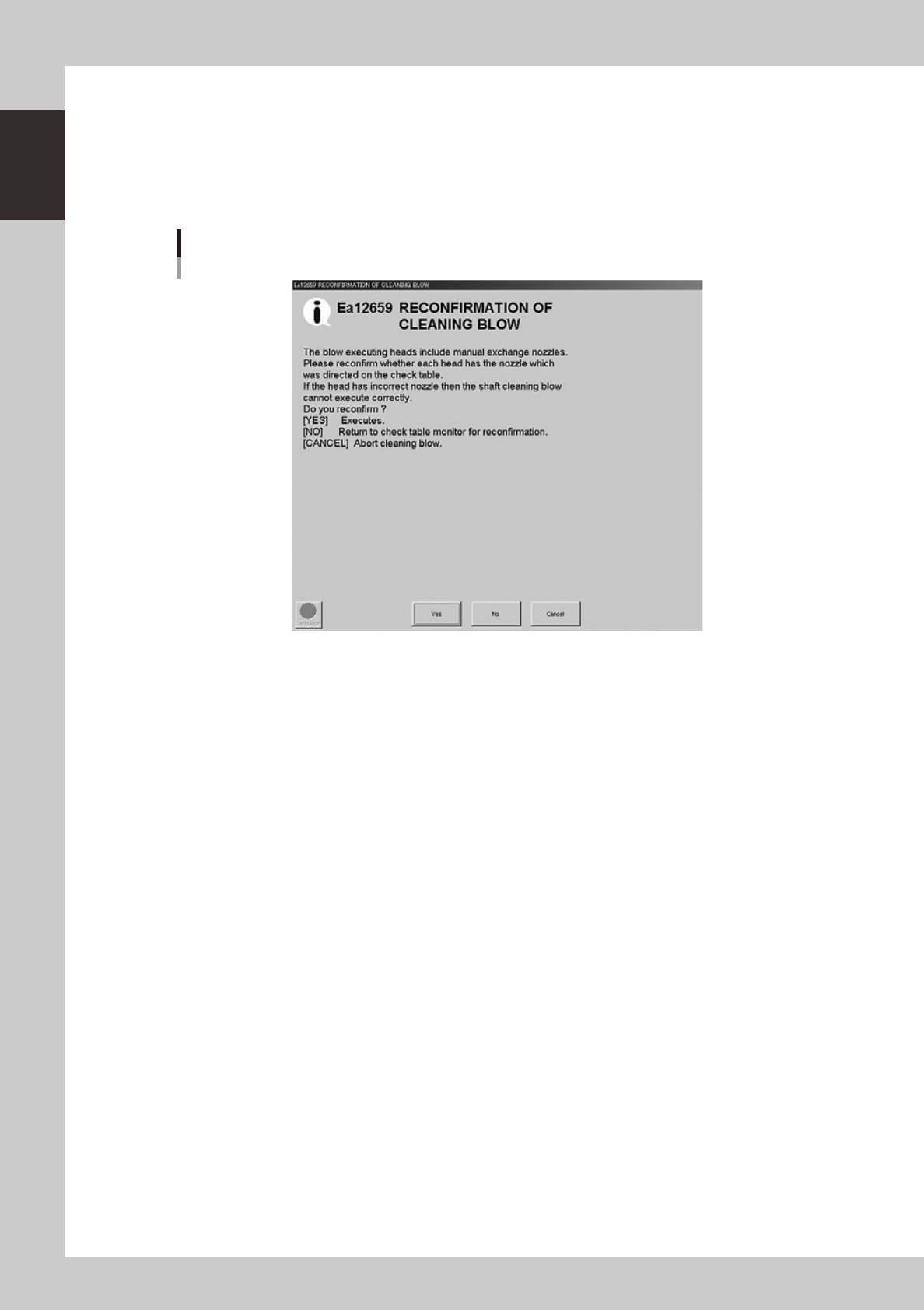
A confirmation dialog box appears asking you to make a final check.
Check the contents of the dialog box and press the corresponding button.
[Yes]: Performs nozzle shaft blow of the selected nozzles.
[No]: Returns to the previous dialog box.
[Cancel]: Closes the dialog box and returns to the [Unit]-[Head] screen without performing nozzle
shaft blow.
Final confirmation dialog box for nozzle shaft blow
24102-M3-00
1-23
1
Part names and functions
n
When the machine has a nozzle station (option)
When the settings are made so that all nozzles can be changed using a nozzle station (option), follow these steps.
1
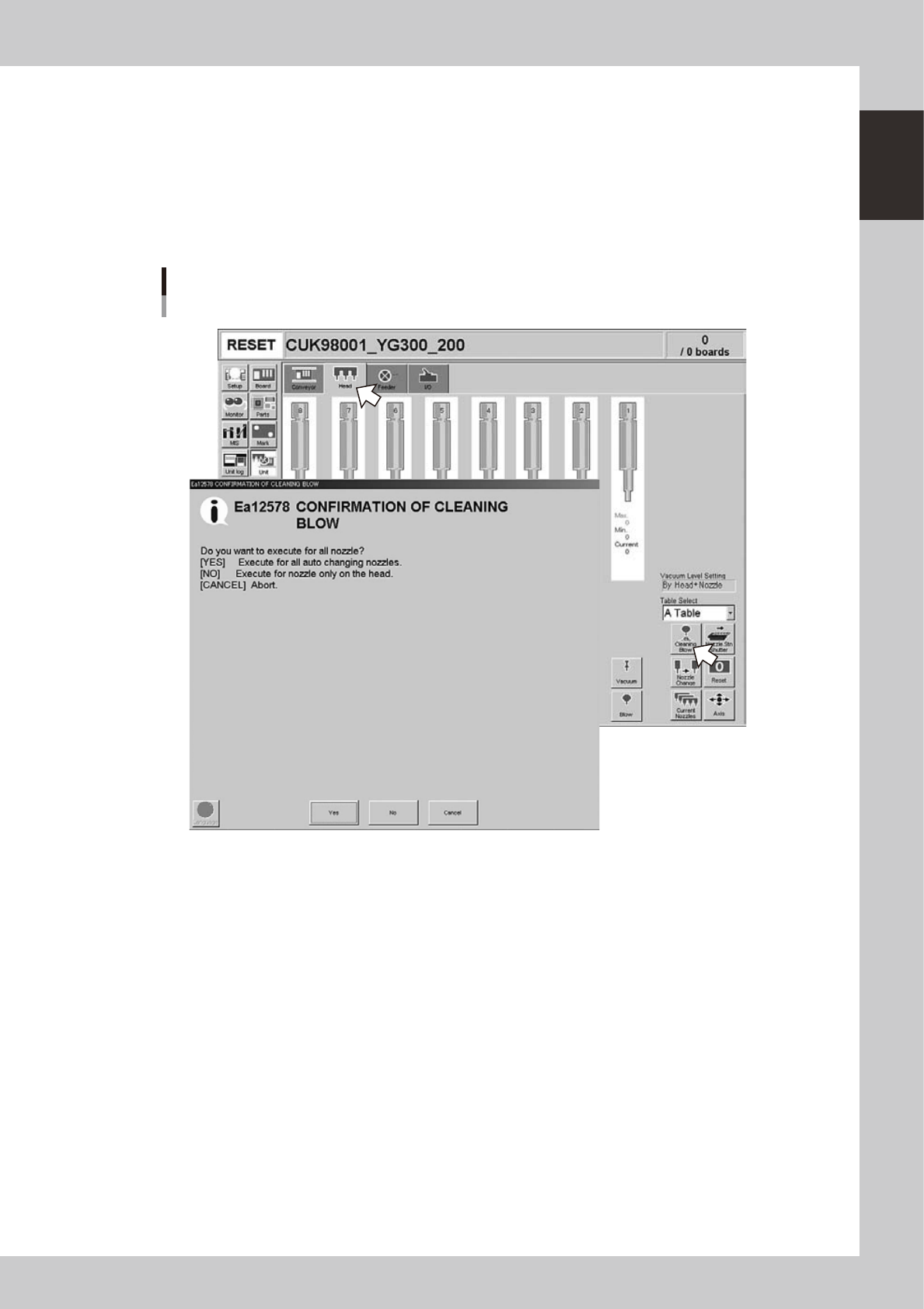
Open the [Unit] – [Head] screen.
2
Press the [Cleaning Blow] button.
A confirmation dialog box appears asking whether to perform nozzle shaft blow.
Press the [OK] button to perform nozzle shaft blow and proceed to the next step. If you want to cancel
nozzle shaft blow, press the [Cancel] button.
Nozzle shaft blow
When nozzle station (option) is used
24103-M3-00