Process Lens PL Service Manual_EN.pdf - 第110页
3 Replacing spare parts 11 0 Se rv ic e Ma nu al P ro ce ss L en s PL - 0 3/ 20 25 Fig.149: Spacer bolts ► Loosen the four spacer bolts (1) . ► Remove the conveyor control together with the mounting plate from the mach…
3 Replacing spare parts
Service Manual Process Lens PL - 03/2025 109
3.5.1.7 Boards
Replacing the conveyor control TSP420
Parts
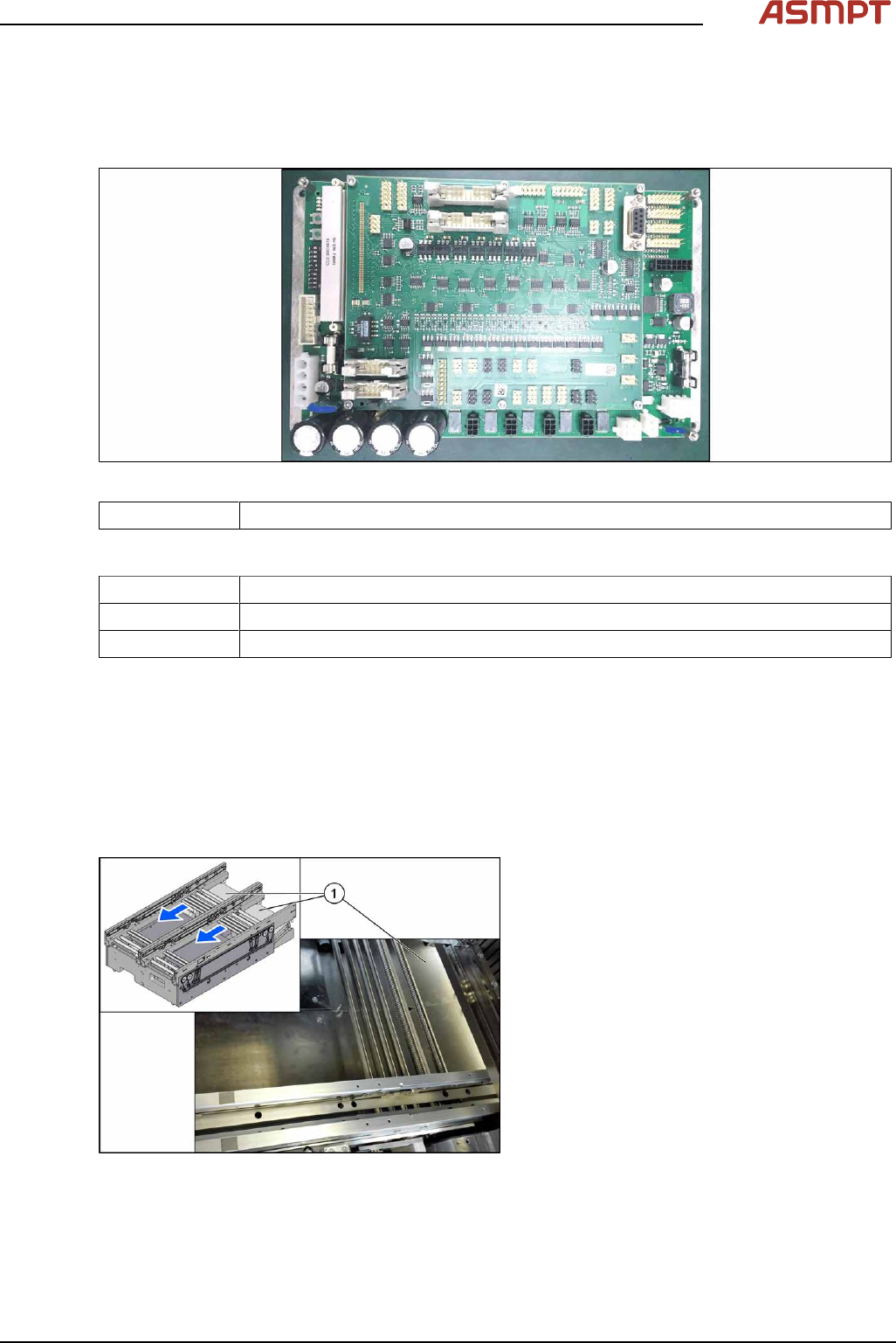
Fig.147: Conveyor control TSP420
03087642-xx Conveyor control TSP420 complete
Equipment and tools
00096290-xx Fork wrench set
Side cutter
Cable tie
Removal
► Use the software or manually move the conveyor rail into a position which allows you best
access.
To move the conveyor side wall manually, pull the toothed belt of the width adjustment unit.
► Switch off the machine, disconnect it from the power supply and secure it to prevent unauthorized
reactivation.
► Move the gantry out of the transport area as far as possible to one side of the machine.
Fig.148: Covers
► Remove the spacer bolts fastening the
cover(1) above the conveyor control and
remove the cover.
► Unplug all electrical connections to the conveyor control. If necessary, mark their positions to
make clear assignment easier later on.
3 Replacing spare parts
110 Service Manual Process Lens PL - 03/2025
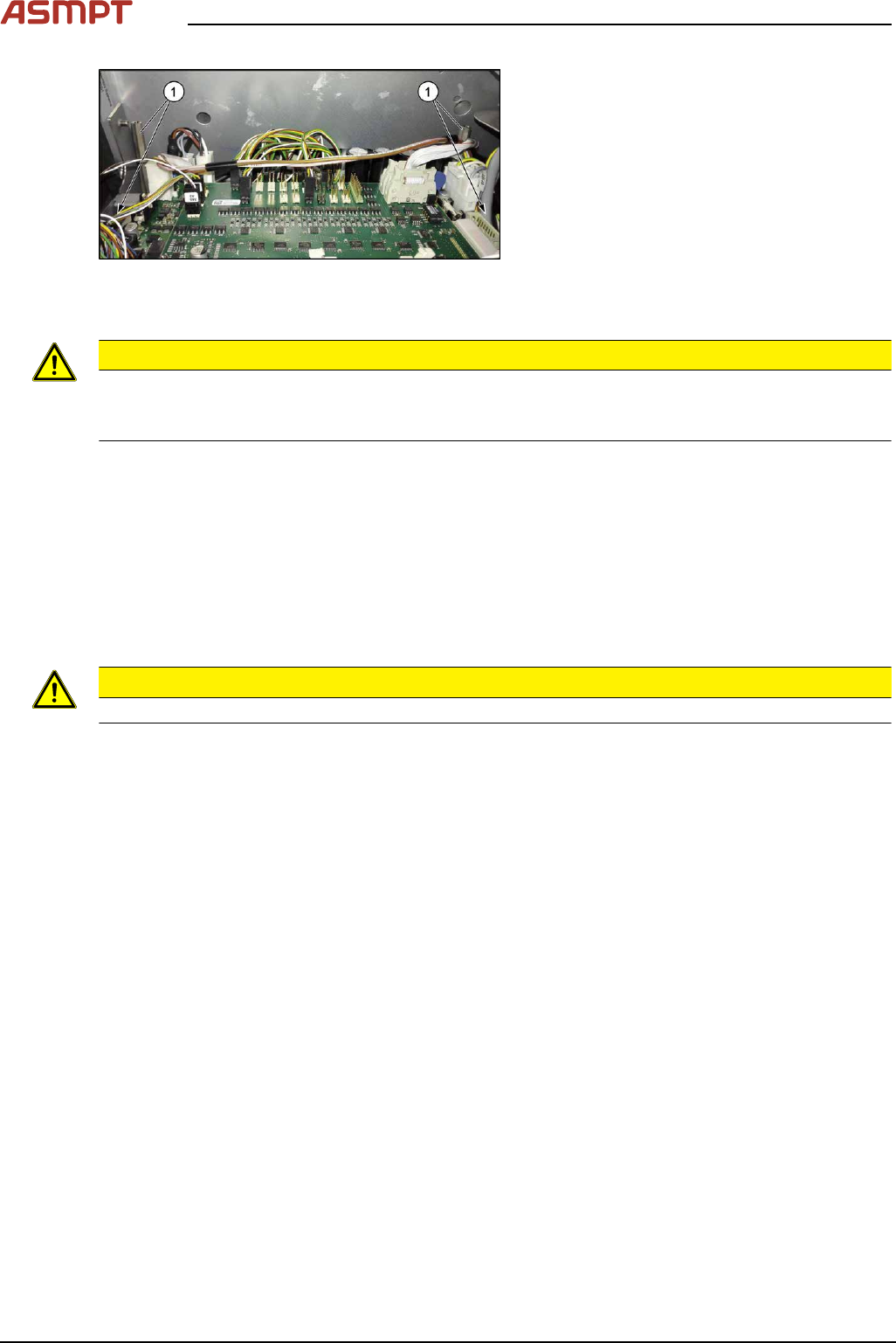
Fig.149: Spacer bolts
► Loosen the four spacer bolts(1).
► Remove the conveyor control together with the mounting plate from the machine.
CAUTION
Do not remove the conveyor control from the mounting plate.
The conveyor control may not be removed from the mounting plate because the mounting plate
serves as a cooling element for the conveyor control.
Installation
► Follow the removal instructions in reverse order for installation.
Conveyor control TSP420 [03087642-xx]
Two TSP420 are fitted in Process Lens.
The conveyor control "TSP420 assembly" [03087642-xx] comprises the following components:
●
Main board: TSP420-M [ 03087640-xx ]
●
I/O board: TSP420-IO [ 03087641-xx ]
CAUTION
These two boards may not be separated!
3 Replacing spare parts
Service Manual Process Lens PL - 03/2025 111
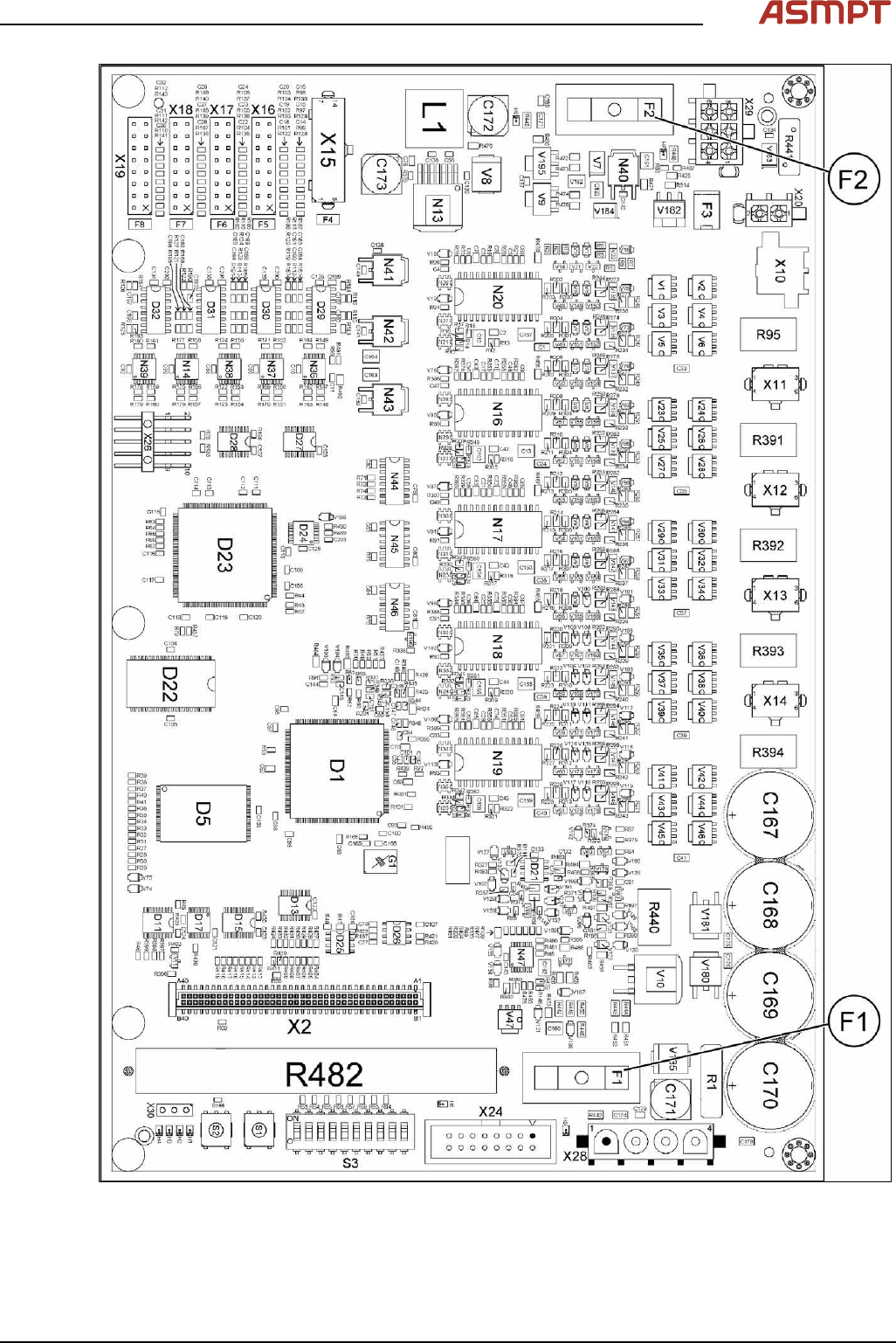
Fig.150: 03087640-02