Process Lens PL Service Manual_EN.pdf - 第36页
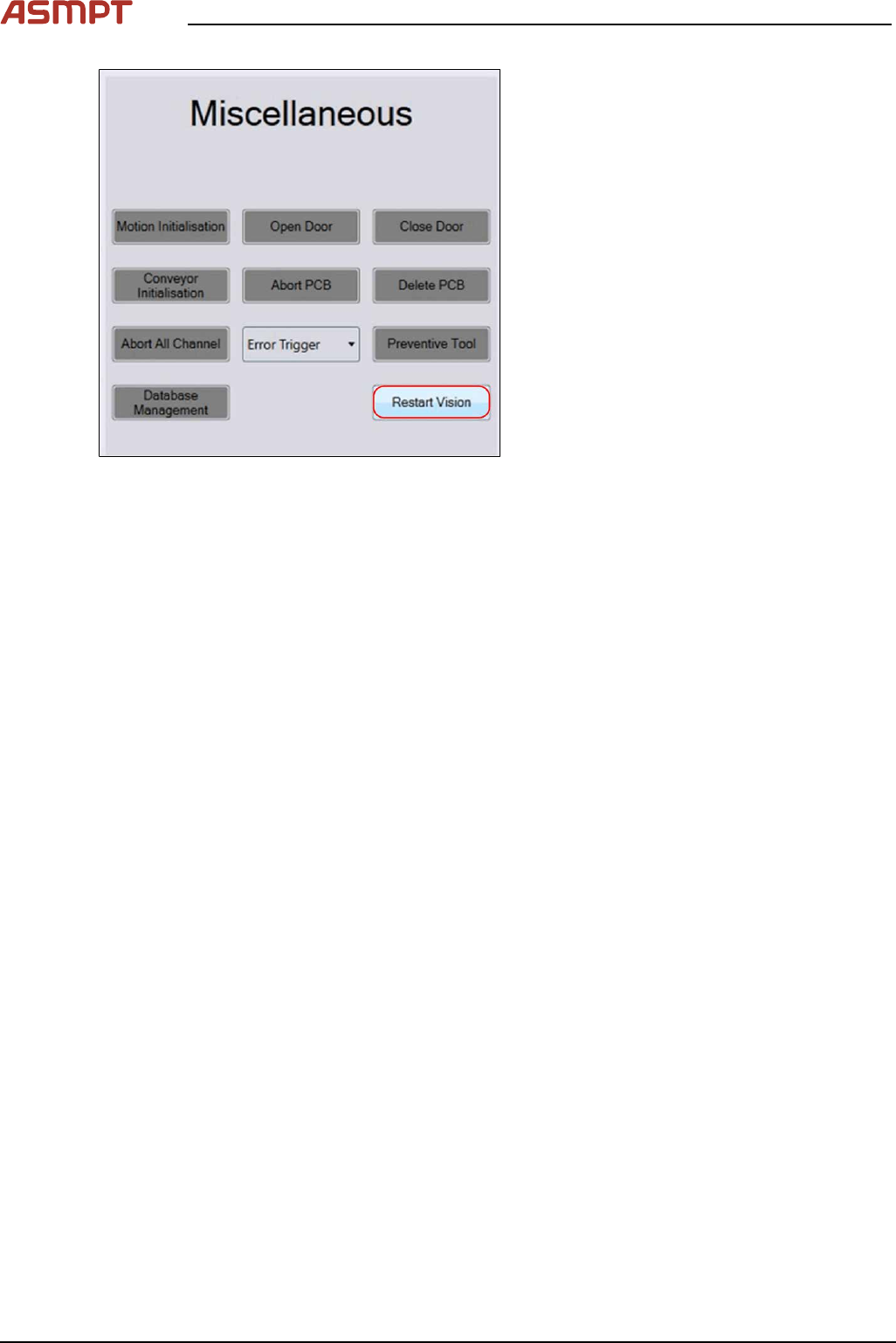
3 Replacing spare parts 36 Se rv ic e Ma nu al P ro ce ss L en s PL - 0 3/ 20 25 Fig.33: Restart Vision ► Select Restart Vision in the Miscel- laneous field. ► Perform the 2D/3D calibration. See also 4.1 "Calibrati…
3 Replacing spare parts
Service Manual Process Lens PL - 03/2025 35
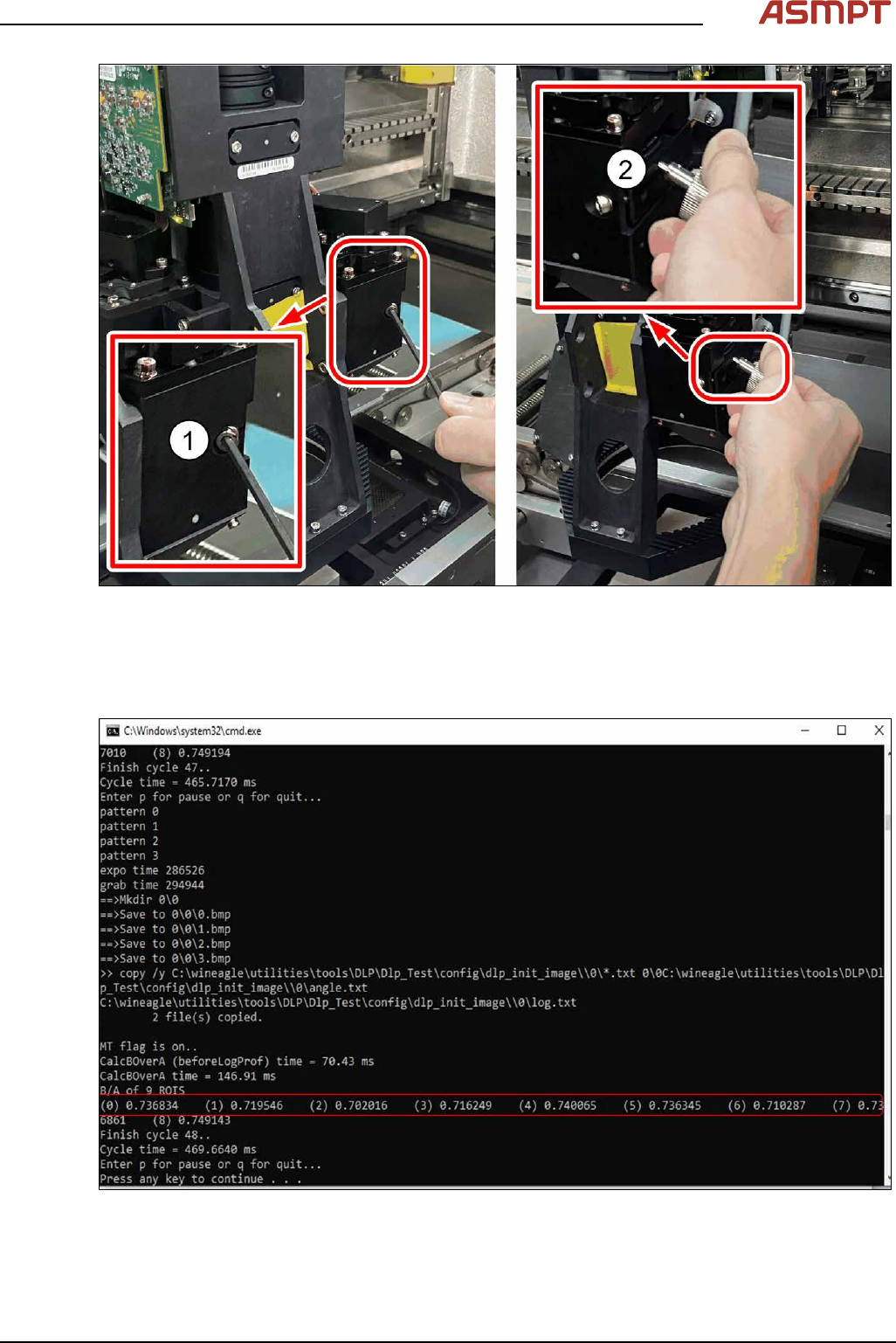
Fig.31: Jig
► Insert the jig and loosen the screw(1).
► Turn the jig(2) to move the lens up or down and check the B/A values in the *.exe file by press-
ing Enter or P on the keyboard (see figure below). Stop when the right B/A values (0.6 - 0.7) are
achieved.
Fig.32: B/A Value
► Lock the screw(1) again.
► Press Q on the keyboard to quit the DPL test software.
► Close the window.
3 Replacing spare parts
Service Manual Process Lens PL - 03/2025 37
3.1.2.3 Checking the DLP module
Requirements
●
DLP module is dismantled.
Checking the module
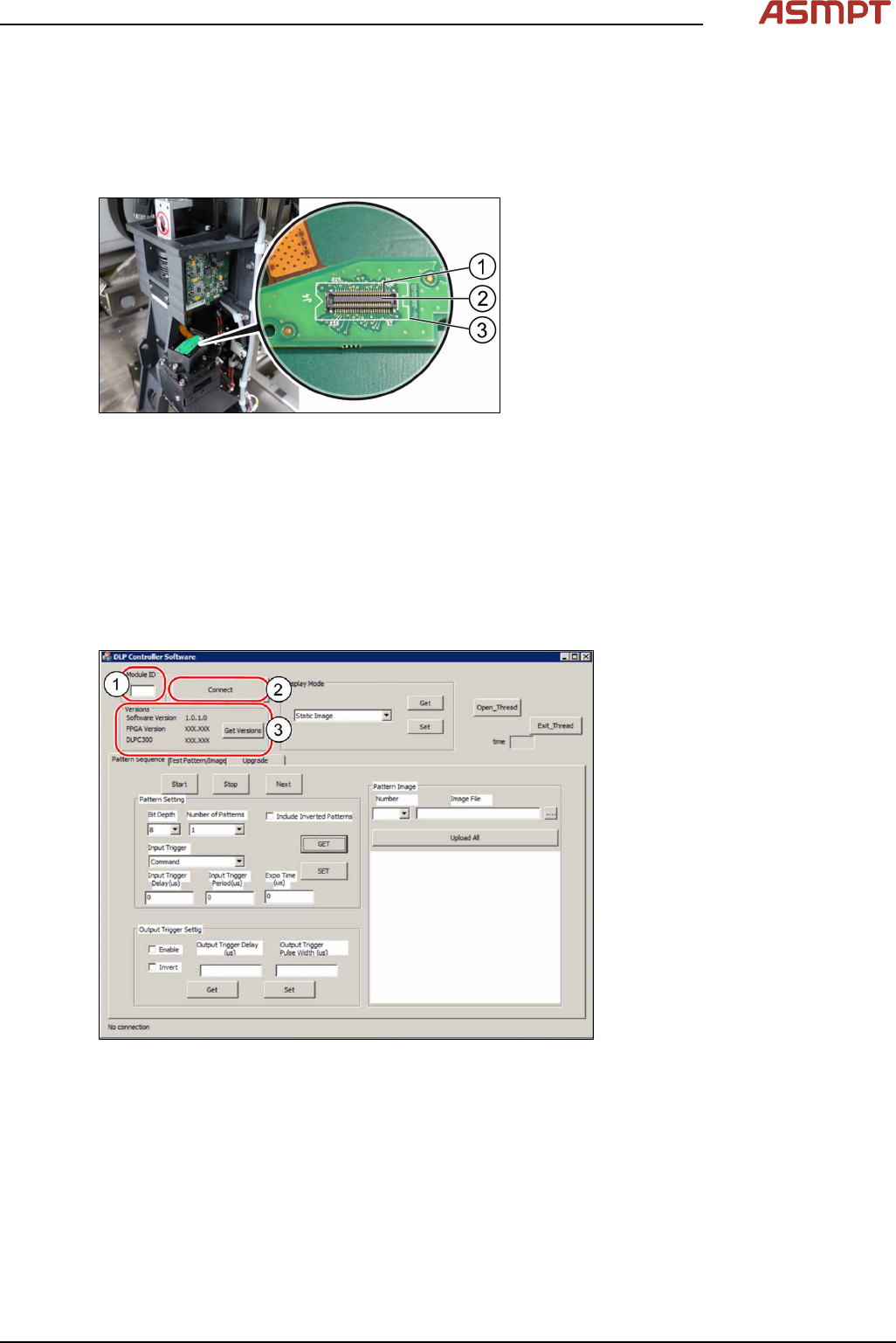
Fig.34: Checking the module
► Put the DLP module in its position.
► On the DLP interface board to the
DMD(3) make sure that the connector(2)
is in the right position and does not bend
the pin(1). Use an external light to check
that the holes of the connector and the
drilling holes for the screws are in line.
► If the connector and the pin are in line a
noticeable click sound can be heard when
the connector is pressed down.
3.1.2.4 Checking the software version of the DLP module
When the DLP module and the DMD module have been changed, a software check for the latest Ver-
sion is needed.
Requirements
●
Machine is switched on.
Checking the software version
Fig.35: Checking the software version
► Open the DLP controller software on the computer.
► Double click on the application to run the software.
► In the Module ID input field(1) enter the number "00" for the left DLP module or "01" for the right
DLP module to test the left or the right DLP module and click on Connect(2).
► Click on Get Version(3) to check if the software version is running the latest version.
► Go to the ASMPT internal website to check the software version.