Process Lens PL Service Manual_EN.pdf - 第41页
3 Replacing spare parts Se rv ic e Ma nu al P ro ce ss L en s PL - 0 3/ 20 25 41 Fig.42: Removing cable clamps and connector ► Remove the cable clamp (1) that fixes the cables by unscrewing the screws using an Allen key…
3 Replacing spare parts
40 Service Manual Process Lens PL - 03/2025
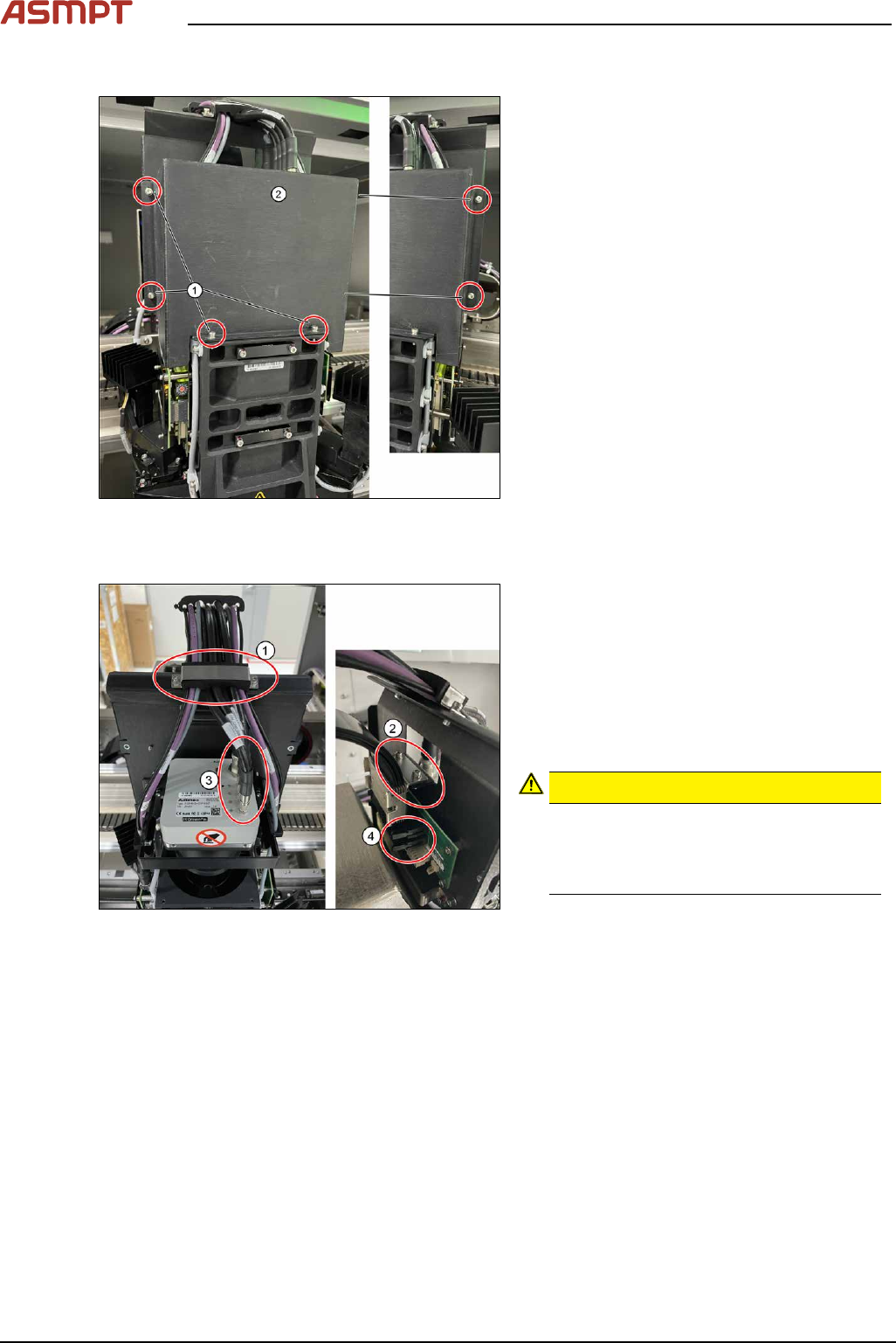
Remove cover
Fig.40: Removing the cover
► Remove the cover(2) that protects the
connection spots for the cables by remov-
ing the six screws(1) by using an Allen
key size 2.5.
► Place the dismantled cover on a service
table.
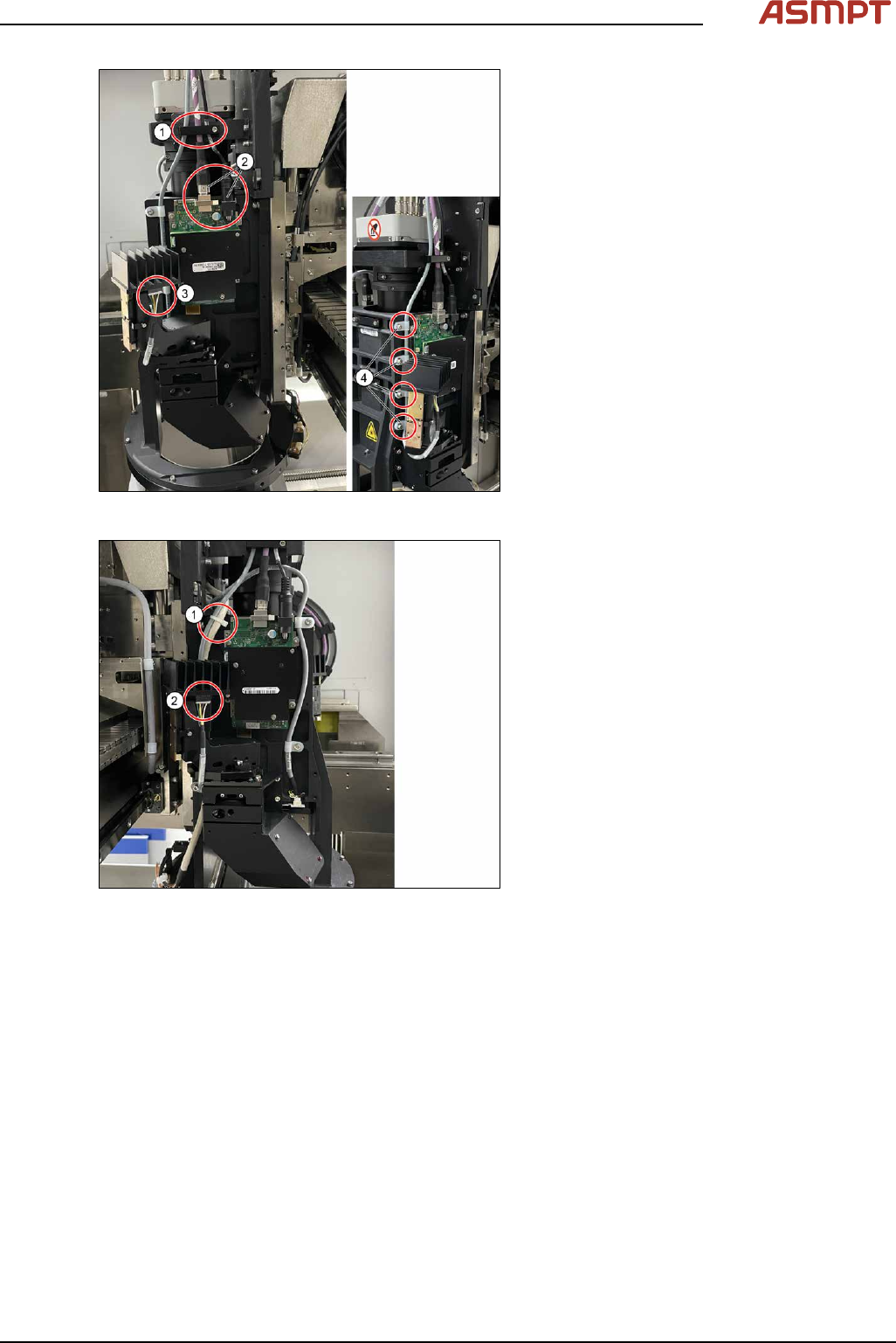
Remove cables
Fig.41: Removing cable clamps and connectors
► Remove the cable clamp(1) that fixes the
cables by unscrewing the two screws
using an Allen key size 2.5.
► Remove the cable clamp (2) that fixes the
cables by unscrewing the two screws
using an Allen key size 2.5.
► Unscrew 5x cables (3) and unplug 2xrib-
bon cable connectors (4)
CAUTION!
Sensitive camera system
The camera system (3) is very sensitive.
Therefore do not touch the camera sys-
tem to avoid damage to it.
.
► Carefully put the cables aside.
3 Replacing spare parts
Service Manual Process Lens PL - 03/2025 41
Fig.42: Removing cable clamps and connector
► Remove the cable clamp (1) that fixes the
cables by unscrewing the screws using an
Allen key size 2.5.
► Unplug connector (3) from AnHua lighting
Right
► Remove 4x cable holders (4).
► Remove 2x cables (2) from DLP Controller
Fig.43: Unplugging connector
► Cut cable tie (1).
► Unplug connector (2) from AnHua lighting
Left
3 Replacing spare parts
42 Service Manual Process Lens PL - 03/2025
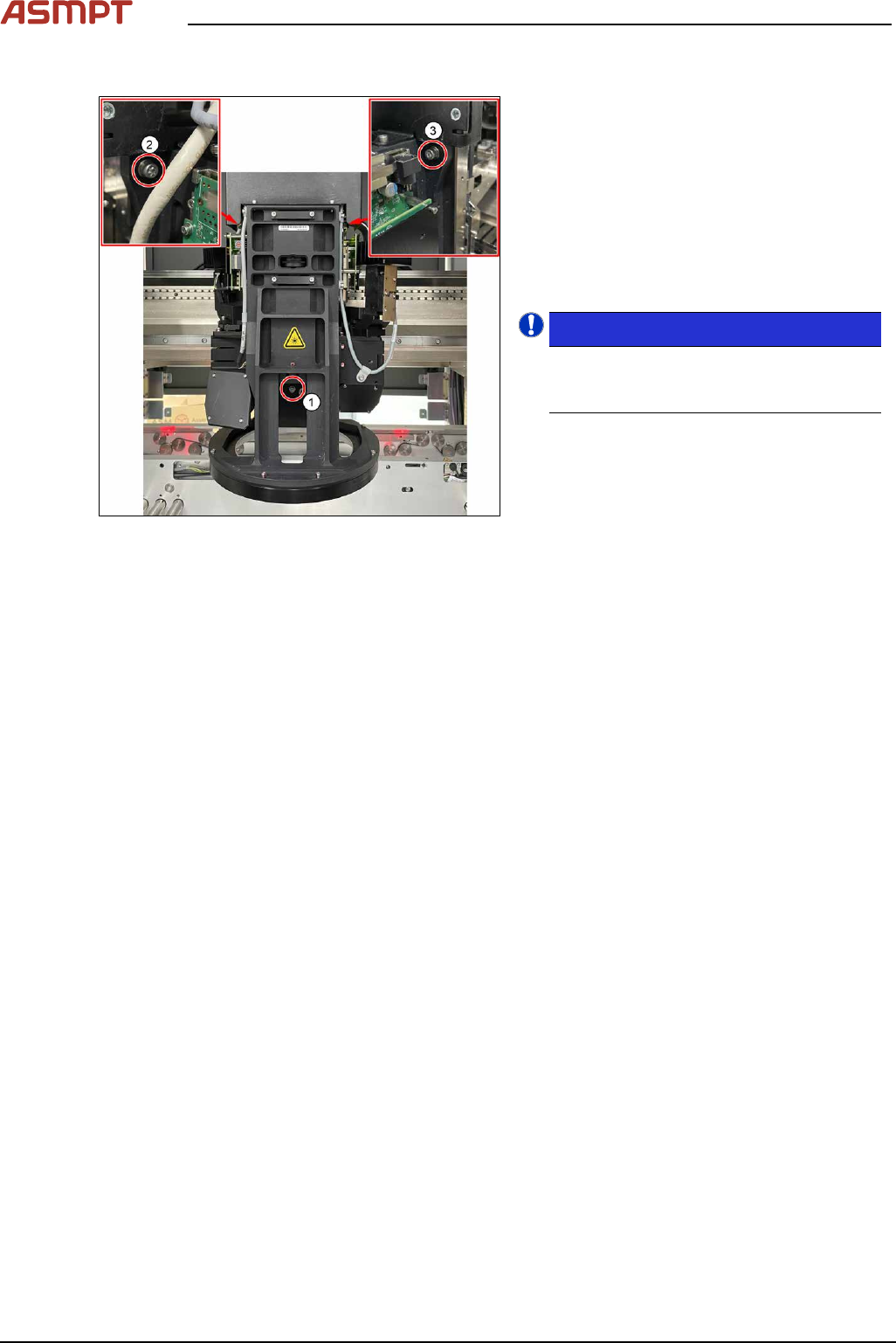
Remove Vision Module
Fig.44: Removing screws
► Prepare a work station with ESD cushion/
mate to place vision module.
► Remove screws (1) as shown with TAllen
key size 3.
► Remove screws (2) as shown with LAllen
key size 3.
► Hold Vision Module with 1 hand, slowly
remove screw (3) with special LAllen Key
(shorter).
NOTICE!
Highly recommend to have an assist-
ant to hold the Vision Module while re-
moving 3rd screw.
.
► Place Vision Module gently on Workstation
with ESD cushion/mate.
Installation
Follow the removal instructions in reverse order for installation.
Check the calibration of the optical head
When the optical head is removed from the machine the optical head needs to be calibrated again.
Refer to chapter 4 "Machine - Calibrations" [}135].
Check the calibration of the optical head
When the optical head is removed from the machine the optical head needs to be calibrated again.
See also 4 "Machine - Calibrations" [}135].