Process Lens PL Service Manual_EN.pdf - 第77页
3 Replacing spare parts Se rv ic e Ma nu al P ro ce ss L en s PL - 0 3/ 20 25 77 Overview Fig.102: Clamping unit 1. Clamping unit on conveyor rail 2. Clamping unit complete 3. actuator Removal CAUTION Small parts ► Take…
3 Replacing spare parts
76 Service Manual Process Lens PL - 03/2025
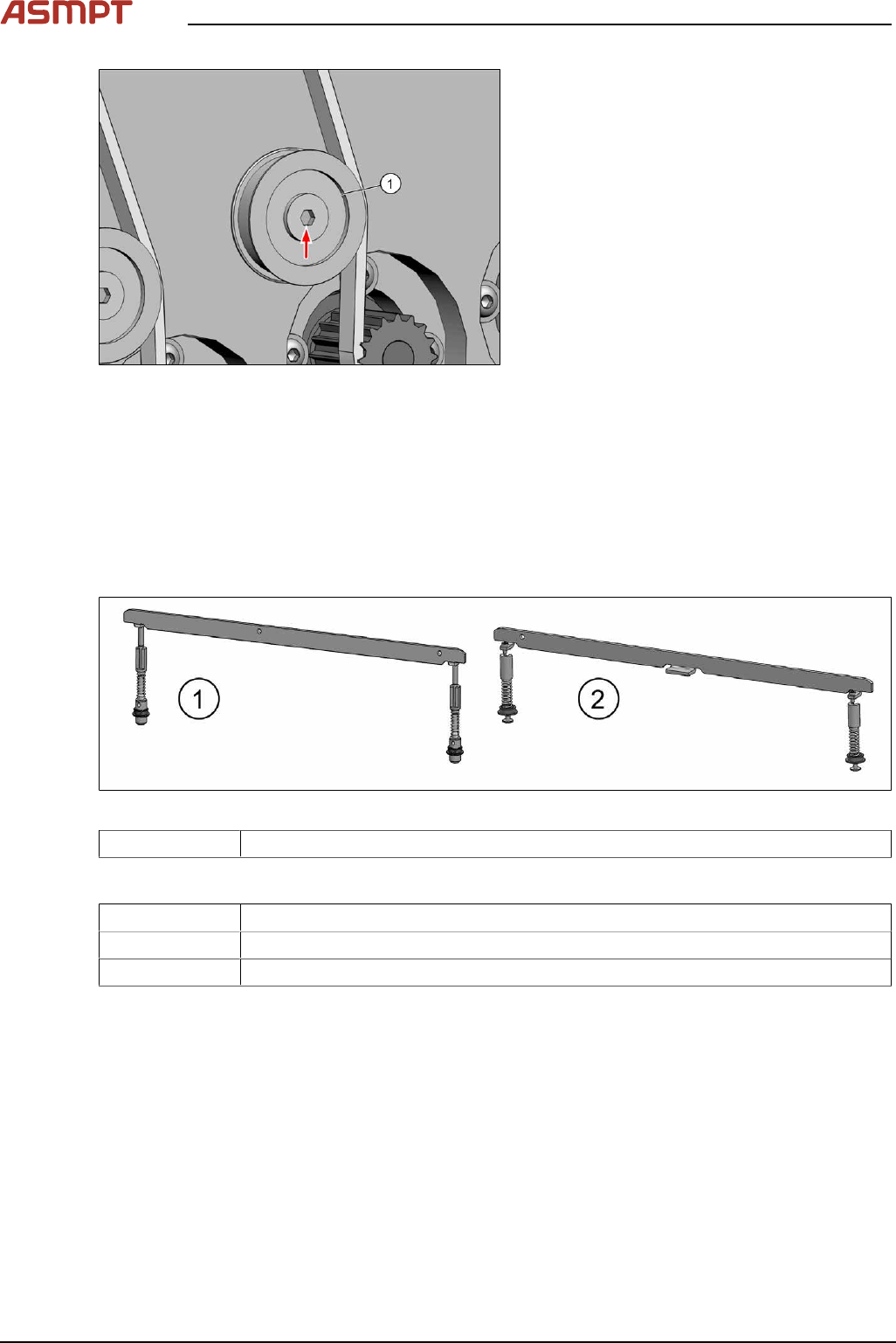
Fig.100: Idler pulley
► Remove the fastening screw of the idler
pulley(1) and take the idler pulley off.
Installation
► Fasten the idler pulley with a screw.
► For further installation, proceed as described in section Replacing the toothed belt (width adjust-
ment).
Replacing the clamping unit
Parts
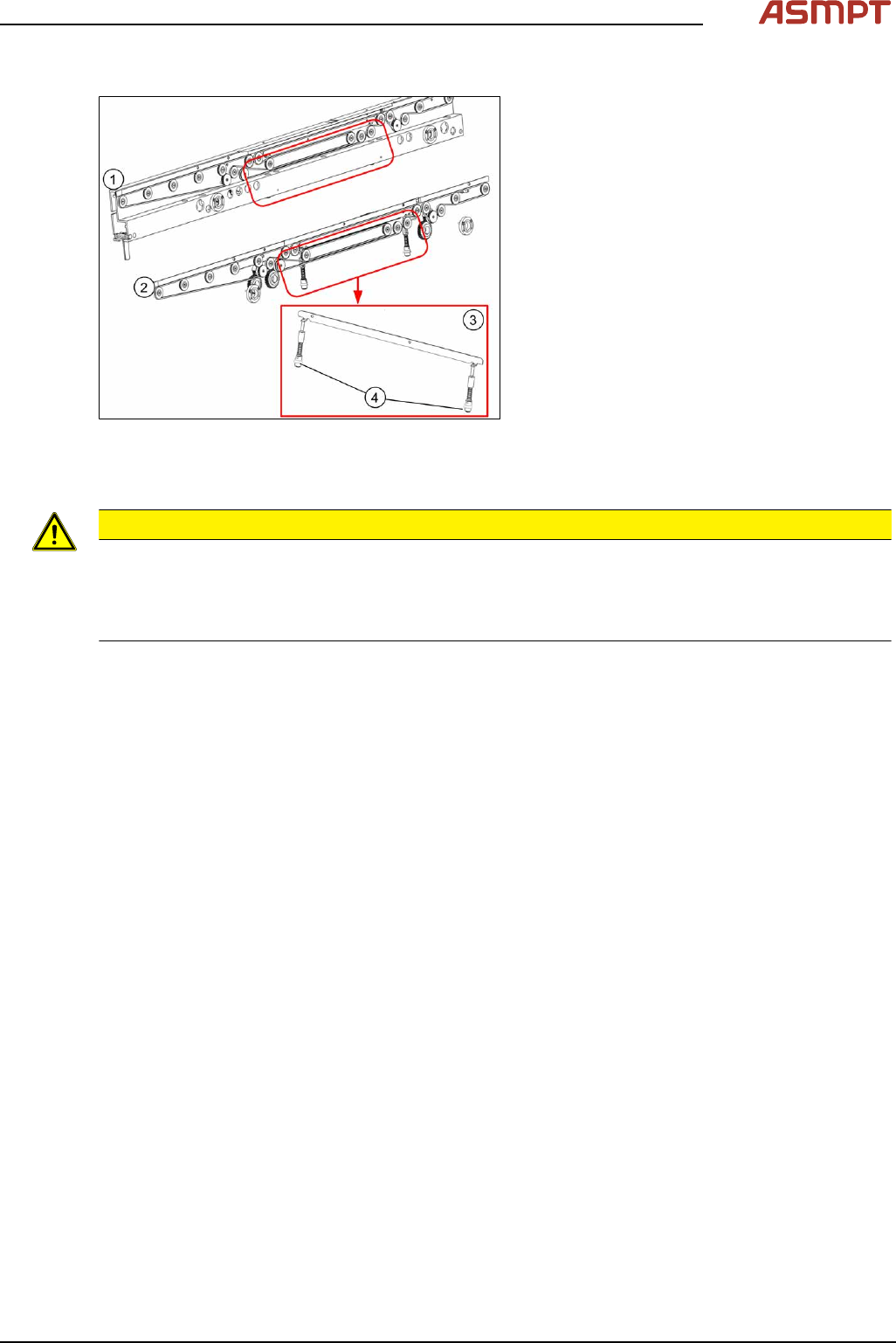
Fig.101: Clamping unit
03121328-xx Clamping unit 4 complete M-C
Equipment and tools
02101037‑xx Loctite 241
00353832-xx Allen key set
00376503-xx Torx L-Wrench Set with Spherical head (Torx 30)
3 Replacing spare parts
Service Manual Process Lens PL - 03/2025 77
Overview
Fig.102: Clamping unit
1. Clamping unit on conveyor rail
2. Clamping unit complete
3. actuator
Removal
CAUTION
Small parts
► Take care not to lose any small parts.
► Take particular care not to let the screws fall into the conveyor rail when removing the screws or
clamping plate.
► Use the software or manually move the conveyor rail into a position which allows you best
access.
To move the conveyor side wall manually, pull the toothed belt of the width adjustment unit.
► Switch off the machine, disconnect it from the power supply and secure it to prevent unauthorized
reactivation.
► Remove the lifting table plate to make room for removing the actuator later (see chapter Repla-
cing the Lifting Table Plate [03114873-xx]).
3 Replacing spare parts
78 Service Manual Process Lens PL - 03/2025
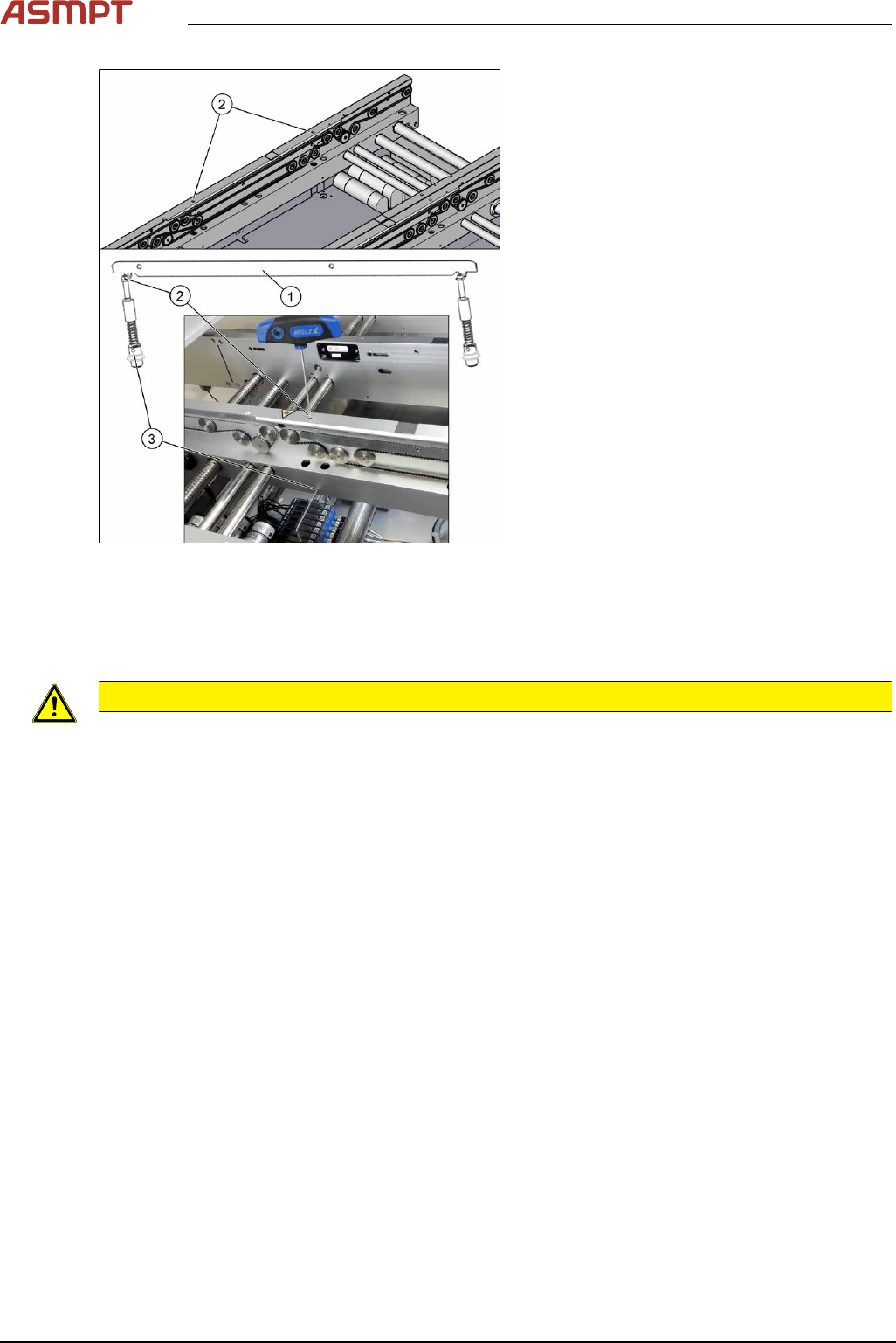
Fig.103: Removing clamping plate
► Insert the small pin or Allen key(3) to fix
the actuator.
► Remove the two screws(2) fastening
clamping plate(1).
First loosen one screw slightly, and then
loosen the other screw slightly. After that,
remove both screws completely.
► Remove inserted Allen key and remove
the actuator from bottom side.
► Remove the clamping plate(1) with two
fastening screws carefully.
Installation
► Follow the removal instructions in reverse order for installation. Also observe the following
instructions:
CAUTION
Installation instructions
► Secure the two screws fastening the clamping unit with Loctite 241.
Calibrating the Track Zero Point
After completing all work to the width adjustment (adjustment unit, motor or belt of width adjustment),
you need to configure the adjustment unit before you configure the conveyor sides.