Process Lens PL Service Manual_EN.pdf - 第44页
3 Replacing spare parts 44 Se rv ic e Ma nu al P ro ce ss L en s PL - 0 3/ 20 25 3.2.1.3 Replacing the high ring light board Parts 03254621-xx High Ringlight HD Equipment and tools ● Allen key size 1.5 ● Allen key size 2…
3 Replacing spare parts
Service Manual Process Lens PL - 03/2025 43
3.2.1.2 Replacing the low ring light board
Parts
03254622-01 Low RingLight HD
Equipment and tools
●
Allen key size 2.5
●
Philips screwdriver
Requirements
●
Machine is switched off.
●
Use a T shaped Allen key to carry out this job.
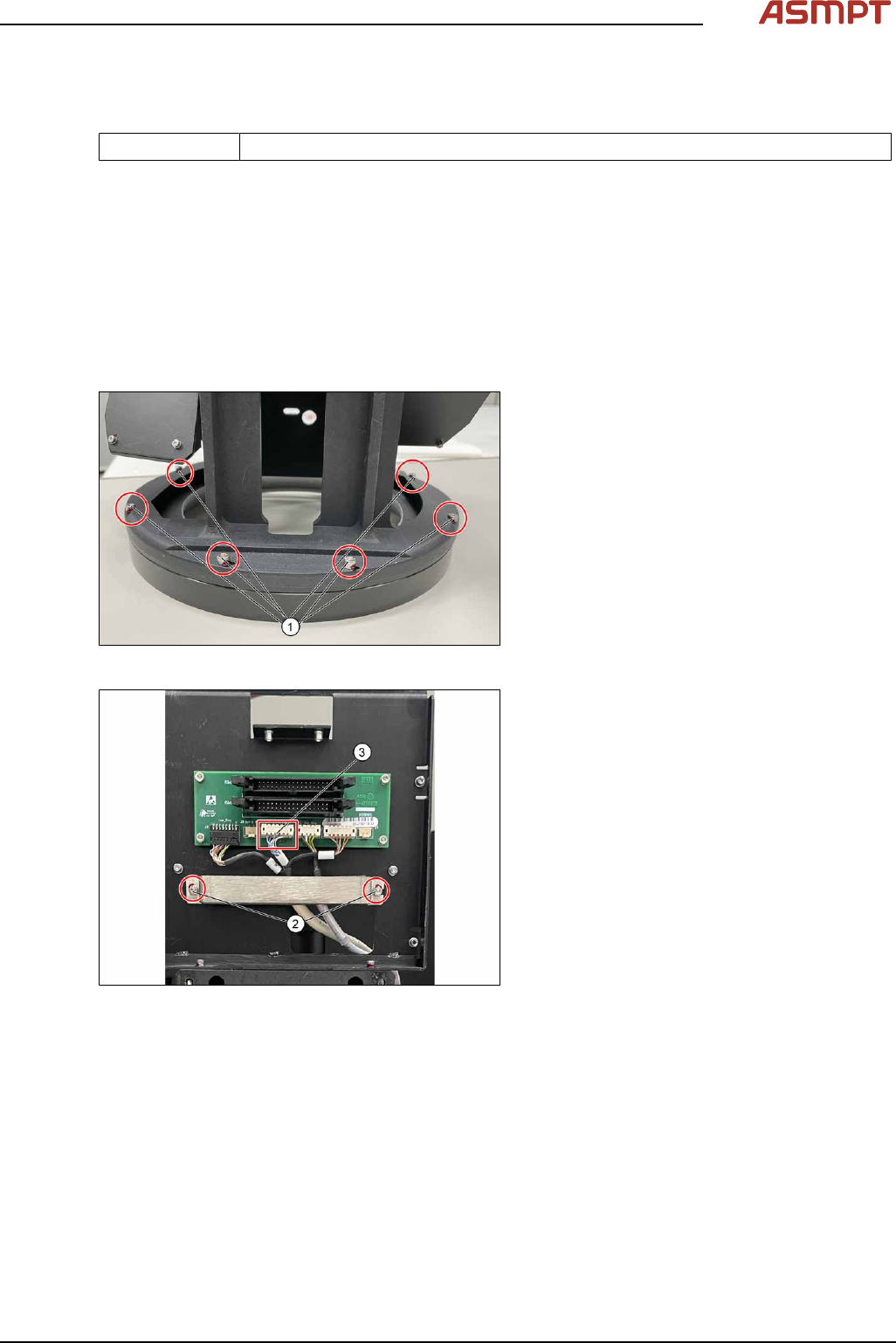
Removal
Fig.45: Removing the six screws
► Remove the six screws(1)
Fig.46: Unplugging the cable
► Remove the two screws(2) and remove
the cable clamp.
► Unplug the cable(3).
► Remove the low ring light board.
Installation
Follow the removal instructions in reverse order for installation.
3 Replacing spare parts
44 Service Manual Process Lens PL - 03/2025
3.2.1.3 Replacing the high ring light board
Parts
03254621-xx High Ringlight HD
Equipment and tools
●
Allen key size 1.5
●
Allen key size 2.5 (T shaped)
●
Philips screwdriver
Requirements
●
Machine is switched off.
●
It is advisable to dismantle the low ring light assembly as well for better access.
●
Use a T shaped Allen key to carry out this task.
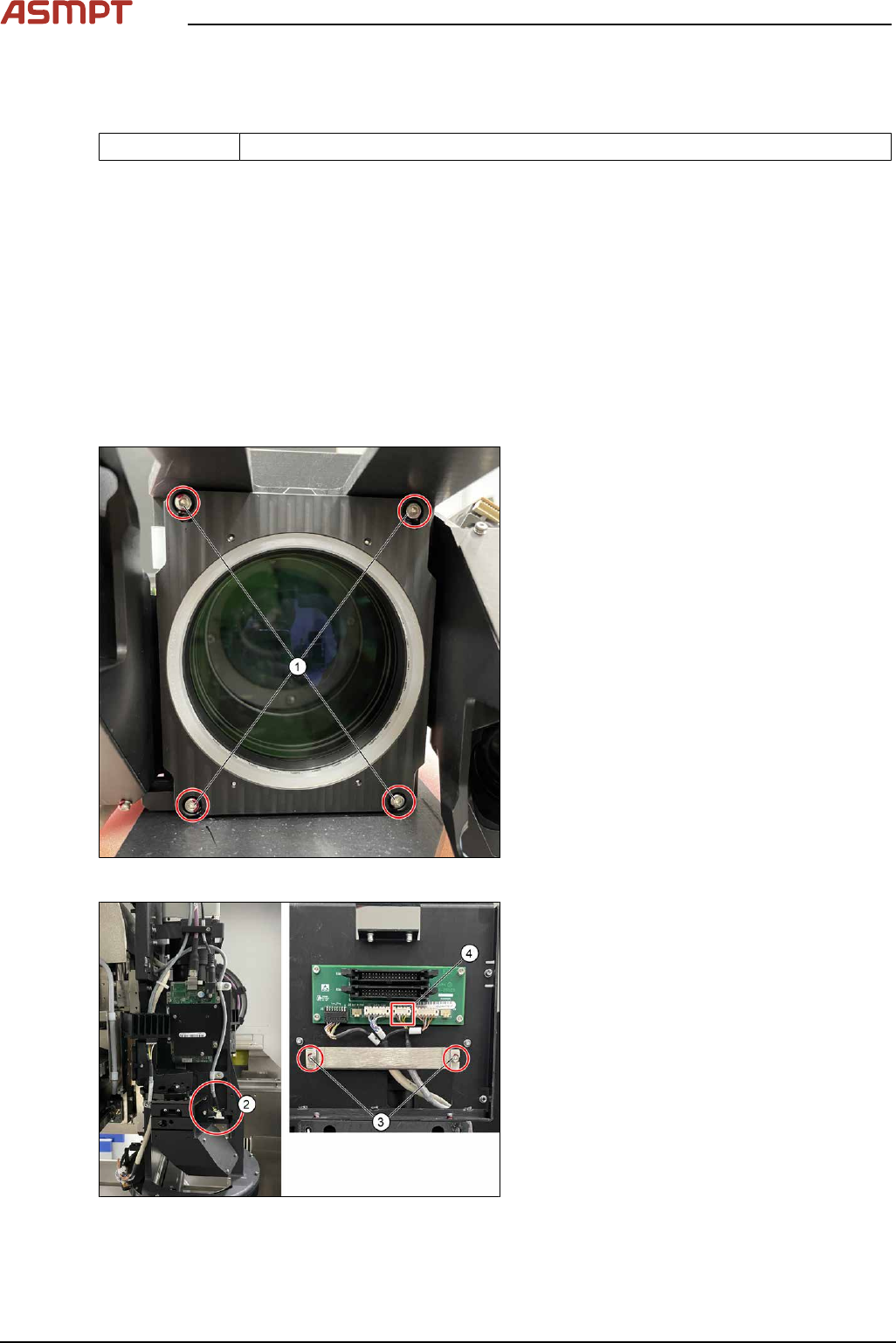
Removal
Fig.47: Removing the four screws
► Remove the four screws(1).
Fig.48: Unplugging the cable
► Remove the able connector as shown(2).
► Loosen the two screws(3), remove the
cable clamp.
► Unplug the cable(4).
3 Replacing spare parts
Service Manual Process Lens PL - 03/2025 45
Installation
Follow the removal instructions in reverse order for installation. Also observe the following instructions.
CAUTION
Do not overtighten the screws
When the high ring light board is reassembled, one must not overtighten the screws, as this may
damage the high ring light board.
3.2.1.4 Checking the function of the low ring light and the high ring light
Requirements
●
Machine is switched on.
●
Machine doors are open.
●
The low ring light and the high ring light are mounted.
Checking the function
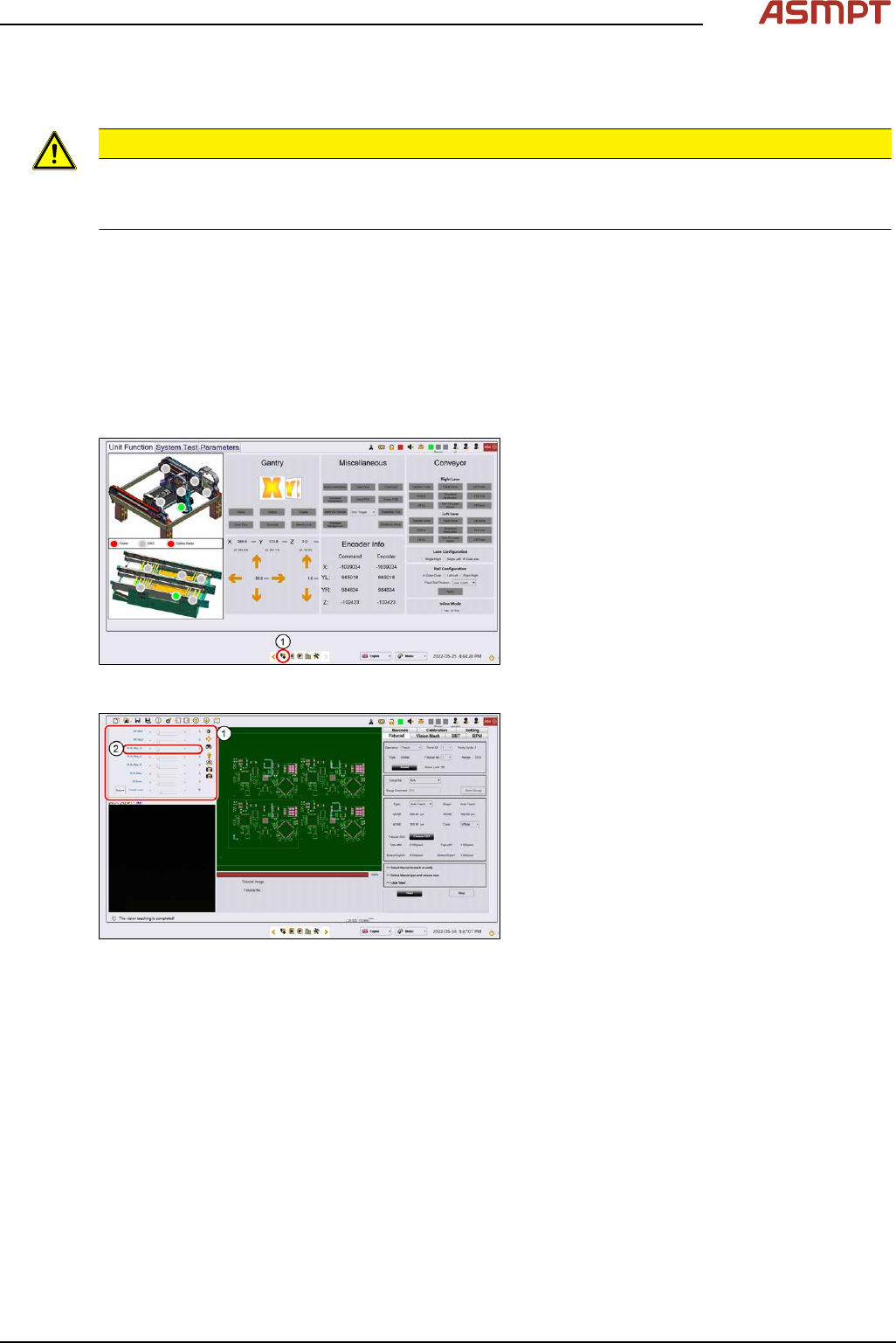
Fig.49: Control button
► Go to the diagnostic pages and press the
control button(1).
Fig.50: Lighting control page
► On the Lighting control page click on the
lighting control button.
► The Lighting box(1) is displayed.
► In the 2D Lighting Setup section push the
slider to the right.
► Starting with slider bar M-Ring_G(2)
check the green light of the low ring light.
► Check if all LEDs are functional and flash-
ing by using a mirror or view from under-
neath the optical head.
► Approach the same for all other slider bars
in that section.