Process Lens PL Service Manual_EN.pdf - 第132页
3 Replacing spare parts 13 2 Se rv ic e Ma nu al P ro ce ss L en s PL - 0 3/ 20 25 Fig.188: Switches 1. Switches 2. TSP400 ► Check whether the switches on the circuit board are in the right "ON" or "OFF&q…
3 Replacing spare parts
Service Manual Process Lens PL - 03/2025 131
3.5.2.7 Changing the TSP400
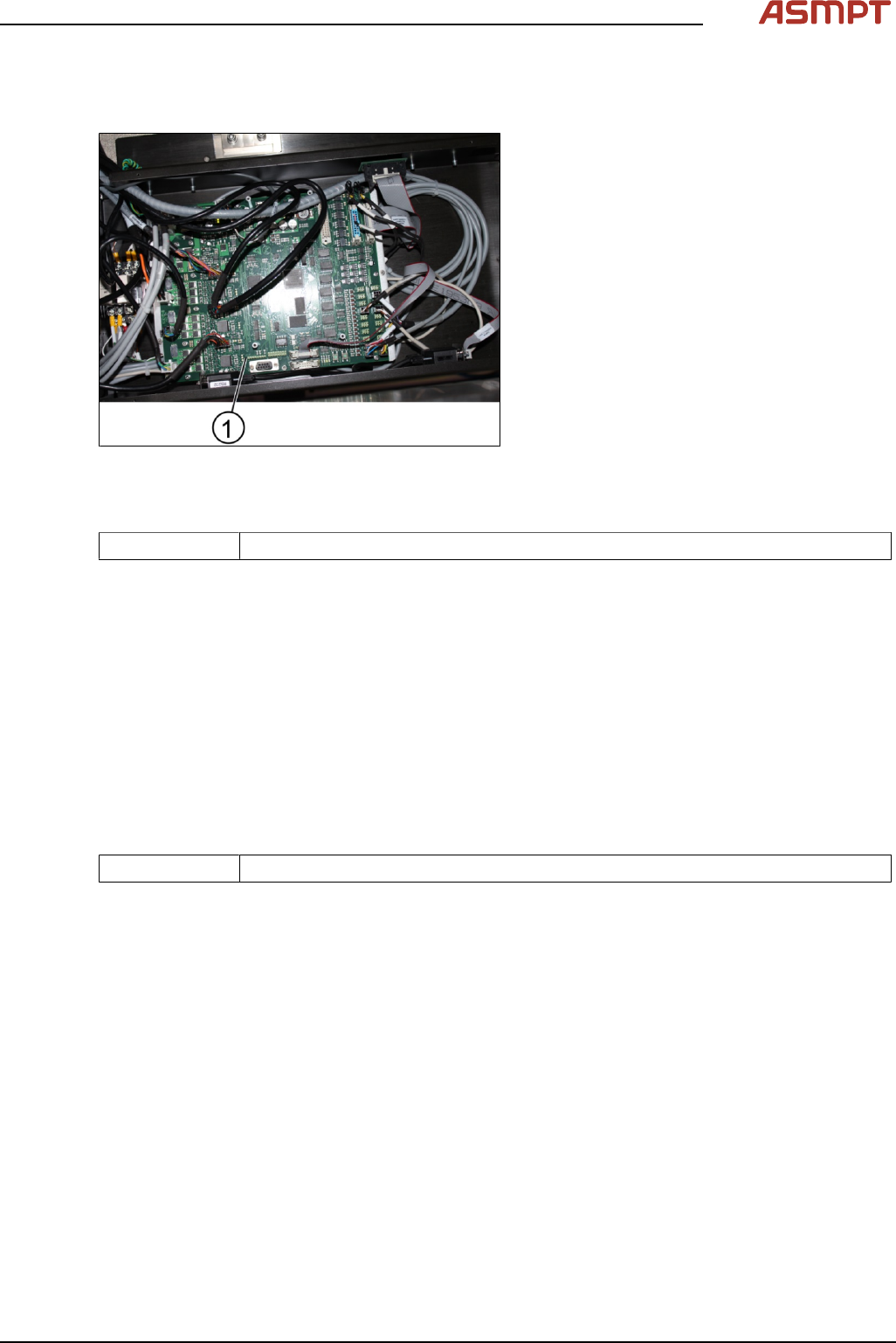
Removing the TSP400
Fig.187: TSP400
1. TSP400
Parts
03060811-xx Conveyor controller TSP-400 CPL
Equipment and tools
●
Allen key size 2.5
Requirements
●
Machine is switched off.
► Disconnect all connectors of the board.
► Unscrew all screws (16) using an T shaped Allen key size 2.5.
► Remove the circuit board.
Replacing the TSP400
Parts
03060811-xx Conveyor controller TSP-400 CPL
Equipment and tools
●
Allen key size 2.5
Requirements
●
Machine is switched off.
●
TSP400 is dismantled.
► Place the new TSP400 into the box.
► Tighten the screws (16 x).
3 Replacing spare parts
132 Service Manual Process Lens PL - 03/2025
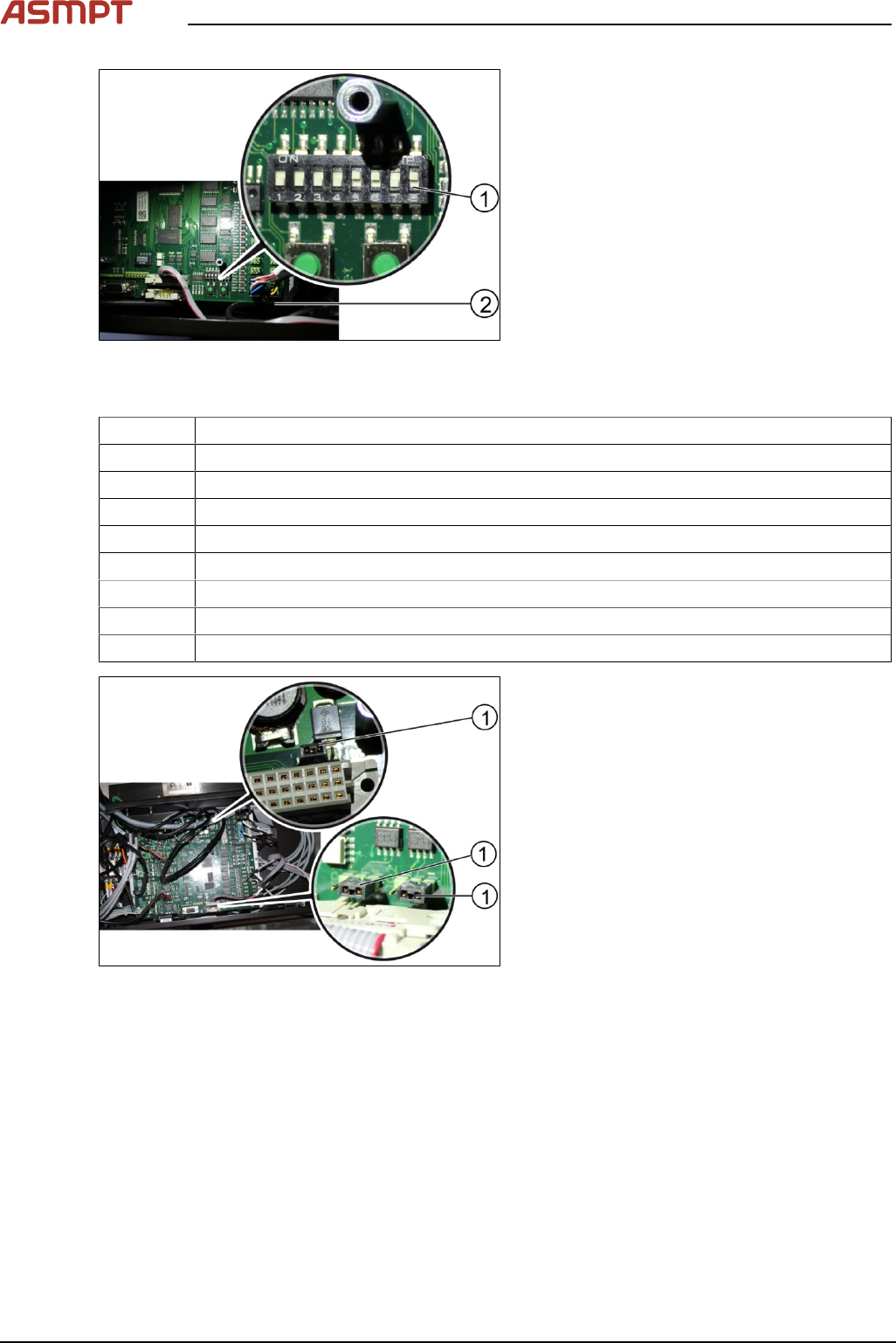
Fig.188: Switches
1. Switches
2. TSP400
► Check whether the switches on the circuit board are in the right "ON" or "OFF" position.
Number Position of the switch (ON/OFF)
1 OFF
2 OFF
3 OFF
4 OFF
5 ON
6 ON
7 OFF
8 ON
Fig.189: Jumpers at TSP400
► Check that the jumpers(1) are in place as
shown in the picture above.
3 Replacing spare parts
Service Manual Process Lens PL - 03/2025 133
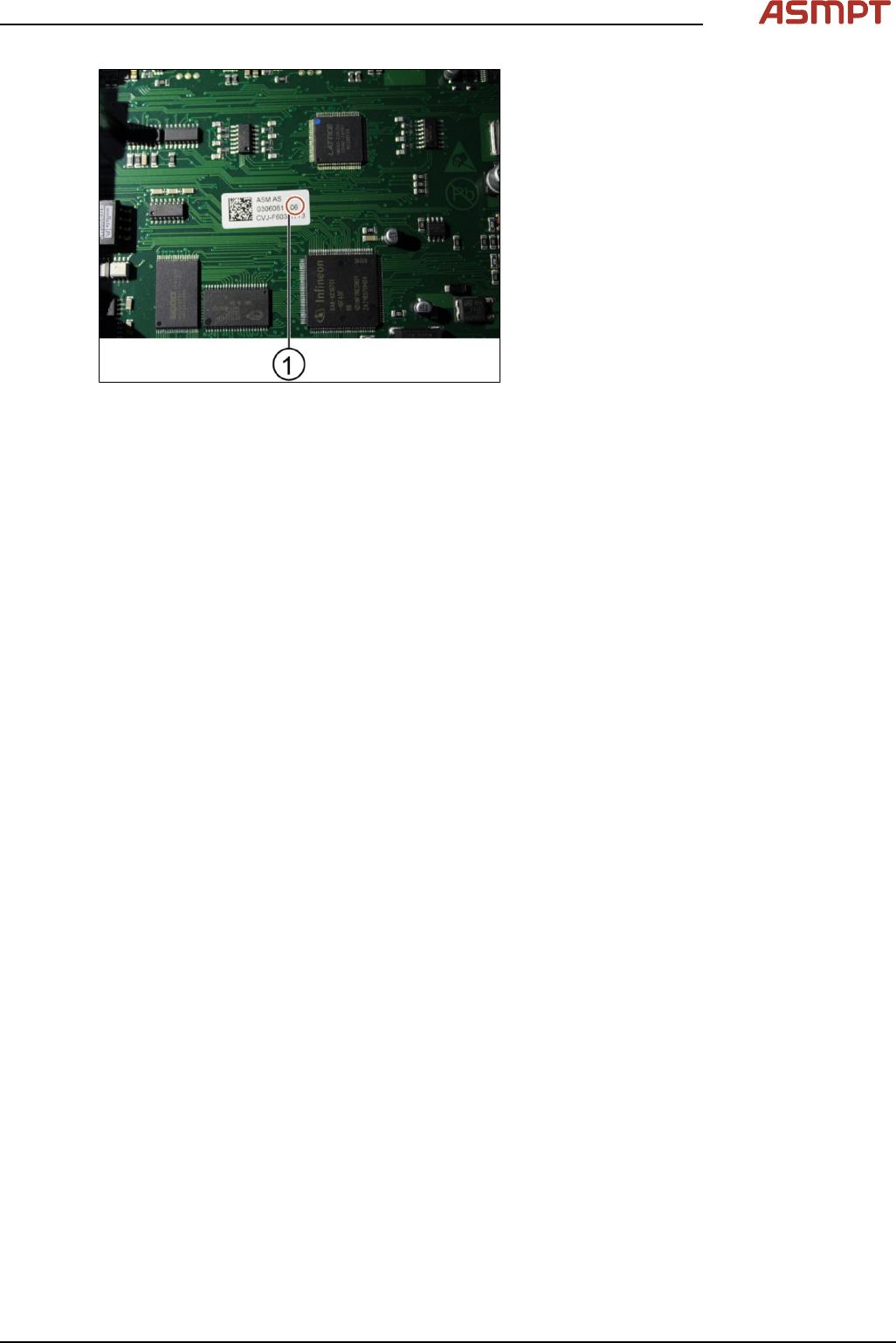
Fig.190: TSP400 version number
► Check that the Version(1) of the circuit
board is of number6 and above. See
label.
Installation
Follow the removal instructions in section “Removing the TSP400” in reverse order for installation.