Process Lens PL Service Manual_EN.pdf - 第166页
4 Machine - Calibrations 16 6 Se rv ic e Ma nu al P ro ce ss L en s PL - 0 3/ 20 25 What to do if the GR&R fails? ● Measure again: fiber, dust could have fallen on the pad during GR&R test. ● Is the machine cover…
4 Machine - Calibrations
Service Manual Process Lens PL - 03/2025 165
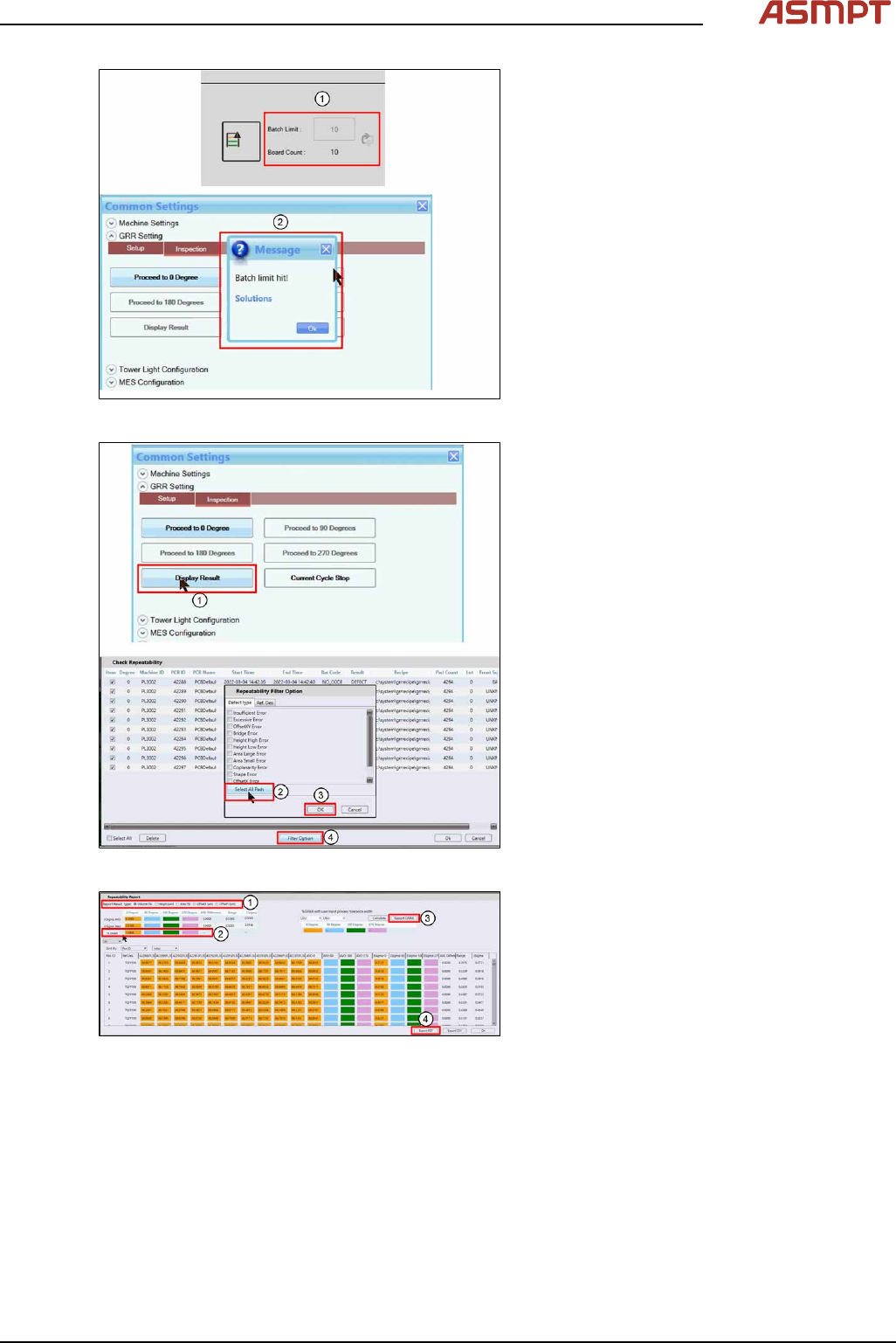
Fig.261: Messages
► Inspection will stop when Board Count
reach Board Limit set(1).
► A pop-up message(2) will appear, click
Ok to close.
Fig.262: Messages
► Click Display Result(1).
► Click Filter Option(4).
► Click Select All Pads(2).
► Click Ok(3) to all message boxes to gen-
erate the Repeatability Report.
Fig.263: Reports
► Examine each of the 5 measurement vari-
ables (1).
► Check that all the %GR&R are less than
10%. (2)
e.g. Volume(%) repeatability for all the dif-
ferent orientations are less than 10%
which is good.
► Click Report GR&R (3) to produce a
report.
► Click Export PDF (4) to export the GR&R
results.
Repeat for all measured variables. Keep
the report as proof of GR&R capability.

4 Machine - Calibrations
166 Service Manual Process Lens PL - 03/2025
What to do if the GR&R fails?
●
Measure again: fiber, dust could have fallen on the pad during GR&R test.
●
Is the machine cover opened? Is the board properly clamped?
●
Is the board bouncing because it´s thin, not properly supported?
●
Is the paste on the board slumping? Check for hardware issues.
●
Was there any disturbance to the CR&R process to the target?