Process Lens PL Service Manual_EN.pdf - 第22页
3 Replacing spare parts 22 Se rv ic e Ma nu al P ro ce ss L en s PL - 0 3/ 20 25 Fig.4: Removing the cover ► Remove the cover (2) that protects the connection spots for the cables by un- screwing the screws (1) by usi…
3 Replacing spare parts
Service Manual Process Lens PL - 03/2025 21
3 Replacing spare parts
NOTICE
For a list of spare parts refer to the spare parts catalogue.
3.1 Vision module
3.1.1 Optical head
3.1.1.1 Replacing the optical head
Parts
03122959-xx Vision Module
03250225-xx Vision head DMD
●
Single Lane: PL-0144 and above
●
Dual Lane: PD0030 and above
Equipment and tools
●
Allen key size 2.5
Requirements
●
Machine is switched off.
Removal
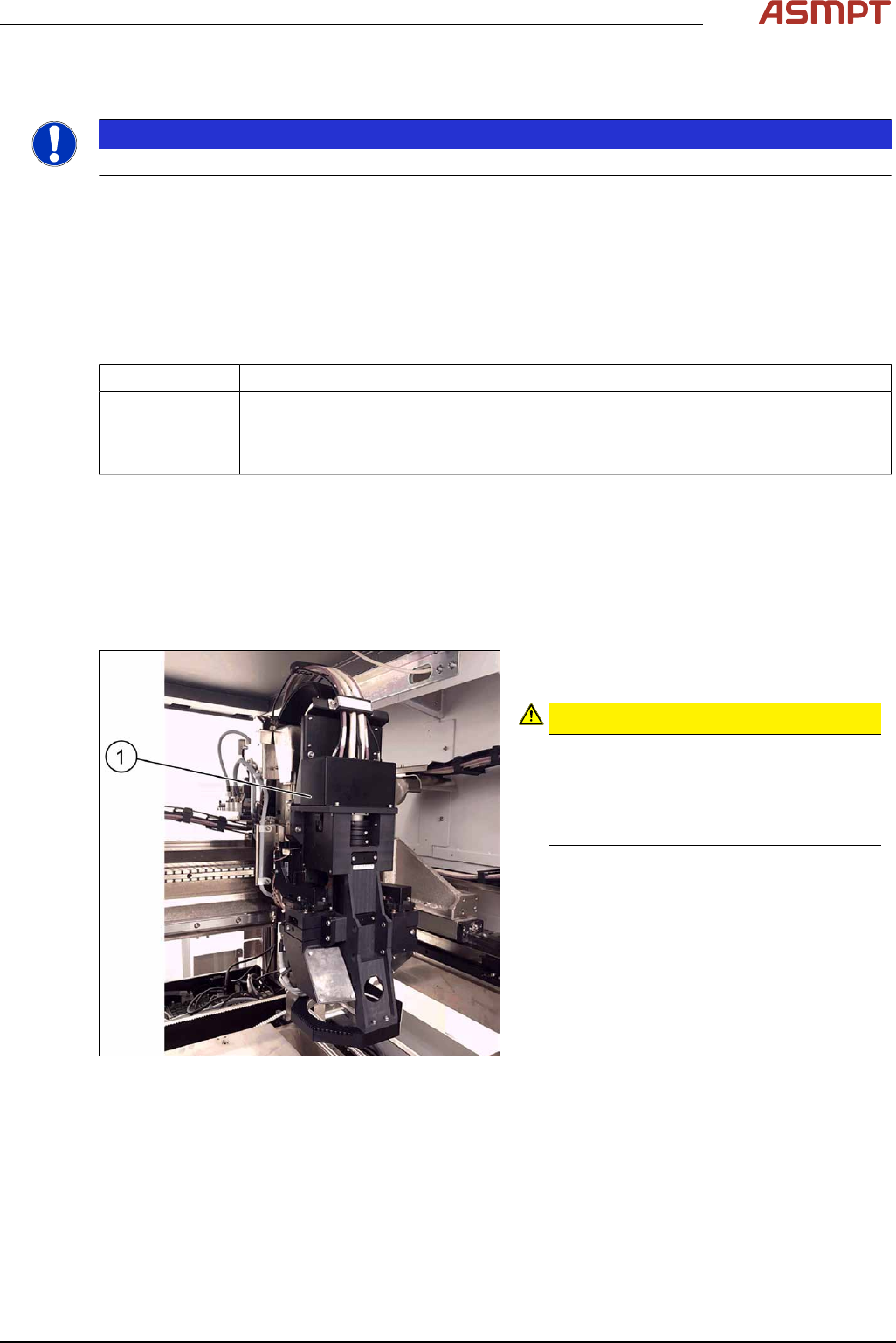
Fig.3: Moving optical head to the middle of the machine
► Move the optical head(1) carefully to the
middle of the machine.
CAUTION!
Sensitive camera system
The camera system is very sensitive and
must therefore not be touched.
Make sure you don’t touch the camera
when moving the gantry.
.
3 Replacing spare parts
22 Service Manual Process Lens PL - 03/2025
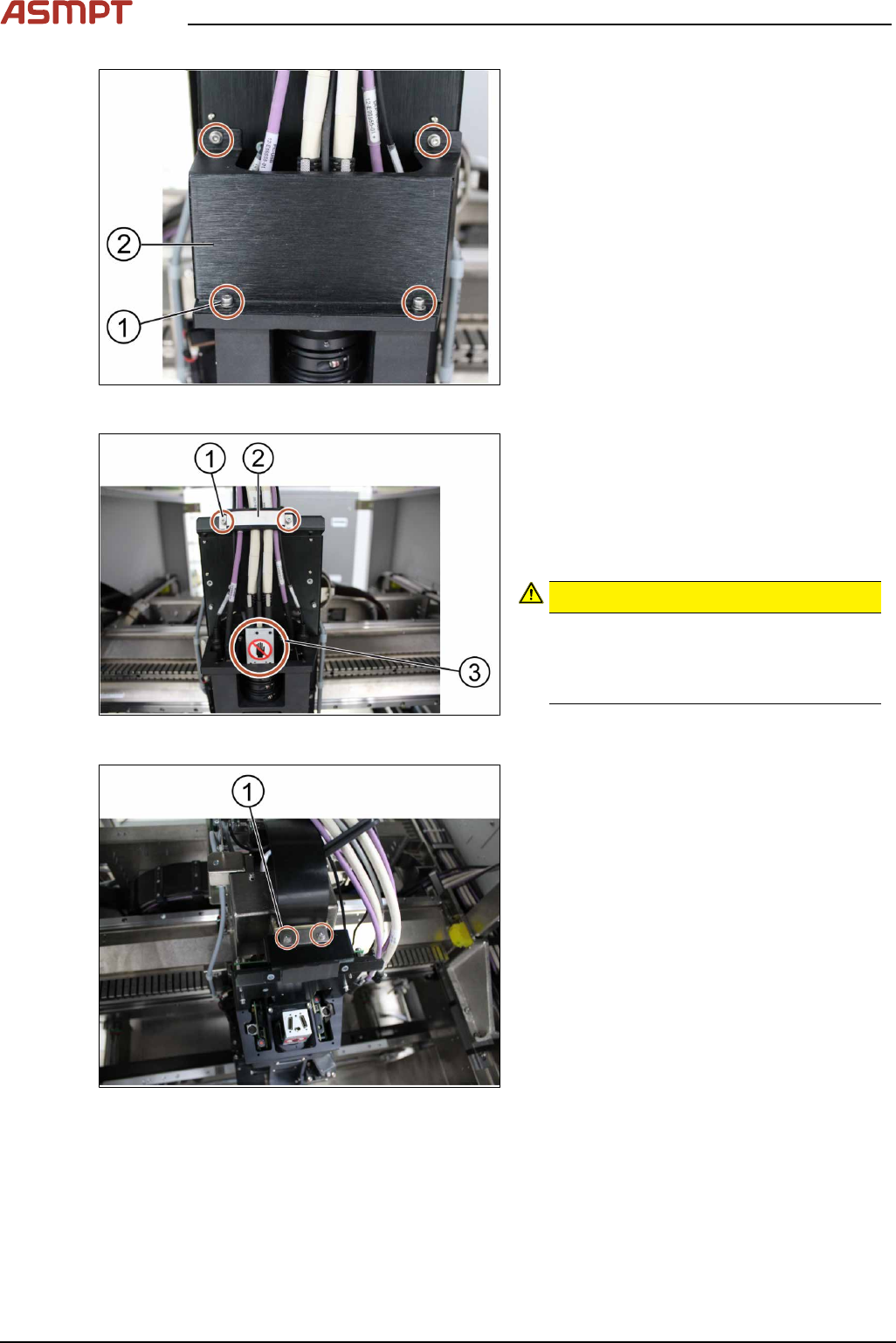
Fig.4: Removing the cover
► Remove the cover(2) that protects the
connection spots for the cables by un-
screwing the screws(1) by using an Allen
key size 2.5.
► Place the dismantled cover on a service
table.
Fig.5: Unplugging the cables
► Remove the cable clamp(2) that fixes the
cables by unscrewing the screws(1) using
an Allen key size 2.5.
► Place the dismantled cable clamp(2) on a
service table.
► Unplug the cables.
CAUTION!
Sensitive camera system
The camera system (3) is very sensitive.
Therefore do not touch the camera sys-
tem to avoid damage to it.
.
► Carefully put the cables aside.
Fig.6: Removing the cable connectors
► Remove the two screws(1) mounted on
top of the optical head fixing the ribbon
cable connectors using an Allen key size
2.5.
► Remove the ribbon cable connectors out
of the sockets by pulling the clamps apart.
3 Replacing spare parts
Service Manual Process Lens PL - 03/2025 23
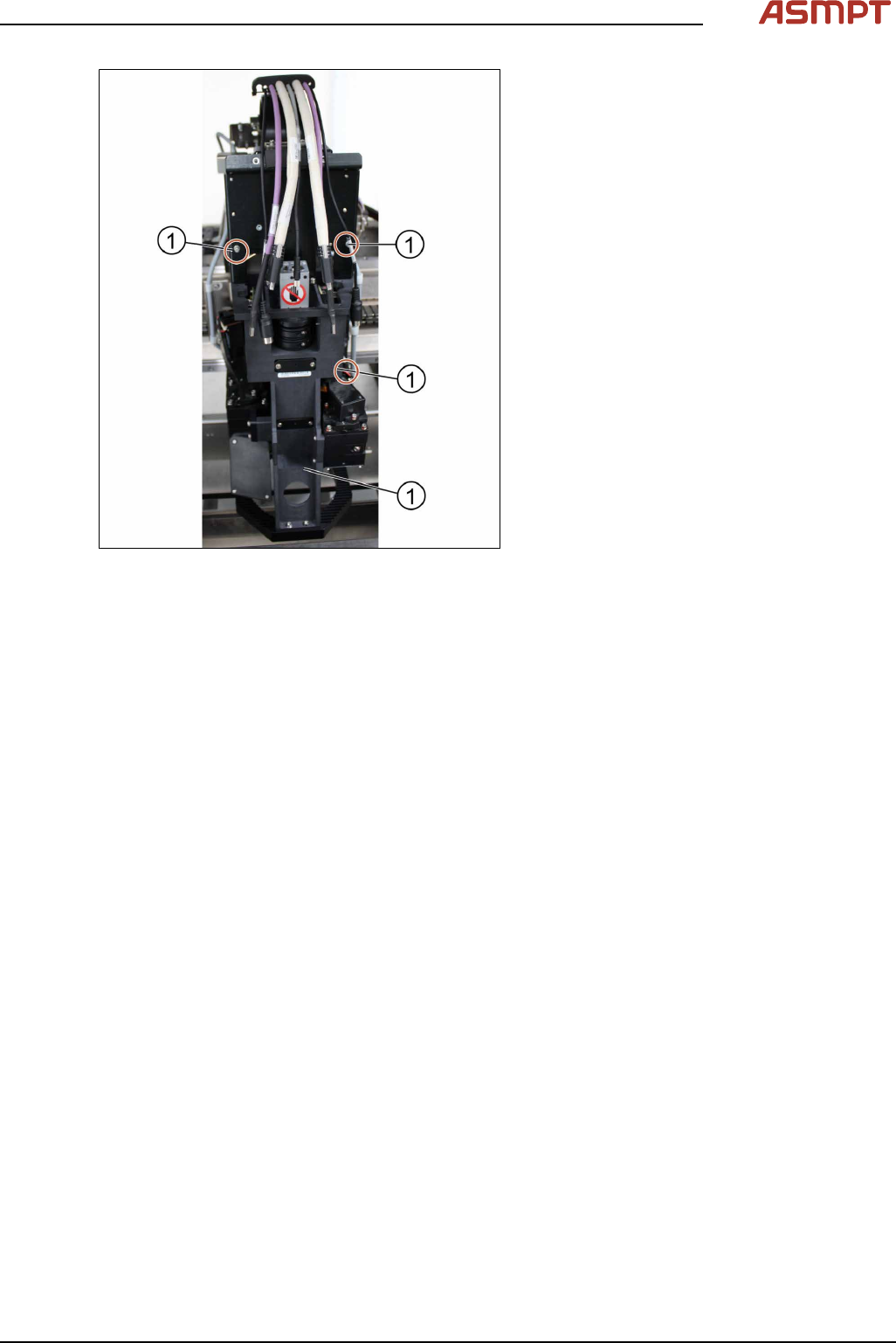
Fig.7: Removing the screws
► Remove the screws(1) fixing the optical
head at the machine using an Allen key
size 2.5. Start from the bottom.
► Carefully remove all screws. Make sure
you don’t drop the optical head.
► Remove the optical head.
Installation
Follow the removal instructions in reverse order for installation.
Check the calibration of the optical head
When the optical head is removed from the machine the optical head needs to be calibrated again.
See also 4.1 "Calibrations - 2D and 3D Calibrations" [}136].