Process Lens PL Service Manual_EN.pdf - 第142页
4 Machine - Calibrations 14 2 Se rv ic e Ma nu al P ro ce ss L en s PL - 0 3/ 20 25 4.2 Calibrations - Machine Zero Calibration Purpose: Reference the relative position of the camera to a fixed position in the machine. S…
4 Machine - Calibrations
Service Manual Process Lens PL - 03/2025 141
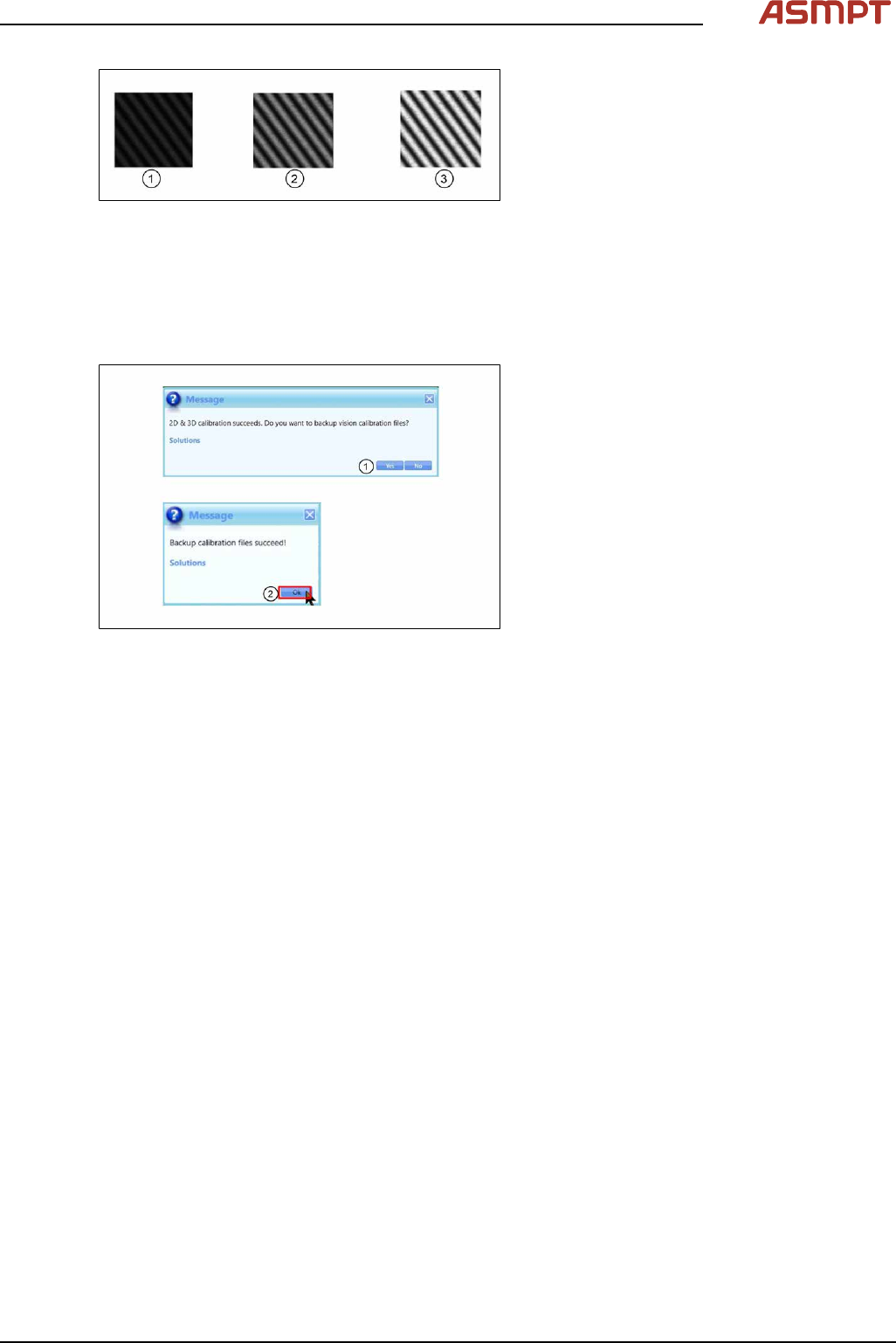
Fig.201: Lighting
During 2D/3D calibration, you can choose to
perform auto-lighting or manually set the light-
ing for each calibration. Note that for auto light-
ing there may be occasion where the auto light-
ing returns non optimized value, i.e., too bright
(3), or too dark (1). In this case, you may adjust
to achieve optimal lighting value (2) manually
based on experience.
To improve the lighting calibration result and
provide additional guidance to you, the software
performs image lighting check and prompt error
prior to 2D and 3D calibration.
Step 6
Fig.202: Messages
► Click Yes(1) to backup calibration files.
► Click Ok(2) to end.
► Unplug lighting cable and remove 2D/3D
calibration target.
If the 2D and 3D calibration fails:
► Clean the 2D glass target surface with a clean hair brush.
► Dust off the 3D glass target surface with a clean hair brush.
Dust and fingerprints cause light diffusion and hence calibration failure.
► Check if the DLP is working properly.
4 Machine - Calibrations
142 Service Manual Process Lens PL - 03/2025
4.2 Calibrations - Machine Zero Calibration
Purpose: Reference the relative position of the camera to a fixed position in the machine.
Step 1
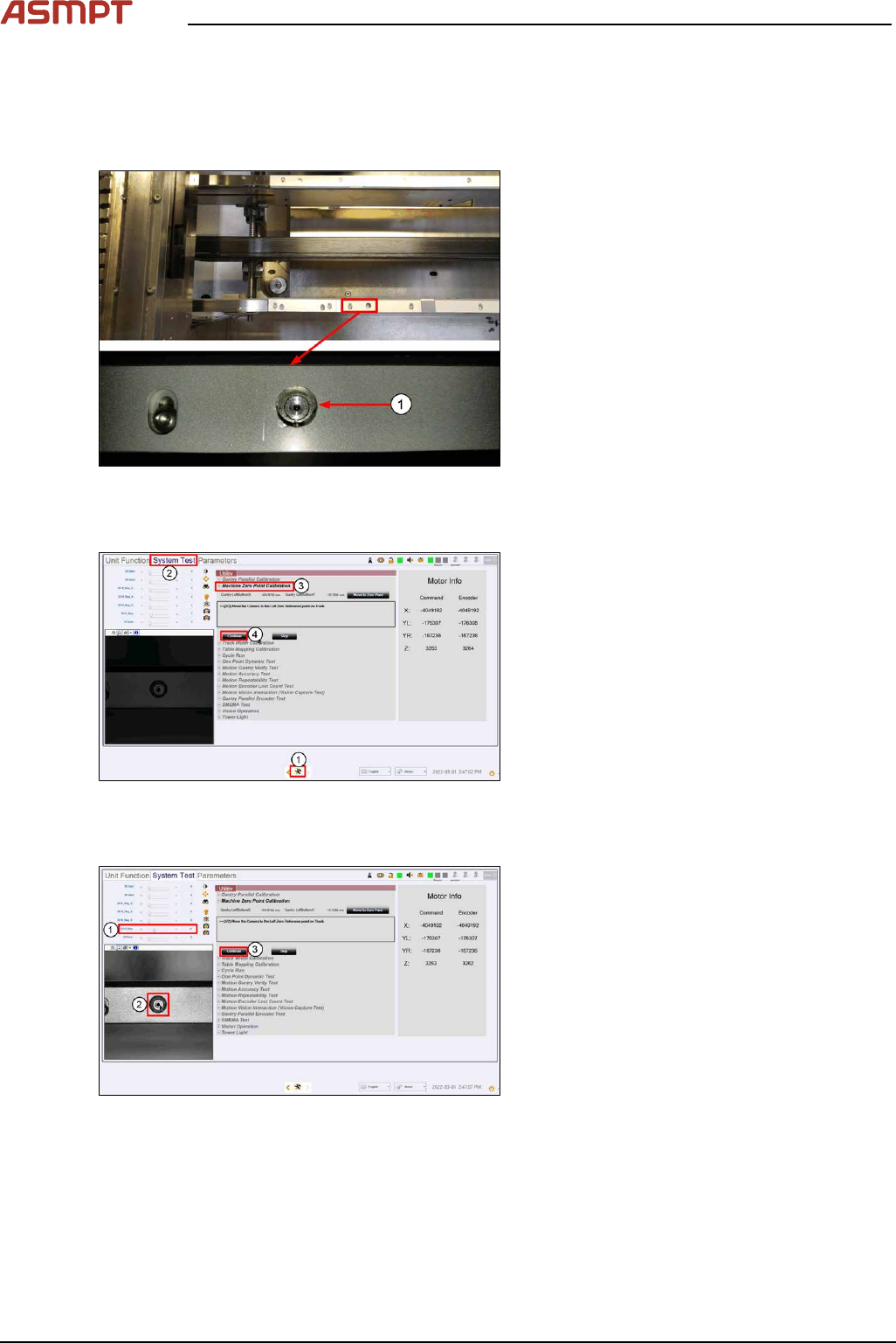
Fig.203: Reference
(1)Machine Zero Reference
► Locate the machine´s fixed fiducial on the
left side of the front conveyor. Check it is
clean and not obstructed from view.
► Close and lock the machine cover.
Step 2
Fig.204: “System test” tab
► Go to the DiagnosticPage. (1)
► Click System Test. (2)
► At Utility > Machine Zero Point Cali-
bration, click Start. (3)
ð The camera moves over to the
machine reference zero fiducial.
► Click Continue (4).
Step 3
Fig.205: Setting the brightness
► Set the 2D H_Ring (1) to brightness as
shown.
► Click on the centre of the fiducial (2).
► Click Continue (3) to proceed with cali-
bration. Live image window will turn dark
which is normal.
ð Message window will prompt user to
backup data.
4 Machine - Calibrations
Service Manual Process Lens PL - 03/2025 143
Step 4
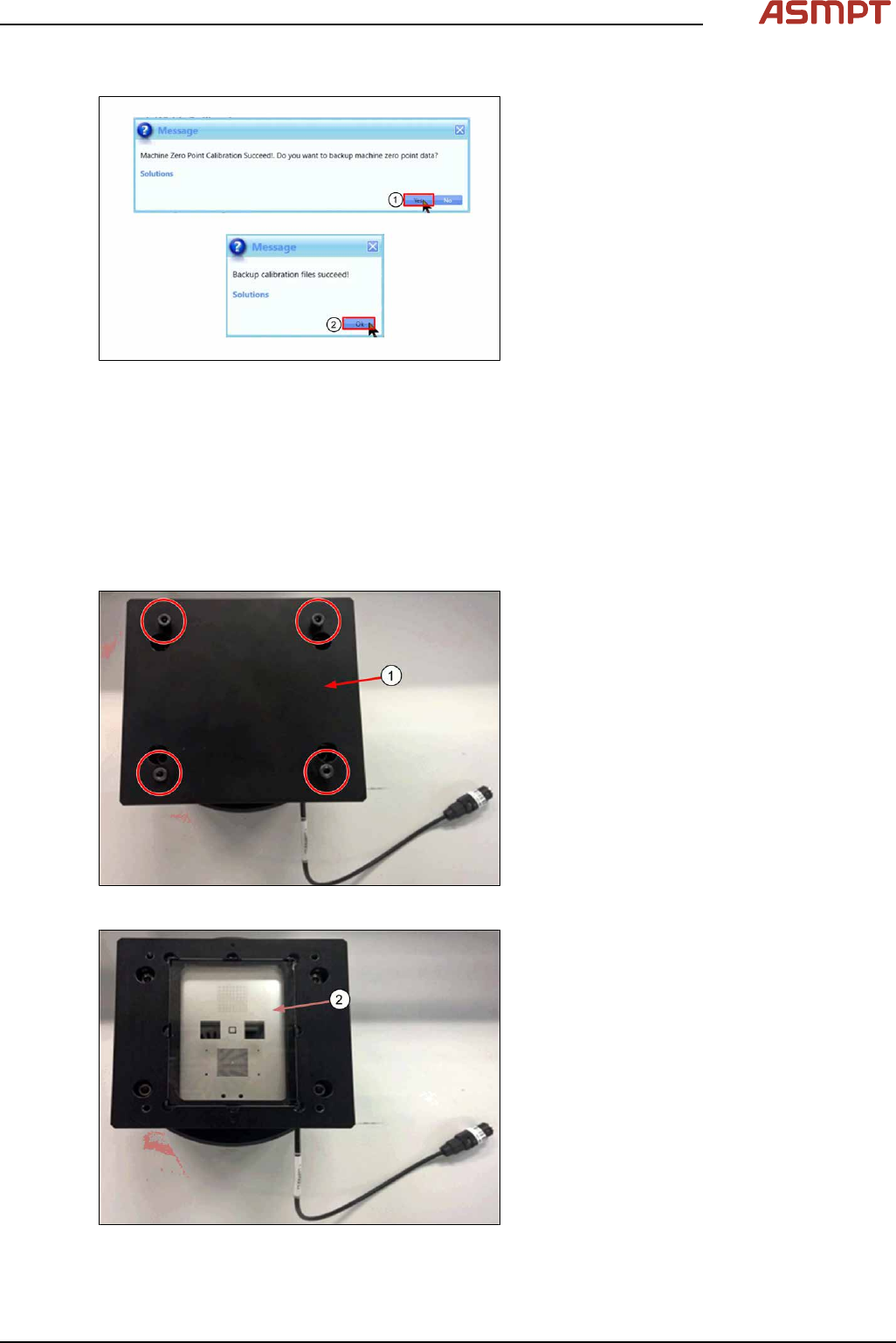
Fig.206: Messages
► Click Yes (1) to backup data.
► Click Ok (2) to complete calibration.
4.3 Calibrations - One Point Dynamic Test
The One Point Dynamic Test test the accuracy of the stopping position after a gantry move. A com-
mand is given to move the camera away from the target, then return to the target and the variation
between the theoretical and actual stop position as measured by the camera is analysed. The process
is repeated 50 times.
Step 1
Fig.207: Removing the cover
► Remove the cover (1) by removing the
4screws.
Fig.208: Checking glass target
► Check the glass target (2) for scratches or
damage. Clean with lint free cloth & IPA if
necessary.