Process Lens PL Service Manual_EN.pdf - 第30页
3 Replacing spare parts 30 Se rv ic e Ma nu al P ro ce ss L en s PL - 0 3/ 20 25 Fig.21: Removing the screws ► Remove the two screws that hold the cable and the cable holder. Fig.22: Removing the screws ► Remove the fo…
3 Replacing spare parts
Service Manual Process Lens PL - 03/2025 29
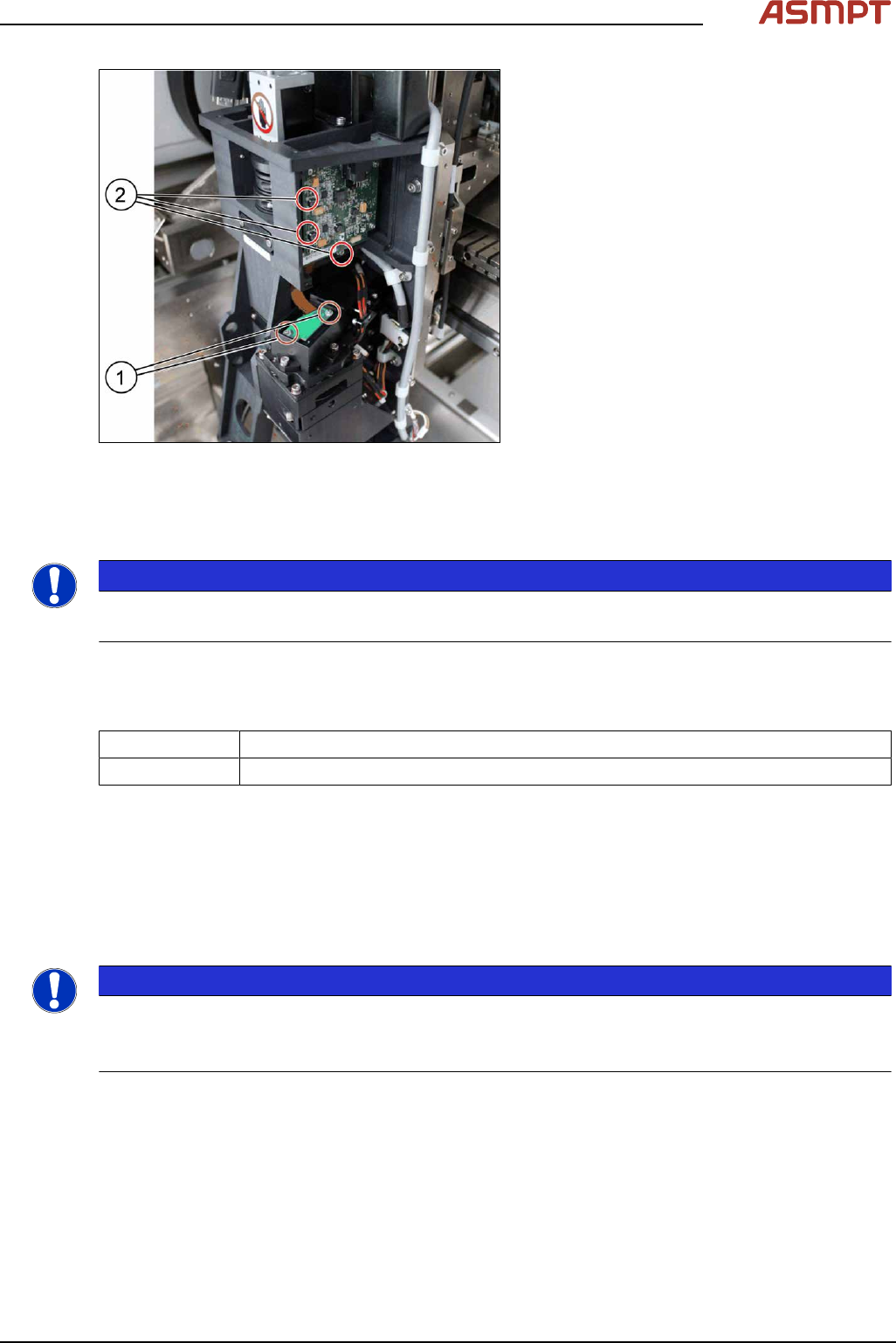
Fig.20: Removing the screws
► Remove the two screws(1) that connect
the connector with the DMD module by
using an Allen key size 1.5.
► Carefully lift the connector of DMD mod-
ule.
► Remove the three screws(2) of the DLP
module by using an Allen key size 2.0.
► Remove the circuit board and replace it.
► The steps for the left and the right module
are identical.
Installation
Follow the removal instructions in reverse order for installation.
NOTICE
Modules are not interchangeable
Be aware that the two modules are not interchangeable.
3.1.2.2 Replacing the projector
Parts
03295671‑xx Left Projector G2
03295672-xx Right Projector G2
Equipment and tools
Projector adjustment jig [03296502‑xx]
Requirements
●
Machine is switched off.
Removal
NOTICE
Left and right projector
You need to remove the left and the right projector.
The first step „Removal of the optical head” needs to be done only for the left projector.
► Remove the optical head (only relevant for the left protector). See also 3.1.1 "Optical head"
[}21].
► Remove the DLP Controller. See also 3.1.2.1 "Replacing the DLP left and right controller" [}28].
3 Replacing spare parts
30 Service Manual Process Lens PL - 03/2025
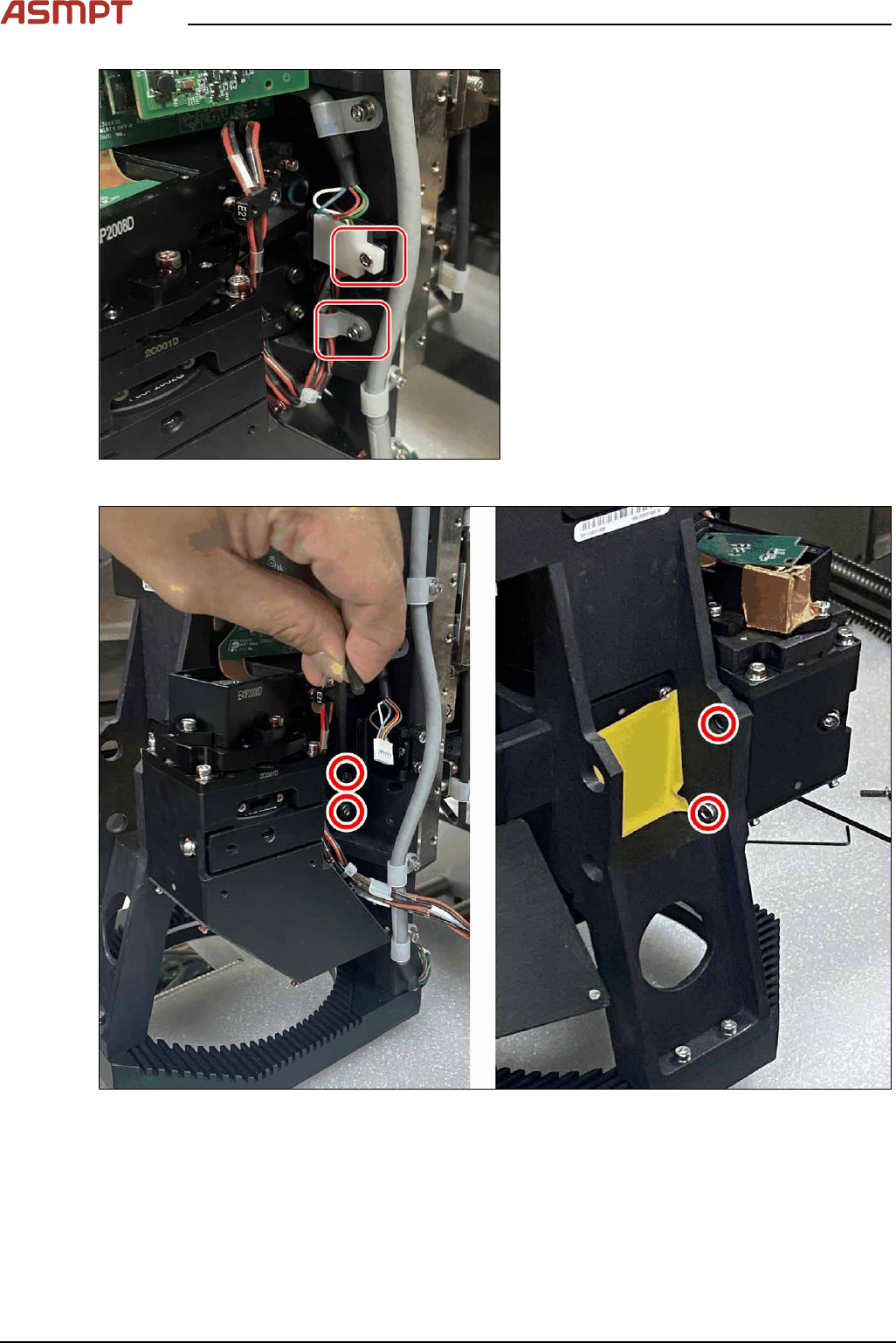
Fig.21: Removing the screws
► Remove the two screws that hold the
cable and the cable holder.
Fig.22: Removing the screws
► Remove the four screws that secure the module.
► Remove the module.
3 Replacing spare parts
Service Manual Process Lens PL - 03/2025 31
Installation
► Follow the removal instructions in reverse order for installation. Also observe the following
instruction:
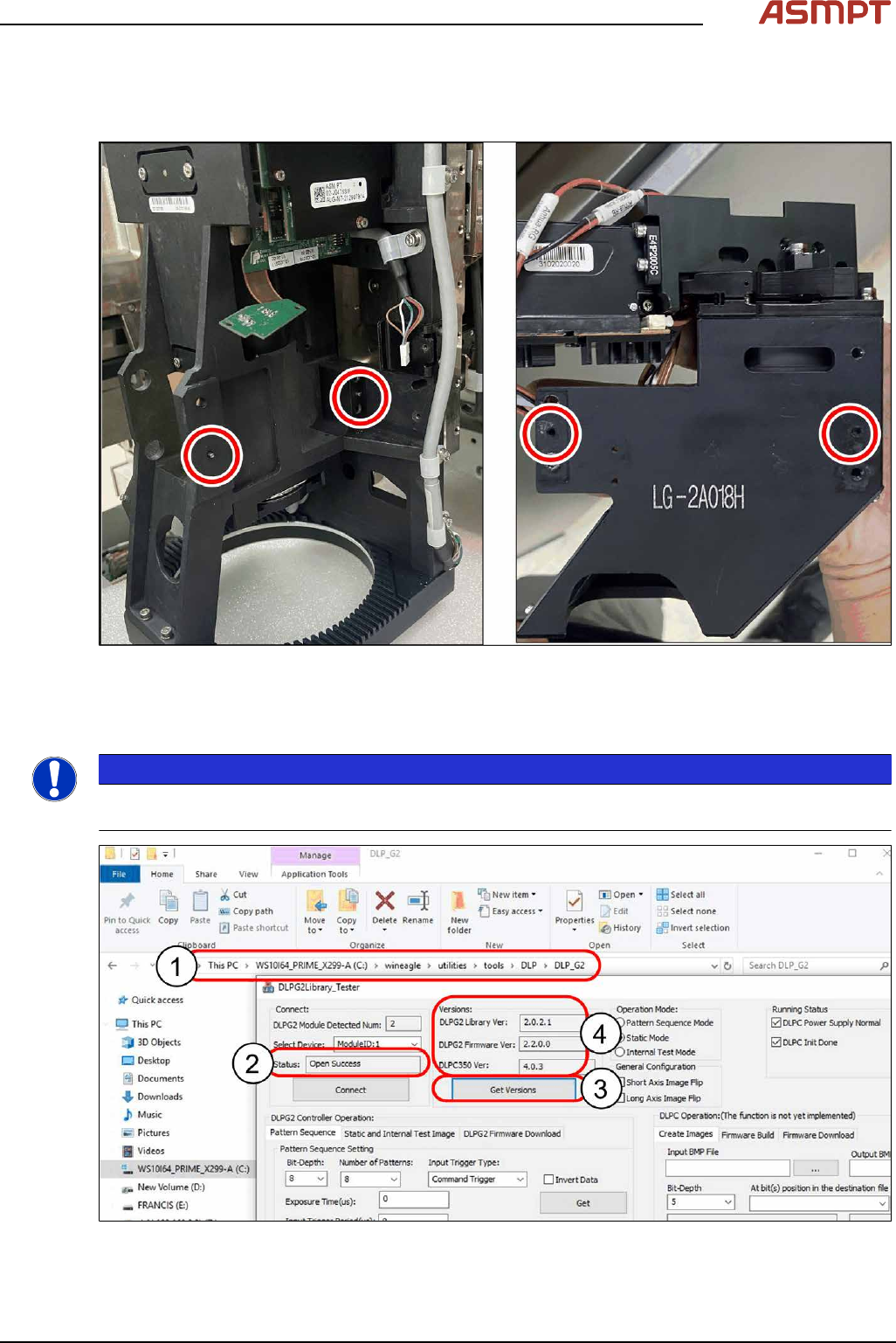
Fig.23: Aligning the module
► Align the module with the help of the two guide pins.
Checking for connectivity
NOTICE
Make sure the machine is installed with the latest software version. Otherwise, the DLP Test software
will return an error message.
Fig.24: Checking connectivity