Process Lens PL Service Manual_EN.pdf - 第158页
4 Machine - Calibrations 15 8 Se rv ic e Ma nu al P ro ce ss L en s PL - 0 3/ 20 25 Step 3 Fig.244: Target centre ► Click on the centre of the target. The FOV centres to the target. ► Click Continue . Process Lens PL ad…
4 Machine - Calibrations
Service Manual Process Lens PL - 03/2025 157
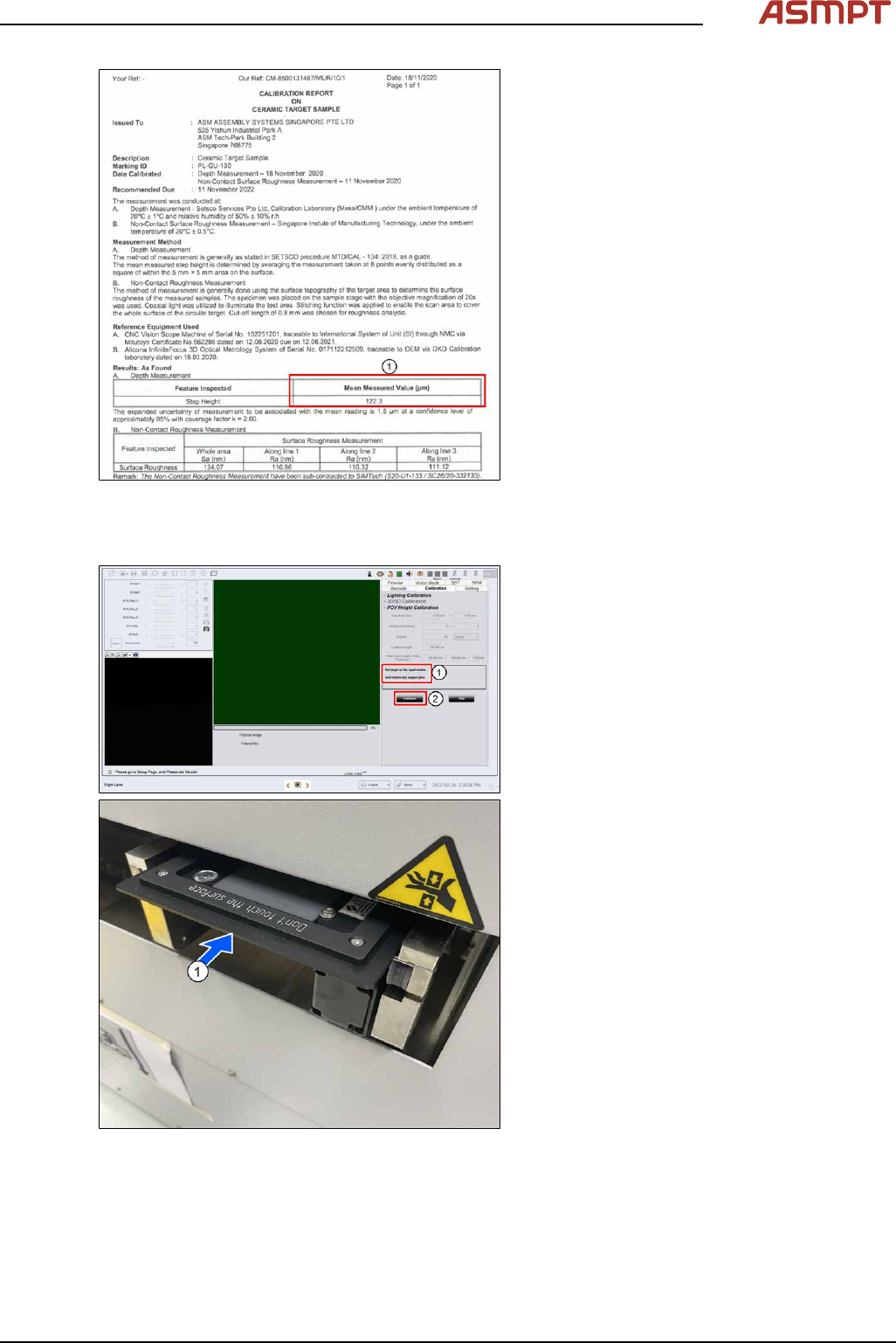
Fig.242: Certificate
► Input the target´s Certified height refer-
ence(1) to certificate.
► Click Start.
Step 2
Fig.243: Input section
●
The conveyor adjusts to the width of the
target fixture.
●
Place the target on the input section(1). (If
there are support pins on the conveyor,
open the cover and remove them now.)
●
Click Continue(2), target will convey into
inspection area. The target loads to the in-
spection section and the camera moves to
the centre of the target.
4 Machine - Calibrations
158 Service Manual Process Lens PL - 03/2025
Step 3
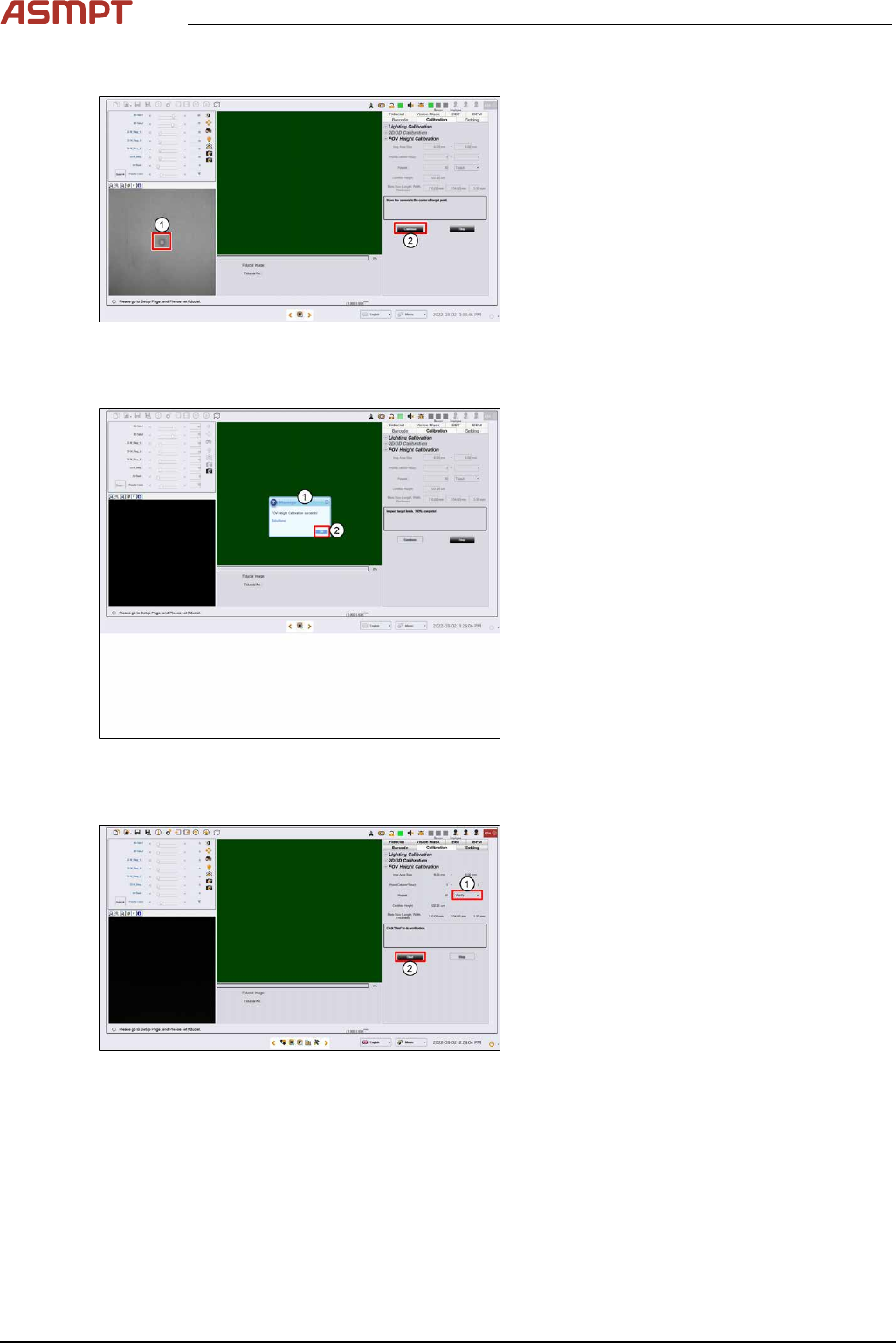
Fig.244: Target centre
► Click on the centre of the target. The FOV
centres to the target.
► Click Continue. Process Lens PL adjusts
the lighting, then starts the teach process.
Step 4
Fig.245: Success message
► A "FOV Height Calibration succeeds!"
message pops up (1).
► Click OK (2).
Step 5
Fig.246: Clicking start
► Select Verify (1).
► Click Start (2).
4 Machine - Calibrations
Service Manual Process Lens PL - 03/2025 159
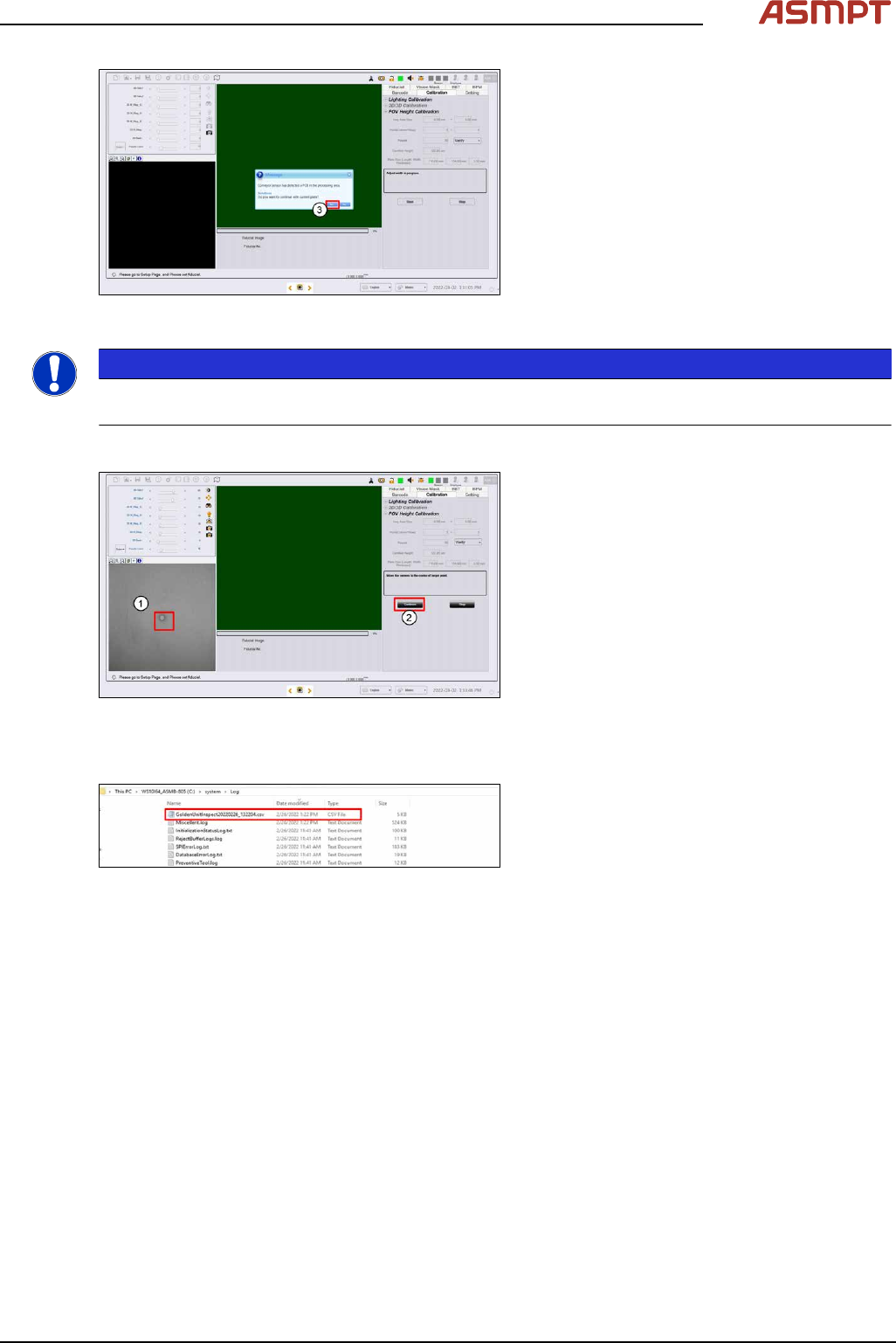
Fig.247: Message
► Click Yes (3) to the next message as the
target is still on the conveyor.
NOTICE
If the calibration fails, stop the process. Remove the target and inspect the target under a microscope
for foreign material. Remove any foreign material with a clean, dry, soft hair brush.
Step 6
Fig.248: Centre of the target
► Click on the center of the target (1). The
FOV center’s to the target.
► Click Continue. Process Lens PL adjusts
the lighting, and then starts the verification
process. (2)
► A "FOV Height Verification succeeds!"
message pops up. Click OK.
Step 7
Fig.249: Results
► The results of the FOV Height calibration
test can be found in an output file in the
path C:\system\
log\GoldenUnitInspect
***timestamp***.csv where timestamp is
the time the calibration was completed.