DECAN_S2_Admin(Eng_Ver4.5).pdf - 第126页
6-13 Board Definition A method of completing one Arr ay PCB ope ration and then executing the next Array PCB operation. <By Point> option button A method of completing an operation cycle to all array PCBs and the…
6-12
Advanced Chip Shooter DECAN S2 Administrator’s Guide
motor.
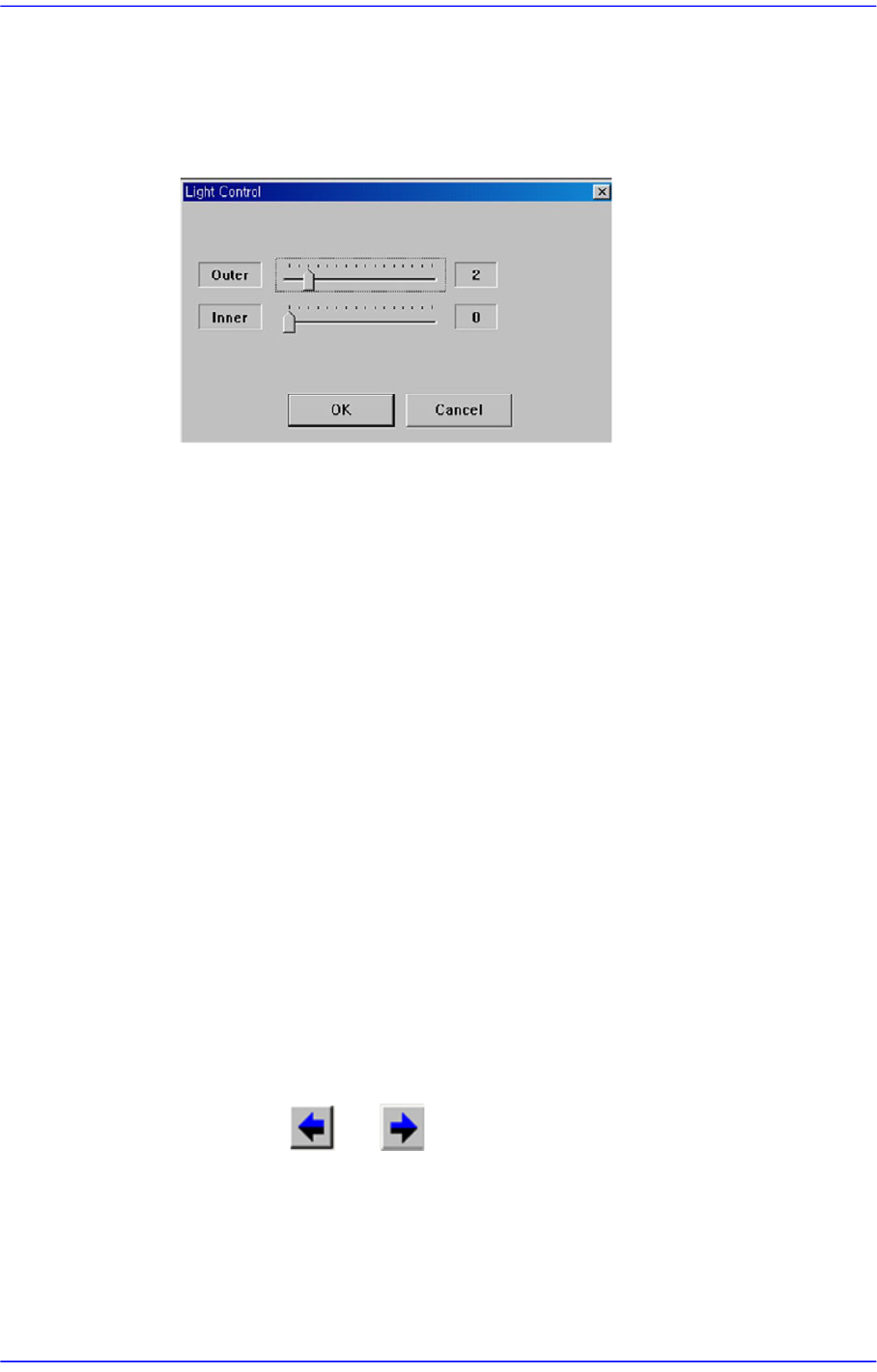
<Light> button
Setup the illumination of fiducial camera. When this button is clicked on, the
following dialog box is displayed.
combo box
Select the camera to be used to teach the array coordinates. The cameras that can
be selected are as follows ;
Fid Cam2: Select the fiducial camera on the front gantry.
Fid Cam4: Select the fiducial camera on the rear gantry.
<Move> button
Move the object selected in the combo box to the position of the assigned
coordinates. Before executing <Move> button, the cell in the grid (Coordinates of
origin for small PCB’s in the array PCB) corresponding to the desired position
must be clicked on with a mouse.
<Get> button
Obtain coordinates for XY, Z axis with reference to the object selected in the
combo box. At this time, the objects (Coordinates of origin for small PCB’s in the
array PCB) related with coordinates must first be clicked with the mouse before
clicking on the <Get> button.
<Array Move>
It is used to check if the teaching has been performed properly by moving the
corresponding device to the array position step by step according to the order set
in the grid cell area in the above figure.
Clicking the and buttons will select the origin of the previous or the
next origin of the small PCB selected currently.
<3. Sequence> group
Select the Array PCB operation method.
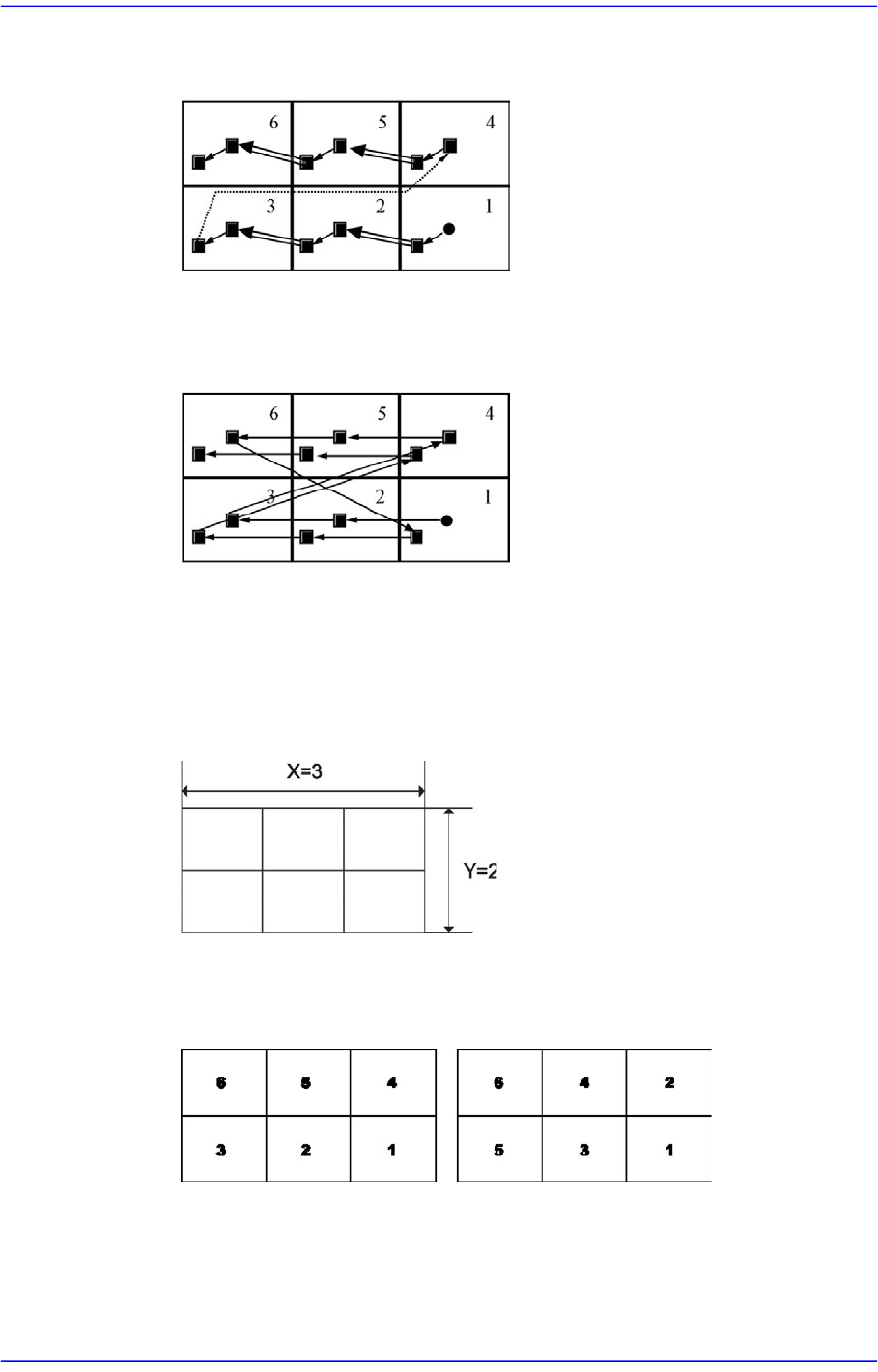
<By PCB> option button
6-13
Board Definition
A method of completing one Array PCB operation and then executing the next
Array PCB operation.
<By Point> option button
A method of completing an operation cycle to all array PCBs and then executing
the next cycle operation.
<4. Set Array (Regular Type)> group
Initializes the Array PCB. This function sets the offset value of each Array PCB
automatically when the arrangement of array PCB is regular.
<Number> edit box group
Enter the number of Array PCBs as follows.
<Count Direction> option button group
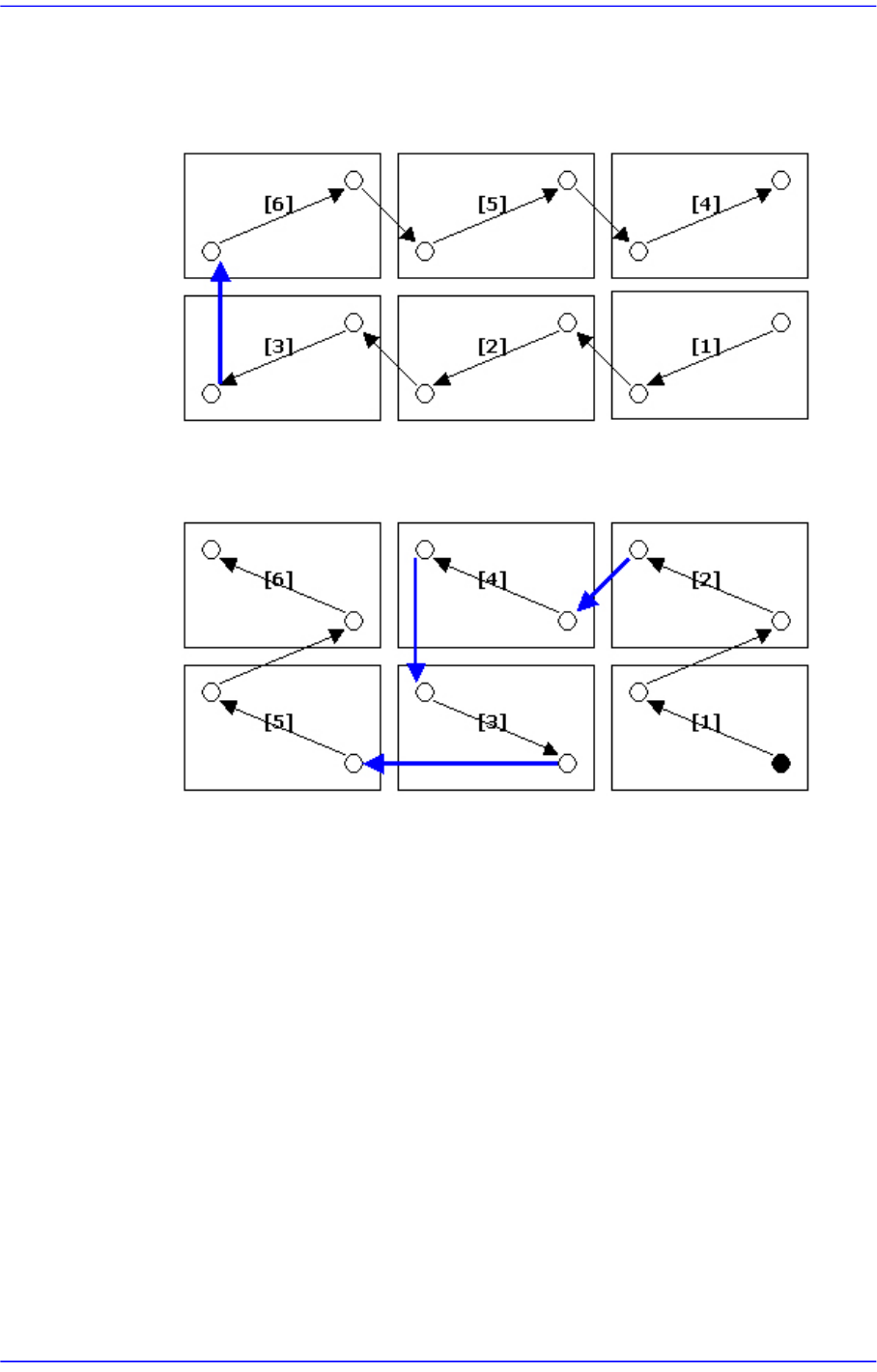
Select a method of numbering Array PCBs.
When teaching the fiducial of the small PCB in the Array PCB, the fiducial marks
are taught along the optimum path with shortest moving distance in order to
X Direction Y Direction
6-14
Advanced Chip Shooter DECAN S2 Administrator’s Guide
reduce the time.
[The order of fiducial teaching when the count direction is selected to X]
1 2 3 6 5 4
[The order of fiducial teaching when the count direction is selected to Y]
1 2 4 3 5 6
<Offset> edit box group
This value is used to set the offset value of the origin of Array PCB automatically.
It sets the placement origin of small PCBs in the array PCB by increasing the
coordinate as much as the offset from the placement origin of the small PCB,
which becomes the reference in the array PCB.
<Teach> button
Teach the offset value of Array PCB. When this button is clicked on, the following
screens are displayed in succession.