DECAN_S2_Admin(Eng_Ver4.5).pdf - 第31页
Advanced Chip Shooter DECAN S2 Admi nistra t or’s Guide xvi Items in a dialog b o x or message box. T erms used in explaining the s creen of MMI are shown below . List box This box selects one value from a mong sever…
Preface
xv
About This Manual
Composition of this Manual
The manual for this machine is comprised as follows;
Handbook
Operation Handbook
Describes briefly a series of processes that is performed by the operator.
Maintenance Handbook
Describes briefly basic points related to maintenance of the machine;
Preparation for maintenance, daily inspection, periodical inspection, cleaning
and lubrication method, definition of consumables including replacement time
and method.
Administrator’s Guide
Describes the program for PCB production or various system setups related to the
machine;
User’s account administration and authority setup, board definition, component
registration, feeding device setup, step programming, optimization, production
setup, teaching and placement test, machine calibration, system setup, machine
diagnosis, utility menu setup and production information management.
Troubleshooting Guide
Describes definition and the method used to take measures against the errors.
Describes definition and solution for error codes and the errors not defined.
Technical Reference
Provides part information for the maintenance and various technical drawings.
Symbols other than safety marks used in this manual.
The meanings of symbols used in this manual are as follows.
Ref. Reference indicates a part to be referred to.
Memo Describes useful information related to the text or definition of terms.
Advanced Chip Shooter DECAN S2 Administrator’s Guide
xvi
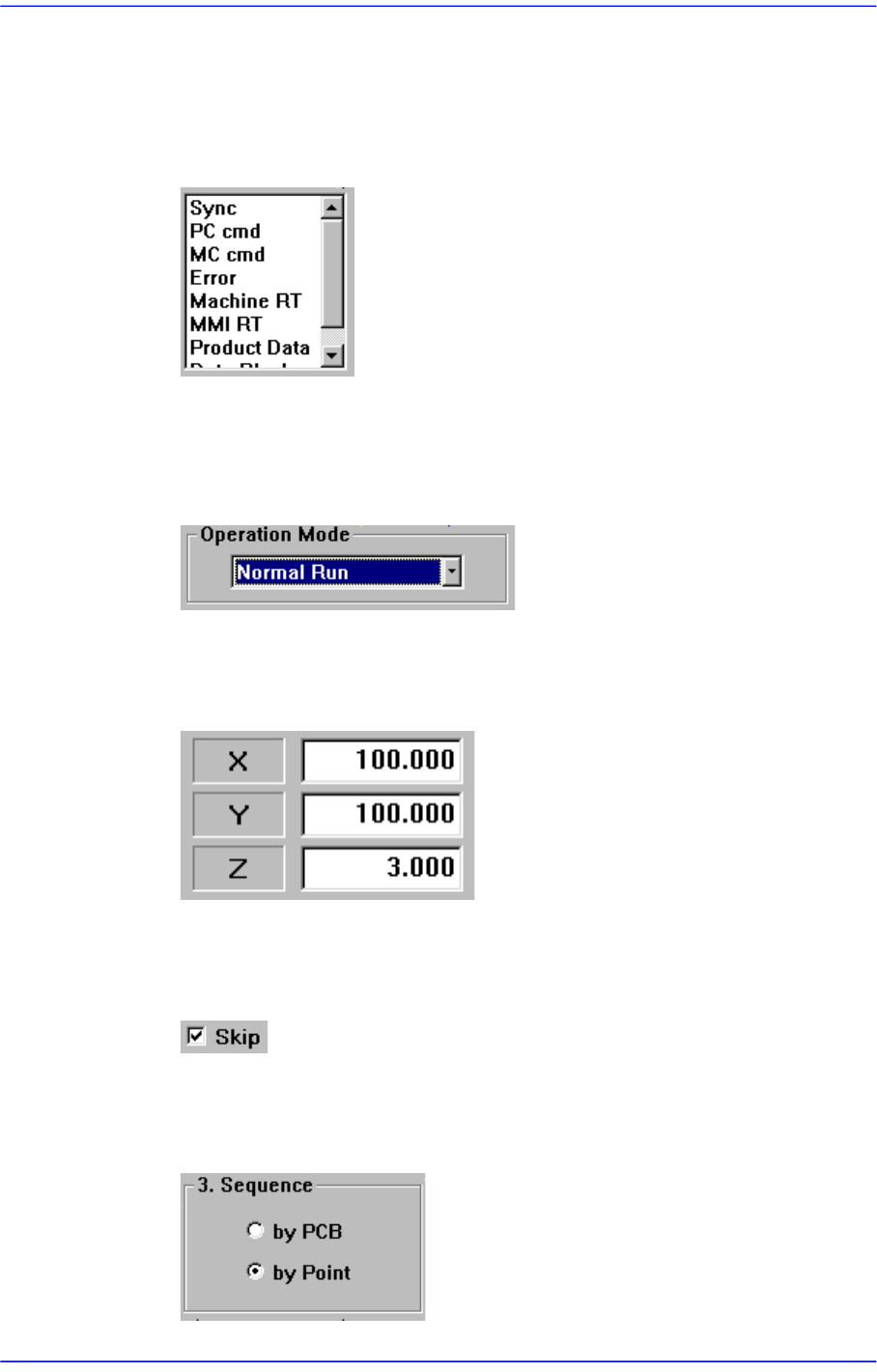
Items in a dialog box or message box.
Terms used in explaining the screen of MMI are shown below.
List box
This box selects one value from among several previously inputted values.
Combo box
This has the same function as the list box in that one of many inputted values can
be selected from this box. contrary to the list box, however, the entire values are
displayed by pressing an arrow button at lower right.
Edit box
Values can be inputted into this box. If a white portion is clicked on with a mouse,
it enters the state ready for inputting values.
Check box
This button enables determination of whether to use a function presented or to
select from multiple.
Option button
This button is used when selecting only one from among many options. If one
button is clicked on, selection of another button is disabled.
Preface
xvii
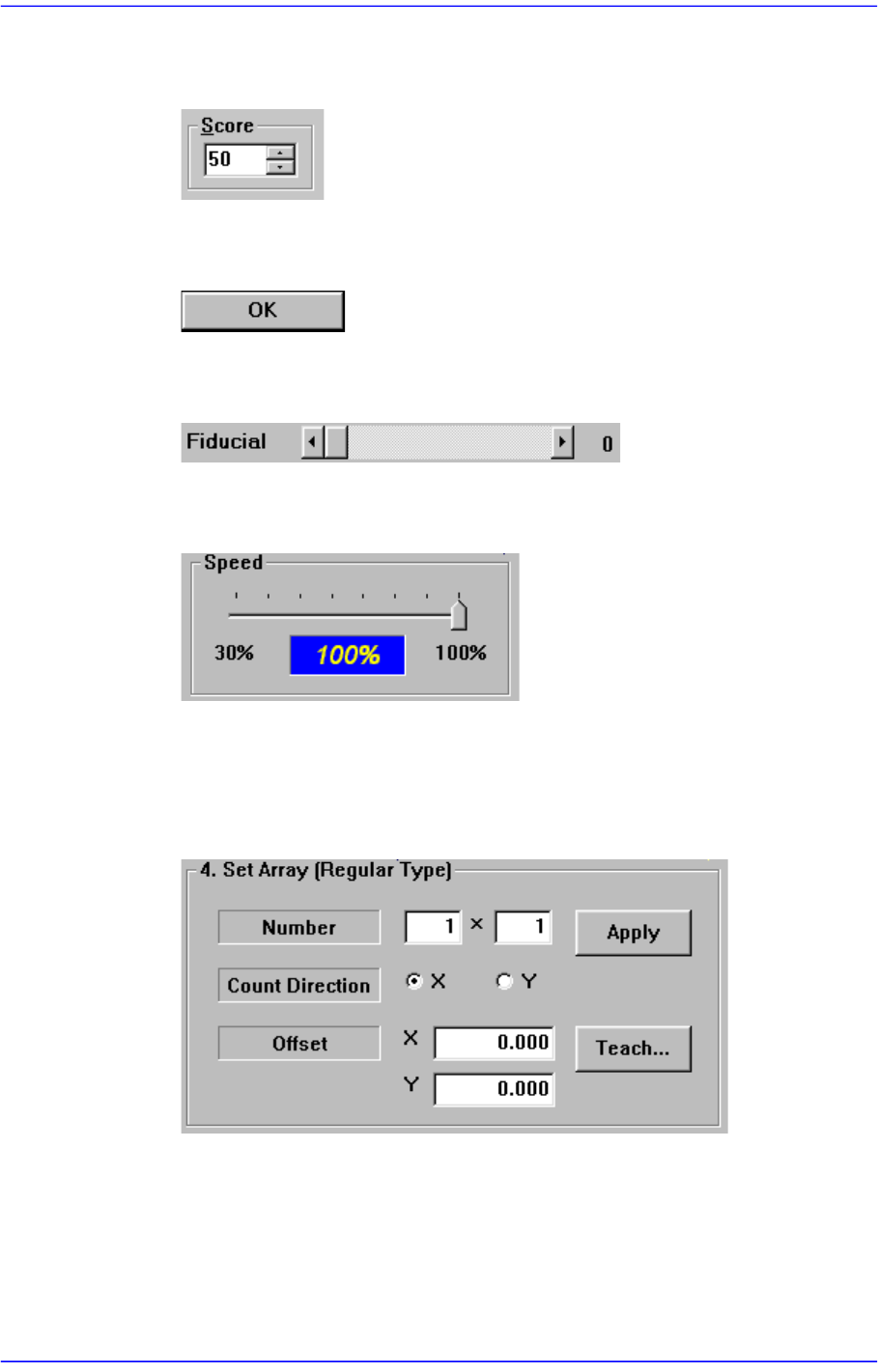
Spin button
Pressing this button will increase or decrease the value by a certain amount.
Other buttons
These buttons perform various prescribed operations when pressed.
Control box
This is a box for adjusting the set values by using a scroll bar.
Slide bar
This is a box for adjusting the set values by using a slide bar.
Group
The above items are gathered into this area. In this manual, it is called “<XX>
group” based on the name XX above the group.
Example: <Set Array [Regular Type].> group
Mouse manipulation
The following terms are related to manipulating the mouse.
Click or select
Press once the corresponding item with the left button of the mouse by moving the
pointer of the mouse.