DECAN_S2_Admin(Eng_Ver4.5).pdf - 第46页
1-7 Operation Mode and P a ssword Change 1.1.2. Setting Manager Mode The system manager password is needed to use t he system setup menu. Access with system manager and the password setup must be done in the following ma…

1-6
Advanced Chip Shooter DECAN S2 Administrator’s Guide
File New ×
○ ○ ○
Open × ×
○ ○
Save × ×
○ ○
Save As ×
○ ○ ○
Merge ×
○ ○ ○
ErrorMsgBar
Show / Hide
○ ○ ○ ○
Windows Tools ×
○ ○ ○
Exit × ×
○ ○
Tools Homing
○ ○ ○ ○
SMVision
○ ○ ○ ○
ANC ○ ○ ○ ○
Operate Mode
○ ○ ○ ○
Conveyor ×
○ ○ ○
Position ×
○ ○ ○
Manual Tool × ×
○ ○
Dump information
○ ○ ○ ○
Dump All ×
○ ○ ○
Docking cart ×
○ ○ ○
PM Manager
○ ○ ○ ○
Data Logging
△ △ ○ ○
ETC
Language
○ ○ ○ ○
About
○ ○ ○ ○
Help
○ ○ ○ ○
Menu bar Sub Toolbar
Operator Programmer
Manager
Service
1-7
Operation Mode and Password Change
1.1.2. Setting Manager Mode
The system manager password is needed to use the system setup menu. Access with
system manager and the password setup must be done in the following manner.
When accessing with system manager and setting up the password, perform access and
setup as follows.
When accessing with system manager, perform access as follows.
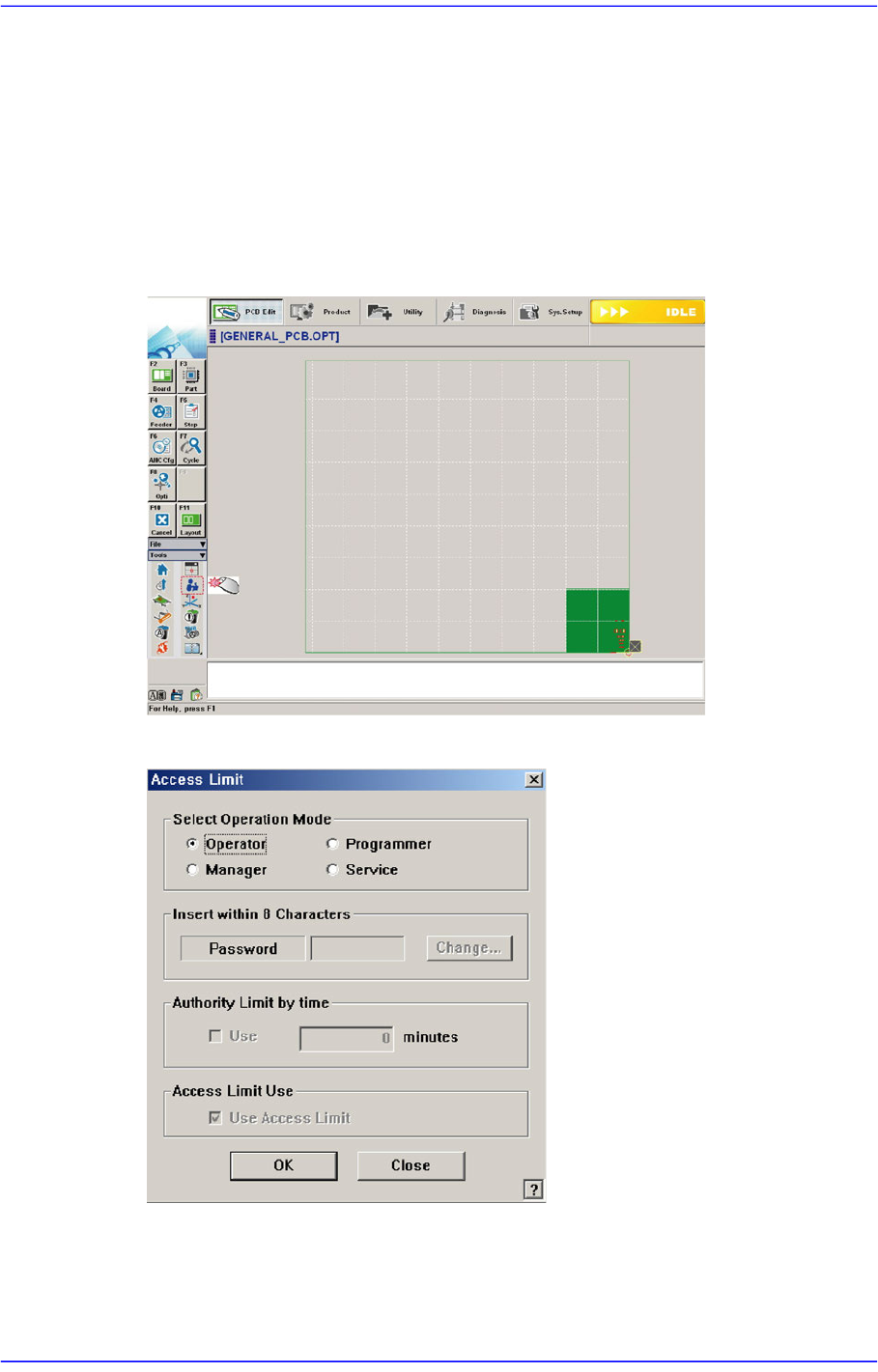
1. Click the ‘Operation Mode Change’ button in the submenu.
2. Then the following dialog box appears.
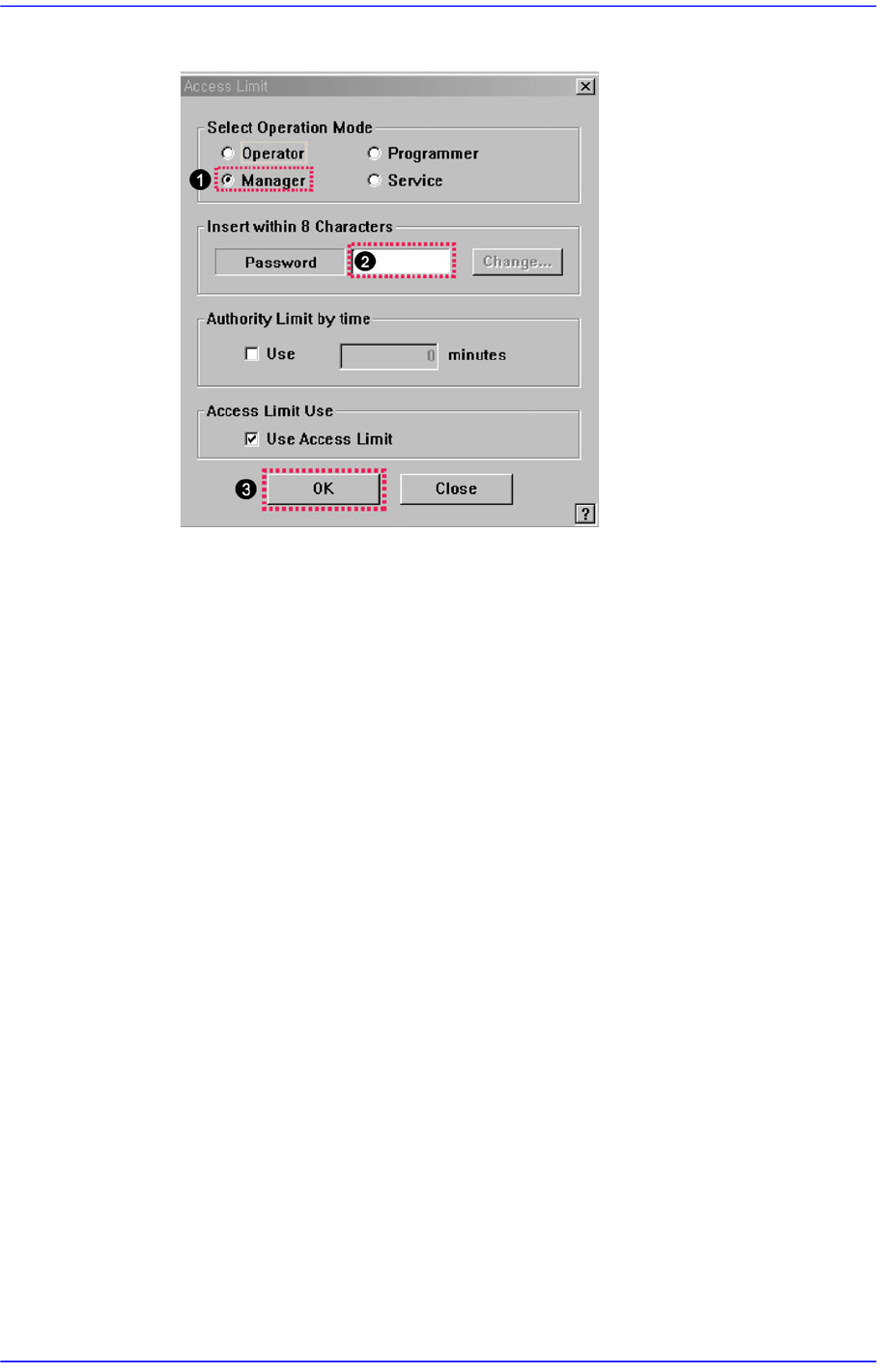
3. The setup with the manager mode is made in the following manner..
(1) Select the <Manager> option button in the <Select Operation Mode> group
(2) Enter the manager password in the <Password> editor box.
1-8
Advanced Chip Shooter DECAN S2 Administrator’s Guide
(3) Click the <OK> button.