DECAN_S2_Admin(Eng_Ver4.5).pdf - 第470页
15-19 System Setup 15.4. Light [F8] Calibrate the brightness of the light for the cam e ra. In order to perform this calib ration, insert a nozzle for camera test (Lig ht Fix) into the ANC. Caution Since the nozzle for t…
15-18
Advanced Chip Shooter DECAN S2 Administrator’s Guide
Set the data related to RS-232C communication.
<Channel> combo box
Select the RS-232C communication channel. 2 channels are available for the
machine. Perform setup so that it may not be duplicated.
<Comm. ID> combo box
Select the communication ID. The used ID is 1 –3. Since only ID 1 is
supported, set the ID to ID 1.
<Origin> group
Setup origin of the selected ‘Tray Feeder Unit’. This origin is the offset value from
the origin of the equipment.
<Not Usable Lane> group
Sets the feeder base unit and slot occupied by the corresponding tray when using the
selected tray feeder unit.
<Feeder Base> combo box
Selects the feeder base. The selectable feeder base is front (Front Feeder Base or
Rear Feeder Base).
<Lane> edit box
Sets the slot the feeder base.
<Update> button
Transmits the change data to the equipment and closes the dialog box.
<Cancel> button
Ignores the change data and closes the dialog box.
15-19
System Setup
15.4. Light [F8]
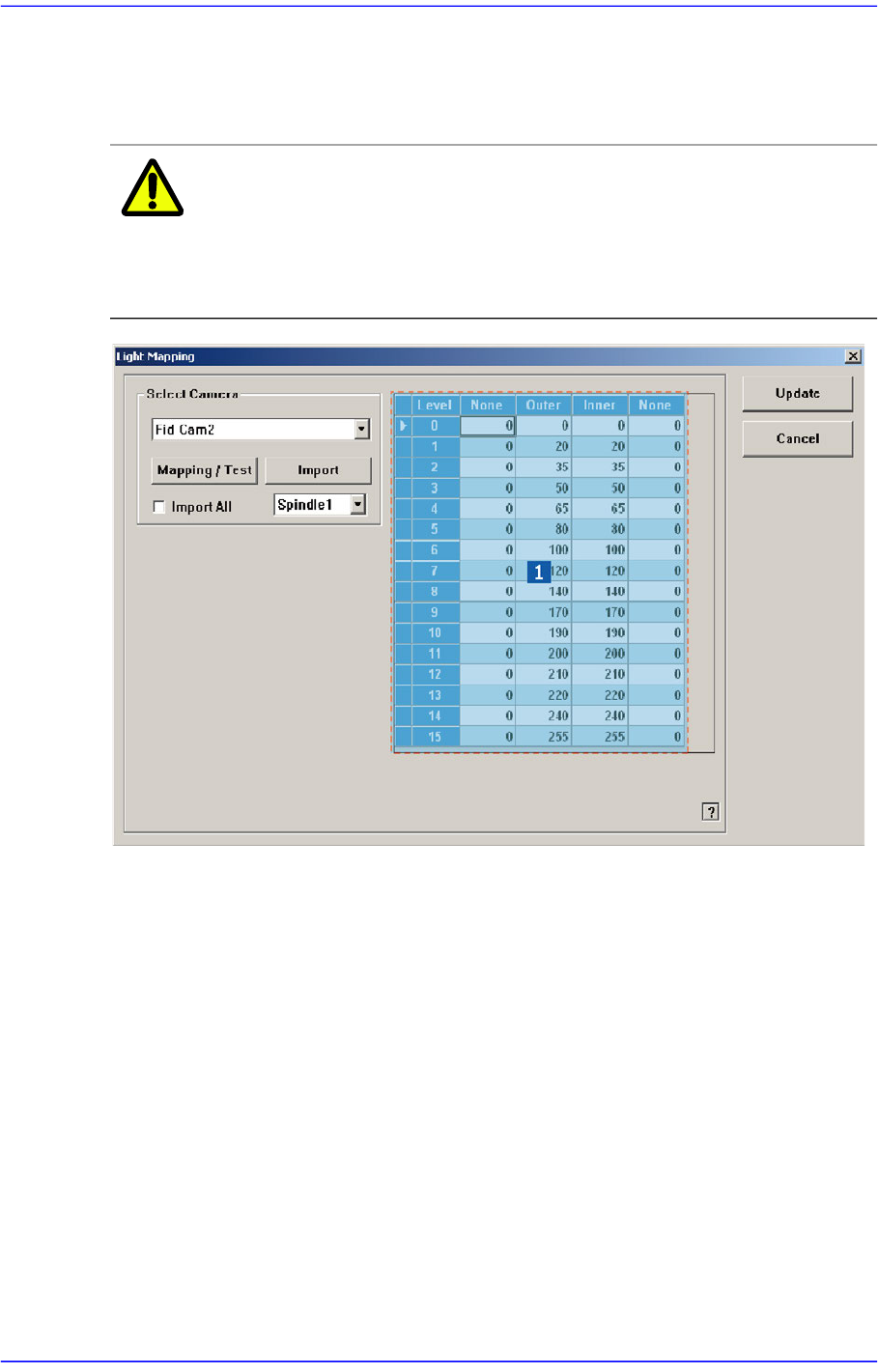
Calibrate the brightness of the light for the camera. In order to perform this calibration,
insert a nozzle for camera test (LightFix) into the ANC.
Caution Since the nozzle for the SM32x,SM411, SM421 model is
not compatible to the one for the light mapping used for the
SM32x,SM411, SM421 model, do not use it for this
machine.
1: Light Level group
<Select Camera> combo box
Selection Control
Select the camera to perform light mapping.
Light Level group
Sets the brightness by light level.
<Level> column
Displays 16 steps of lighting.
<Side> / <Inner> / <Outer>/ <Coaxial> column
For the Fid Camera: Input the side illumination value within the range of 256
values.
For the Fly Camera: Input the side illumination value within the range of 256
15-20
Advanced Chip Shooter DECAN S2 Administrator’s Guide
values.
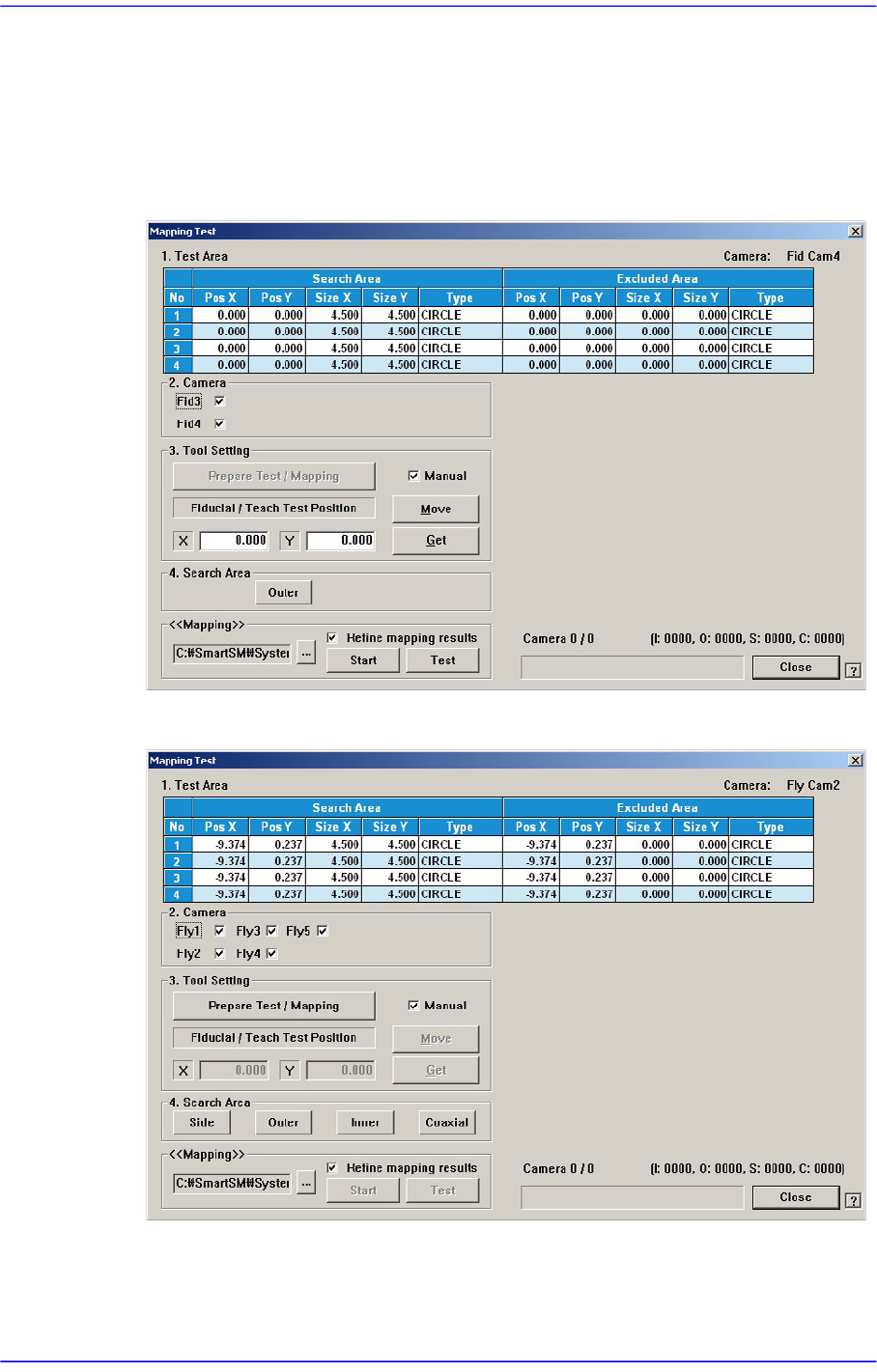
<Mapping/Test> button
Perform test or automatic mapping for the light level for the camera selected from the
<Select Camera> group.
Figure15.9 When the Fiducial Camera is selected
Figure15.10 When the Fly Camera is selected