DECAN_S2_Admin(Eng_Ver4.5).pdf - 第92页
4-11 Tools Shortcut M enu 4.4. Operation Mode Change The accessible MMI menu is dif fe rent acc ording to the user mode. Accor ding to the purpose of using the MMI, users are classi fied into Operator , Programmer , Mana…
4-10
Advanced Chip Shooter DECAN S2 Administrator’s Guide
<No real motion> check box
When this button is checked, manipulates the data for pick and put functions
without actual operation.
<Pick> button
When this button is clicked on, picks up the nozzle in the currently selected hole
of the ANC. Select the head to pick in the combo box in the <Teach> group.
<Put> button
When this button is clicked on, puts the nozzle in the head selected in the
“Device” to ANC.
<Put all nozzle> button
When this button is clicked on, puts the nozzles in all the heads to the ANC.
<View All Nozzles / Move Heads Safe> button
Used to move down the Z axis of all heads of the selected gantry of certain height so as
to check visually if any nozzle exists on the nozzle head.
After the visual check, if clicked again, Z axes of all heads are moved up to the
original position.
<Different ANC Info.In Current PCB file> list box
Shows the difference between the ANC setting of the currently loaded PCB file and
the ANC setting of the currently working equipment system. To change the system
setting to the PCB file setting, click on the <PCB->System> button on the right and
change the nozzles in other holes with different settings to fit the setting.
<PCB->System> button
Change the system setup to the PCB file setup
Warning When Manual ANC movement is executed, the nozzle of
the head and other areas of the machine might collide
unless the programmed nozzle and the actual nozzle
coincide. Be sure to match the programmed nozzle and the
actual nozzle in the machine.
<Close> button
Pressing this button will save the changed setup and close the current dialog box.
4-11
Tools Shortcut Menu
4.4. Operation Mode Change
The accessible MMI menu is different according to the user mode. According to the
purpose of using the MMI, users are classified into Operator, Programmer, Manager and
Service. Please refer to “Chapter 1. Operation Mode and Password Change” for more
information.
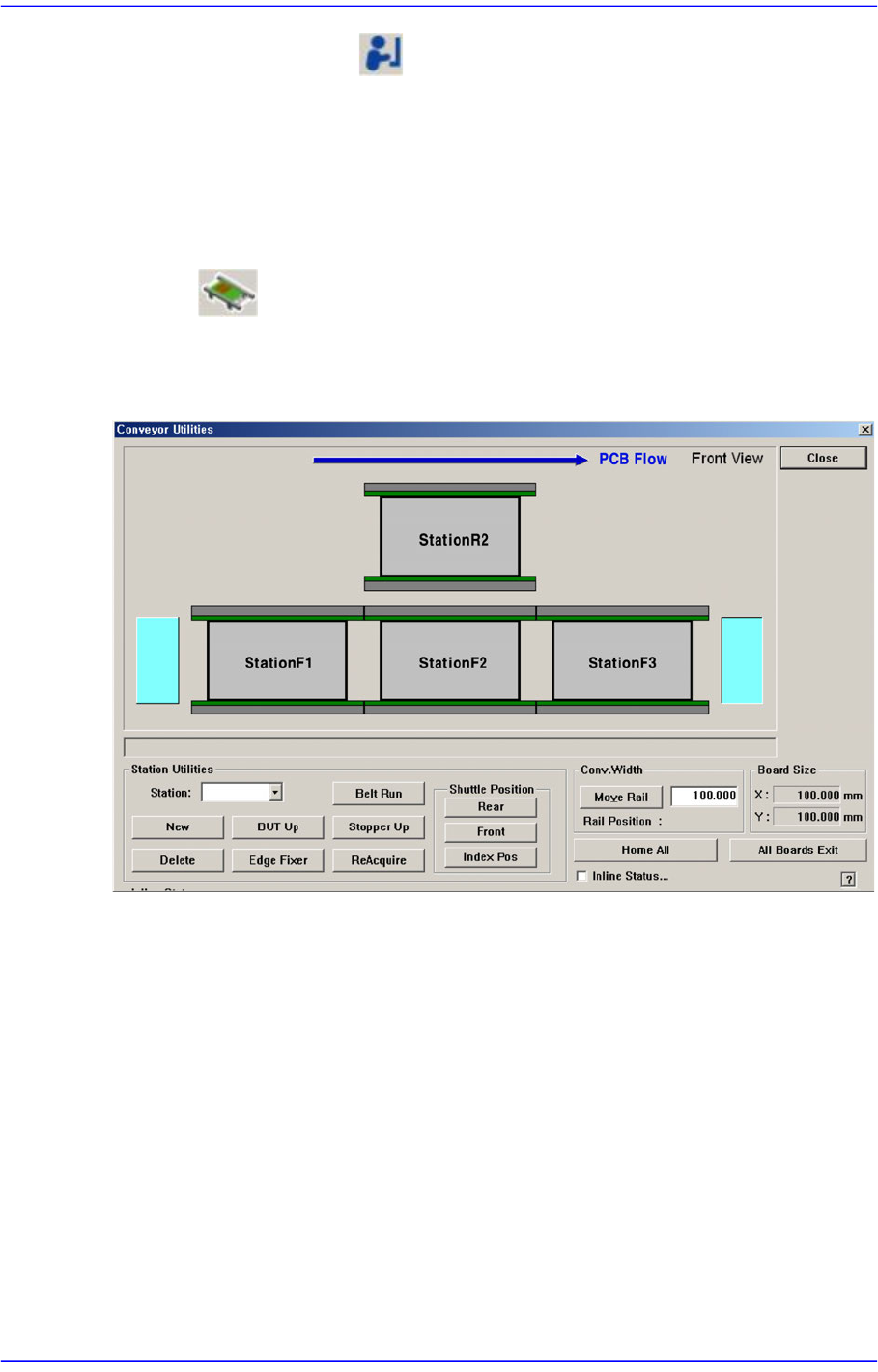
4.5. Conveyor
Used to correct the problem occurred during run operation.
Figure4.4 Conveyor System dialog box
4-12
Advanced Chip Shooter DECAN S2 Administrator’s Guide
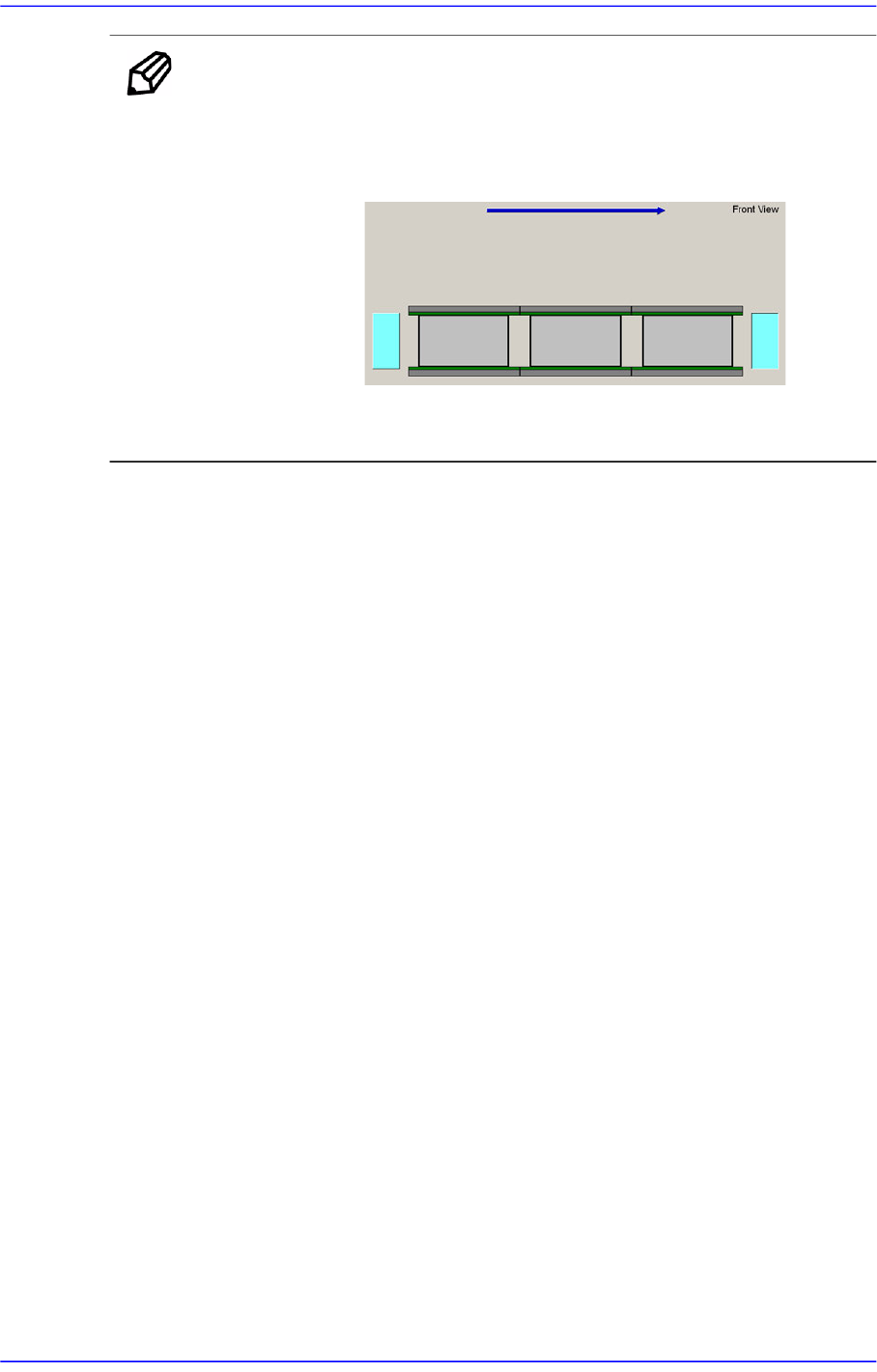
MEMO The shape of the conveyor displayed on the screen may differ
depending on the option.
<Single Lane>
<Full Single Type>