DECAN_S2_Admin(Eng_Ver4.5).pdf - 第482页
15-31 System Setup Ref. The test result value must be w ithin ±10 from the following re ference value. 14. Se l ect Gantry 2 in the <Gantry> combo bo x and perform calibration in the same manner as has been done fo…
15-30
Advanced Chip Shooter DECAN S2 Administrator’s Guide
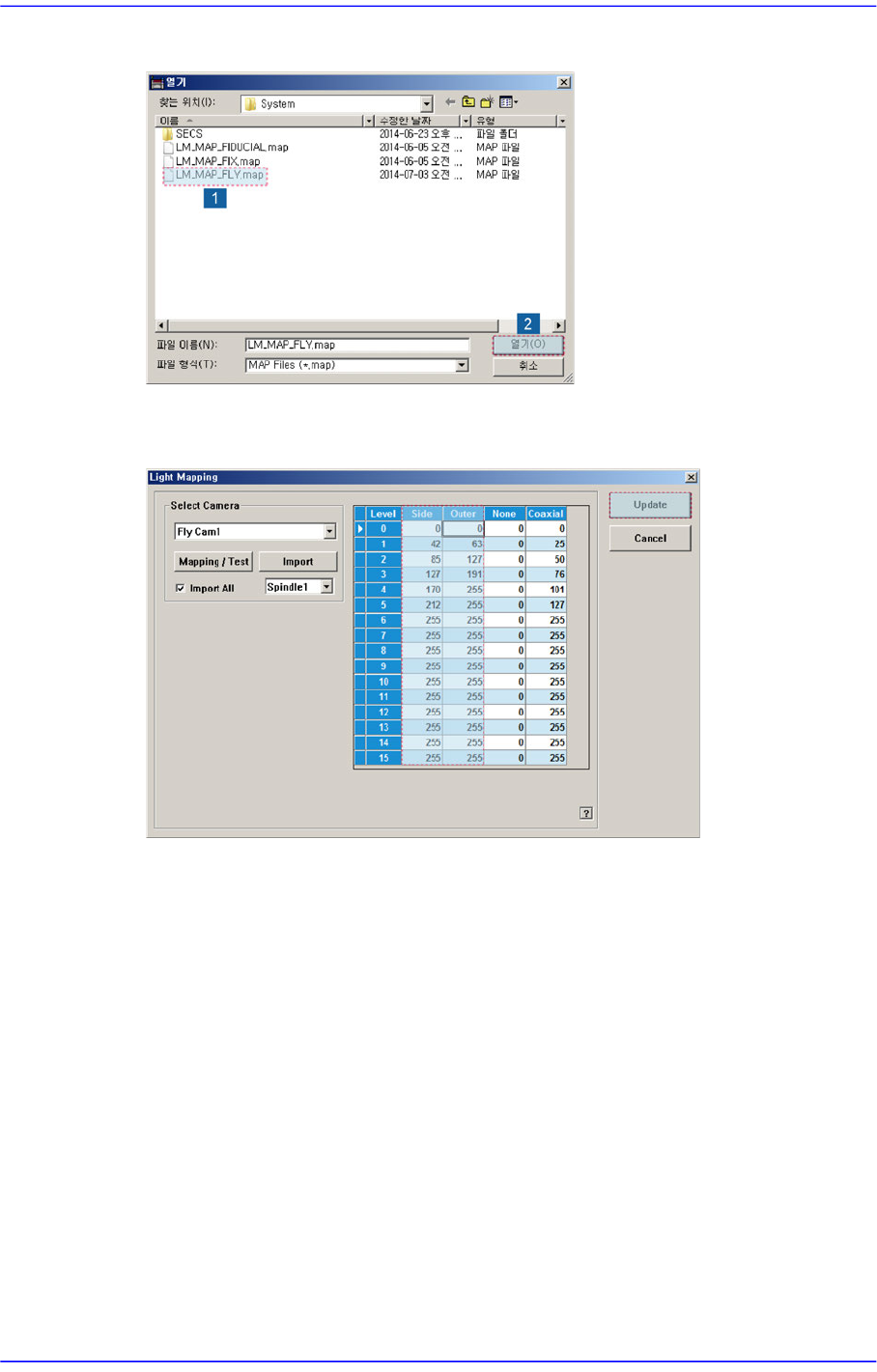
12. Select the LM_MAP_FLY in the <Open> dialog box and click the <Open> button.
13. Once the file import is completed, check whether light mapping data values increase
gradually from Level 0 to Level 15. Then click the <Update> button.
15-31
System Setup
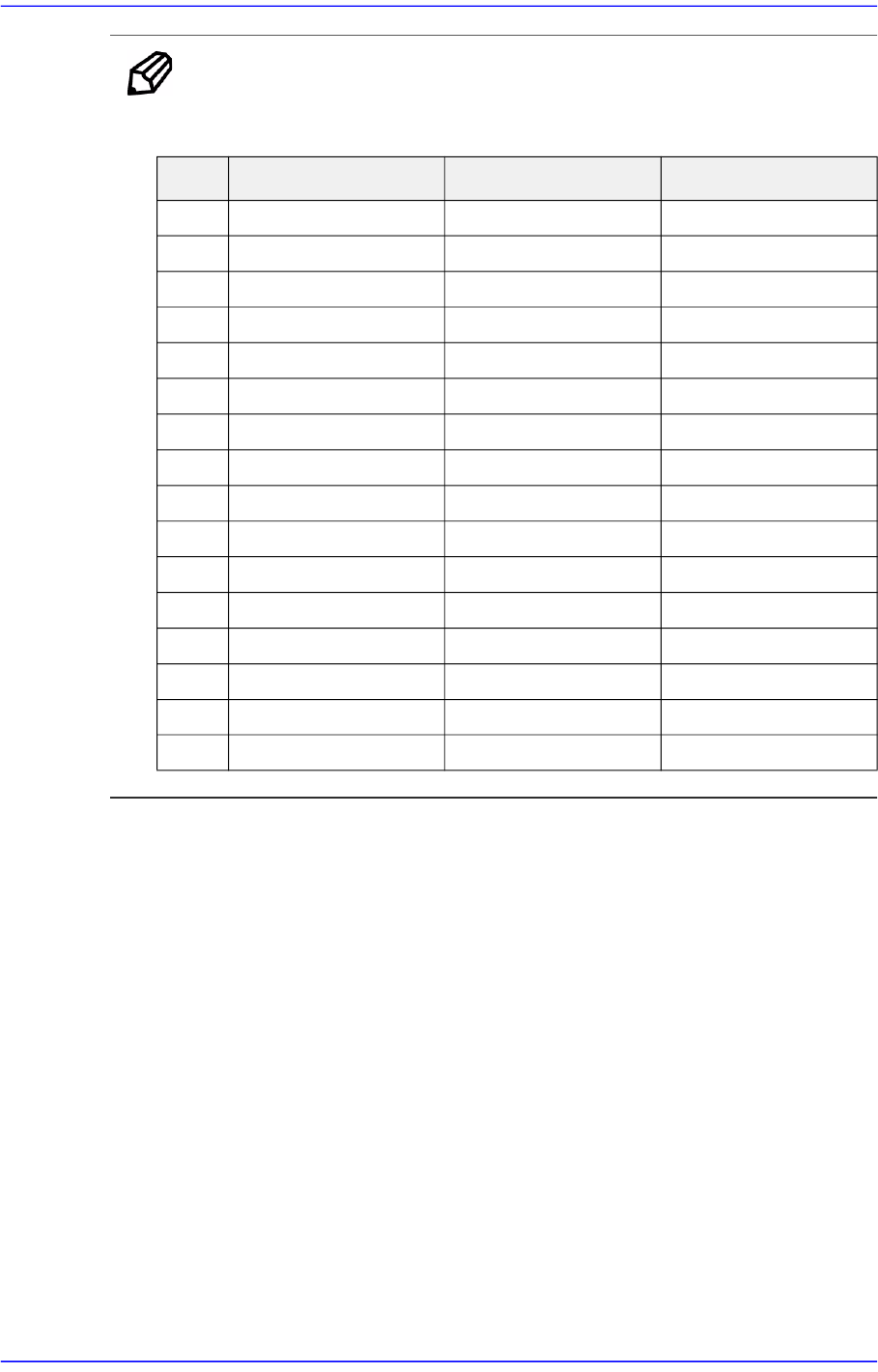
Ref. The test result value must be within ±10 from the following reference
value.
14. Select Gantry 2 in the <Gantry> combo box and perform calibration in the same
manner as has been done for Gantry 1.
Side Outer Coaxial
0 0 0 0
1 0 0 0
2 0 0 0
3 0 35 8
4 35 59 12
5 45 113 16
6 56 155 20
7 66 203 25
8 77 136 30
9 87 159 35
10 98 167 40
11 108 174 45
12 119 180 50
13 130 185 55
14 140 190 60
15 151 191 65
15-32
Advanced Chip Shooter DECAN S2 Administrator’s Guide
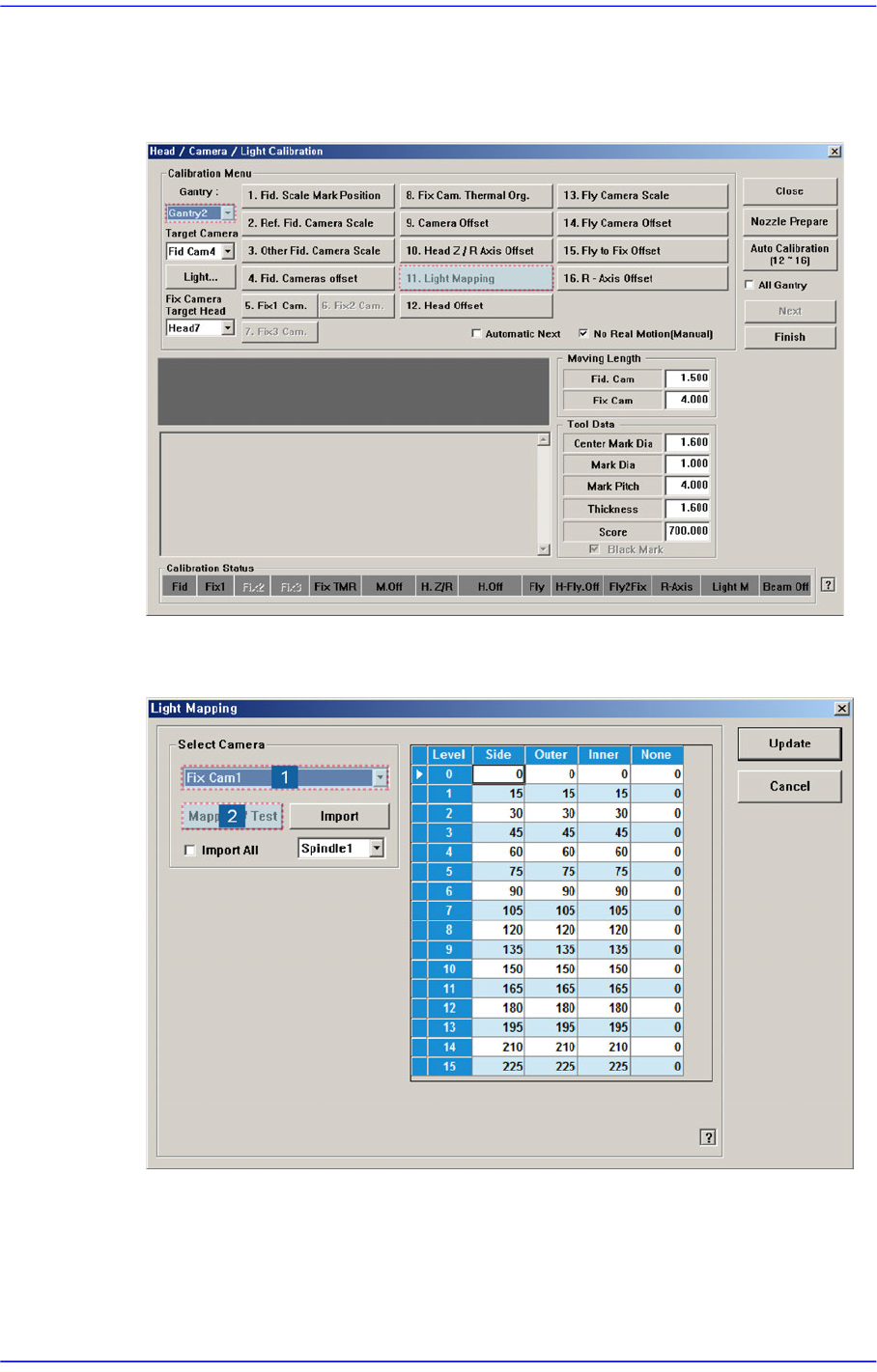
Perform light mapping of the Fix Camera in the following manner:
1. After selecting Gantry2 in the <Gantry> combo box, click the <Light Mapping>
button to execute the light mapping dialog box.
2. After selecting the camera for which light mapping is to be performed in the <Select
Camera> group, click the <Mapping/Test> button.