DECAN_S2_Admin(Eng_Ver4.5).pdf - 第47页
1-8 Advanced Chip Shooter DECAN S2 Admi nistra t or’s Guide (3) Click the <OK> butt o n.
1-7
Operation Mode and Password Change
1.1.2. Setting Manager Mode
The system manager password is needed to use the system setup menu. Access with
system manager and the password setup must be done in the following manner.
When accessing with system manager and setting up the password, perform access and
setup as follows.
When accessing with system manager, perform access as follows.
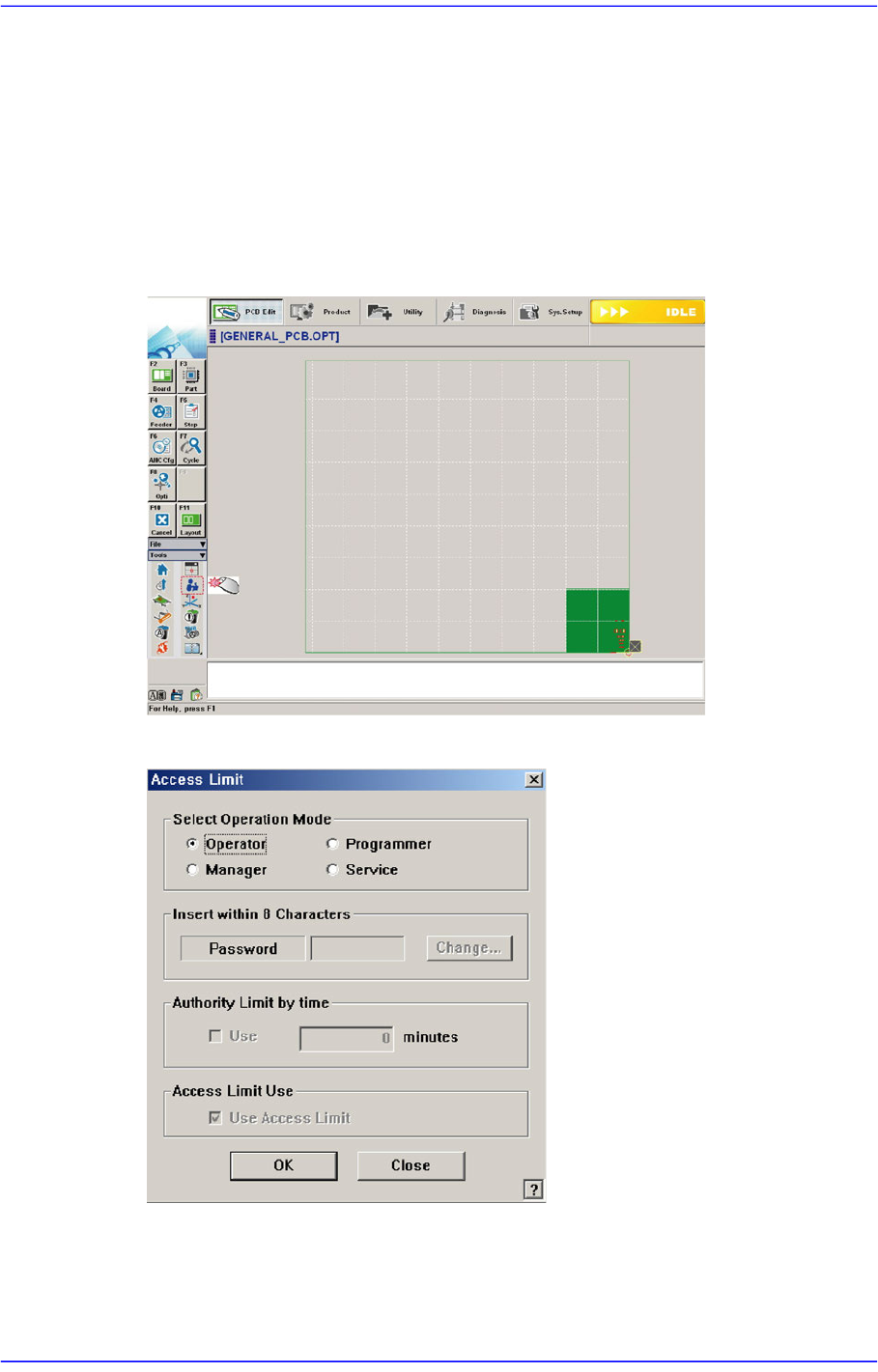
1. Click the ‘Operation Mode Change’ button in the submenu.
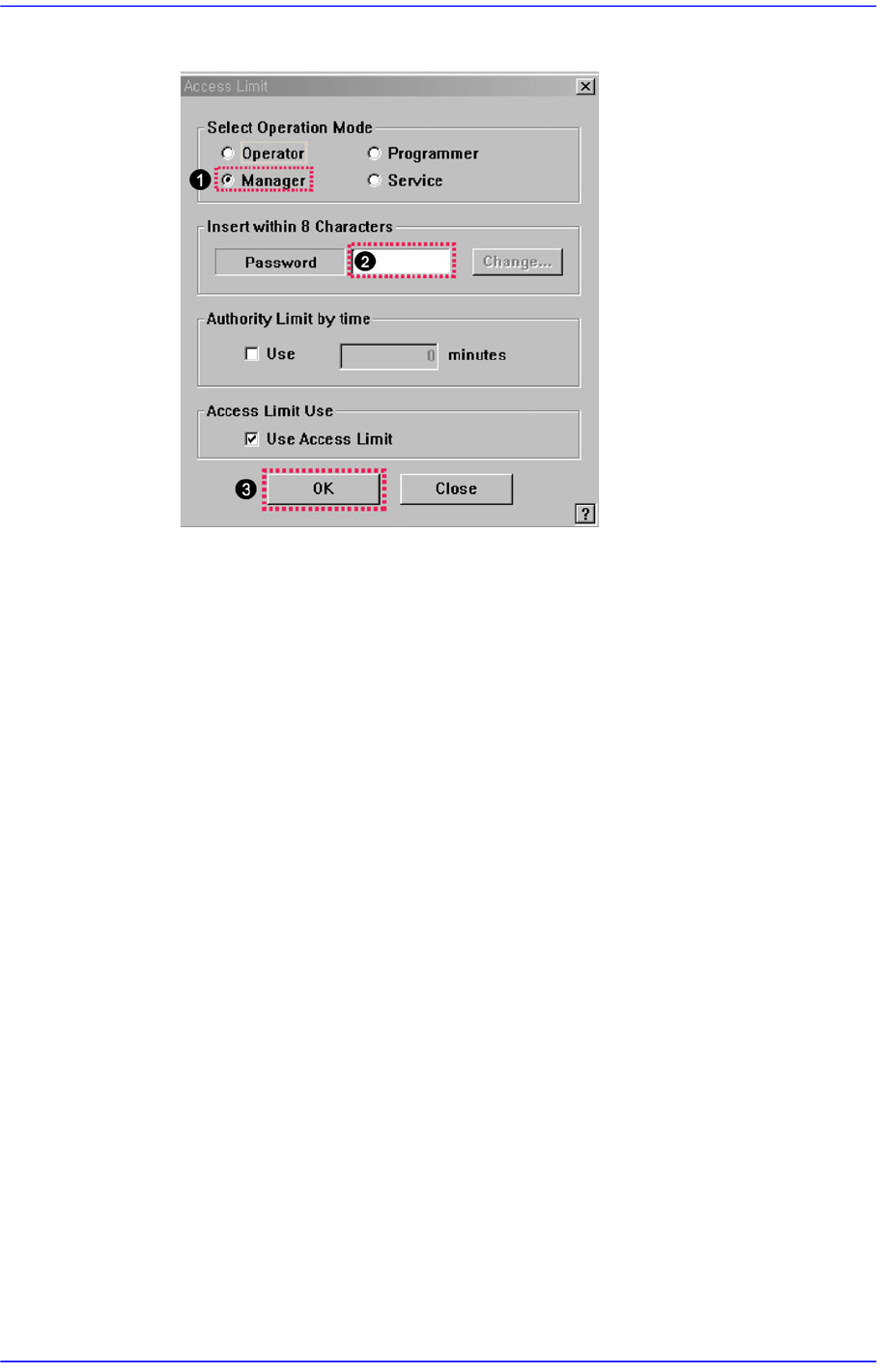
2. Then the following dialog box appears.
3. The setup with the manager mode is made in the following manner..
(1) Select the <Manager> option button in the <Select Operation Mode> group
(2) Enter the manager password in the <Password> editor box.
1-8
Advanced Chip Shooter DECAN S2 Administrator’s Guide
(3) Click the <OK> button.
1-9
Operation Mode and Password Change
1.2. Changing Password
Except for the plain users, each user mode has a password. The password is needed to set
each user mode. The password must be set within 8 characters.
Caution Do not share the programmer mode and manager mode
with the users other than the corresponding users. Damage
may be caused by the incorrect operation of the MMI by the
unauthorized user in the programmer mode or manager
mode.
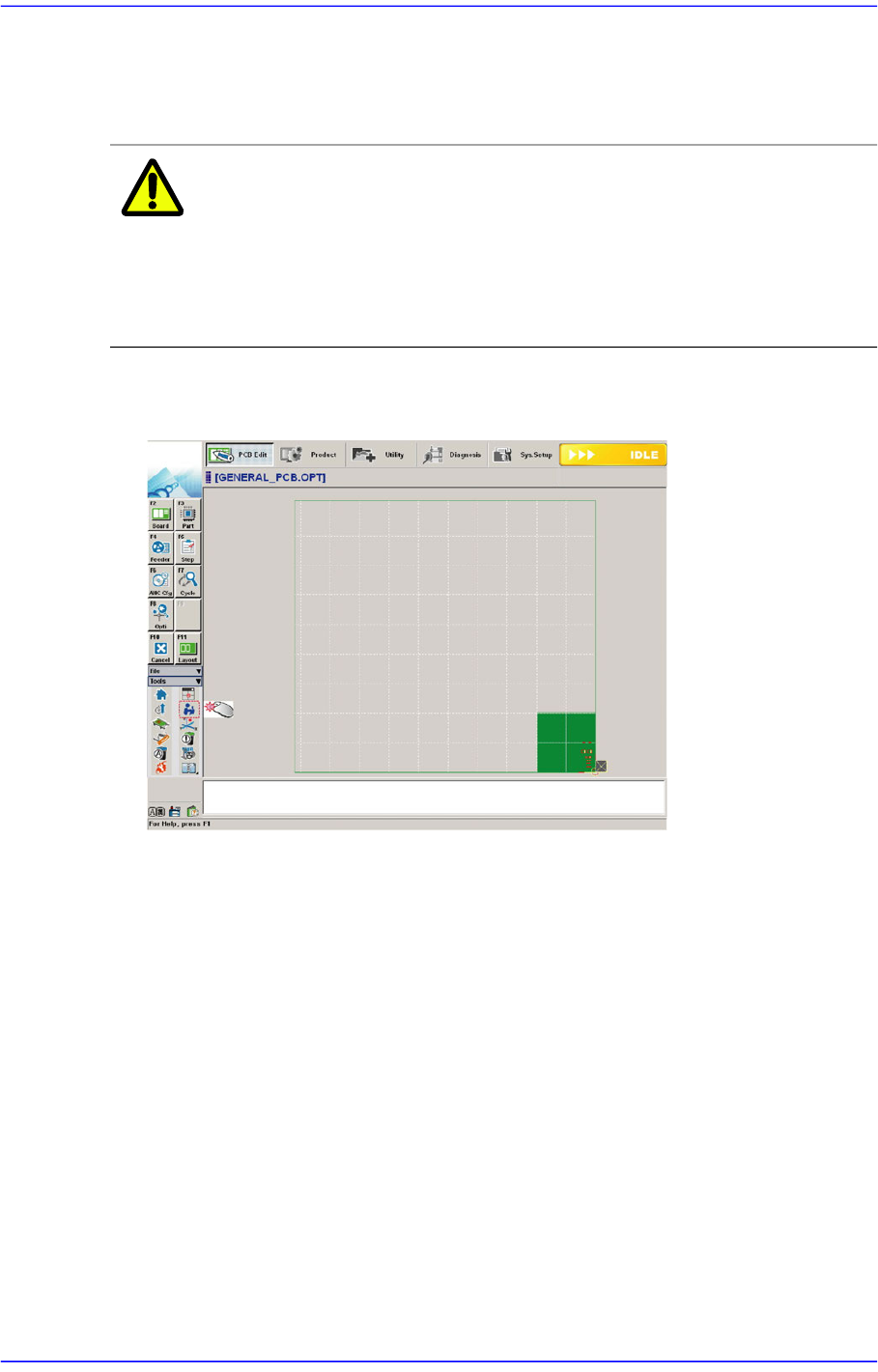
Select the ‘Operation Mode Change’ button in the menu-toolbar in the System
Manager Mode.
Once the ‘Operation Mode Change’ has been selected, the following dialog box
appears.