DECAN_S2_Admin(Eng_Ver4.5).pdf - 第464页
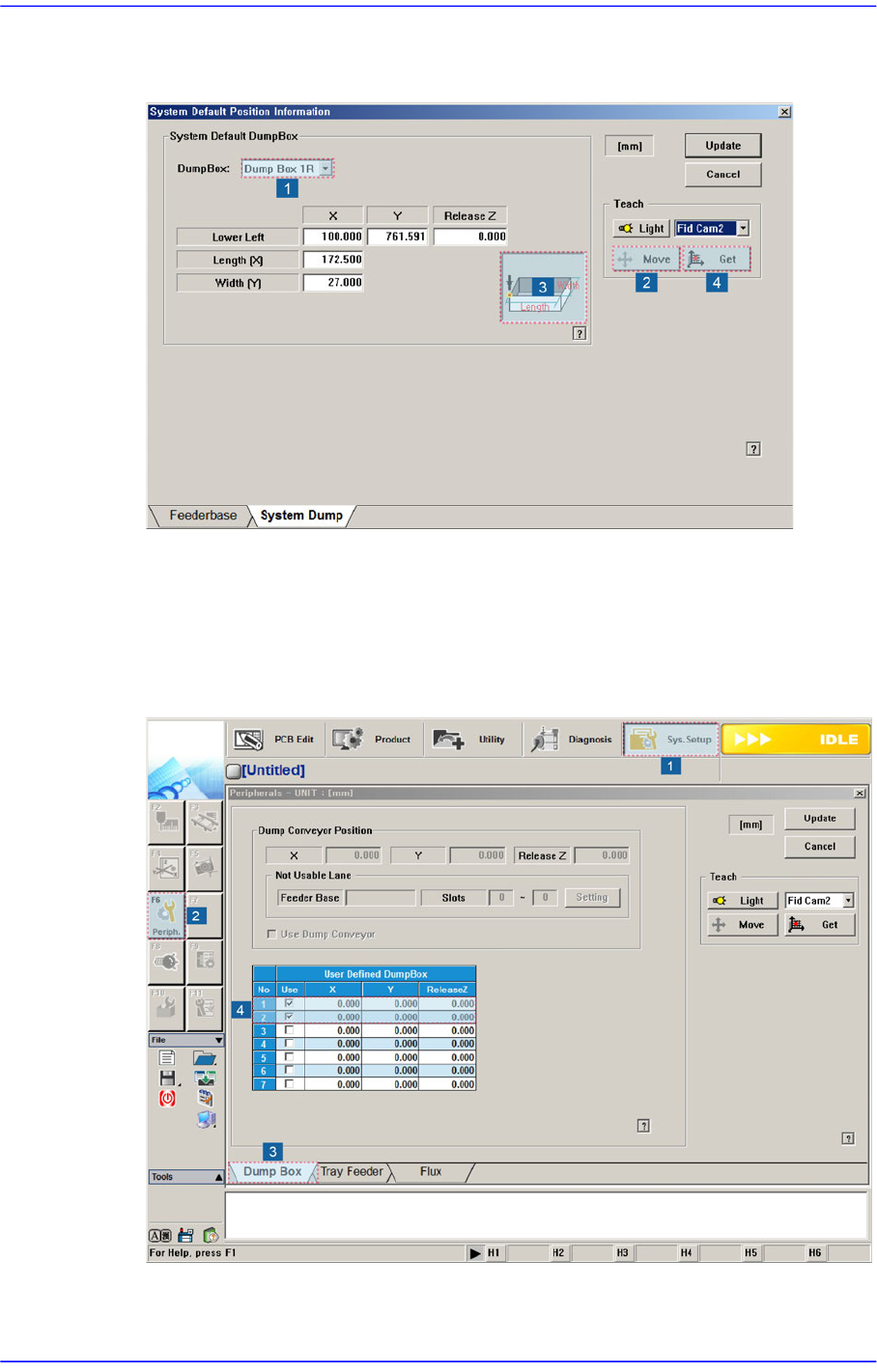
15-13 System Setup 2. After selecting No. 1 in the following figure, c l ick the <Move> button t o move the Fid Cam1 to the position of the Front Air Shower . Then match the jig fiducial mark with the camera center…
15-12
Advanced Chip Shooter DECAN S2 Administrator’s Guide
4. Select Dump Box 1Rin the <Dump Box> combo box and move it to the No.3 position
in the following figure. Then click the <Get> button to teach the coordinate.
5. Also, teach the coordinate of Dump Box 2F, 2R in the same manner.
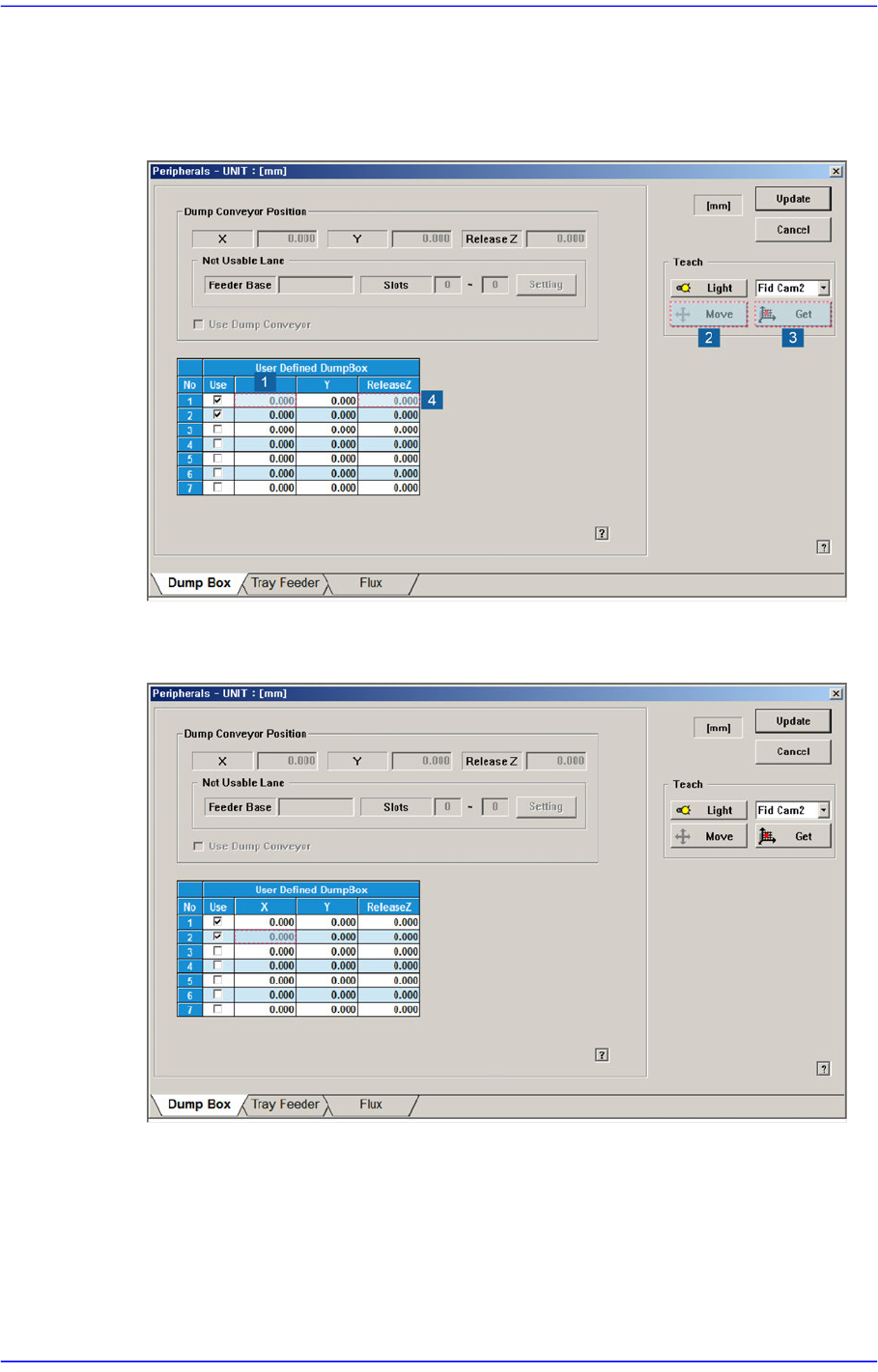
When the air shower option is applied, set the User Dump Box in the following manner:
1. Execute the Dump Box tab dialog box according to the order as shown in the
following figure and check the Nos. 1 and 2<Use> check boxes in the <User Defined
DumpBox> group.
15-13
System Setup
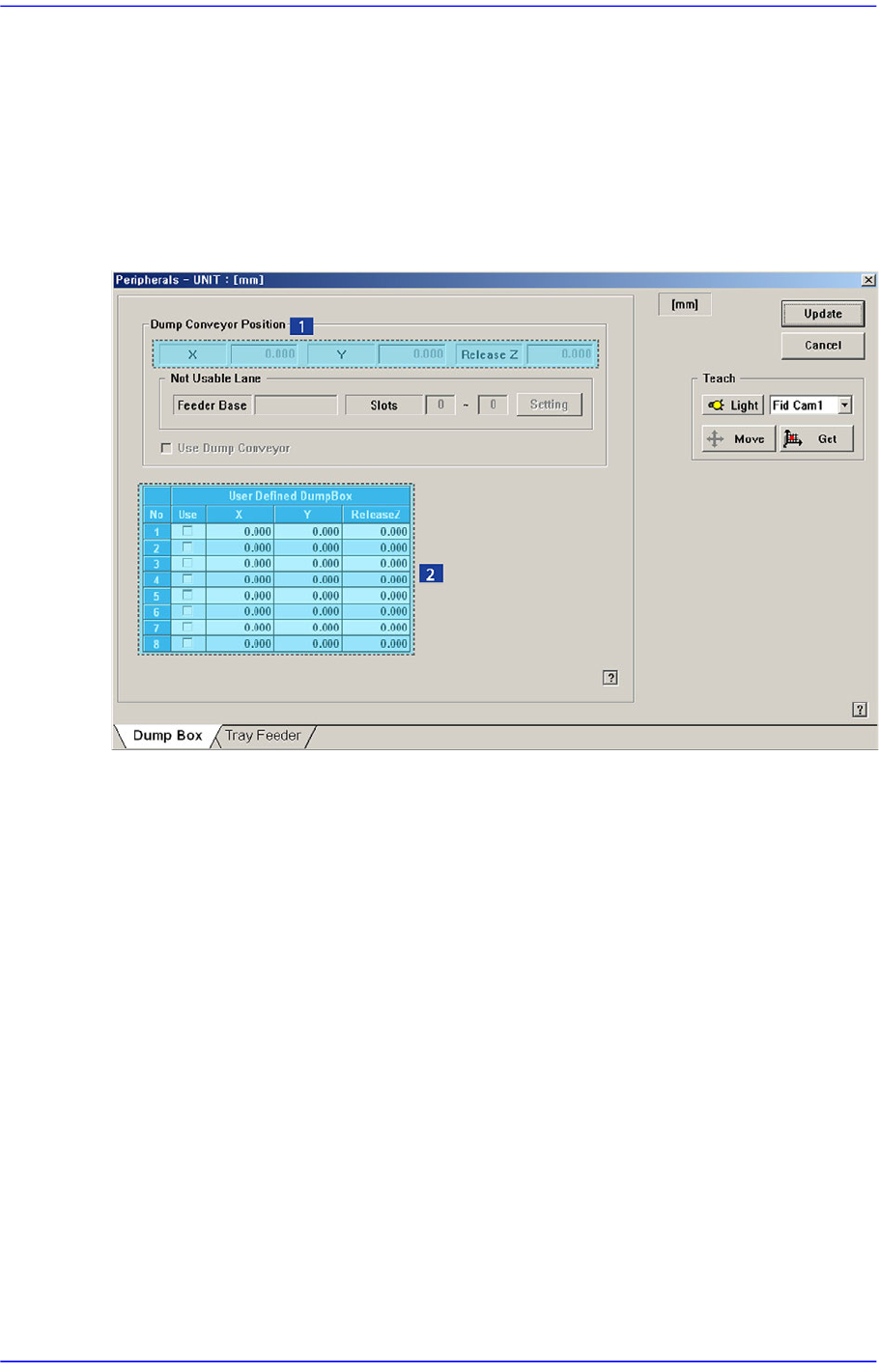
2. After selecting No. 1 in the following figure, click the <Move> button to move the Fid
Cam1 to the position of the Front Air Shower. Then match the jig fiducial mark with
the camera center and click the <Get> button. Finally, input -10 in the <ReleaseZ>
column.
3. For the No. 2 row checked in the following figure, teach the air shower position in the
same manner as the above No.2 step.
15-14
Advanced Chip Shooter DECAN S2 Administrator’s Guide
15.3. Peripherals [F6]
Performs setup for the dump box, tray feeder.
15.3.1. <Dump Box> tap dialog
Setup items related with the ‘Dump Conveyor’ and ‘Dump Box’ defined by the user.
Figure15.7 “Dump Box” tap dialog
1: <Position> group
2: <User Defined Dump box> group
<Dump Conveyor Position> group
Inputs the items to be set related to the dump conveyor. From the equipment which it
sees it is a function which it does not support.
<Position> group
X, Y: Enter the part dumping position on the dump conveyor by teaching the
X and Y coordinates.
Release Z: Enter the Z axis height when dumping the part.
<Not Usable Lane> group
From the equipment which it sees it is a function which it does not support.
<Setting> button
Clicked to set the feeder group that cannot be used due to the installation of
the dump conveyor.
<Use Dump Conveyor> check box