DECAN_S2_Admin(Eng_Ver4.5).pdf - 第200页
7-35 Part Registration <T est> button T ests component recognition b y using the set align data. W h en the test is successful, the following messa g e box is displayed. When the test is not successful, the follo…
7-34
Advanced Chip Shooter DECAN S2 Administrator’s Guide
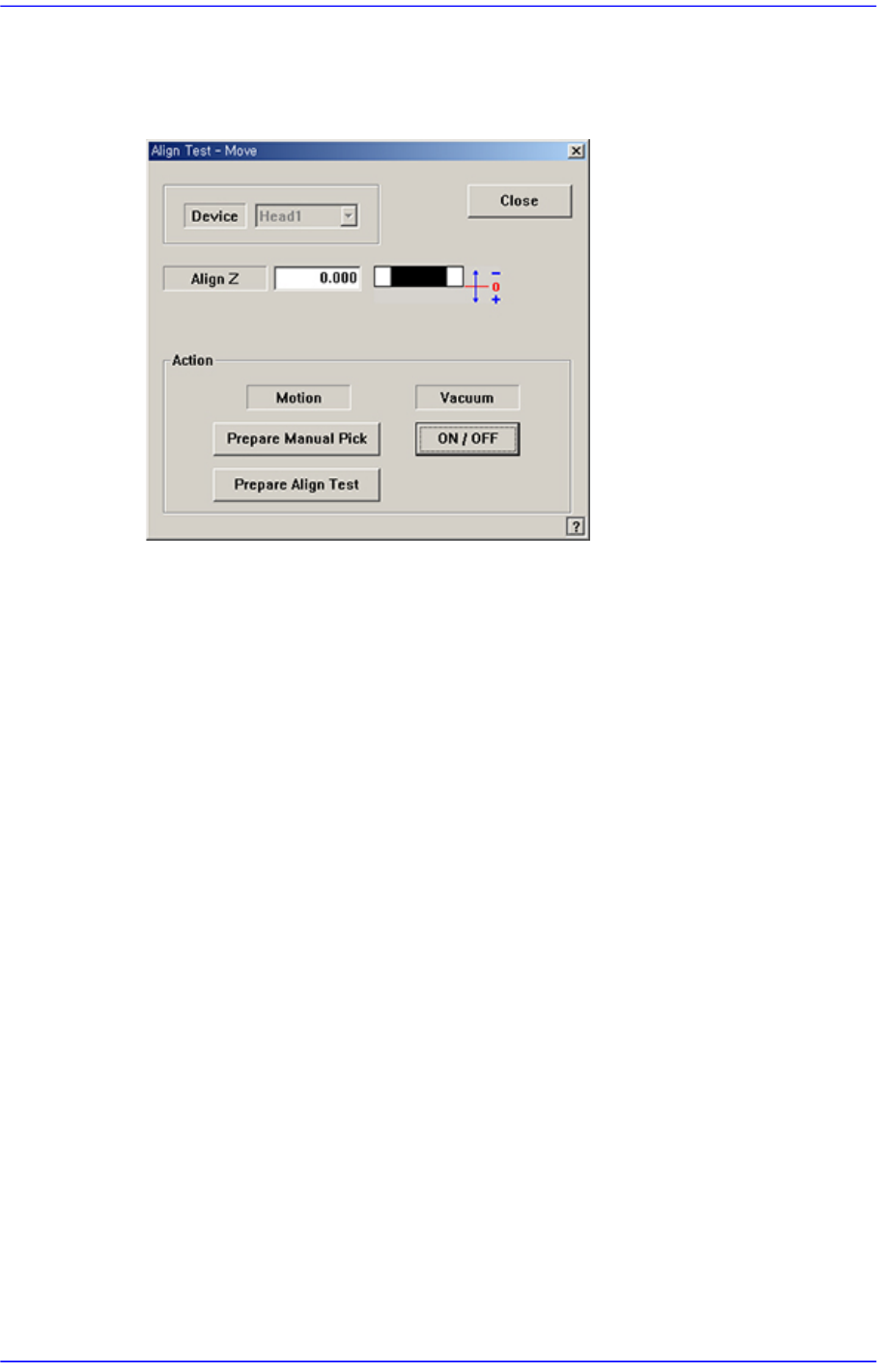
<Move> button
Used for parts recognition test by manually picking up parts. When this button is
clicked on, the following dialog box is displayed.
<Device> combo box
Select the camera to be used for parts recognition.
Only when “Fix Cam1” is selected from the <Camera No.> combo box in the Edit
Part dialog box will the “Align Test” be executed.
<Align Z> edit box
Set the height for recognition. Based on the component surface, if the top is to be
recognized, set - value, and if the bottom is to be recognized, set +value.
<Action> group
<Prepare Manual Pick> button
Moves the head block to the pick-up position when the component is to be
picked to the head manually. Moves to the Home position of the equipment.
<Prepare Align Test> button
When the camera recognizing parts is “Fly Camera”, move the height of the
Z-axis at the tip of the nozzle installed at the head to the align height, close
mirror, and illuminate the part.
When the camera recognizing the parts is “Fix Camera”, move the height of
the Z-axis at the tip of the nozzle installed at the head to a safe height, move
the head assembly to the position of fix camera, and move the Z-axis height at
the tip of the nozzle to the part recognition height (align height).
<Vacuum ON/OFF> button
Turns on/off the vacuum generator of the head for the component pick-up or
release.
7-35
Part Registration
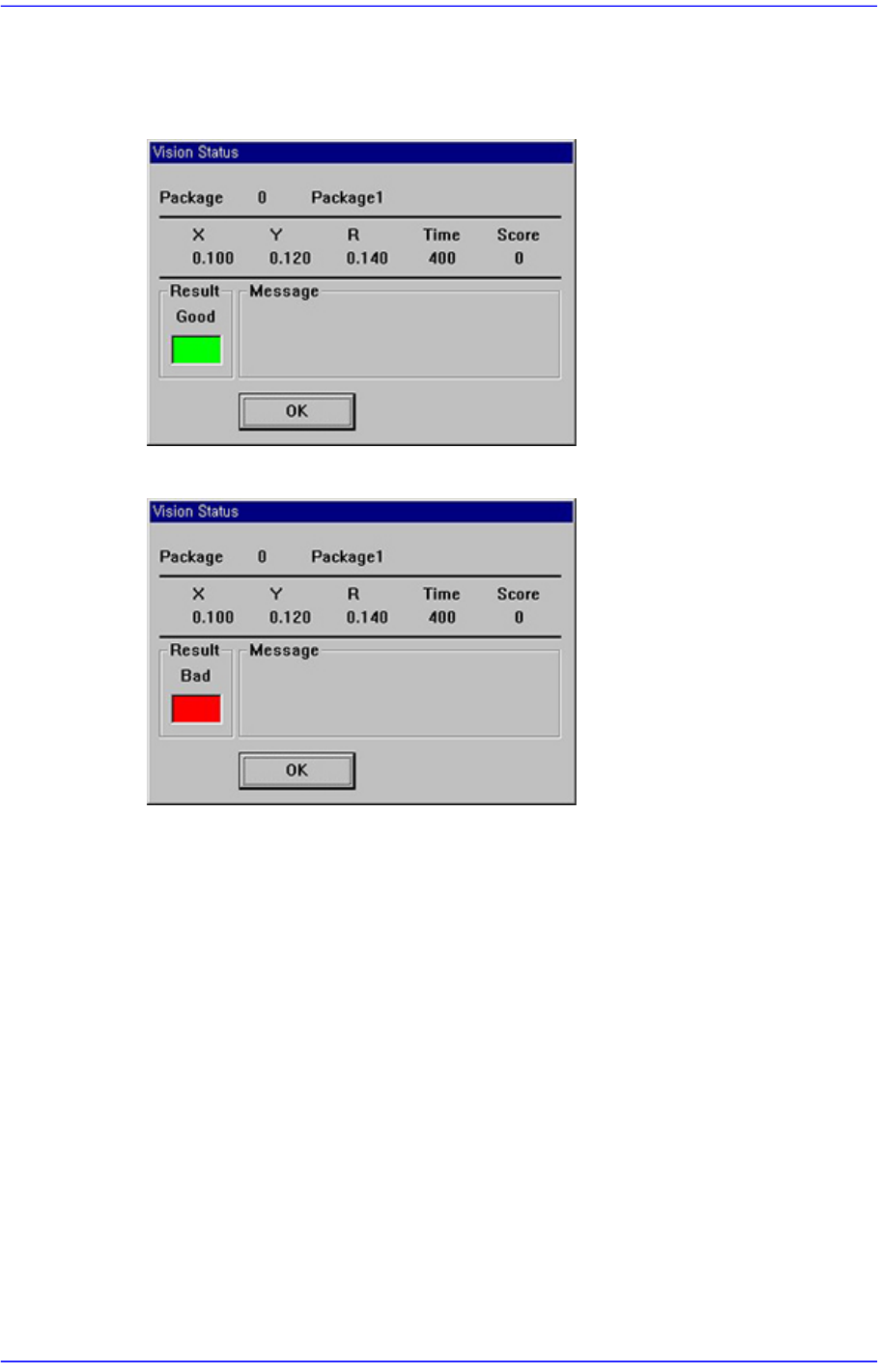
<Test> button
Tests component recognition by using the set align data. When the test is successful,
the following message box is displayed.
When the test is not successful, the following message box is displayed.
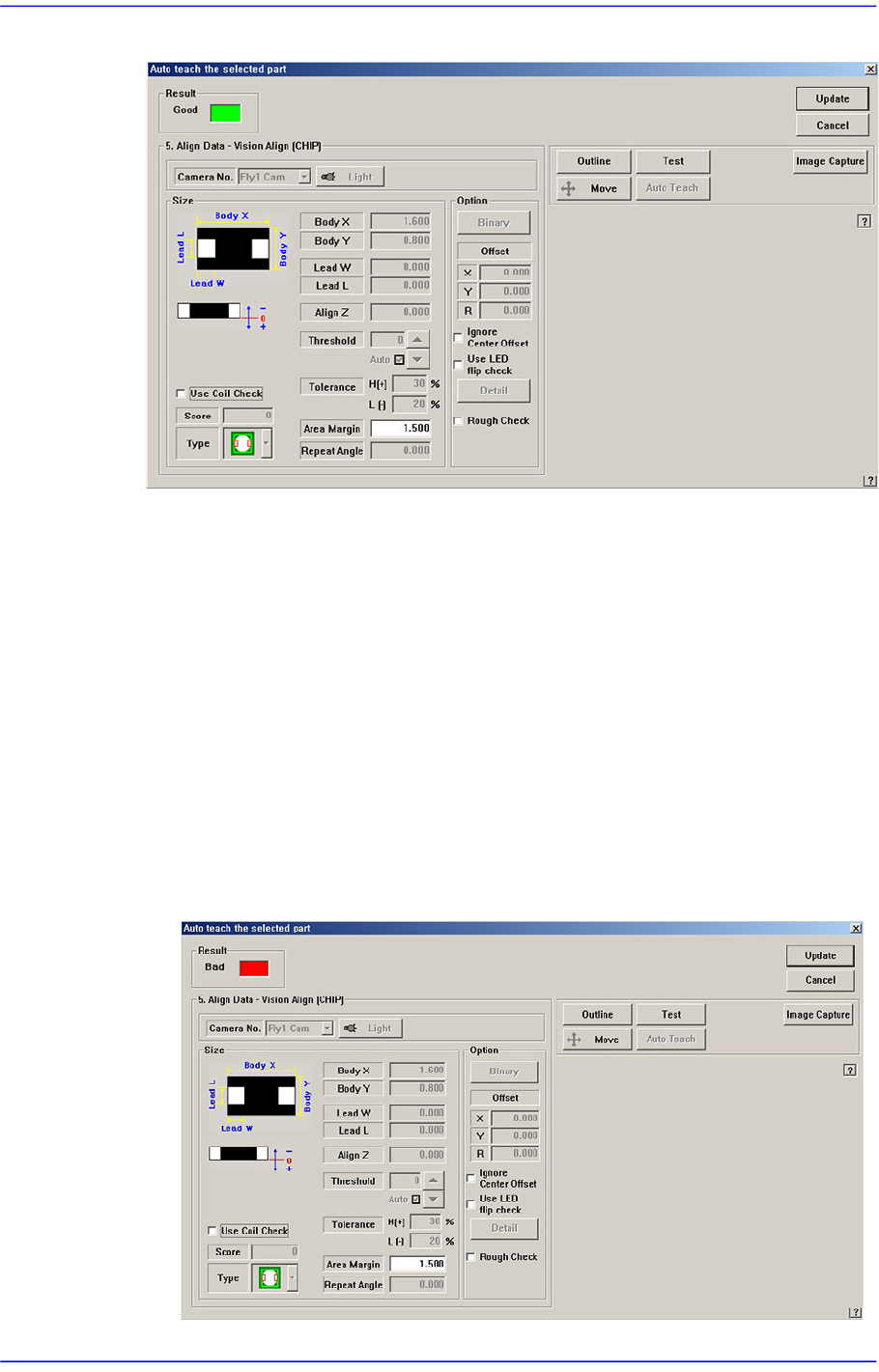
<Auto Teach> button
Automatically finds out the component align data. If Auto Teach is successfully
performed, following dialog box is displayed.
Auto Teach is supported only for CHIP-Rect, TR, TR2,BGA, SOP, SOP2, SOJ, SOJ2,
QFP, PLCC and FLIPCHIP.
7-36
Advanced Chip Shooter DECAN S2 Administrator’s Guide
Figure7.9 “Auto Teach the selected part-Good” dialog box
<Result>
Displays whether or not Auto Teach has been successfully performed.
<Update> button
Saves the component align data obtained by Auto Teach and closes the dialog box.
<Cancel> button
Neglects the component align data obtained by Auto Teach and closes the dialog
box.
<Align Data> group
Displays Auto Teach results.
Following is the message box when auto teach fails.
Figure7.10 “Auto Teach the selected part-Bad” dialog box