DECAN_S2_Admin(Eng_Ver4.5).pdf - 第488页
15-37 System Setup 11 . Once the file import is c o mpleted, check whether light mapping data values increase gradually from L e vel 0 to Level 15. Then click the <Update> b ut ton. Ref. The test result value must …
15-36
Advanced Chip Shooter DECAN S2 Administrator’s Guide
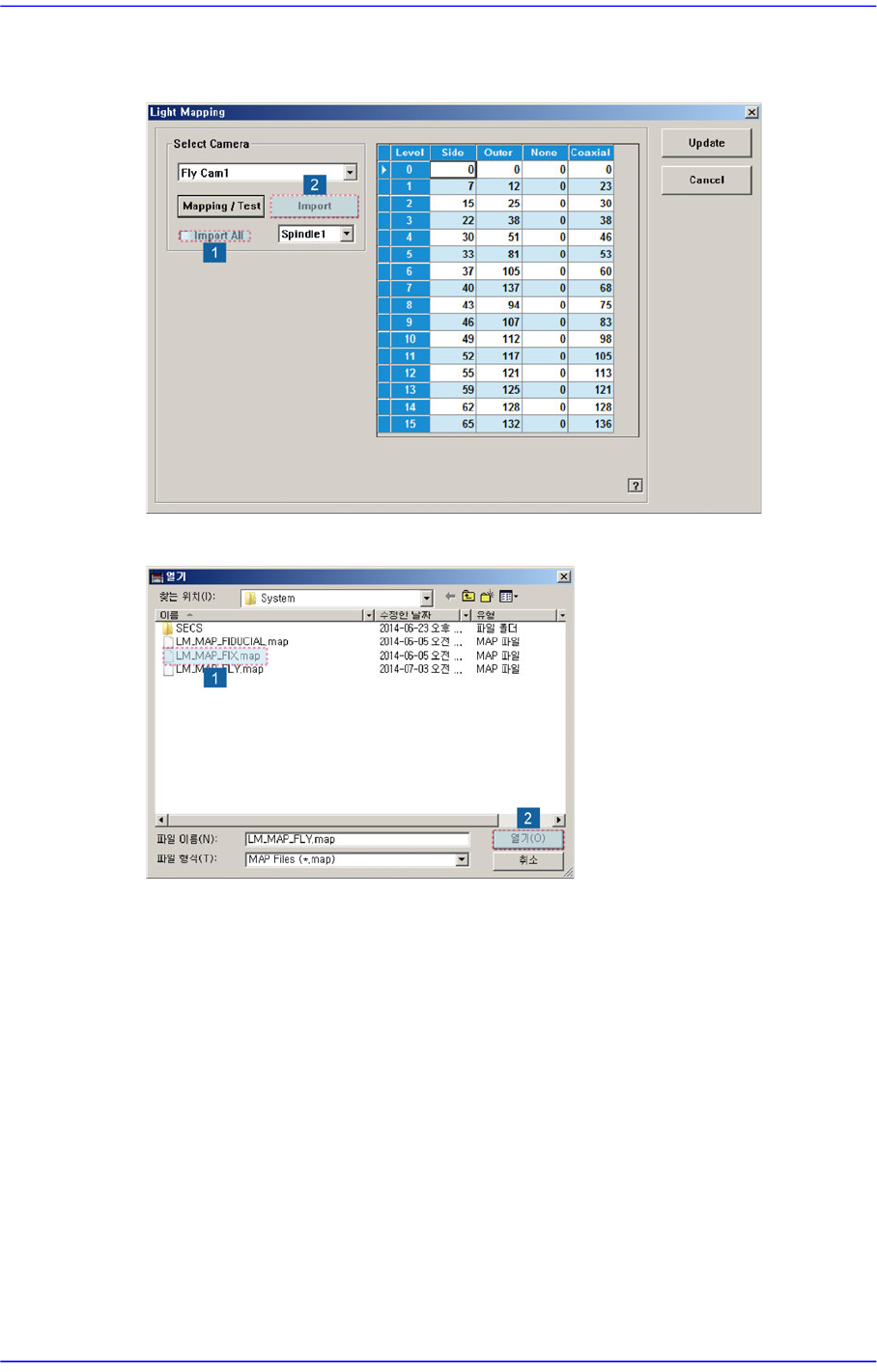
9. Check the <Import All> check box in the <Select Camera> group and click the
<Import> button.
10. Select the LM_MAP_FIX in the <Open> dialog box and click the <Open> button.
15-37
System Setup
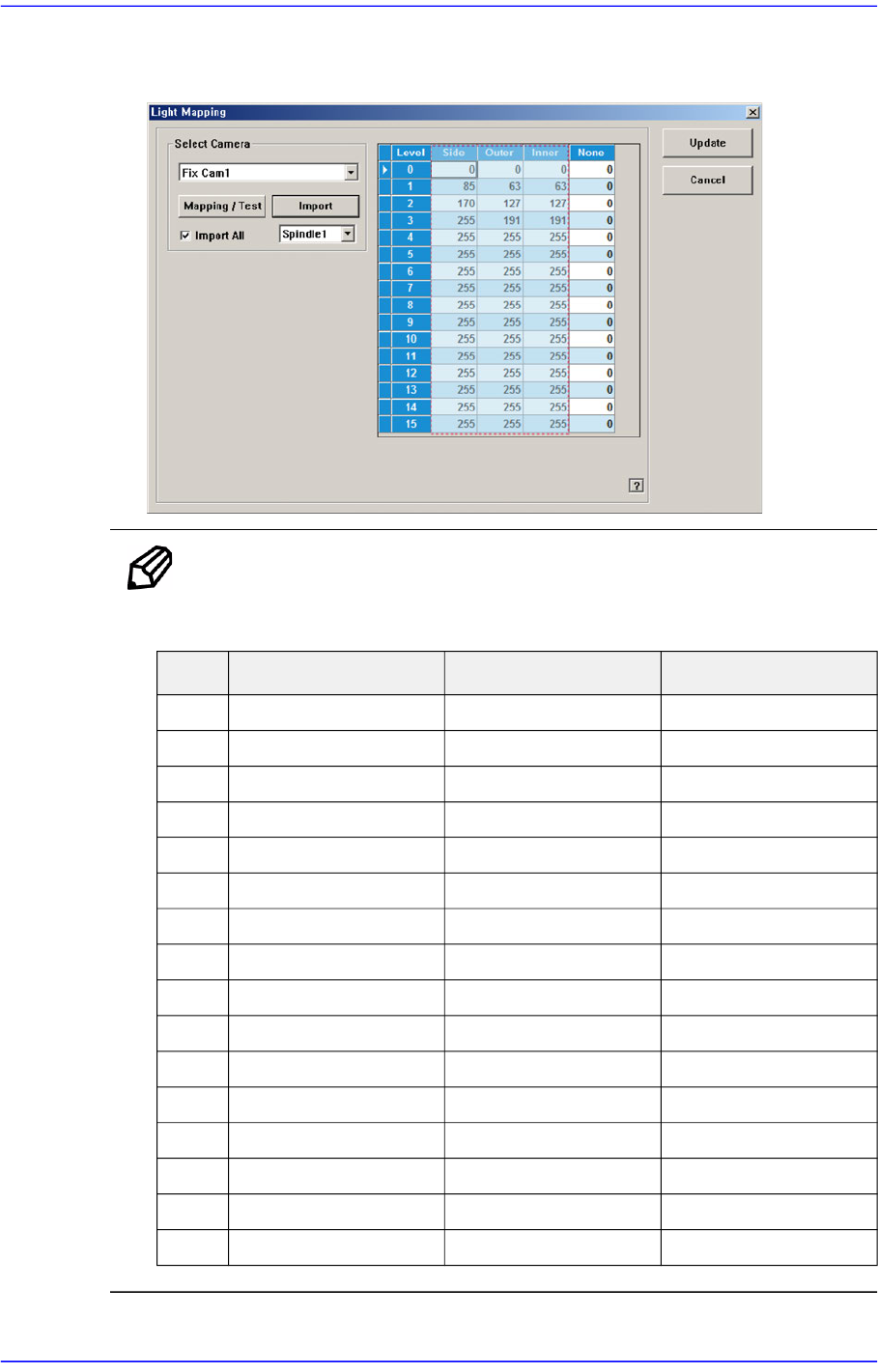
11. Once the file import is completed, check whether light mapping data values increase
gradually from Level 0 to Level 15. Then click the <Update> button.
Ref. The test result value must be within ±10 from the following reference
value.
Side Outer Inner
0 12 12 12
1 25 23 23
2 39 33 35
3 51 42 45
4 62 51 54
5 73 60 64
6 86 70 75
7 96 79 85
8 105 87 94
9 115 95 102
10 125 103 112
11 135 111 121
12 143 118 128
13 151 125 136
14 160 133 145
15 168 140 152
15-38
Advanced Chip Shooter DECAN S2 Administrator’s Guide
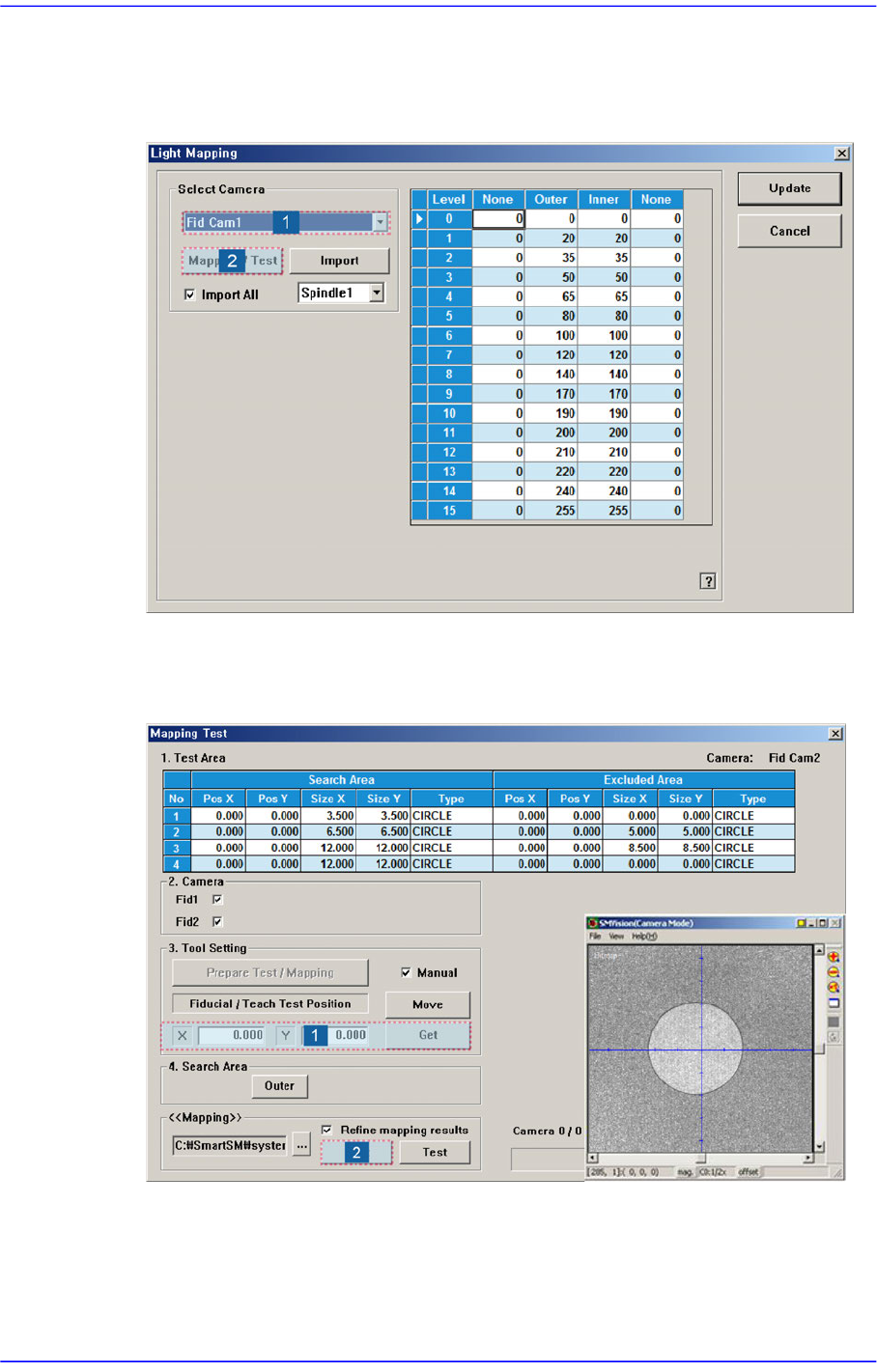
Perform light mapping of the Fiducial Camera (Outer Light) in the following manner:
1. After selecting the camera for which light mapping is to be performed in the <Select
Camera> group, click the <Mapping/Test> button.
2. After placing the mapping plate on the ANC, place the circle of the mapping plate at
the center of the screen. Then click the <Get> button to teach the coordinate and click
the <Start> button in the <<Mapping>> group to perform mapping.