DECAN_S2_Admin(Eng_Ver4.5).pdf - 第89页
4-8 Advanced Chip Shooter DECAN S2 Admi nistra t or’s Guide 4.3. ANC Setting The ANC menu p erforms functions related to ANC setting including the arrangement of nozzles on the ANC (Auto Nozzle Changer), nozzle pickups, …
4-7
Tools Shortcut Menu
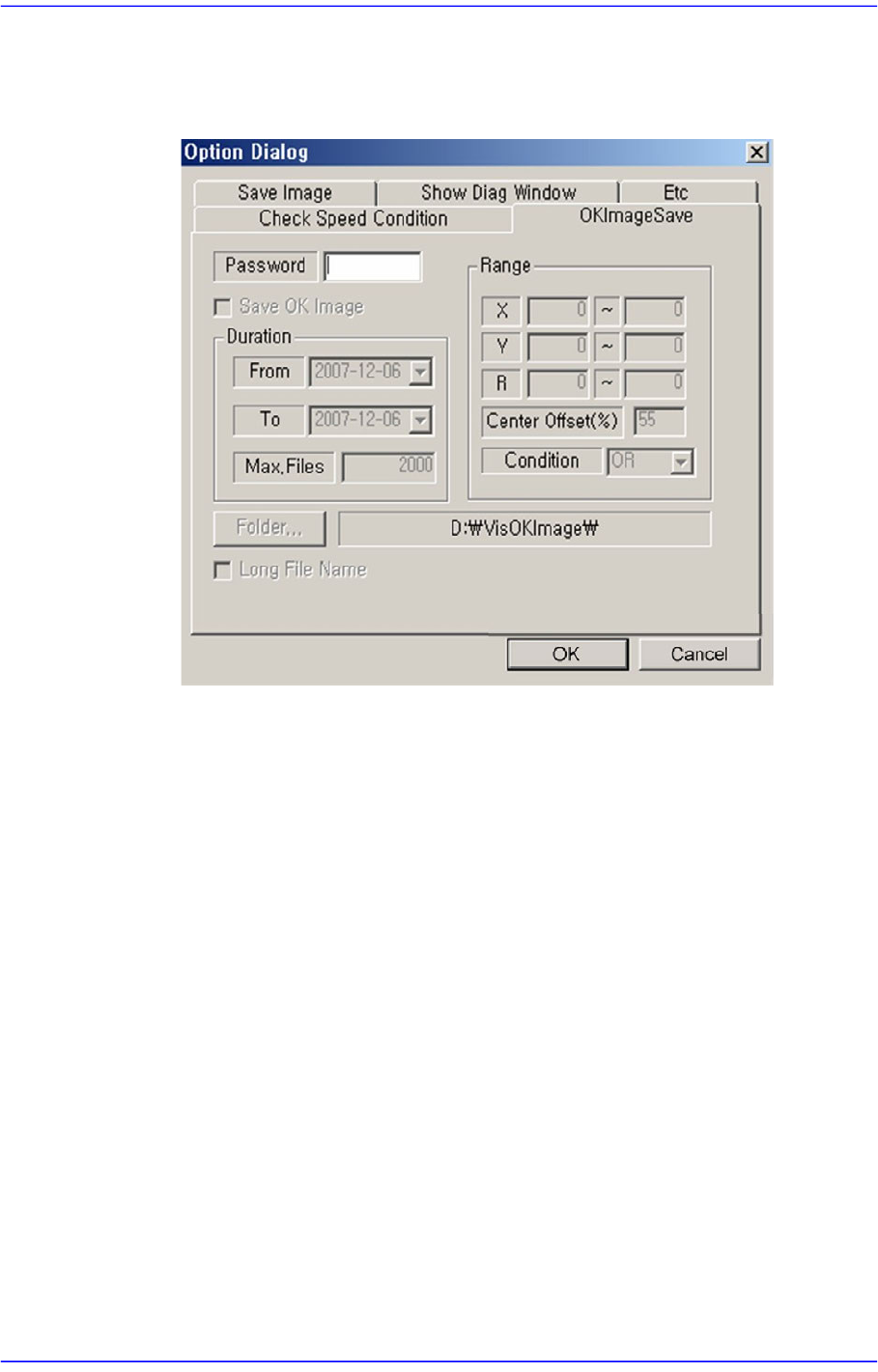
<OKImageSave> Tab Dialog
Refers to the function that can save the errors in a certain range and over a certain
period. The maximum available number is 5000.
Zoom Toolbar…
Hides or display the zoom tool bar.
4.2.1.5. Display Window
Display the real image of the camera, grabbed image, bitmap image, etc.
4.2.1.6. State Bar
Outputs the zooming ratio of the screen.
4-8
Advanced Chip Shooter DECAN S2 Administrator’s Guide
4.3. ANC Setting
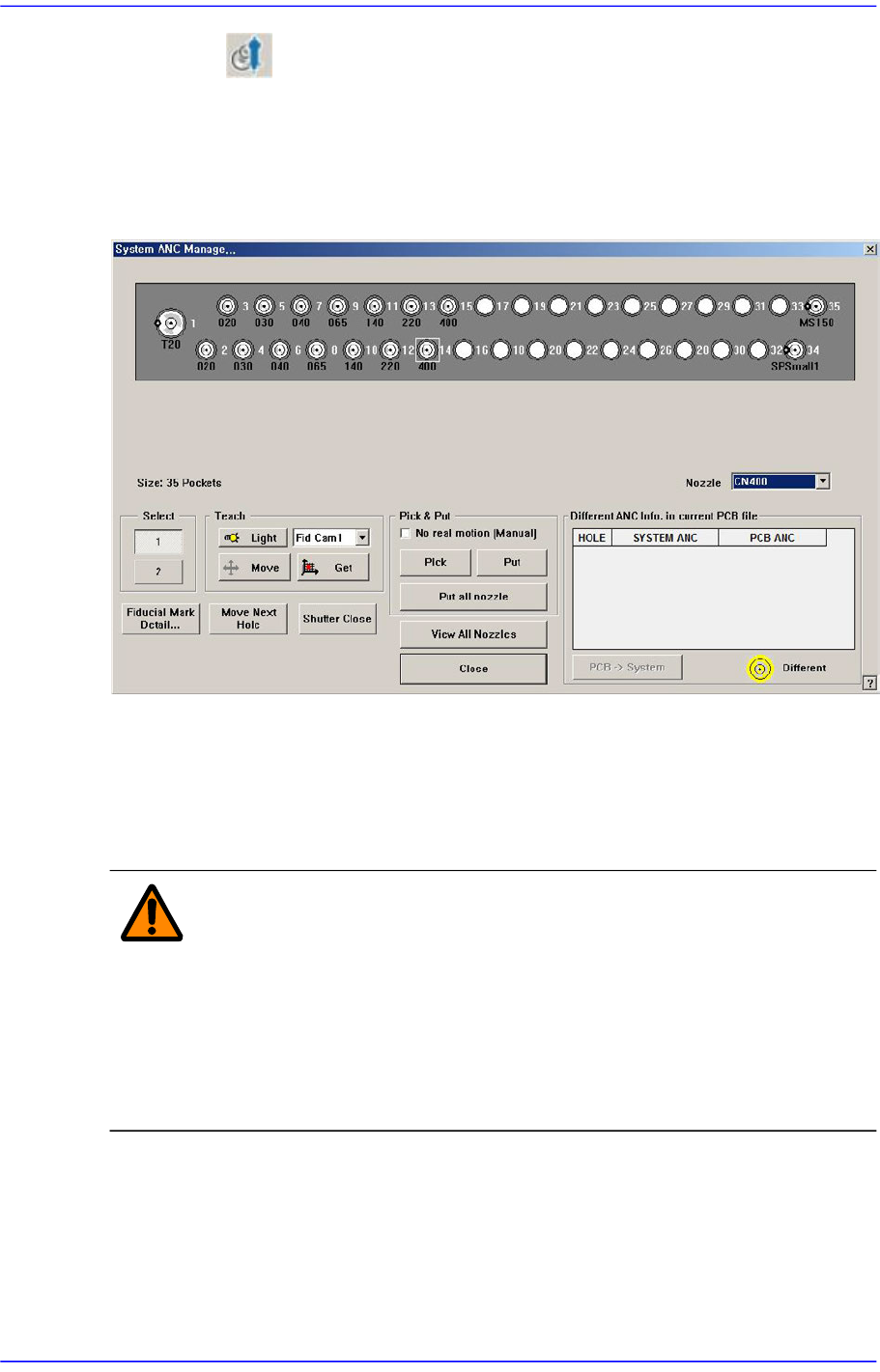
The ANC menu performs functions related to ANC setting including the arrangement of
nozzles on the ANC (Auto Nozzle Changer), nozzle pickups, and attachment. When this
menu is selected, the following dialog box is displayed.
Figure4.3 “ANC Setting…” dialog box
<Nozzle> combo box
Selects the nozzle to be arranged for the selected hole.
<Select> option button
Select the ANC number to set.
Warning When the nozzle is needed to arrange manually, Open the
ANC shutter using <Shutter Open/Close> button and after
pushing the <EMG> switch in the front operation panel or in
the rear operation panel, arrange the nozzle manually. And
release the <EMG> switch and push the <Reset> switch. If
this procedure is not followed, personal injury could occur.
Be sure to follow this procedure.
<Teach> group
Used for moving the selected object to the assigned position of coordinates by rotating
XY axis driving motor, or for obtaining the present coordinates of the fiducial camera.
<Light> button
Setup the illumination of fiducial camera to be used for teaching the ‘ANC

4-9
Tools Shortcut Menu
Fiducial Mark’. Please refer to “7.1.1 Common Align Data”.
Combo box
Used for selecting the object to move to the designated coordinates by rotating the
XY axis driving motor or to select the object for which the present coordinates is
searching. Selectable objects are as follows;
Fid Cam2: Select the fiducial camera on the front gantry.
Fid Cam4: Select the fiducial camera on the rear gantry.
Head 1 ~ Head 20: Select #1 ~ #20 heads.
<Move> button
Move the object selected in the combo box to the position of the assigned
coordinates. At this time, before executing <Move> button, the hole
corresponding to the desired position must be clicked on with a mouse.
<Get> button
Obtain coordinates for XY axis with reference to the object selected in the combo
box. At this time, before executing <Get> button, the hole corresponding to the
desired position must be clicked on with a mouse.
<Fiducial Mark Detail…> button
Set the ANC fiducial mark data. For more details. refer to Section “7.1.1 Common
Align Data”.
<Move Next Hole> button
Moves the device selected from the combo box in <Teach> group to the hole next to
the currently selected hole in the ANC.
<Shutter Open/Close> button
When this button is clicked on, the ANC shutter is Opened or Closed.
<Head-Inspect Nozzle Type> button
Clicking this button will perform the inspection of the type of the nozzle inserted in
the nozzle holder of the currently selected head. Since separate setup is needed to
enable this function, our C/S department must first be contacted.
The nozzles whose types can be checked are as follows:
CN030, CN040, CN065, CN140, CN220
<All-Inspect Nozzle Type> button
Clicking this button will inspect the types of nozzles inserted in the nozzle holders of
all heads. Since separate setup is needed to enable this function, our C/S department
must first be contacted.
The nozzles whose types can be checked are as follows:
CN030, CN040, CN065, CN140, CN220
<Pick & Put> group