DECAN_S2_Admin(Eng_Ver4.5).pdf - 第129页
6-16 Advanced Chip Shooter DECAN S2 Admi nistra t or’s Guide <Array Skip/W ork T ools> group All Skip: Set “Skip” for all of t he array PCBs. All W ork (No Skip): Release ‘Skip’ settings for all of the ar ray…
6-15
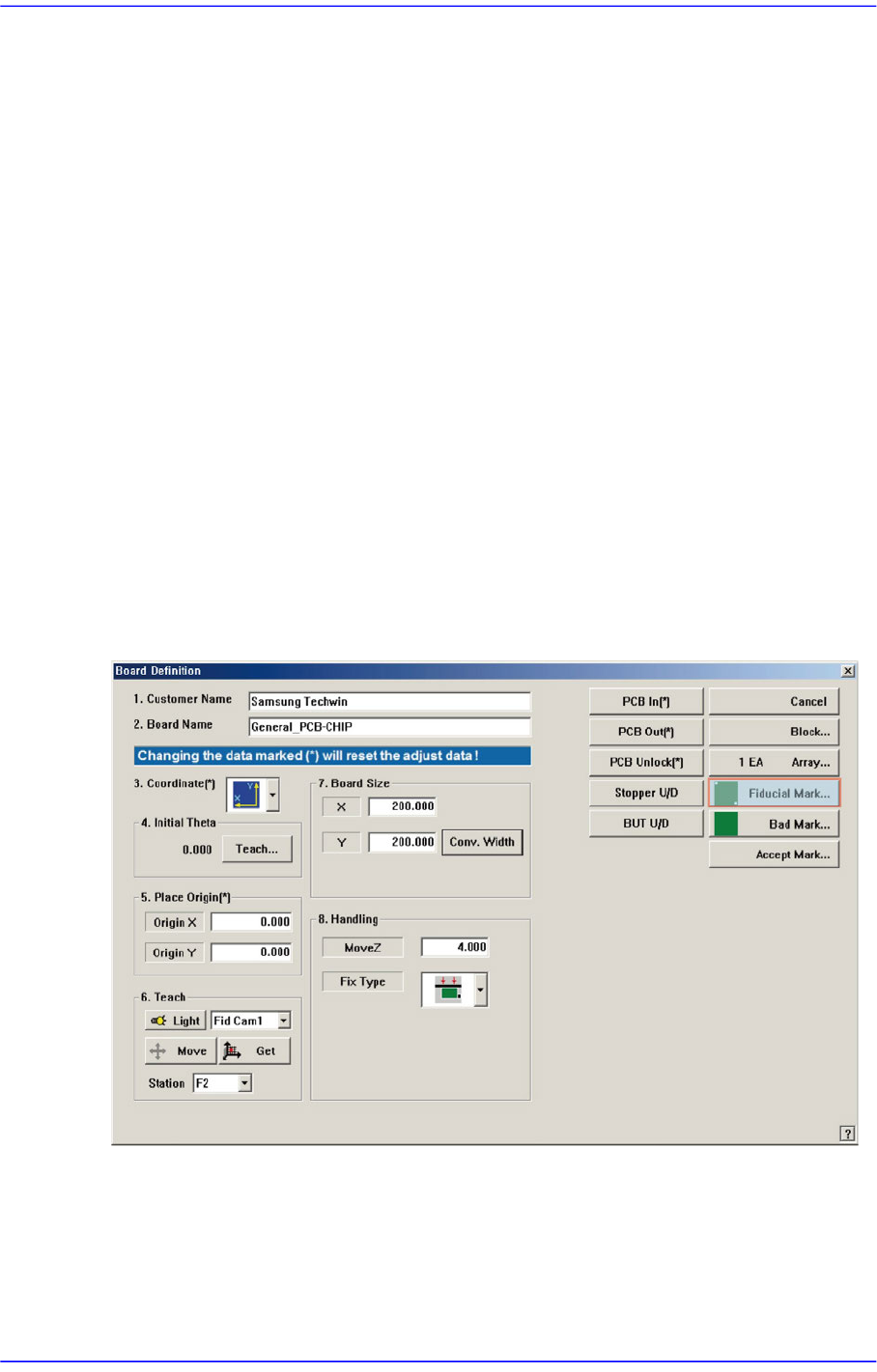
Board Definition
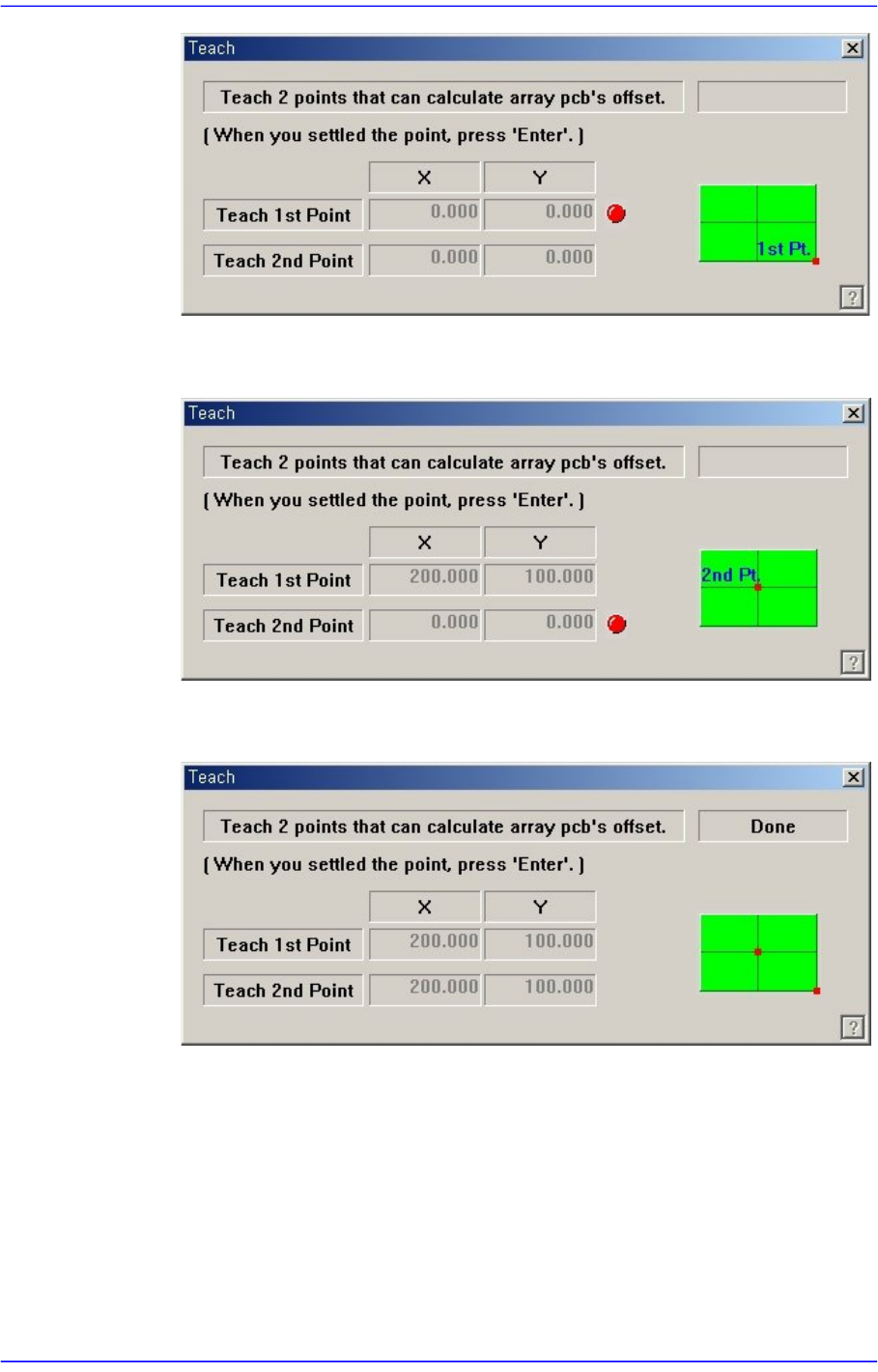
Teach the origin of the small PCB 1. When the “Enter” key is pressed after
teaching, the following screen is displayed.
Teach the origin of the small PCB on the position that can determine the offset.
When the “Enter” key is pressed after teaching, the following screen is displayed.
Press the “Enter” key to complete the Array PCB offset value teaching operation.
<Apply> button
Automatically creates Array PCB data with the value set in this group.
<5. Add Value> group
Set the values of X, Y, and R to be added to the grid line of the <1. Array> group.
When the “Add” button is clicked on after setting the desired values, the values are
added to the corresponding grid lines.
6-16
Advanced Chip Shooter DECAN S2 Administrator’s Guide
<Array Skip/Work Tools> group
All Skip: Set “Skip” for all of the array PCBs.
All Work (No Skip): Release ‘Skip’ settings for all of the array PCBs.
Skip: Set the ‘Skip’ for the array PCB having the number that is inputted in the
‘Array No’.
Work Release ‘Skip’ setting for the array PCB having the number that is inputted
in the ‘Array No’.
<Update> button
Saves the edited data and closes the screen.
<Cancel> button
Closes without saving the edited data.
6.3. Fiducial Mark Setup
If there is a fiducial mark on the PCB, set the position of the fiducial mark and mark data.
The fiducial mark is the mark on the PCB used for recognition of the PCB distortion and
its correction. In the case of the PCB without fiducial mark, the placement accuracy is
relatively low.
When this <Fiducial Mark…> button is clicked on, the following dialog box is displayed.
6-17
Board Definition
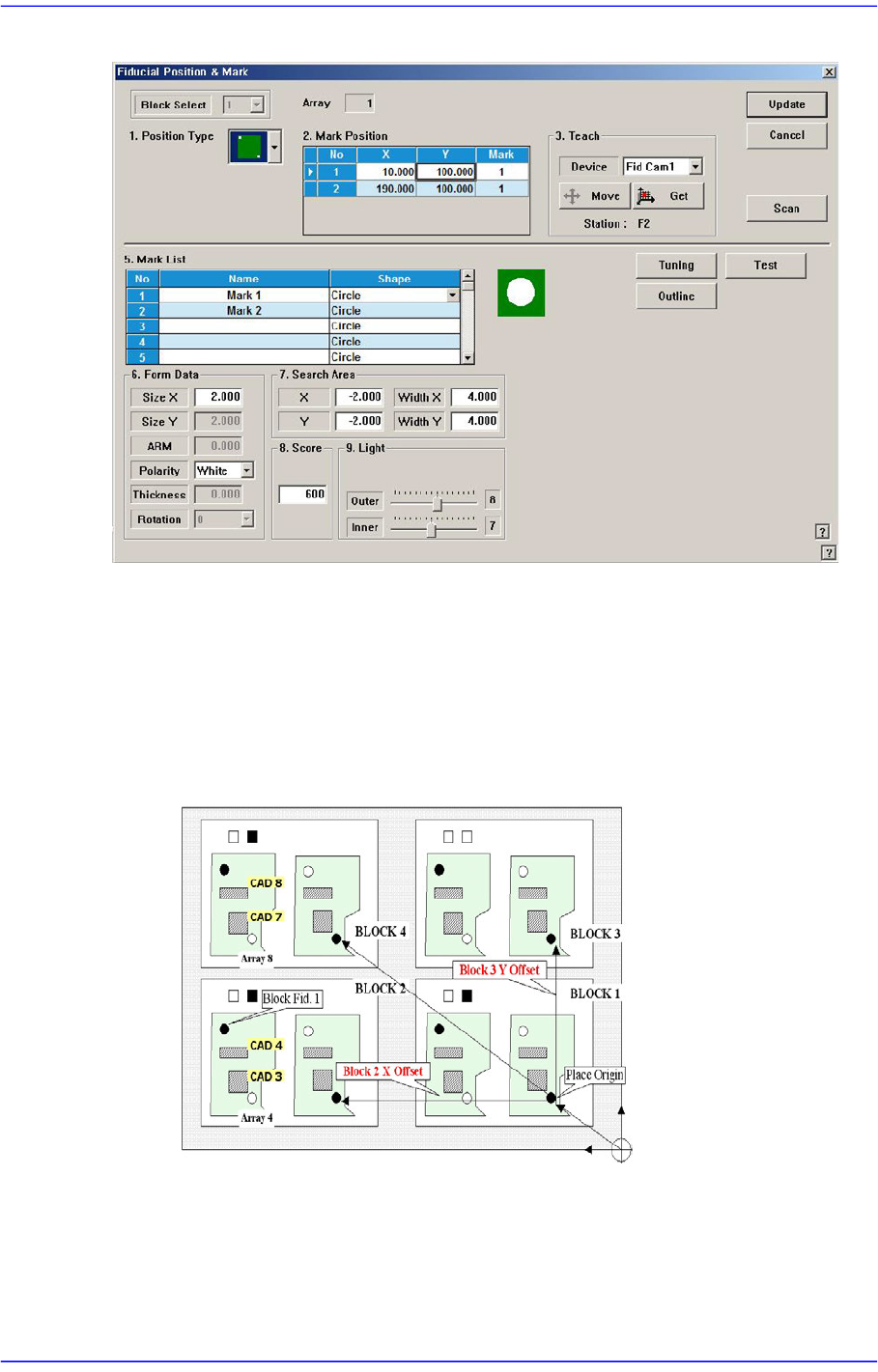
Figure6.4 “Fiducial Position & Mark” dialog box
<Block Select> combo box
For a Multi PCB
The model selected from the “Board Definition” dialog box is selected
automatically and the corresponding combo box is disabled.
For a Block PCB
Select the model for which setup will be performed and set other items.
<1. Position Type> combo box
One, two or three fiducial marks can be selected for use.
When one fiducial mark is selected, the X and Y distortion can be corrected. However,
it is difficult to correct the theta angle.