DECAN_S2_Admin(Eng_Ver4.5).pdf - 第450页
14-81 Machine Calibration 7. Save the data by c licking the <Update> button.
14-80
Advanced Chip Shooter DECAN S2 Administrator’s Guide
14.3.11. Board Position Calibration
Teach the stopper position in the conveyor installation area and the X position of the
sensor.
The following is the board position calibration procedure.
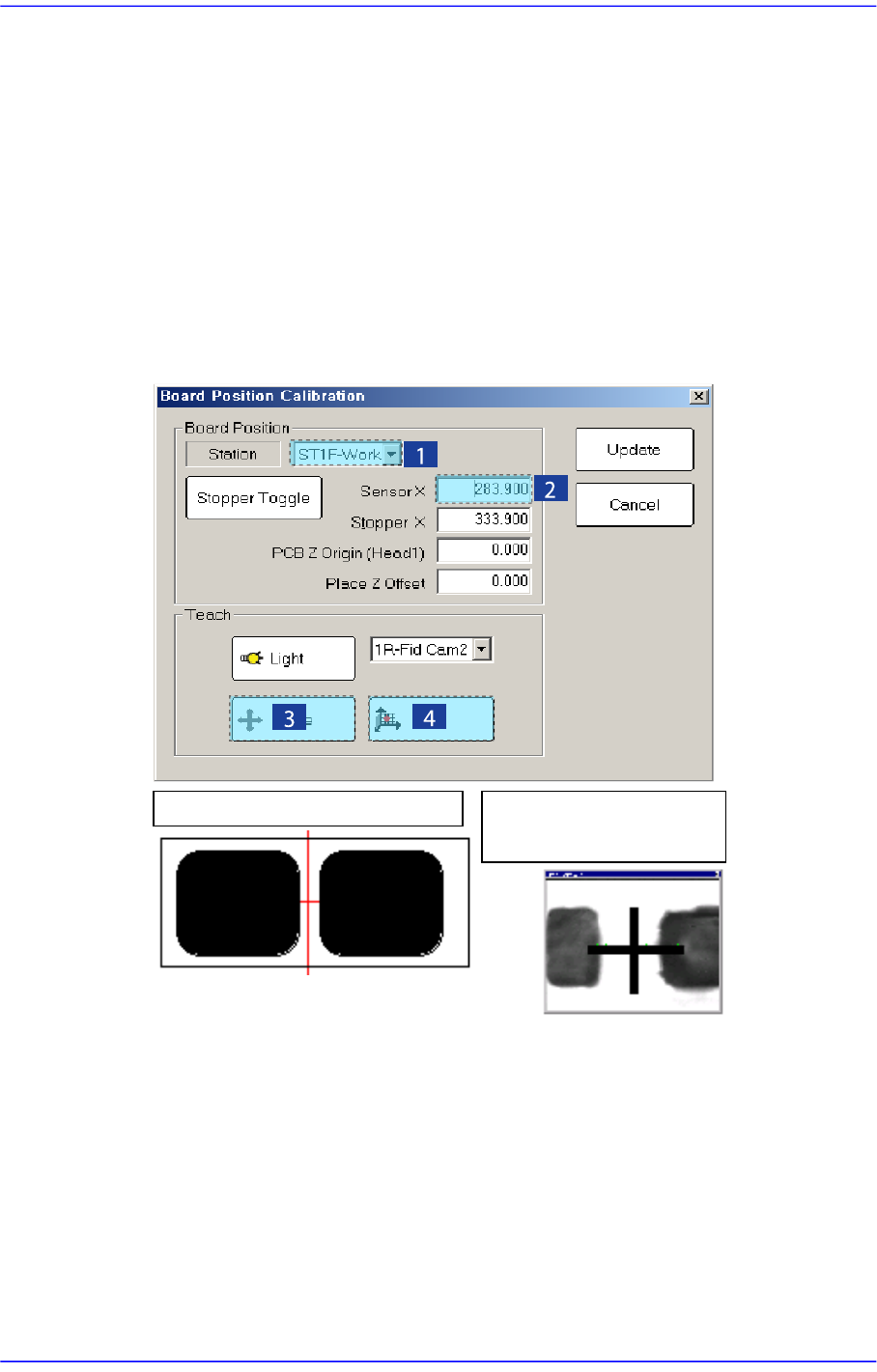
1. Select the edit box for the < Sensor X> using the mouse and move the downward
camera (Fiducial Camera) to the position of Sensor X by clicking the <Move> button.
2. Perform teaching of the exact position using the teaching box. Enter the precise
coordinates for ‘Sensor X’ by pressing the <Get> button of the teaching box. In the
case of the SM471, perform teaching for StationF2 and StationR2 respectively in the
same manner.
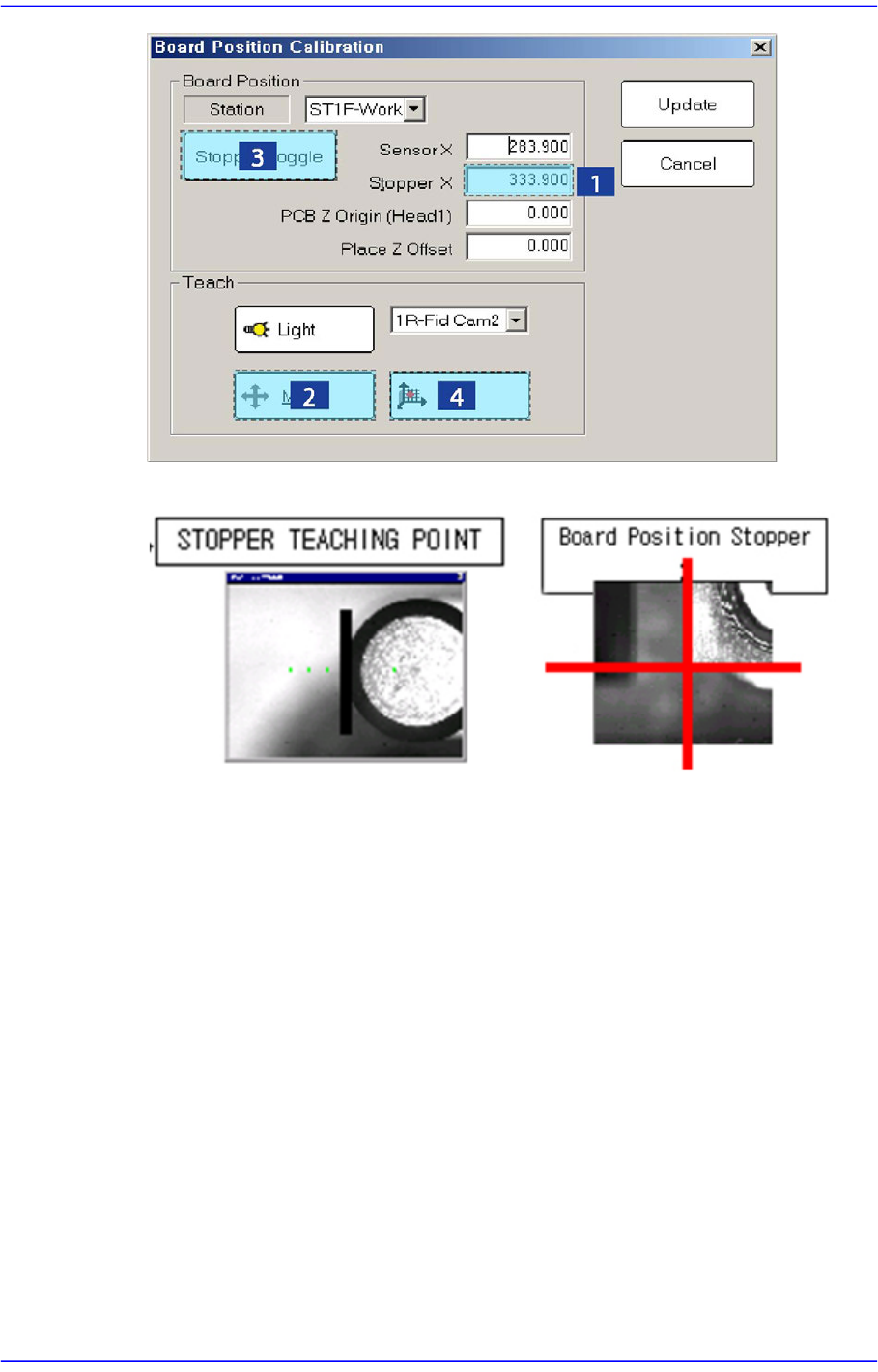
3. Select the <Stopper X> combo box using the mouse and then select the stopper to
teach and click the <Move> button, move fiducial Camera to position of Stopper X.
4. Click the <Stopper Toggle> button in the left of the <Stopper X> edit box first to move
the stopper up and then teach the stopper position correctly using the teaching box.
5. Click the <Get> button to enter the coordinates in the <Stopper X> edit box.
6. Click the <Stopper Toggle> button to move down the stopper. In the case of the
SM431, perform teaching for ST1F-Work and ST1R-Work respectively in the same
manner.
Board Position Sensor X
Board Position Sensor
Teaching
14-81
Machine Calibration
7. Save the data by clicking the <Update> button.