DECAN_S2_Admin(Eng_Ver4.5).pdf - 第503页
15-52 Advanced Chip Shooter DECAN S2 Admi nistra t or’s Guide <Use RESCUING> check box When this check box is t icked, the <Enable R ESCUING> check box is activated i n the <Operation Opti on> area of…
15-51
System Setup
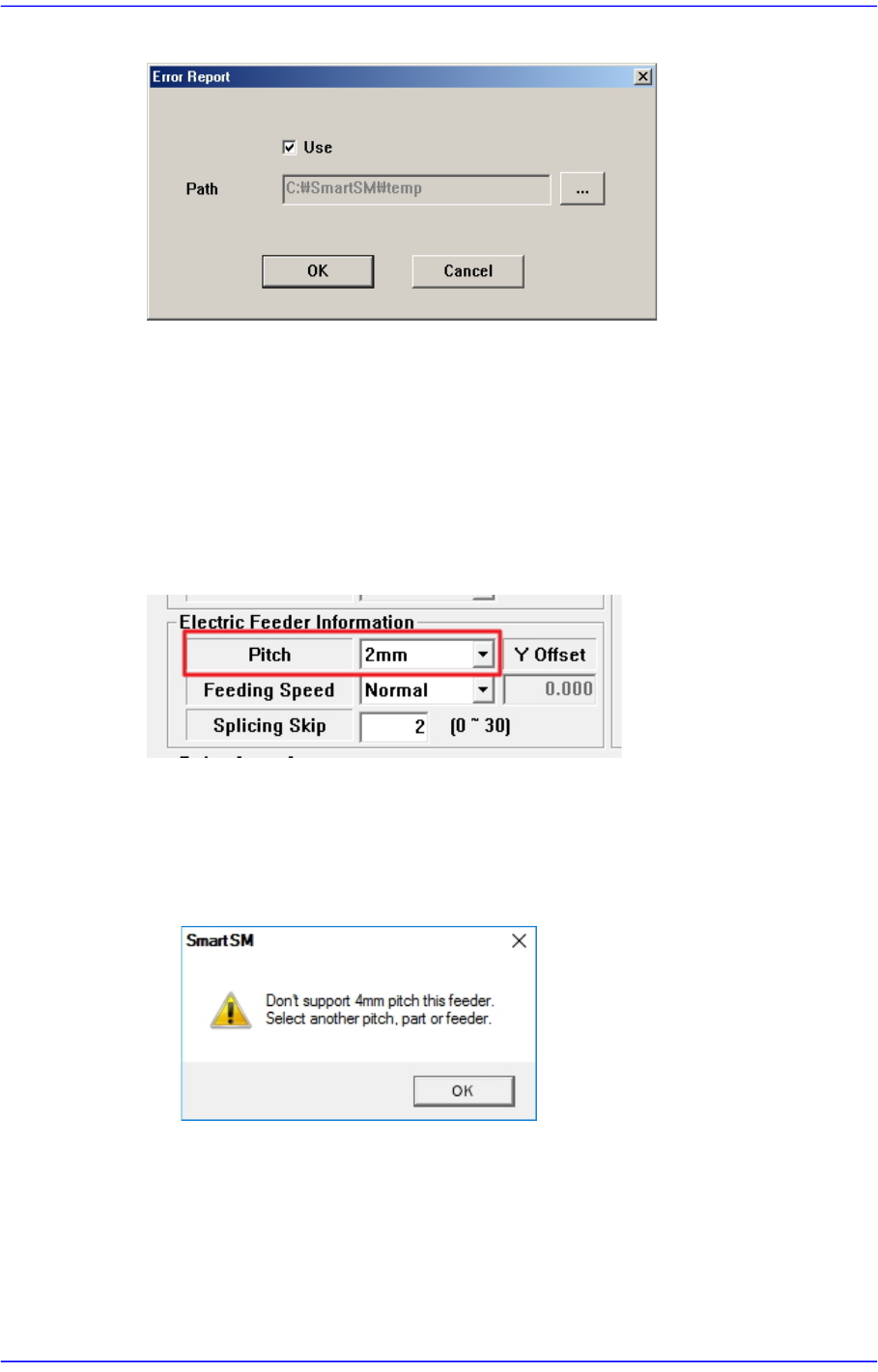
Figure15.17 “Error Report” dialog box
<Use> check box
Checking this check box will allow the file backup function to be used.
<Path> edit box
Sets the path for MMI file backup.
<Ignore Restriction Pitch> check box
Ticking this check box will override any constraints on the Feeder Pitch settings of a
part.
When setting the Feeder Pitch of a part, the following restrictions are set by default.
Parts of 1005 or less (the Y size of a part is less than 0.65mm)
Feeder Pitch: Only 2mm or less can be selected
When an unavailable Pitch is selected, the following warning window appears.
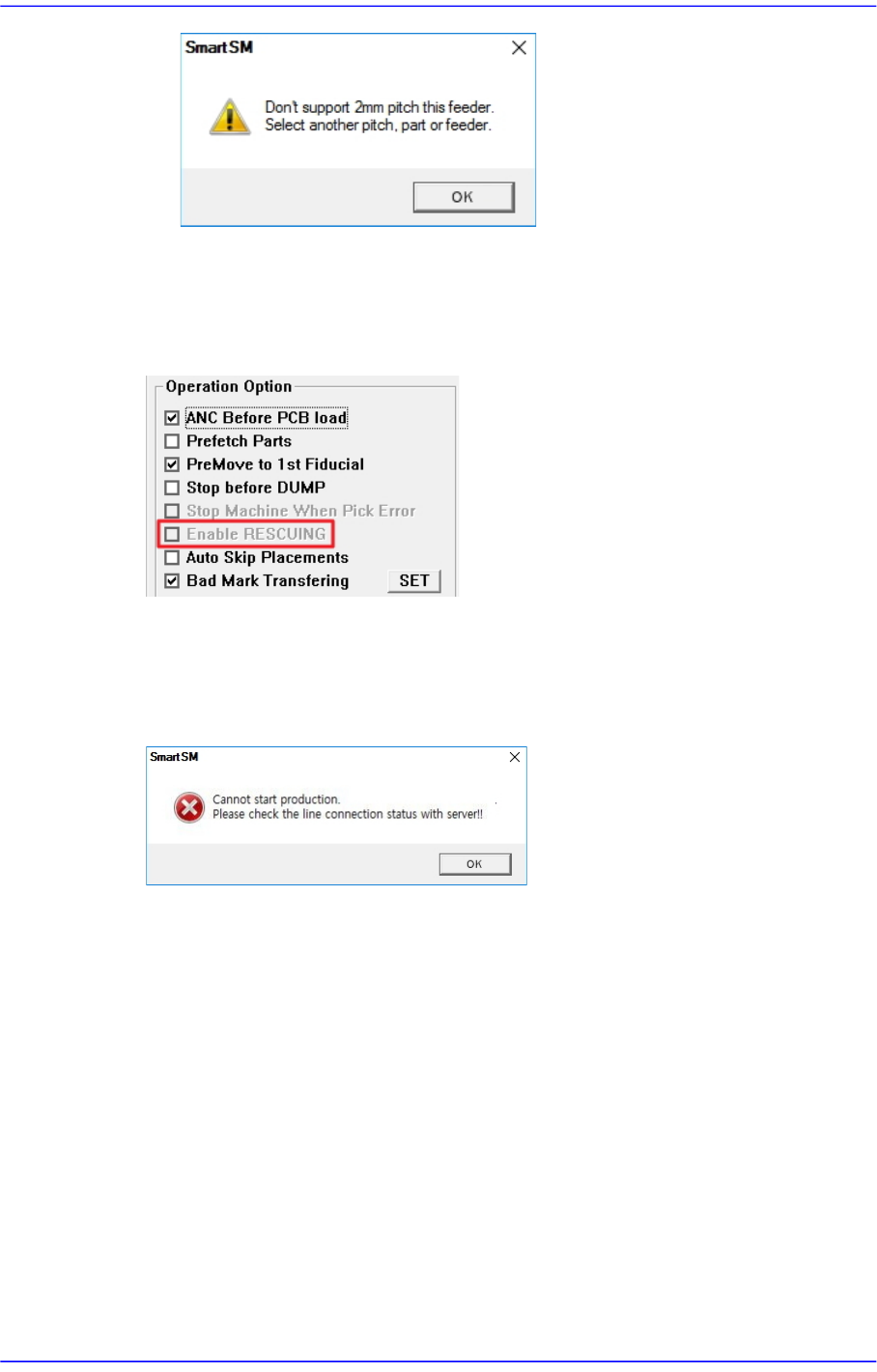
Parts of 1608 or more (the Y size of a part is more than 0.65mm)
Feeder Pitch: Only 4mm or less can be selected
When an unavailable Pitch is selected, the following warning window appears.
15-52
Advanced Chip Shooter DECAN S2 Administrator’s Guide
<Use RESCUING> check box
When this check box is ticked, the <Enable RESCUING> check box is activated in the
<Operation Option> area of the “Product” menu. For details on this function, refer to
“13.1.2. Option Setting”.
<PNP Connection Check> check box
Checks whether the machine and PNP are connected before starting production.
Starting production with the machine not connected to the PNP will display an error
message.
<Use Pickup Offset Sync> check box
This is selected when applying the feed angle (R) and mounting angle (Part R) of the
stick or tray feeder to the parts data registered in the feeder. When this check box is
ticked, each time the PCB file is opened, the feed angle and mounting angle of the part
are changed to the feeder data.
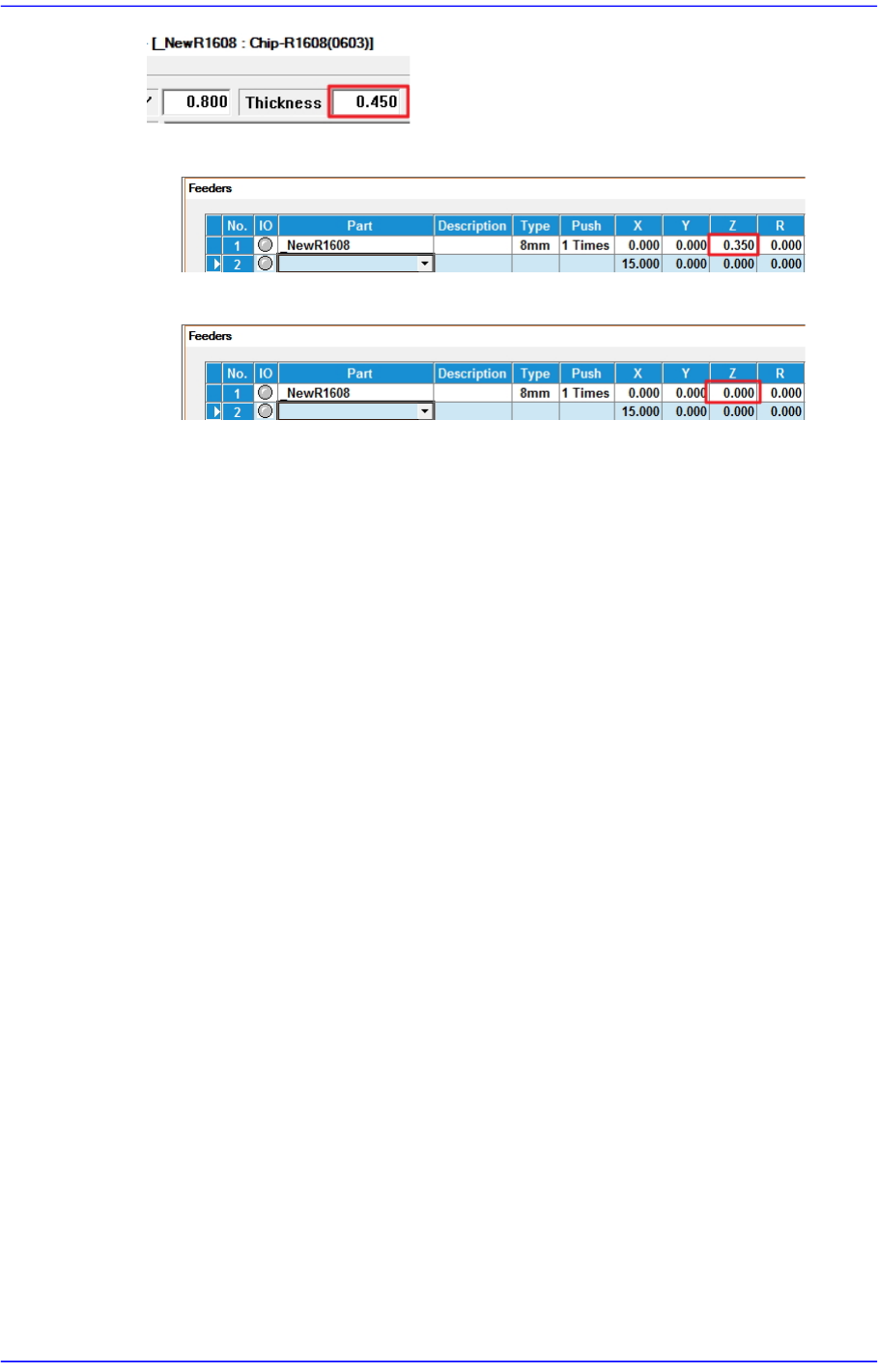
<Auto Apply Pick Up Height> combo box
When this check box is ticked, the pickup height of the part is automatically reflected
to the feeder Z value, but only for feeders whose reel type is Paper. (Pickup height of
the part: Thickness of the part - 0.1mm)
When changing the model, it takes a long time to set the pickup height of the part
when the number of tape feeders is large. At this time, you can shorten the model
change time by using this function.
[e.g.: Chip parts with a thickness of 0.450]
15-53
System Setup
[Auto Apply Pick Up Height = Use]
[Auto Apply Pick Up Height = Not Use]
<Update> button
Transmits the change data to the equipment and closes the dialog box.